






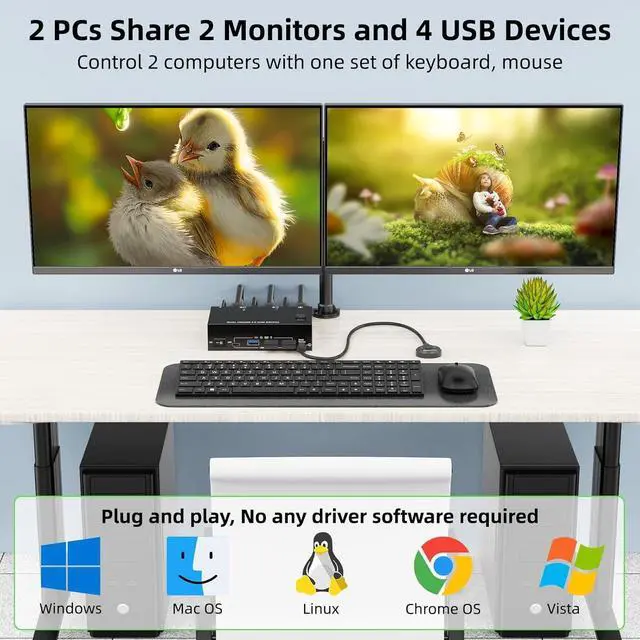


A set of keyboard mouse controls two computers, sharing two monitors and USB devices, suitable for users with 2 computers and 2 monitors

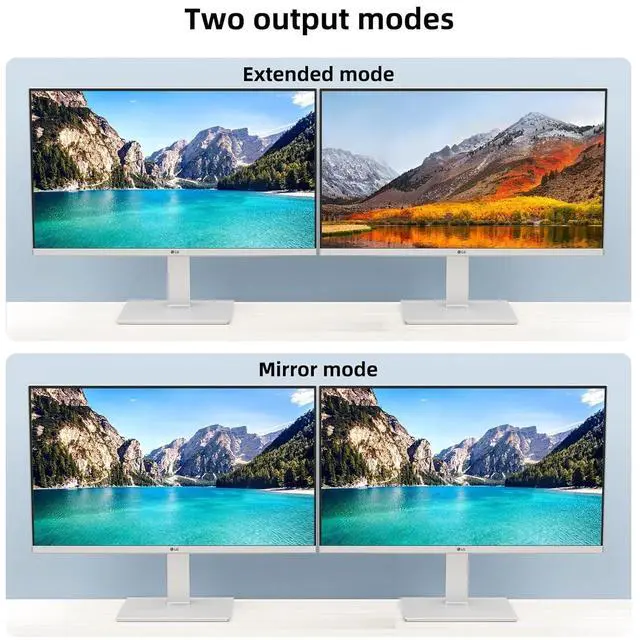
Extended mode can output 2 different screens and mirror mode can output 2 identical screens.

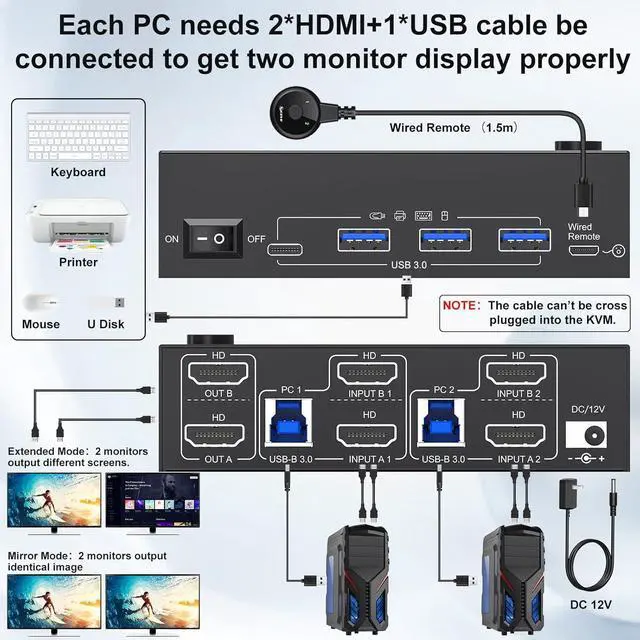
Each computer requires 2 * HDMI cable +1 * USB cable to connect to the KVM

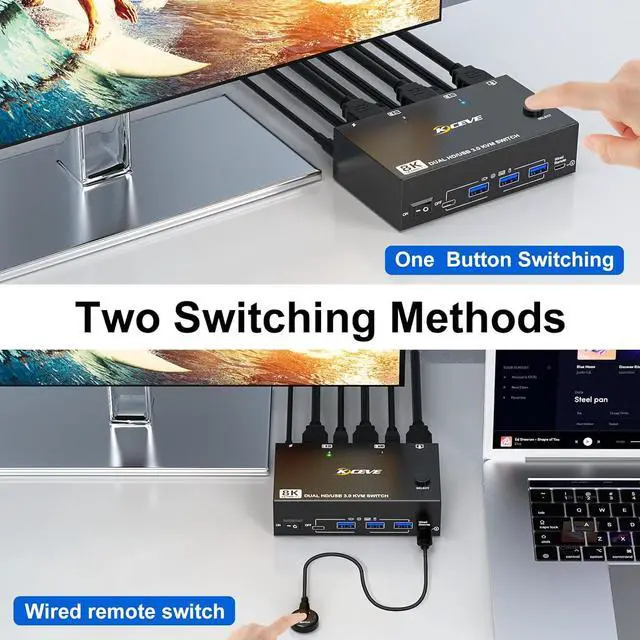
Demonstration video---Two switching methods and how to set output mode
Windows OS: Press the shortcut key "WIN+P" and then select "Extension" or "mirror" below
Mac OS: Set [Mirror Mode]: Select [A-p-p-l-e Icon] [System Preferences], click [Display] [Arrange], and then check [Mirror Display];
Set [Extended Mode]: When [Mirror Display] is unchecked, "Extended Mode" can be achieved.


12V Power Adapter (Included)
Make 2 monitors KVM switch work smoother and more stable when using high-power USB devices.

Up to 8K@60Hz , 4K@144Hz
7680×4320@60Hz,3840×2160@144Hz providing an incredible viewing experience with realistic images and vibrant colors.

Wired Remote (1.5m)
Tidy up desktop space by using the remote to switch 2 monitors between 2 computers.

ON/OFF Switch
Restart HDMI KVM with one click, no need to unplug and plug cables back and forth.
