v AV Access KVM Switch Dual Monitor 4K@60Hz, 2K@144Hz, 1080P@240Hz, USB 3.0 KVM Switch 2 Monitors 2 Computers, Ultrawide Screen PC Keyboard Mouse Switcher, Hotkey Switch
  •  
  • $99.99 
  • $109.99
  • Free 30-day Returns
  • Ships from China.
    Price alert
    Shop it at NeweggBusiness.

    AUTYUE Dual Monitor Displayport KVM Switch 8K@30Hz/4K@144Hz, 2 in 2 Out DP USB 3.0 KVM Switch for 2 Computers Share 2 Monitors and 4 USB 3.0 Devices, Cable Remote Control and USB Cable Included

    Limited time offer, ends 01/10 By Shenzhen Qiuyiyue Store

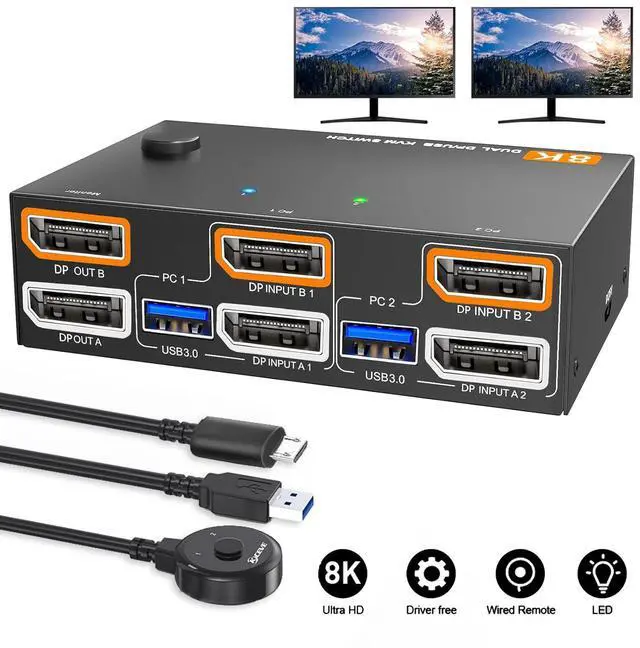
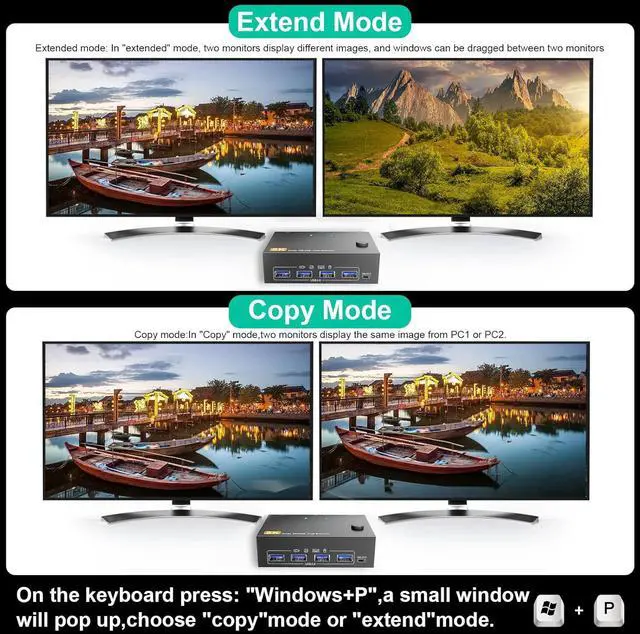
    • [DisplayPort Dual-Monitor KVM Switch] With this dual-monitor KVM switch, you can control two desktop PCs or laptops using just one wired or wireless keyboard and mouse. You can also use up to four USB devices and two monitors simultaneously (extended mode or mirror mode).
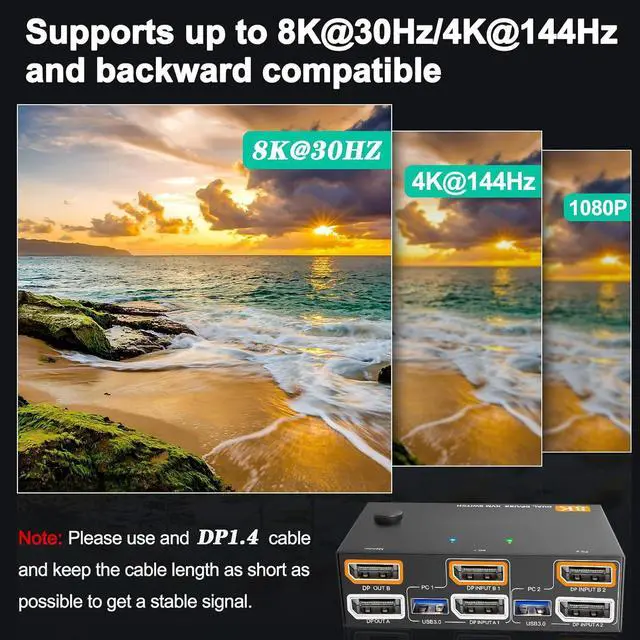
    • [Ultra HD 8K@30Hz/4K@144Hz] The DP1.4 USB 3.0 KVM switch supports resolutions of 8K@30Hz and 4K@144Hz and is backward compatible. It also features an input for connecting two computers with different resolutions. One device supports 4K@60Hz, the other 4K@30Hz, 1440p@60Hz, or a lower resolution. Note: The final resolution also depends on graphics cards, monitors, cables, and adapters.
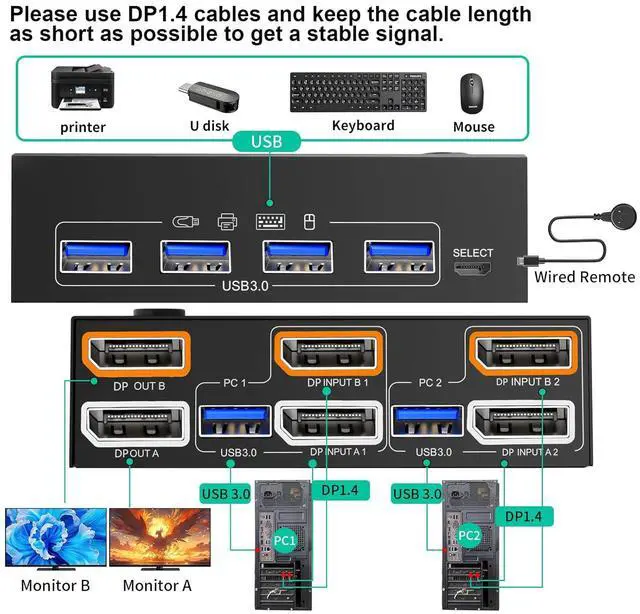
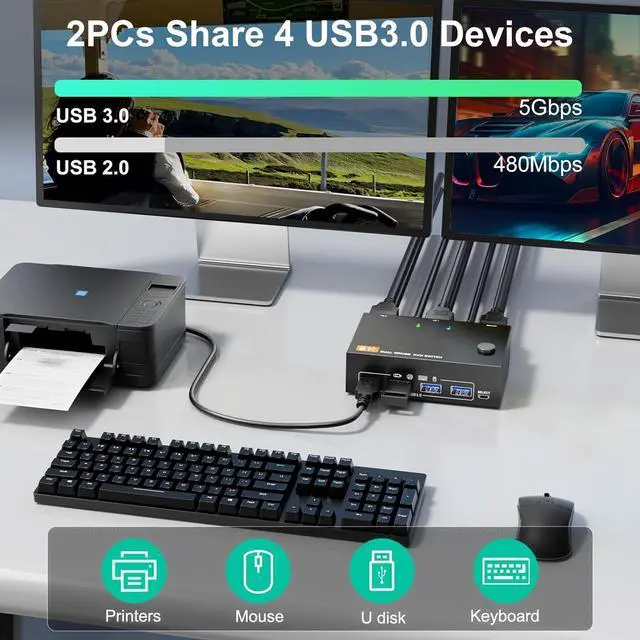
    • [DisplayPort 1.4 KVM Switch with 4 USB 3.0 Ports] This dual-monitor DP USB switch with 4 USB 3.0 ports allows two computers to share two monitors and four USB 3.0 devices such as a keyboard, mouse, and other USB devices. Please use the included USB 3.0 cable to connect the USB port of the PC1/PC2 input to the computer's USB 3.0 port.
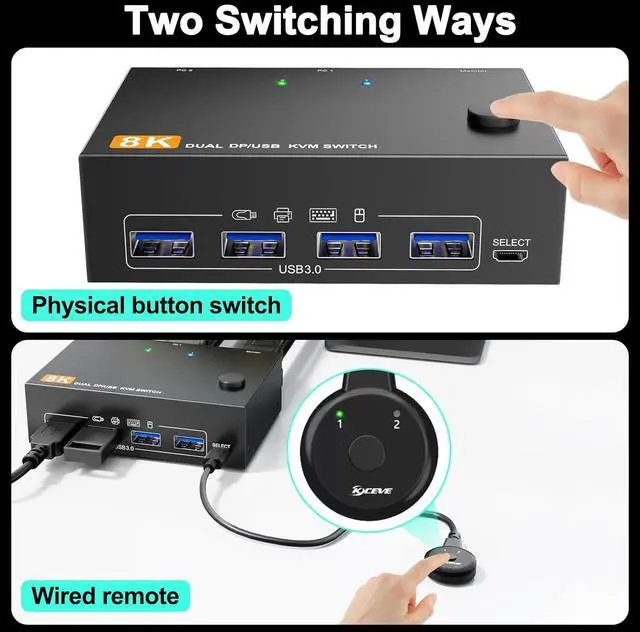
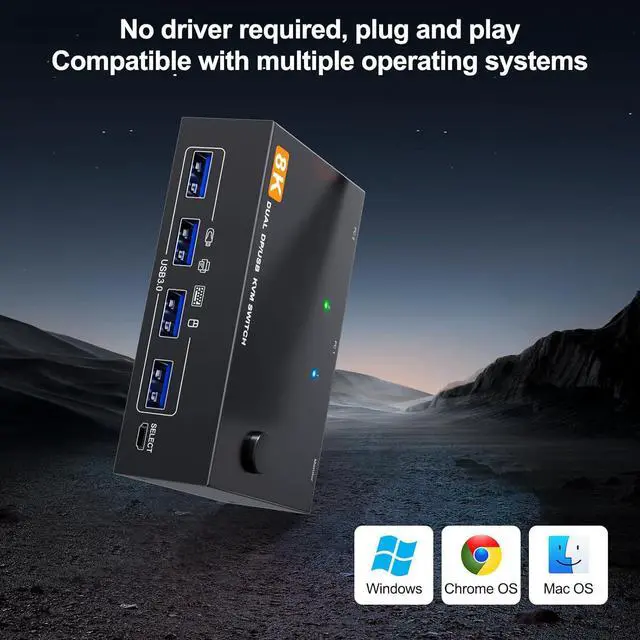
    • [Easy Operation & 2 Switching Methods] The dual-monitor KVM switch is driver-free and compatible with most operating systems. It is ready to use immediately (plug & play). To switch between computers, simply press the button on the control panel or use the included wired remote. A dual-color LED indicates the currently connected computer.
    • [Package Contents] 1 x Dual-Monitor KVM Switch 2 x USB 3.0 Cables (1.5 m) 1 x Wired Remote (1.5 m) 1 x User Manual
    +
    +
    Overview
    Specs
    Reviews
    avatar

    Any questions? Our AI beta will help you find out quickly.

    8K@30Hz/4K@144Hz Dual Monitor KVM for 2 Computers 2 Monitors DisplayPort 1.4

    8K@30Hz/4K@144Hz Dual Monitor KVM for 2 Computers DisplayPort 1.4
    Dual Monitor KVM Switch


    Please connect the devices correctly so that the switch functions properly.

    Each computer must be connected to the device via DP and USB cables.

    Note: Please use DP1.4 cables. The shorter the cable length, the better.

    Dual Monitor KVM Switch
    8K KVM Switch for 2 Monitors


    The resolution and refresh rate of the dual-monitor KVM switch support up to 8K@30Hz/4K@144Hz.

    Note: Please use DP1.4 cables. If the set distance allows, a shorter cable length is better.

    2 Display Model for the Dual Monitor KVM

    2 Display Model for the Dual Monitor KVM
    2 Display Model for the Dual Monitor KVM
    2 Display Model for the Dual Monitor KVM
    2 Display Model for the Dual Monitor KVM
    2 Display Model for the Dual Monitor KVM
    2 Display Model for the Dual Monitor KVM

    8K@30Hz/4K@144Hz Dual Monitor KVM for 2 Computers DisplayPort 1.4


    Features:


    DisplayPort Dual-Monitor KVM SwitchWith this dual-monitor KVM switch, you can control two desktop PCs or laptops using just one wired or wireless keyboard and mouse. You can also use up to four USB devices and two monitors simultaneously (extended mode or mirror mode).


    Ultra HD 8K@30Hz/4K@144HzThe DP1.4 USB 3.0 KVM switch supports resolutions of 8K@30Hz and 4K@144Hz and is backward compatible. It also features an input for connecting two computers with different resolutions. One device supports 4K@60Hz, the other 4K@30Hz, 1440p@60Hz, or a lower resolution. Note: The final resolution also depends on graphics cards, monitors, cables, and adapters.


    DisplayPort 1.4 KVM Switch with 4 USB 3.0 PortsThis dual-monitor DP USB switch with 4 USB 3.0 ports allows two computers to share two monitors and four USB 3.0 devices such as a keyboard, mouse, and other USB devices. Please use the included USB 3.0 cable to connect the USB port of the PC1/PC2 input to the computer's USB 3.0 port.


    Easy Operation & 2 Switching MethodsThe dual-monitor KVM switch is driver-free and compatible with most operating systems. It is ready to use immediately (plug & play). To switch between computers, simply press the button on the control panel or use the included wired remote. A dual-color LED indicates the currently connected computer.


    Package Contents1 x Dual-Monitor KVM Switch 2 x USB 3.0 Cables (1.5 m) 1 x Wired Remote (1.5 m) 1 x User Manual

    Warranty & Returns

    Warranty, Returns, And Additional Information

    Warranty

    • Please contact the Seller directly for warranty information. Warranty information may also be found on the Manufacturer's website.
    • CONTACT

    Return Policies

    Manufacturer Contact Info

    LOADING...