



AV Access KVM Switch 2 Computers 2 Monitors DisplayPort 8K@60Hz 4K@165hz/144hz, DP KVM Switch Dual Monitors with USB 3.0 Ports, Audio Out, IR Remote, Hotkey Switch, with 6 DP Cables
  •  
  • $159.99 
  • $149.99
  • Free 30-day Returns
  • Ships from China.
    Price alert
    Shop it at NeweggBusiness.

    AUTYUE HDMI + 2 Displayport KVM Switch 3 Monitors 2 Computers 8K@60Hz, Triple Monitor KVM Switch for Running Two Computers Across 3 Monitors, Sharing 4 USB 3.0 Devices, with Wired Remote & USB Cable

    Limited time offer, ends 01/24 By Shenzhen Qiuyiyue Store

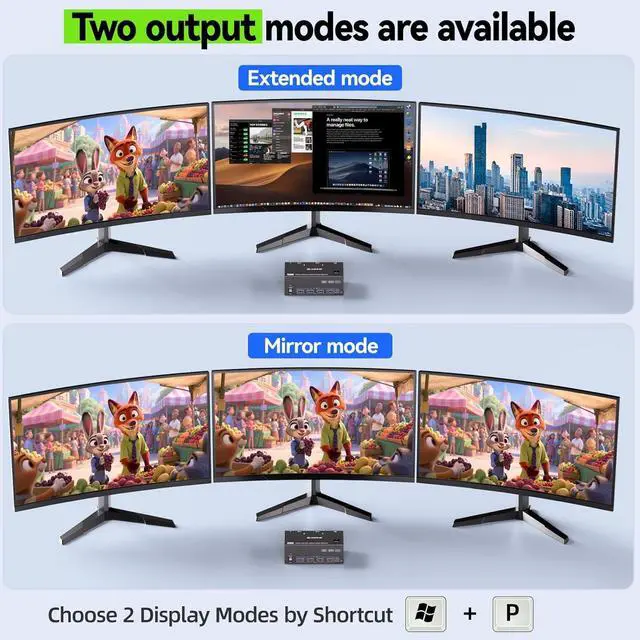
    • KVM Switch 3 Monitors 2 Computers: This 3 Monitors KVM Switch effortlessly connect 2 PCs to share 3 monitors (supports extended & mirrored display modes) and 4 high-speed USB 3.0 ports. Note: Extended mode drives 3 distinct screens; mirrored mode duplicates the same content across all 3 displays.
    • 8K Ultra HD Triple Monitor KVM Switch: HDMI 2.1 & DP 1.4 enabled 3 monitor KVM switches supports up to 8K@60Hz, 4K@144Hz & lower resolutions, delivering crystal-clear visuals with sharp, detailed imagery. Note: Actual resolution depends on your graphics card, monitors and cables.
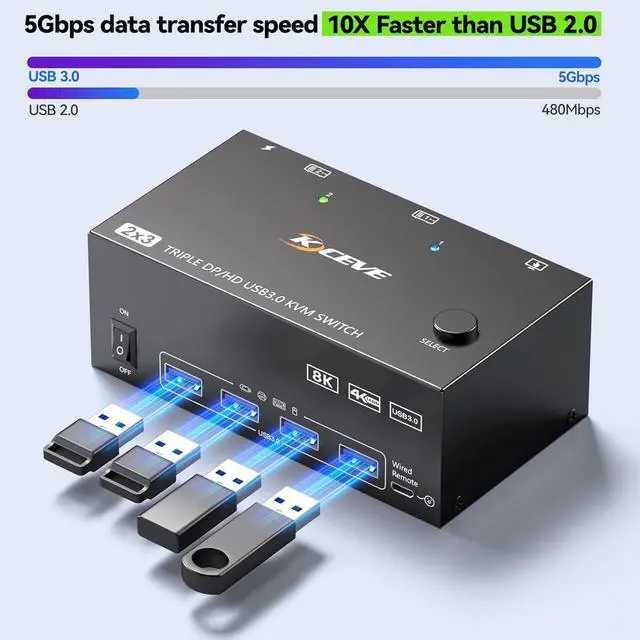
    • KVM Switch with 4 USB 3.0 Ports: HDMI+ 2*Displayport KVM Switch integrated 4 USB 3.0 ports for keyboard, mouse, printer & USB drives supports 5Gbps ultra-high-speed data transfer (10x faster than USB 2.0). Ideal for multi-device workflow.
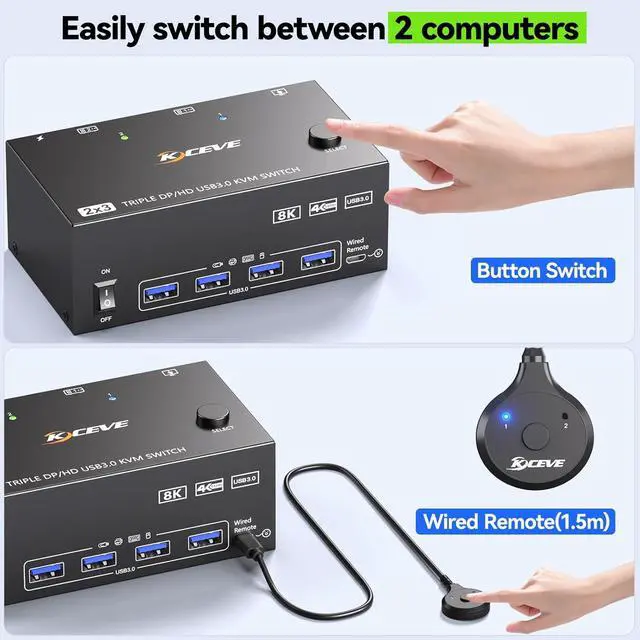
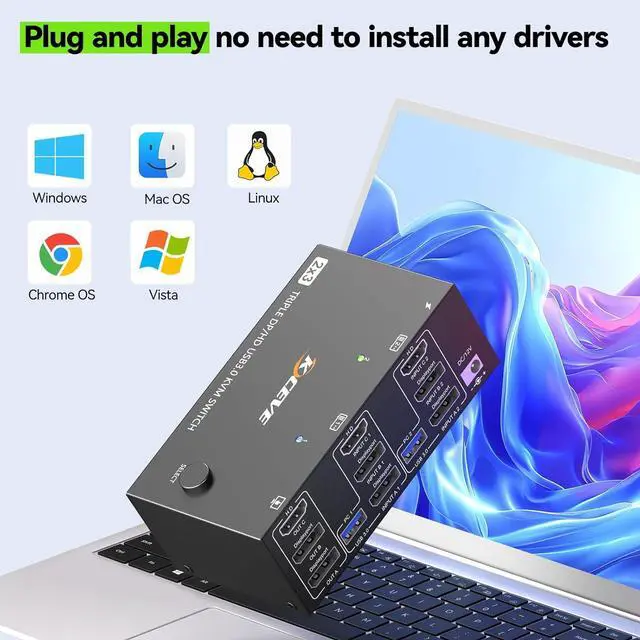
    • Great compatibility & 2 switching modes: KVM switch 3 monitors driver-free for Windows, Mac, Linux, Unix and Ubuntu. Support Laptops and desktops. it is widely applied for home, Office,Meeting, etc..You can press the button on the panel or use the wired remote (included) to switch the 2 computers. Two color LED indicate the active computer.
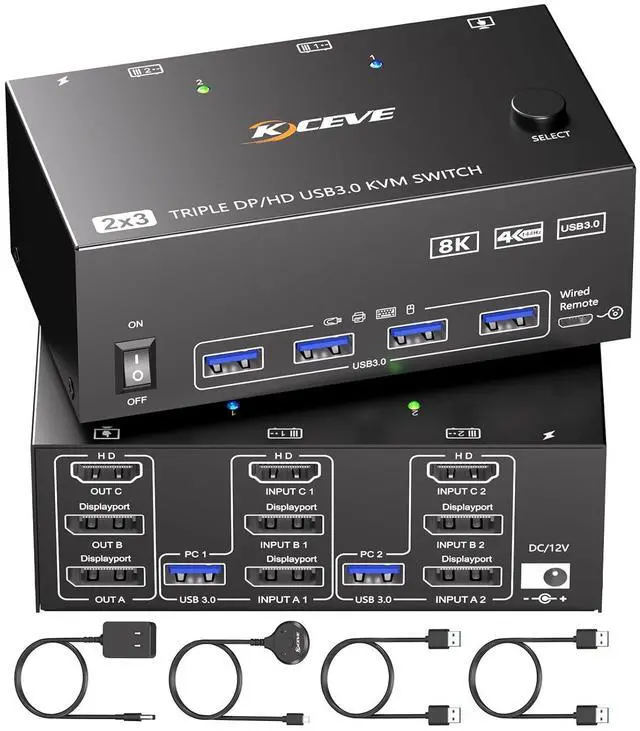
    • You Will Get: 1* triple monitor KVM Switch, 2* USB 3.0 cable, wired remote, 12V power adapter and user manual. We provide 1 year war-ranty. This 3 monitors KVM switch has three independent circuit boards, A, B and C, suitable for two computers to share 3 monitors, 2 monitors or 1 monitor, giving you more choices.
    +
    +
    Overview
    Specs
    Reviews
    avatar

    Any questions? Our AI beta will help you find out quickly.

    HDMI + 2 Displayport KVM Switch 3 Monitors 2 Computers 8K@60Hz, Triple Monitor KVM Switch for Runnin


    This triple monitor KVM switch can control 2 computers to share 3 monitors and 4 USB devices with just one set of keyboard and mouse.

    This triple monitor KVM switch can control 2 computers to share 3 monitors and 4 USB devices with ju


    • Windows OS: Press the shortcut key "WIN+P" and then select "Extension" or "mirror" below.


    • Mac OS: Set [Mirror Mode]: Select [A-p-p-le Icon] [System Preferences], click [Display] [Arrange], and then check [Mirror Display]; When [Mirror Display] is unchecked, "Extended Mode" can be achieved.
    Windows OS: Press the shortcut key "WIN+P" and then select "Extension" or "mirror" below.     Ma


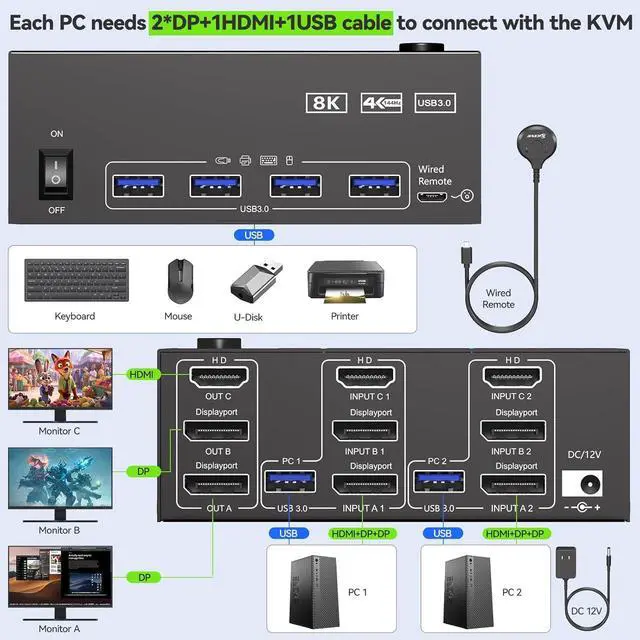
    Each PC must be connected to the KVM switch simultaneously with 1 HDMI cable + 2 DP cable + 1 USB cable. Please check if the ports on your computers are compatible.

    Each PC must be connected to the KVM switch simultaneously with 1 HDMI cable + 2 DP cable + 1 USB ca
    Great compatibility


    KVM switch 3 monitors driver-free for Windows, Mac, Linux, Unix and Ubuntu. Support Laptops and desktops. it is widely applied for home, Office,Meeting, etc..

    Great compatibility


    KVM switch 2 computers 3 monitors support resolution up to 7680*4320@60Hz,3840*2160@120Hz and backward compatible.

    KVM switch 2 computers 3 monitors support resolution up to 7680*4320@60Hz,3840*2160@120Hz and backwa


    3 Monitor KVM Switch with 4 USB 3.0 Ports - Connect Keyboard, Mouse, Printer & Other USB Peripherals for PC-Direct Smooth Performance.

    3 Monitor KVM Switch with 4 USB 3.0 Ports - Connect Keyboard, Mouse, Printer & Other USB Periphera
    3 Monitor KVM Switch with 4 USB 3.0 Ports - Connect Keyboard, Mouse, Printer & Other USB Periphera
    3 Monitor KVM Switch with 4 USB 3.0 Ports - Connect Keyboard, Mouse, Printer & Other USB Periphera
    3 Monitor KVM Switch with 4 USB 3.0 Ports - Connect Keyboard, Mouse, Printer & Other USB Periphera

    This triple monitor KVM switch can control 2 computers to share 3 monitors and 4 USB devices with just one set of keyboard and mouse.


    Features
    1. KVM Switch 3 Monitors 2 Computers This 3 Monitors KVM Switch effortlessly connect 2 PCs to share 3 monitors (supports extended & mirrored display modes) and 4 high-speed USB 3.0 ports. : Extended mode drives 3 distinct screens; mirrored mode duplicates the same content across all 3 displays.
    2. 8K Ultra HD Triple Monitor KVM Switch HDMI 2.1 & DP 1.4 enabled 3 monitor KVM switches supports up to 8K@60Hz, 4K@144Hz & lower resolutions, delivering crystal-clear visuals with sharp, detailed imagery. Note: Actual resolution depends on your graphics card, monitors and cables.
    3. 3 Monitor KVM Switch with 4 USB 3.0 PortsHDMI+ 2*Displayport KVM Switch integrated 4 USB 3.0 ports for keyboard, mouse, printer & USB drives supports 5Gbps ultra-high-speed data transfer (10x faster than USB 2.0). Ideal for multi-device workflow.
    4. Great compatibility & 2 switching modesKVM switch 3 monitors driver-free for Windows, Mac, Linux, Unix and Ubuntu. Support Laptops and desktops. it is widely applied for home, Office,Meeting, etc..You can press the button on the panel or use the wired remote (included) to switch the 2 computers. Two color LED indicate the active computer.
    5. You Will Get1* triple monitor KVM Switch, 2* USB 3.0 cable, wired remote, 12V power adapter and user manual. We provide 1 year war-ranty. This 3 monitors KVM switch has three independent circuit boards, A, B and C, suitable for two computers to share 3 monitors, 2 monitors or 1 monitor, giving you more choices.


    Warranty & Returns

    Warranty, Returns, And Additional Information

    Warranty

    • Please contact the Seller directly for warranty information. Warranty information may also be found on the Manufacturer's website.
    • CONTACT

    Return Policies

    Manufacturer Contact Info

    LOADING...