




 here!
here!
I’m your shopping assistant for PC builds, upgrades, and everything tech.
Got questions? Ask away!
Start a conversation
here!
I’m your shopping assistant for PC builds, upgrades, and everything tech.
Got questions? Ask away!
Start a conversation



Any questions? Ask CelesteSM will help you find out quickly.


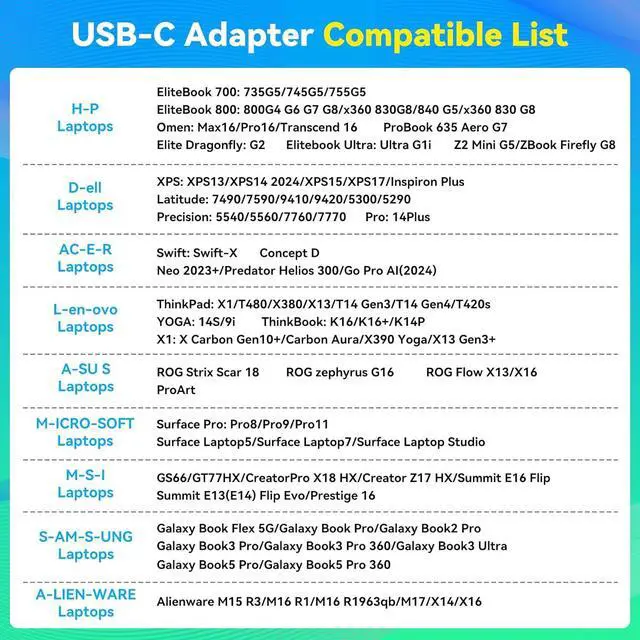
| H-P Laptops | EliteBook 700 Series: 735G5/745G5/755G5; EliteBook 800 Series: 800G4 G6 G7 G8/x360 830G8/840 G5/x360 830 G8; Omen Series: Max16/Pro16/Transcend 16; Elite Dragonfly Series: G2; Elitebook Ultra Series: Ultra G1i; Z2 Mini G5/ZBook Firefly G8; ProBook 635 Aero G7 |
|---|---|
| De-ll Laptops | XPS Series:XPS13/XPS14 2024/XPS15/XPS17/Inspiron Plus; Latitude Series:7490/7590/9410/9420/5300/5290; Precision Series:5540/5560/7760/7770; Professional Series:14 Plus; |
| LE-NO-VO Laptops: | ThinkPad Series X1/T480/X380/X13/T14 Gen3/T14 Gen4/T420s; YOGA Series 14S/9i; ThinkBook Series K16/K16+/K14P; X1 Series: X Carbon Gen10+/Carbon Aura/X390 Yoga/X13 Gen3+ |
| AC-ER Laptops: | Swift Series: swift-X; Concept D; Neo 2023+/Predator Helios 300/Go Pro AI (2024) |
| AS-US Laptops: | ROG Strix Scar 18; ROG zephyrus G16; ROG Flow X13/X16; ProArt; |
| MIC-ROS-OFT Laptops: | Surface Pro Series: Pro8/Pro9/Pro11; Surface Laptop5/Surface Laptop7/Surface Laptop Studio; |
| M-SI Laptops: | GS66/GT77HX/CreatorPro X18 HX/Creator Z17 HX/Summit E16 Flip; Summit E13(E14) Flip Evo/Prestige 16 |
| SA-MSU-NG Laptops | Galaxy Book Flex 5G/Galaxy Book Pro/Galaxy Book2 Pro; Galsxy Book3 Pro/Galsxy Book3 Pro 360/Galaxy Book3 Ultra; Galsxy Book5 Pro/Galsxy Book5 Pro 360 |
| ALI-ENW-ARE Laptops: | Alienware M15 R3/M16 R1/M16 R1963qb/M17/X14/X16 |


Please Note:
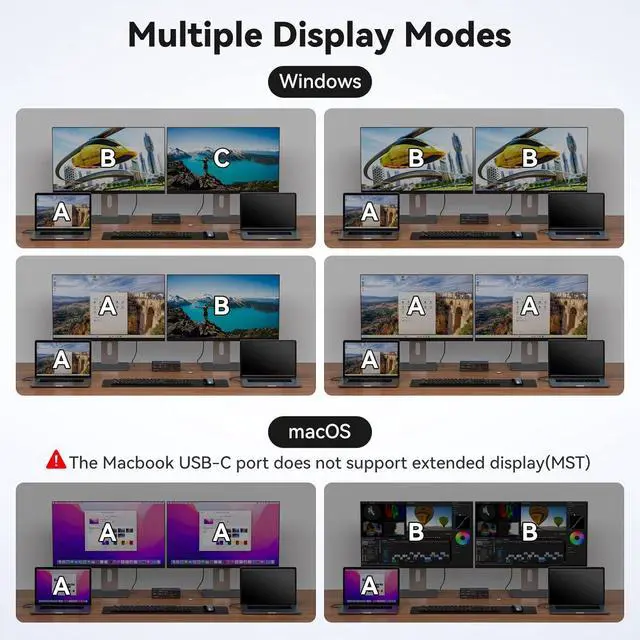
Read Before Purchasing: 1.The usb c kvm switch can't power the laptop (PD charging is not supported) 2. Macbook or Mac OS only supported in mirror mode. Displaying different content on two monitors is not supported 3. Your laptop's USB-C port must be Thunderbolt 3 or higher to function properly.
Compatibility Information: 1.Each laptop must have one Thunderbolt 3/4/5 port. Each monitor must have one DisplayPort 2. HDMI to DP or DP to DVI/VGA cable and other docking station devices are not recommended 3.Please check the compatibility information in the second main image to confirm whether your device meets the compatibility requirements.
Features:
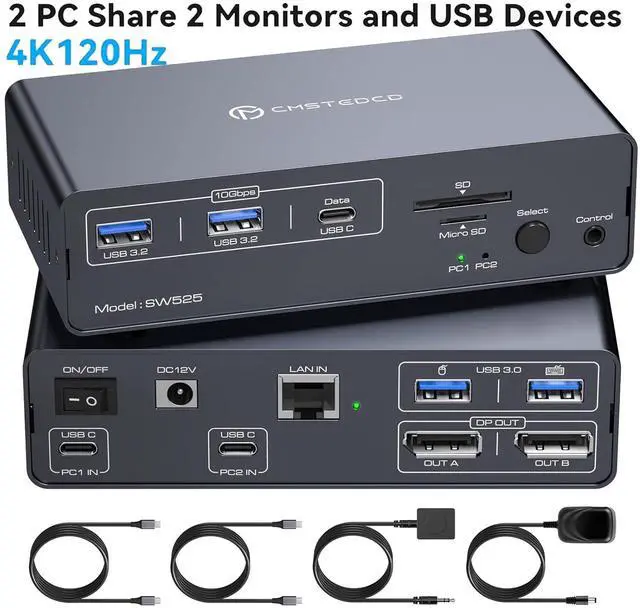
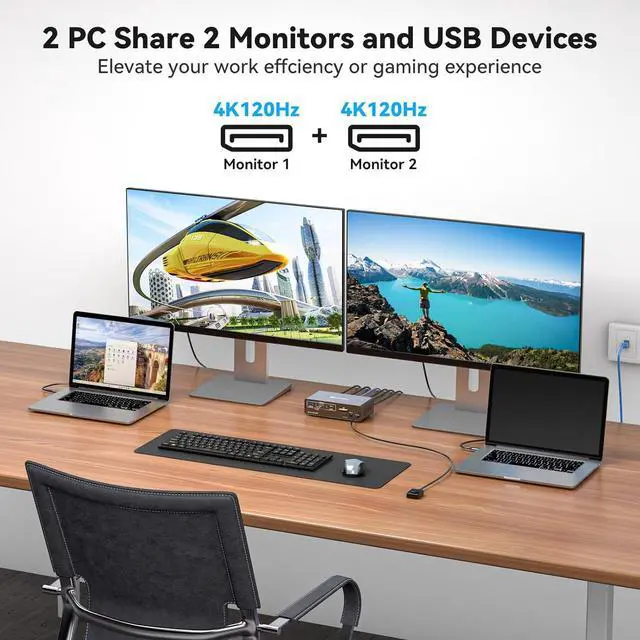
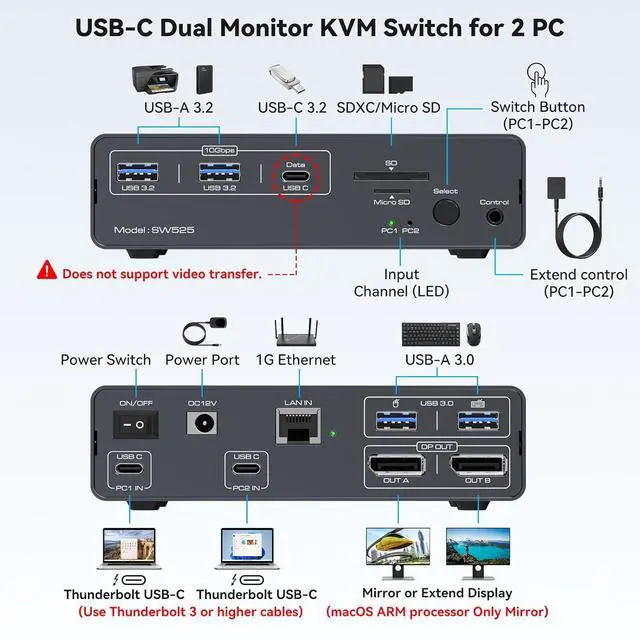
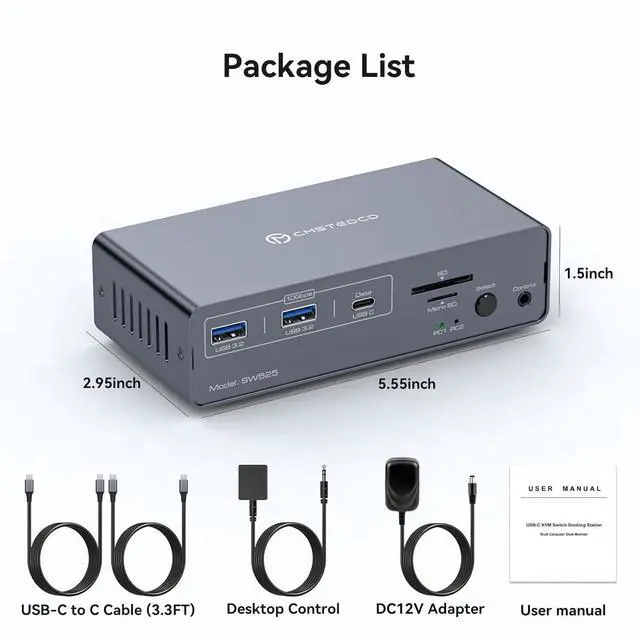
USB C KVM Switch 2 Monitors 2 ComputersThe usb c kvm supports two laptop with thunderbolt 3/4/5 ports to share a 12-in-1 docking station. It includes two Display Port monitors, mouse, keyboard, USB flash drive, SD card. You can seamlessly switch between work and personal laptops to improve work efficiency. Note: The USB C input port does not support charging laptops(No PD charging function)
4K120Hz USB C KVM Switch 2 ComputersThe KVM docking station supports a resolution of up to 4K120Hz, transmits high-definition video, and is the perfect choice for work and games. It is also downward compatible with 4K60Hz, 2K144Hz, 1080P, etc. It supports two display modes: copy and extend.
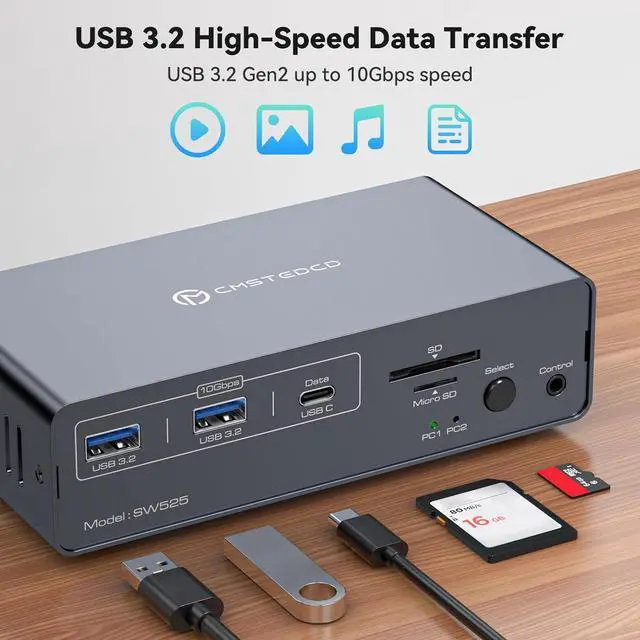
USB 3.2 KVM SwitchThe KVM switch dual monitor displayport has 2 USB 3.2 ports and one USB C port.The transmission speed is up to 10Gbps.The USB 3.0 port is for mouse and keyboard, making the connection smoother and downward compatible with USB 2.0. Equipped with SD and Micro SD card ports to copy data to laptops easily.Note: USB C output port marked "DATA" only for data transfer.(video transfer is not supported)
Easy Switching & High-Speed EthernetThis USB C kvm switch has an Ethernet Port with up to 1000Mbps speed for fast file and software package downloads.Switch between two computers effortlessly and quickly using either the device button or the desktop extension controller button.Note: No support for keyboard shortcuts (hotkeys);Network not for two laptops simultaneously
Stable Work and After-SalesDC12V/1.5A power supply for the Dual Monitor KVM Switches to provide sufficient energy to ensure stable work.Please keep the power supply connected during use, otherwise the connection may be unstable due to excessive power during use.If you encounter any problems please feel free to contact our after-sales service, we will provide you with effective solutions within 24 hours


