


• $169.99
  • Free 30-day Returns
  • Ships from China.
    Price alert
    Shop it at NeweggBusiness.

    AUTYUE 8K KVM Switch 3 Monitors 3 Computers Displayport HDMI, USB 3.0 KVM Switch Triple Monitor 4K@144Hz 8K@60Hz for 3 Computers Share 2 Monitors and Keyboard Mouse, Power Adapter and Wired Remote

    Limited time offer, ends 03/07 By Shenzhen Qiuyiyue Store

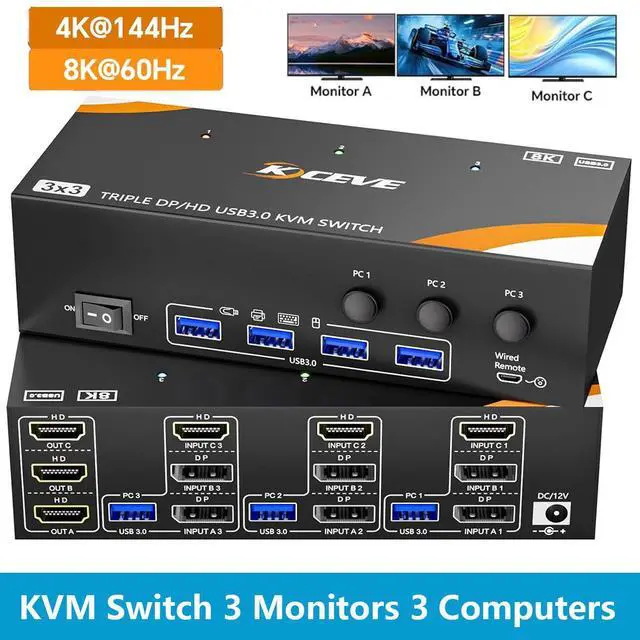
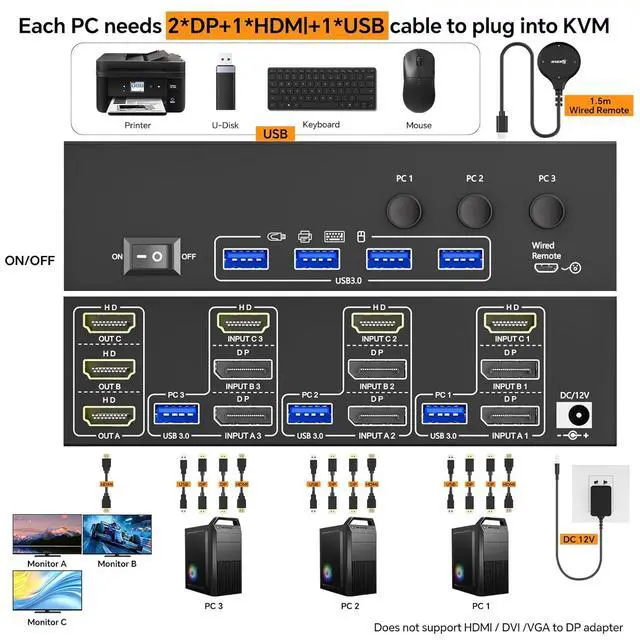
    • Triple Monitor KVM Switch - Connect 3 Computers to 3 Monitors via HDMI & 2 DP: This KVM switch for 3 computers enables streamlined control of 3 systems from a single workstation. The KVM Switch HDMI+DP+DP design requires 1 HDMI, 2 DisplayPort, and 1 USB cable from each PC. This 3 port KVM switch lets you control 3 PC with 1 keyboard, mouse, and 3 HDMI displays.
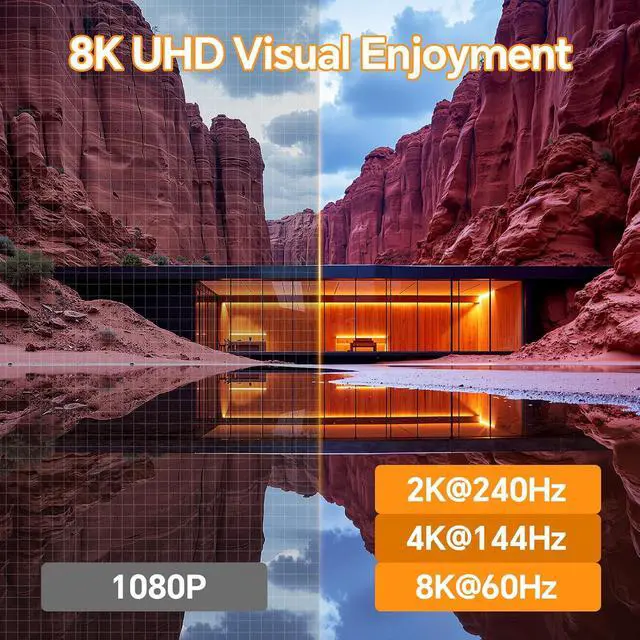
    • Stunning 8K@60Hz Visuals Across: This KVM Switch supports resolutions up to 8K@60Hz and 4K@144Hz, ensuring sharp, fluid video. The KVM switch is plug-and-play, requiring no drivers.
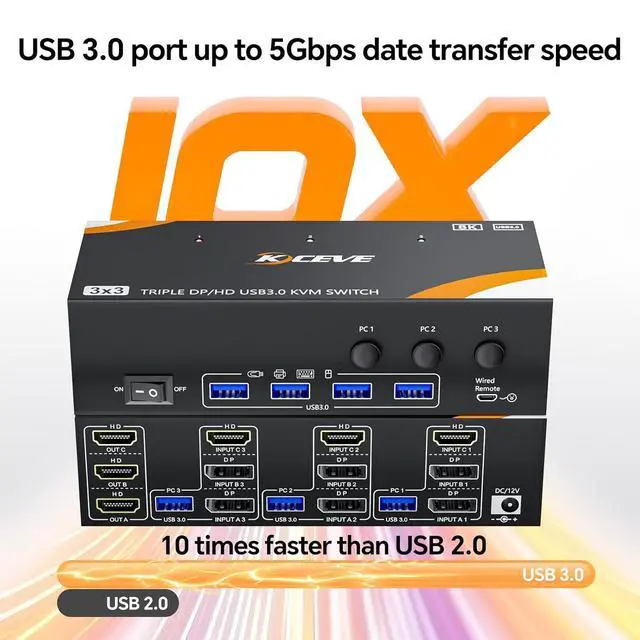
    • High-Speed 5Gbps USB Hub & Peripheral Sharing: 3 computers KVM Switch 3 monitors share devices seamlessly with the integrated 4-port USB 3.0 hub, offering transfer speeds up to 5Gbps.
    • Easy Switching & Wide System Compatibility: Switch control between your 3 computers effortlessly using the button on the KVM switch or the included 1.5m wired remote. An LED indicates the active source. This KVM switch is compatible with Windows, macOS, Linux, and supports various HDMI and DP devices like PCs, laptops, and game consoles.
    • True Triple Display Support for Each Computer: KVM Switch 3 Computers 3 Monitors system allows each connected computer to fully utilize three independent displays for an extended desktop workspace. The KVM switch HDMI +2 displayport input configuration ensures maximum compatibility and performance for demanding multi-monitor setups in office, conference, teaching, design, or development.
    +
    +
    Overview
    Specs
    Reviews
    avatar

    Any questions? Our AI beta will help you find out quickly.

    USB 3.0 KVM SWITCH 3 MONITORS 3 COMPUTER HDMI + DP + DP SHARE 4 USB DEVICE

    USB 3.0 KVM SWITCH 3 MONITORS 3 COMPUTER HDMI + DP + DP SHARE 4 USB DEVICE


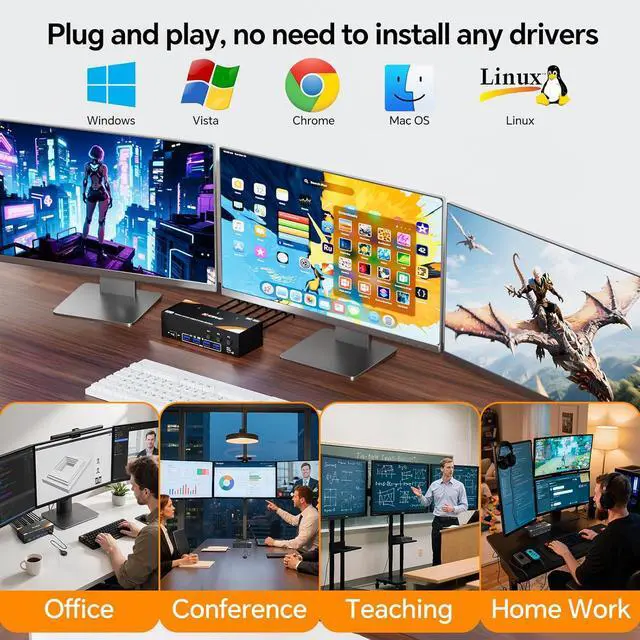
    Use the KVM switch 3 PC 3 monitors to work or entertain comfortably in the office or at home.


    Use one set of mouse, keyboard and printer to control three computers and output to 3 HDMI monitors, support 4 USB peripherals(Does not support bluetooth mouse).


    Plug and play, No driver required.


    Connection Diagram of KVM Switch 3 PC 3 Monitors HDMI + DP + DP

    Use the KVM switch 3 PC 3 monitors to work or entertain comfortably in the office or at home.  Use o


    Each PC needs to connect 2 DP + 1 HDMI + 1 USB cables to the KVM


    Driver-free for Windows 11 / 10 / 8 / 7/ XP / Vista / Chrome / Mac OS / Linux system,etc(Not recommended for less compatible docking stations)


    Supports DP to HDMI, USB-C/Type C to HDMI, USB-C/Type C to DP adapter


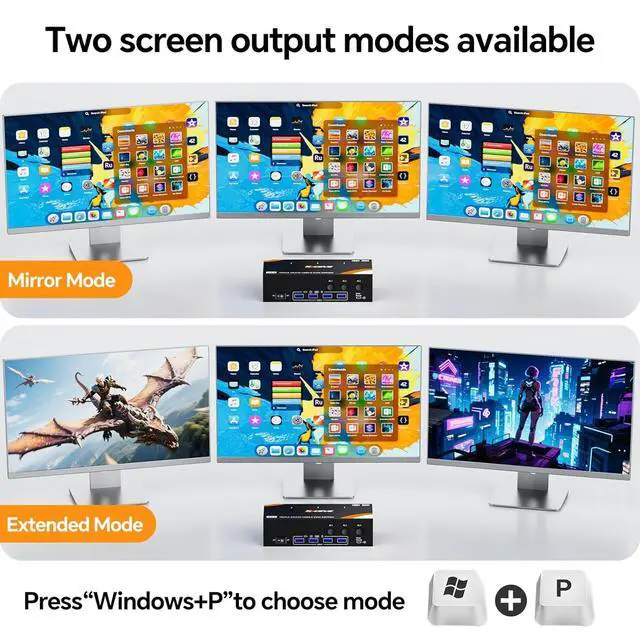
    Extended and Mirror Screen Mode

    Each PC needs to connect 2 DP + 1 HDMI + 1 USB cables to the KVM  Driver-free for Windows 11 / 10 /


    Press "Windows + P" to select the extended screen mode(output 3 different screens)or mirror screen mode(3 identical screens)


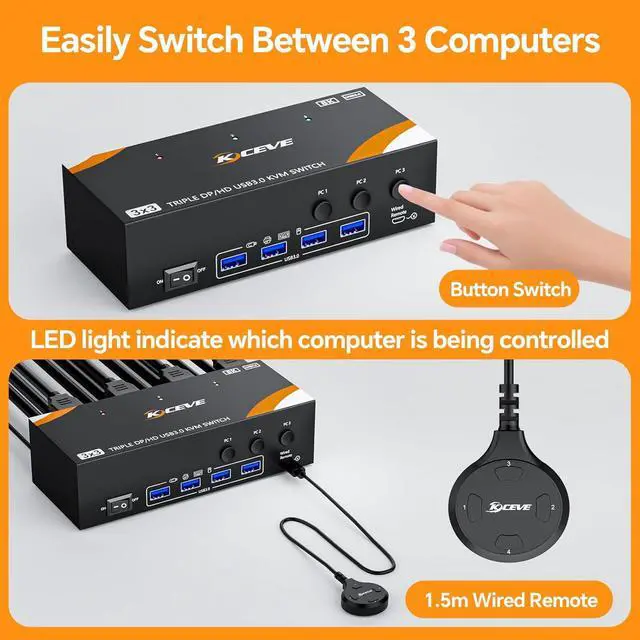
    2 Switching Methods: button switch & 1.5m wired remote control


    LED light indicate which computer is active.


    8K@60Hz / 4K@144Hz High-definition Video Experience

    Press  to select the extended screen mode(output 3 different screens)or mirror screen mo


    Support 8K@60Hz, 4K@144Hz, 4K@120Hz,4K@60Hz, 2K@165Hz and below


    Please Note: Using 8K cables will solve the problem of flickering and black screen.


    Support Displayport 1.4, HDMI 2.1, HDCP 2.3


    Support most HDMI and DP interface input: Desktops, laptop, TV Box, PS5, Monitor, HDTV, Projectors


    4 USB 3.0 ports with data transfer speed up to 5Gbps

    4 USB 3.0 ports with data transfer speed up to 5Gbps
    4 USB 3.0 ports with data transfer speed up to 5Gbps
    4 USB 3.0 ports with data transfer speed up to 5Gbps
    USB 3.0 KVM SWITCH 3 MONITORS 3 COMPUTER HDMI + DP + DP SHARE 4 USB DEVICE


    Features
    1. Triple Monitor KVM Switch - Connect 3 Computers to 3 Monitors via HDMI & 2 DP This high-performance KVM switch for 3 computers enables streamlined control of 3 systems from a single workstation. The KVM Switch 3 Monitors 3 Computers HDMI+DP+DP design requires 1 HDMI, 2 DisplayPort, and 1 USB cable from each PC. This 3 port KVM switch lets you control 3 PC with 1 keyboard, mouse, and 3 HDMI displays, eliminating cable clutter and boosting productivity for office or studio use
    2. Stunning 8K@60Hz Visuals AcrossExperience ultra-high-definition clarity. This KVM Switch 3 Monitors supports resolutions up to 8K@60Hz and 4K@144Hz, ensuring sharp, fluid video. The Triple Monitor KVM switch is plug-and-play, requiring no drivers. Pro Tip: Use certified 8K cables to prevent flickering and ensure signal stability for the better performance
    3. High-Speed 5Gbps USB Hub & Peripheral Sharing3 computers KVM Switch 3 monitors share devices seamlessly with the integrated 4-port USB 3.0 hub, offering transfer speeds up to 5Gbps. This Triple Monitors KVM switch DP HDMI allows all three computers to access peripherals like keyboards, mice, and printers without constant swapping. Its the ideal KVM switches 3 monitors solution for streamlined multi-system management
    4. Easy Switching & Wide System CompatibilitySwitch control between your three computers effortlessly using the button on the KVM switch HDMI Displayport or the included 1.5m wired remote. An LED indicates the active source. This 3 computers KVM switch is compatible with Windows, macOS, Linux, and supports various HDMI and DP devices like PCs, laptops, and game consoles
    5. True Triple Display Support for Each ComputerThe KVM Switch 3 Computers 3 Monitors system allows each connected computer to fully utilize three independent displays for an extended desktop workspace. The KVM switch HDMI +2 displayport input configuration ensures maximum compatibility and performance for demanding multi-monitor setups in office, conference, teaching, design, or development


    Warranty & Returns

    Warranty, Returns, And Additional Information

    Warranty

    • Please contact the Seller directly for warranty information. Warranty information may also be found on the Manufacturer's website.
    • CONTACT

    Return Policies

    Manufacturer Contact Info

    LOADING...