


• $129.99
  • Free 30-day Returns
  • Ships from China.
    Price alert
    Shop it at NeweggBusiness.

    AUTYUE 4K KVM Switch 1 Monitors 4 Computers USB-C + 2 HDMI + DP, EDID Emulator USB 3.0 KVM Switch 4 Port 4K@60Hz for 4 Computer Share Keyboard Mouse & 1 HDMI Monitor, with Power Adapter & Wired Remote

    Limited time offer, ends 03/21 By Shenzhen Qiuyiyue Store

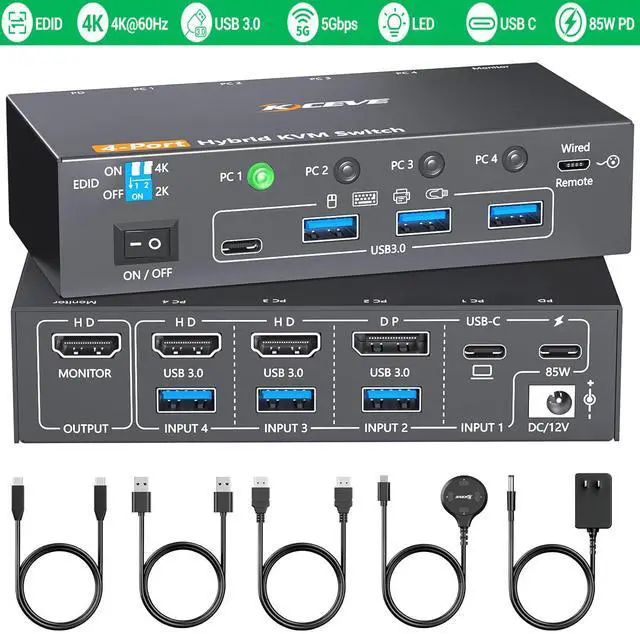
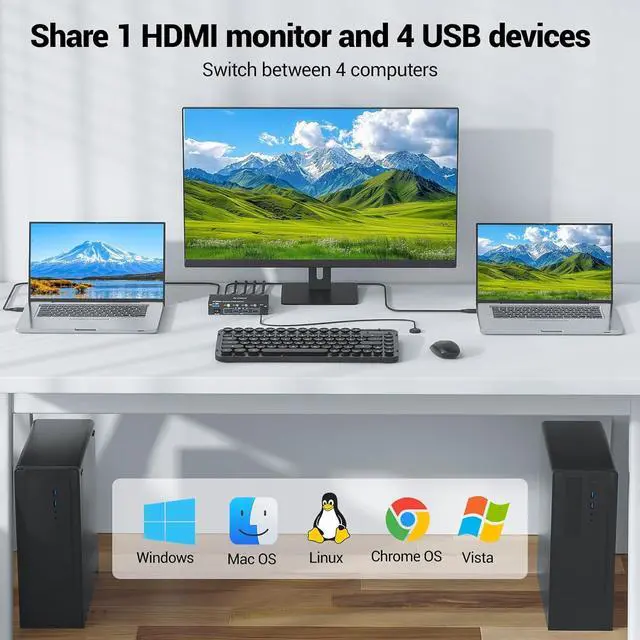
    • USB-C HDMI DP KVM Switch 4 Computers 1 Monitor HDMI: The KVM Switch is suitable for 4 computers(1 USB-C, 1 DP, 2 HDMI) to output to 1 HDMI monitor. KVM switch 4 port only need one set of keyboard and mouse to control 4 computers, helping to organize the desktop.
    • KVM Switch HDMI 4K@60Hz: KVM switch supports 4K@60Hz, 2K@100Hz, YUB 4:4:4, backward compatible. 4 port KVM switch provides you with clear and delicate high-resolution image quality. Please use 8K DP 1.4, USB3.1 Gen2 and HDMI 2.1 cables.
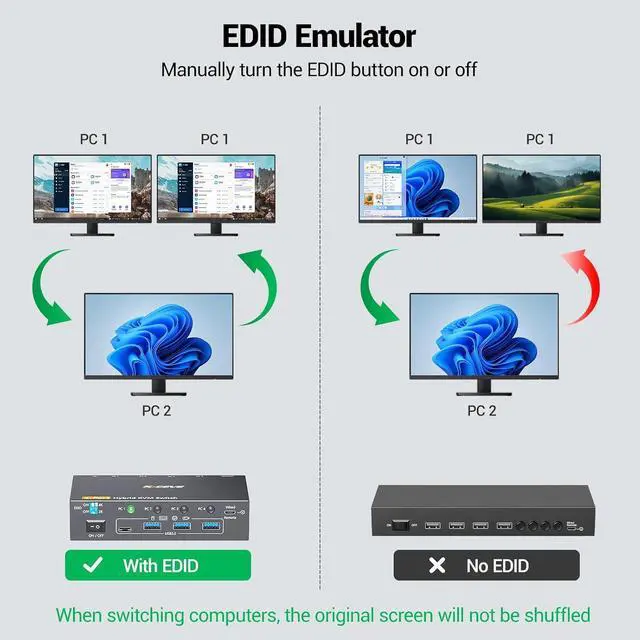
    • EDID Emulator: The 4-port KVM Switch supports EDID lock. The EDID function is very useful because it automatically adjusts monitor settings for optimal resolution and refresh rate. When switching Computers, the original window will not be messed up. You can choose to turn the EDID function on or off.
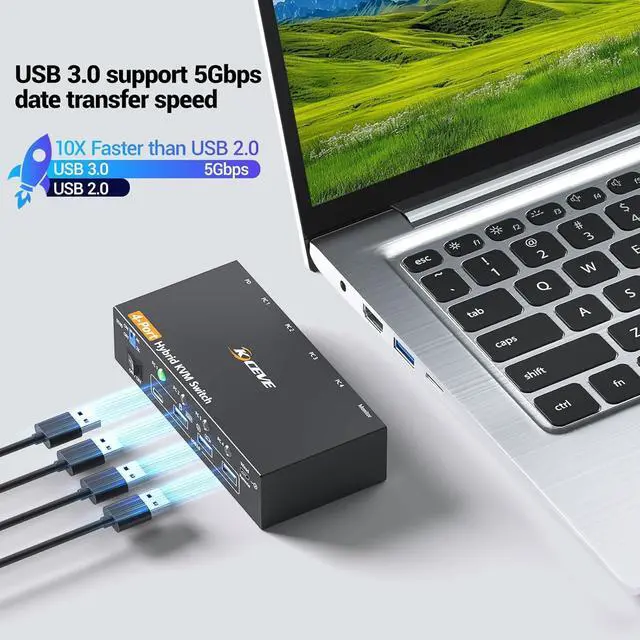
    • 5Gbps Date Transfer: KVM Switch has 4 USB 3.0 ports with 5Gbps transfer speed. HDMI USB Switch 4 computer compatible USB 2.0 /1.1 can automatically identify the mouse, keyboard, printer, U disk, camera etc..
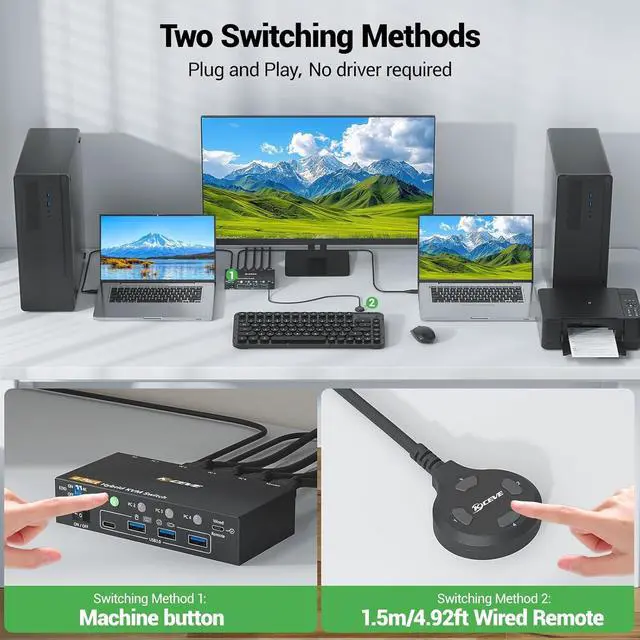
    • 2 Switch Methods: Plug and play, no driver required. Switch freely between 4 computer sources via the "SELECT" button on the KVM switch or the 1.5m wired remote control. LED indicators indicate which computer is in display status. Please charge the KVM switch HDMI with the included DC 12V power supply.
    • Excellent Compatibility: Driver-free for Windows, Vista, Mac OC, Chrome OS, Linux, Unix, Ubuntu etc systems. Suitable for HMDI DP USB C input devices, such as desktop, laptop, monitor..
    +
    +
    Overview
    Specs
    Reviews
    avatar

    Any questions? Our AI beta will help you find out quickly.

    USB 3.0 KVM Switch 1 Monitor 4 Computers 1 USB C + 1 DP + 2 HDMI

    USB 3.0 KVM Switch 1 Monitor 4 Computers 1 USB C + 1 DP + 2 HDMI


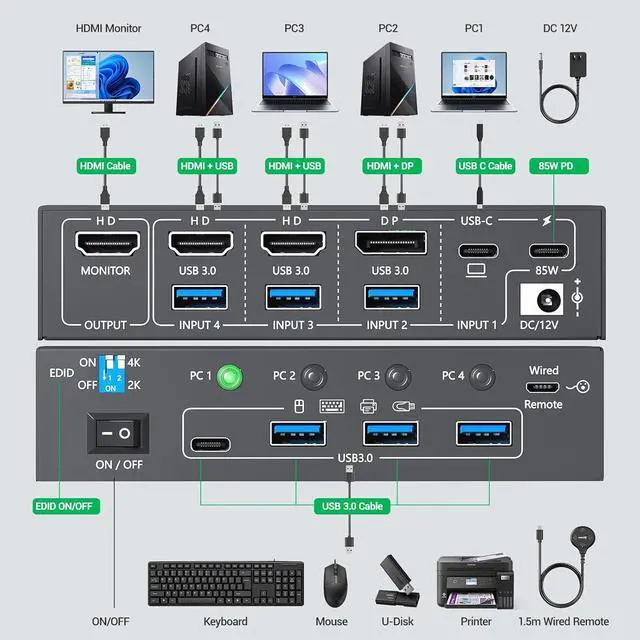
    One set of mouse and keyboard controls 4 computers and displays to 1 HDMI monitor. The ports of the four computers are 1 USB C + 1 DP + 2 HDMI. Saves desktop space and optimizes cabling.

    One set of mouse and keyboard controls 4 computers and displays to 1 HDMI monitor. The ports of the


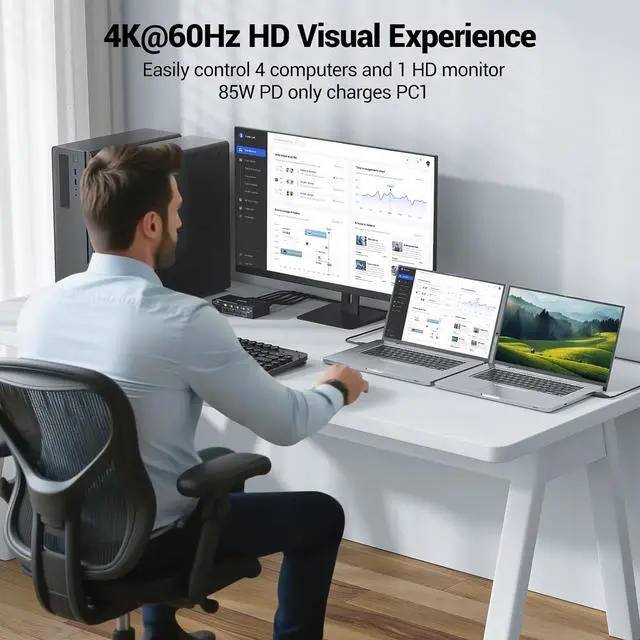
    Please use a PD 100W charger connected to the KVM's PD port to provide 85W charging efficiency for the laptop. Please connect the included DC 12V power supply to power the KVM Switch.

    Please use a PD 100W charger connected to the KVM's PD port to provide 85W charging efficiency for t
    Please use a PD 100W charger connected to the KVM's PD port to provide 85W charging efficiency for t


    2 Switching Methods. 


    Supports 4K@60Hz, 2K@100Hz. 


    PC1 needs to connect 1 USB-C + 1 PD cable to the KVM. PC2 needs to connect 1 DP + 1 USB cable to the KVM. PC3 and PC4 need to connect 1 HDMI + 1 USB cable to the KVM. Use KVM panel buttons and wired remote controller to switch.

    2 Sitching Methods. Supports 4K@60Hz, 2K@100Hz. PC1 needs to connect 1 USB-C + 1 PD cable to the KVM
    2 Sitching Methods. Supports 4K@60Hz, 2K@100Hz. PC1 needs to connect 1 USB-C + 1 PD cable to the KVM
    2 Sitching Methods. Supports 4K@60Hz, 2K@100Hz. PC1 needs to connect 1 USB-C + 1 PD cable to the KVM

    USB 3.0 KVM Switch supports turning on or off the EDID emulator.

    USB 3.0 KVM Switch supports turning on or off the EDID emulator.


    4 USB 3.0 ports support 5Gbps data transfer speed. Compatible with common systems

    4 USB 3.0 ports support 5Gbps data transfer speed. Compatible with common systems
    Features
    1. USB-C HDMI DP KVM Switch 4 Computers 1 Monitor HDMIOur USB 3.0 KVM Switch 4 Computer is suitable for 4 computers(1 USB-C, 1 DP, 2 HDMI) to output to 1 HDMI monitor. KVM switch 4 port only need one set of keyboard and mouse to control 4computers, helping to organize the desktop. KVM Switch HDMI Displayport is ideal for offices, monitoring rooms, teaching rooms, and home theaters
    2. KVM Switch HDMI 4K@60HzKVM switch 4 Computer 1 Monitor HDMI 2.0 supports 4K@60Hz, 2K@100Hz, YUB 4:4:4, backward compatible. 4 port KVM switch provides you with clear and delicate high-resolution image quality. Please use 8K DP 1.4, USB3.1 Gen2 and HDMI 2.1 cables
    3. EDID Emulator The 4-port KVM Switch supports EDID lock. The EDID function is very useful because it automatically adjusts monitor settings for optimal resolution and refresh rate. This ensures you always get the best image quality. When switching Computers, the original window will not be messed up. You can choose to turn the EDID function on or off
    4. 5Gbps Date TransferKVM Switch USB C Displayport HDMI has 4 USB 3.0 ports with 5Gbps transfer speed. HDMI USB Switch 4 computer compatible USB 2.0 /1.1 can automatically identify the mouse, keyboard, printer, U disk, hard disk, scanner, camera. Please use USB 3.0 cable
    5. 2 Switch MethodsPlug and play, no driver required. Switch freely between two computer sources via the "SELECT" button on the KVM switch 4 PC or the 1.5m wired remote control. LED indicators indicate which computer is in display status. Please charge the KVM switch HDMI with the included DC 12V power supply
    6. Excellent CompatibilityThe KVM switch 1 monitor 4 Computers driver-free for Windows, Vista, Mac OC, Chrome OS, Linux, Unix and Ubuntu etc systems. Suitable for HMDI DP USB C input devices, such as desktop, laptop, monitor, HDTV, projector, Apple TV, PS5, Xbox, camcorder, set-top box. 4 computers 1 monitor switcher will have 8 seconds delay when switching


    Packing List & After-sales Service:

    Our KVM switch comes with a 12-month after-sales support service. If you encounter any problem, please contact us first to solve it for you.

    Package Contains 4K KVM Switch USB C DP HDMI, 1 Wired remote 1.5m, 1 DC 12V power supply, 3 USB 3.0 cables, 1 USB C cable, 1 HDMI cable,1 user manual.


    Warranty & Returns

    Warranty, Returns, And Additional Information

    Warranty

    • Please contact the Seller directly for warranty information. Warranty information may also be found on the Manufacturer's website.
    • CONTACT

    Return Policies

    Manufacturer Contact Info

    LOADING...