• $18.99
  • Free 30-day Returns
  • Ships from China.
    Price alert
    Shop it at NeweggBusiness.

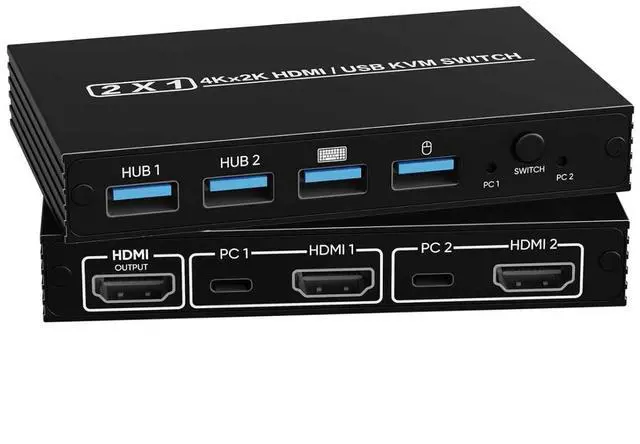
    AUTYUE 2 Ports HDMI KVM Switch 1 Monitor 2 Computers, Plug and Play, 4K@60Hz HDMI KVM Switch with 2-Way HDMI and 4-Way USB 2.0 Input, One Output, for Sharing A Set Monitor Keyboard Mouse Printer

    Limited time offer, ends 03/21 By Shenzhen Qiuyiyue Store

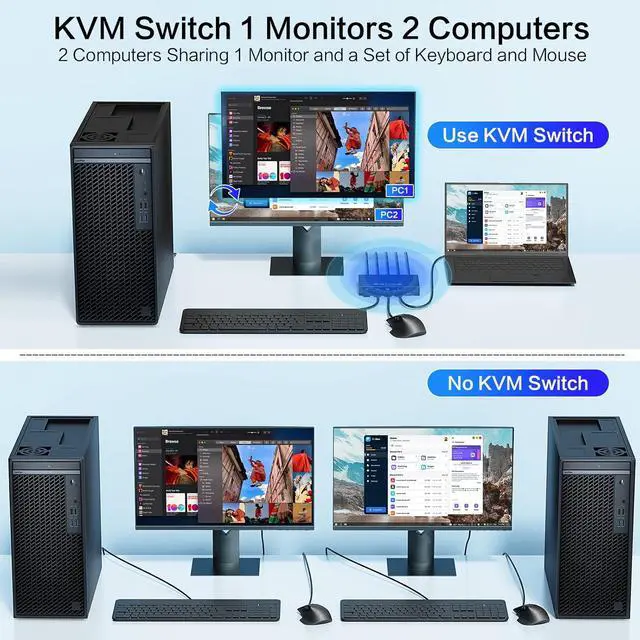
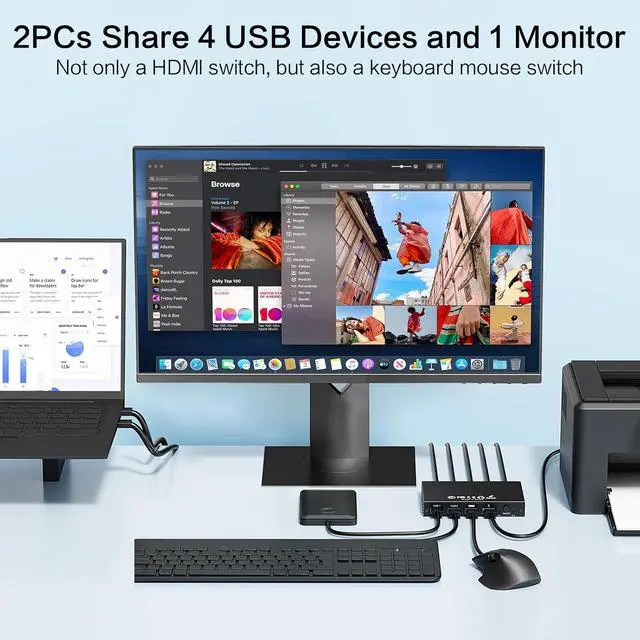
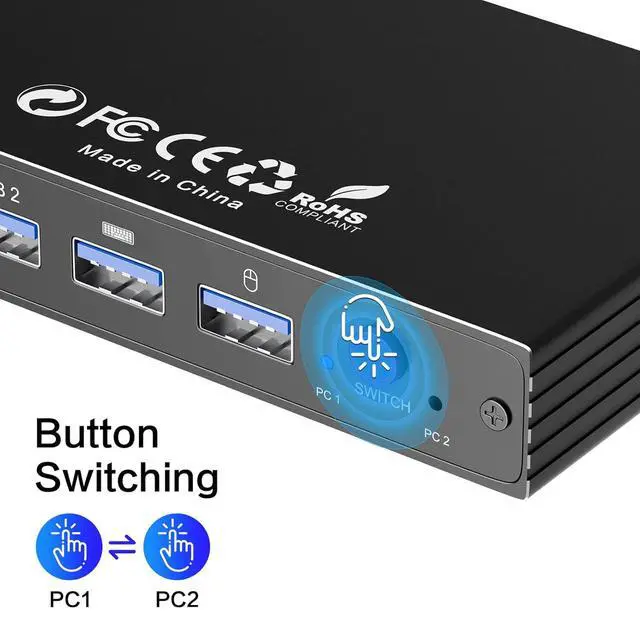
    • KVM SWITCH 2 IN 1 OUT: This KVM switch 1 monitors 2 computers supports sharing a set of mouse, keyboard and printer. Simply press the switch button to quickly switch between 2 PCs without pluging and unpluging HDMI and USB cables back and forth, keeping your desktop neat and tidy while increasing your productivity.
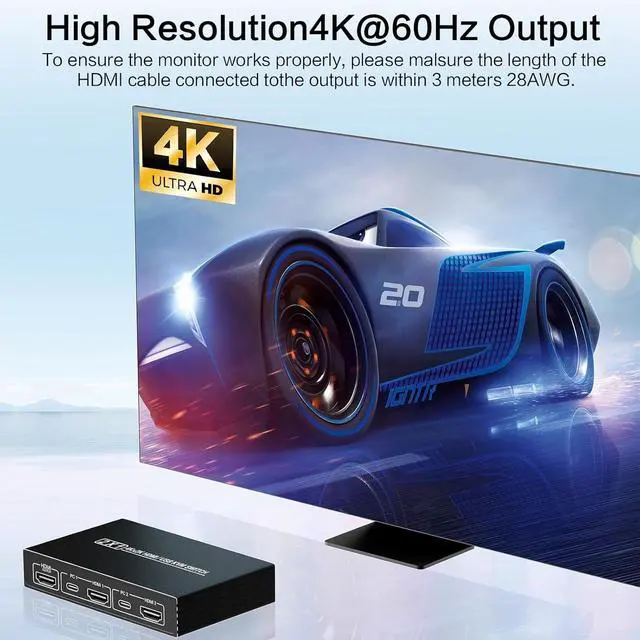
    • ULTRA HD 4K: Supports resolutions up to 4K@60Hz, allowing images to be displayed more beautifully and realistically, and colours will be more vivid and dynamic, and backward compatible with 3840*2160@60Hz, 1920*1080P@120Hz, etc.
    • MOUSE KEYBOARD KVM SWITCH: This KVM switch has 4 USB2.0 ports for data transfer, which can recognise a wired keyboard and mouse or other USB2.0 devices to move files and photos easily. Also allowing you to connect devices without rebooting, ensuring flexibility and portability. Different indicator lights clearly show which computer is active too.
    • PLUG AND PLAY: Just plug and play and without any installation, no drive requirement.
    • WIDELY APPLICATION: This KVM switch is widely applied for enterprise, office, multimedia teaching, meeting rooms, gaming rooms, research tests, etc.
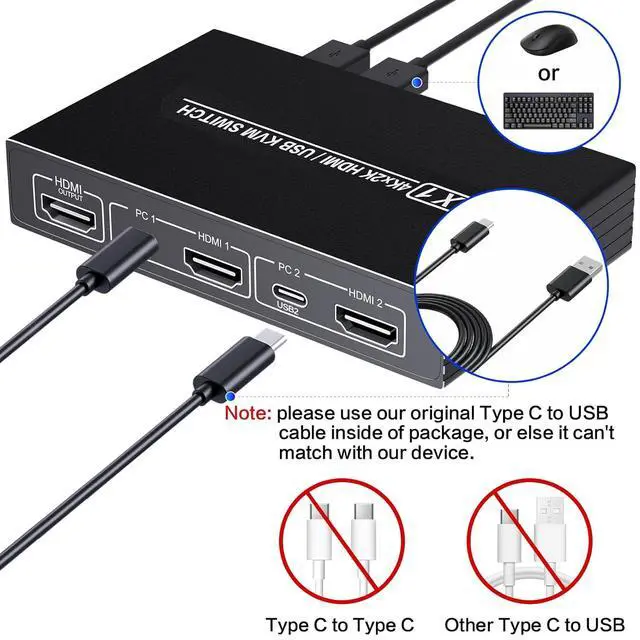
    • Note: Each computer and monitor must be equipped with an HDMI port for proper operation. The use of conversion cables or adapters may result in unstable/flickering transmission or failure to transmit images(The device will disconnect intermittently)
    +
    +
    Overview
    Specs
    Reviews
    avatar

    Any questions? Our AI beta will help you find out quickly.

    2 Ports HDMI KVM Switch 1 Monitor 2 Computers, Plug and Play, 4K@60Hz HDMI KVM Switch with 2-Way HDM


    KVM Switch 1 Monitors 2 Computers

    2 Computers Sharing 1 Monitor and a Set of Keyboard and Mouse

    KVM Switch 1 Monitors 2 Computers
    KVM Switch 1 Monitors 2 Computers


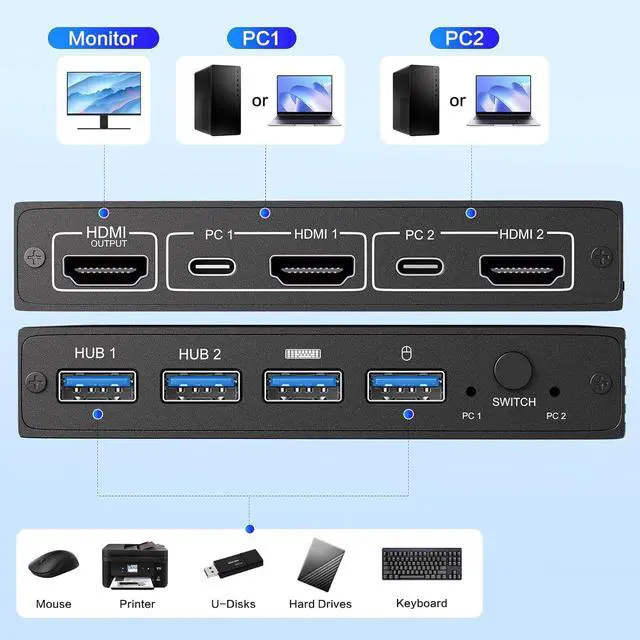
    • Mouse
    • Printer
    • U-Disks
    • Hard Drives
    • Keyboard
    Mouse Printer U-Disks Hard Drives Keyboard


    Button Switching

    Button Switching


    2PCs Share 4 USB Devices and 1 Monitor

    Not only a HDMl switch, but also a keyboard mouse switch

    Features
    1. *KVM SWITCH 2 IN 1 OUT: This KVM switch 1 monitors 2 computers supports sharing a set of mouse, keyboard and printer. Simply press the switch button to quickly switch between 2 PCs without pluging and unpluging HDMI and USB cables back and forth, keeping your desktop neat and tidy while increasing your productivity. It also saves you money and reduces the need for duplicate equipment.
    2. *ULTRA HD 4K: The HDMI KVM switch supports resolutions up to 4K@60Hz, allowing images to be displayed more beautifully and realistically, and colours will be more vivid and dynamic, and backward compatible with 3840*2160@60Hz, 1920*1080P@120Hz, etc.
    3. *MOUSE KEYBOARD KVM SWITCH: This USB KVM switch has 4 USB2.0 ports for data transfer, which can recognise a wired keyboard and mouse or other USB2.0 devices to move files and photos easily. Also allowing you to connect devices without rebooting, ensuring flexibility and portability. Different indicator lights clearly show which computer is active too.
    4. *PLUG AND PLAY: Just plug and play and without any installation, no drive requirement.
    5. *WIDELY APPLICATION: This KVM HDMI switch is widely applied for enterprise, office, multimedia teaching, meeting rooms, gaming rooms, research tests, etc.
    6. Note: Each computer and monitor must be equipped with an HDMI port for proper operation. The use of conversion cables or adapters may result in unstable/flickering transmission or failure to transmit images(The device will disconnect intermittently)


    Warranty & Returns

    Warranty, Returns, And Additional Information

    Warranty

    • Please contact the Seller directly for warranty information. Warranty information may also be found on the Manufacturer's website.
    • CONTACT

    Return Policies

    Manufacturer Contact Info

    LOADING...