




 here!
here!
I’m your shopping assistant for PC builds, upgrades, and everything tech.
Got questions? Ask away!
Start a conversation
here!
I’m your shopping assistant for PC builds, upgrades, and everything tech.
Got questions? Ask away!
Start a conversation




Any questions? Ask CelesteSM will help you find out quickly.
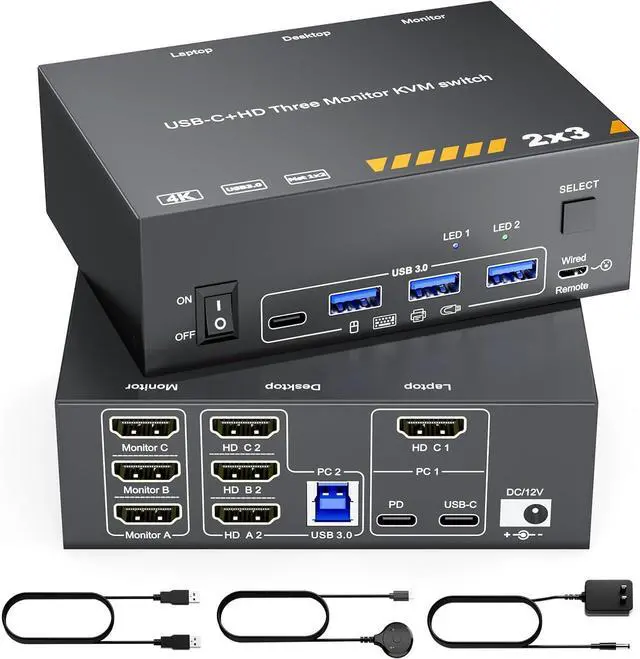
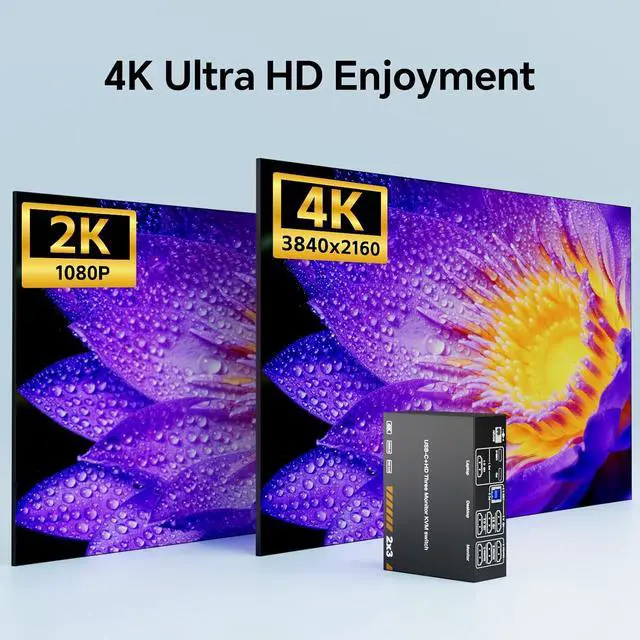
4K@60Hz USB-C & Triple HDMI KVM Switch 3 Monitors for Laptop & Dekstop


Plug and Play, Easy to Install

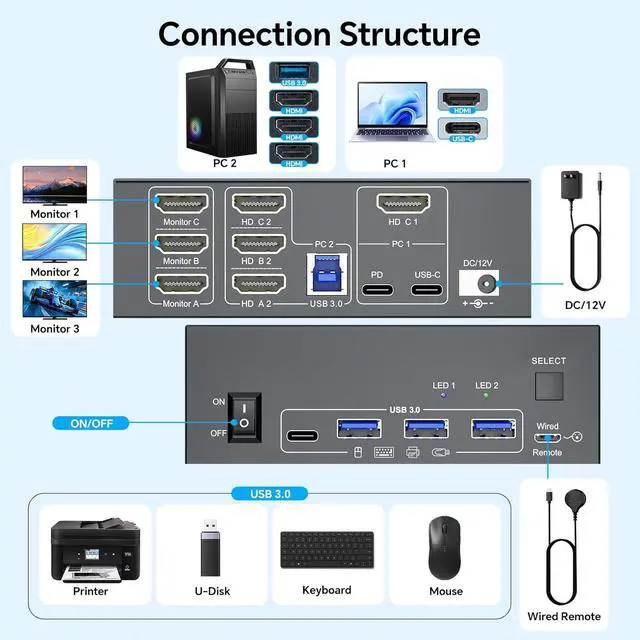
1. Connect 1*USB-C 3.1 Gen 2 Cable + 1* HDMI 2.0 Cable from laptop to the 3 monitors KVM switch
2. Plug the 100W laptop power cable from socket to the "PD" port on the laptop desktop KVM switch
3. Connnect 3*HDMI 2.0 cables +1*USB-A to USB-B cable from desktop PC to the relevant port on the triple monitor KVM switch
4. Connect 3 monitors to "Monitor A", "Monitor B" and "Monitor C" port on the USB-C triple HDMI KVM switch
5. Connect keyboard mouse, U Disk, USB camera to the USB port on the front of the KVM switch
6. Plug the DC/12V power cable into "DC/12V" Port, and insert the wired remote controller to the relevant port, then turn On the 3 monitors laptop desktop KVM switch
Important Note: To enable your laptop to output to three screens, please ensure that your laptop supports both USB-C and HDMI outputs; and please use standard USB-C 3.1 Gen 2 cable within 1M
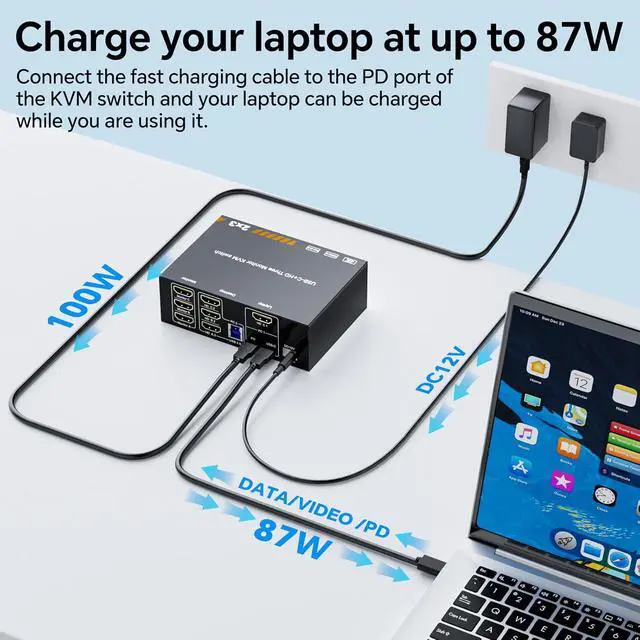
Support Max PD 100W Fast Charging for Laptop

1. 100W PD charging is the max supported by the KVM switch, It actually depends on your laptop, charging cable.
2. Because the machine itself consumes some electricity, so the actual power to the laptop is 80~90W

Important Note Before Use:
1: To get 3 screens output from laptop/desktop, the laptops USB-C port needs to support DP Alt function(Video&Data&PD Transfer), and the laptop should support outputting USB-C & HDMI simultaneously; Desktop PC should be connected to 3 HDMI cables+1 USB cable;
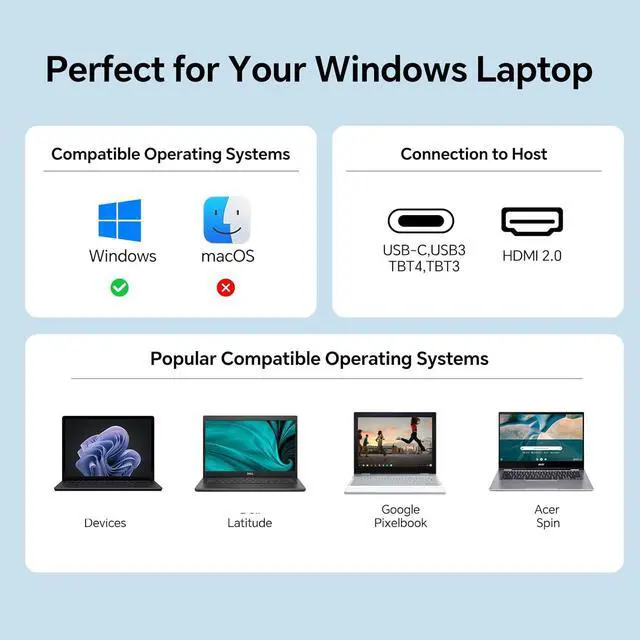
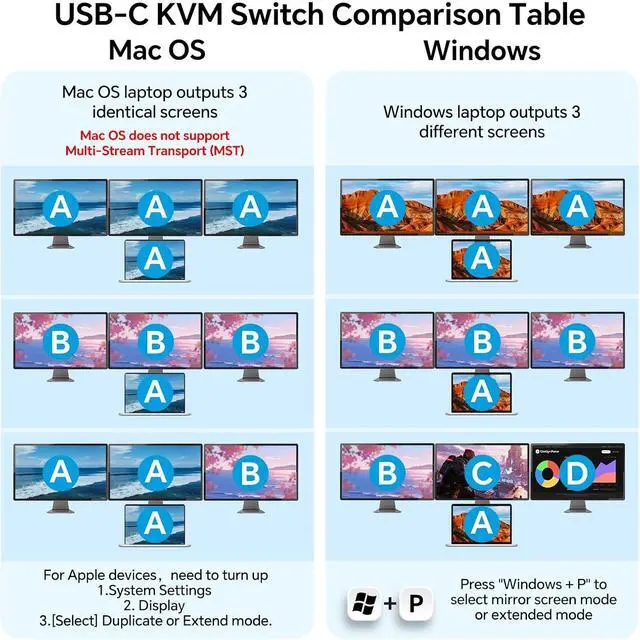
2. For Windows laptops or computers, this KVM supports two display modes: Duplicate and Extend. But Mac OS is limited to mirror mode and can't extend 3 different screens, because MAC M1/M2 doesnt support MST (multi-stream transport)
1. Connect 1*USB-C 3.1 Gen 2 Cable + 1* HDMI 2.0 Cable from laptop to the 3 monitors KVM switch
2. Plug the 100W laptop power cable from socket to the "PD" port on the laptop desktop KVM switch
3. Connnect 3*HDMI 2.0 cables +1*USB-A to USB-B cable from desktop PC to the relevant port on the triple monitor KVM switch
4. Connect 3 monitors to "Monitor A", "Monitor B" and " Monitor C" port on the USB-C triple HDMI KVM switch
5. Connect keyboard mouse, U Disk, USB camera to the USB port on the front of the KVM switch
6. Plug the DC/12V power cable into "DC/12V" Port, and insert the wired remote controller to the relevant port, then turn On the 3 monitors laptop desktop KVM switch


