Take a tax holiday. Take advantage of limited-time, tax-free savings on select products in certain states. Learn More>
  • $219.99
  • Free 30-day Returns
  • Ships from China.
    Price alert
    Shop it at NeweggBusiness.

    AUTYUE HDMI + 3 DisplayPort KVM Switch 4 Monitors 2 Computers, 4K@120Hz/8K@30Hz Quad Monitors KVM Switches for 2 PCs Share 4 Monitors, with 4 USB 3.0 Ports for Keyboard Mouse, with Wired Remote

    Limited time offer, ends 07/25 By Shenzhen Qiuyiyue Store

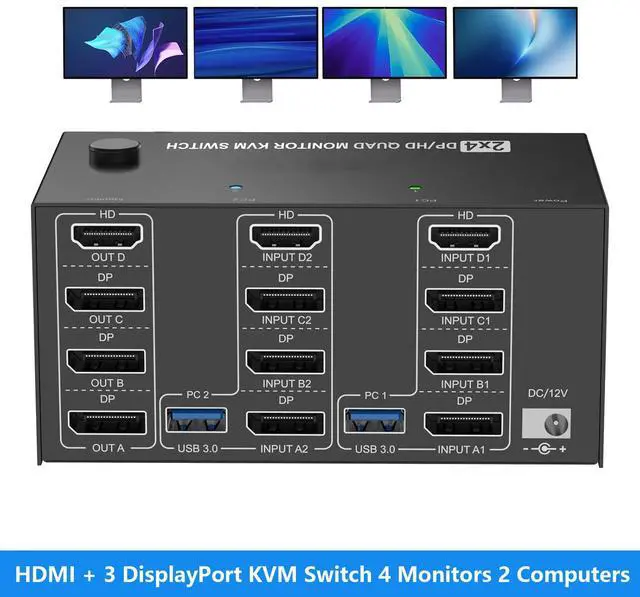
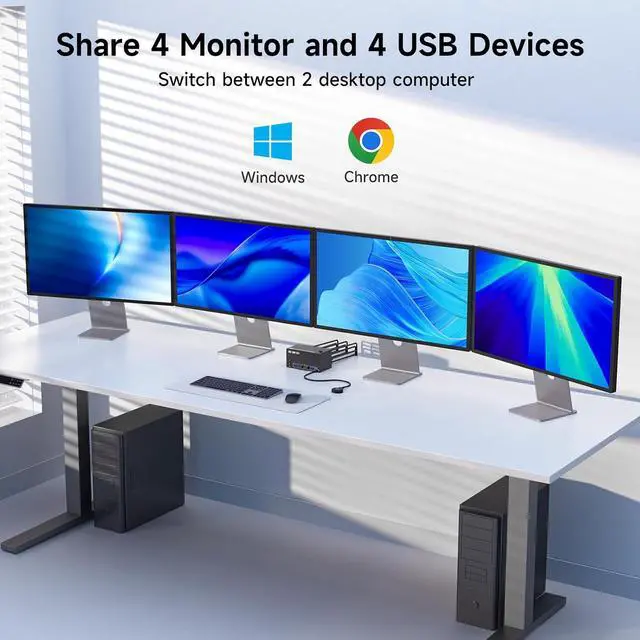
    • 4 Monitors 2 Computers KVM Switch: 3 Displayport1.4+HDMI2.1 4 monitors KVM Switch allows 2 computers to share 4 monitors and 4 USB3.0 ports(keyboard,mouse and other USB devices). NOTE:Only when your computer supports 4 display, you can use this KVM to achieve 2 PC to share 4 monitors.
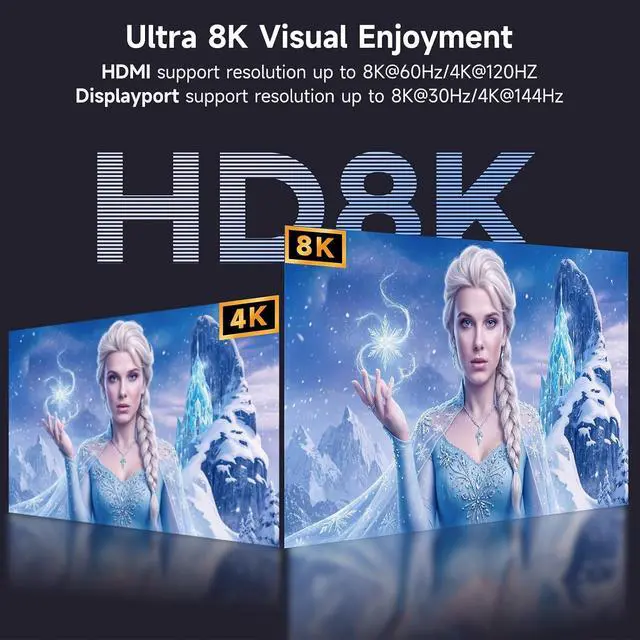
    • 8K@30Hz/2K@144Hz KVM: The resolution and fresh rate of KVM Switch supports up to 8K@30Hz/2K@144Hz, But pls note that: 1) HDMI part supports 8K@30Hz,4K@120Hz,4K@60Hz,and backward compatible. 2) Displayport part support 8K@30Hz ,4K@144Hz and backward compatible.Warming: Pls use HDMI2.1 and DP1.4 cables.
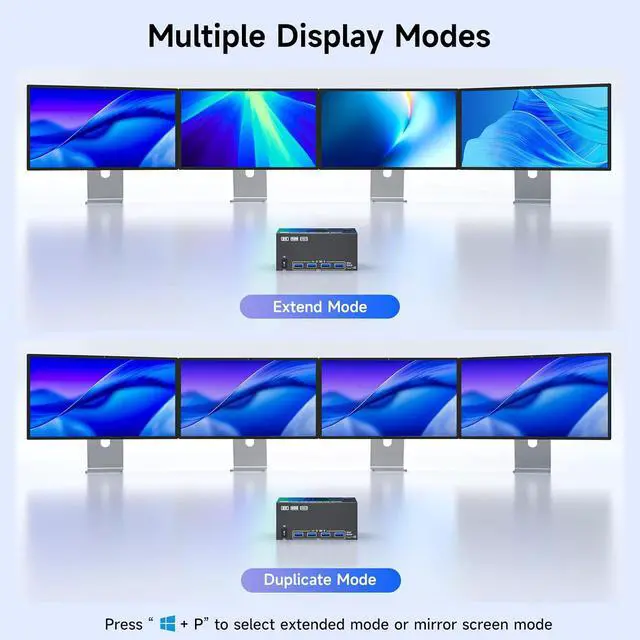
    • Extended and Mirrored Modes: Extended mode:extended mode can output 4 different screens,mirrored mode can output 4 identical screens.Note:each connected computer must support multi-screen display and have 3 DP + HDMI ports.Selection method: Press Window and P on the keyboard and mouse at the same time. Please use a desktop PC with a high-bandwidth dedicated graphics card; laptops are not acceptable.
    • With 4 USB3.0 USB Ports: KVM switch with 4 USB3.0 ports for sharing mouse, keyboard, USB printers, scanners, etc,. USB 3.0 port transmission is more stable and faster.
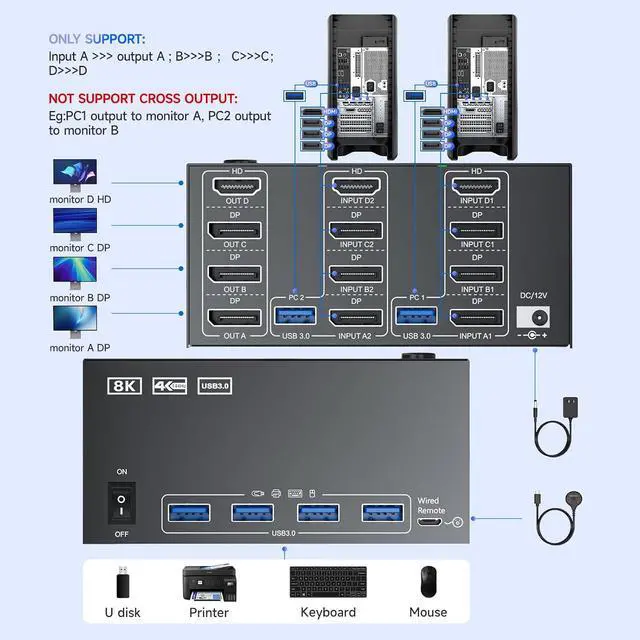
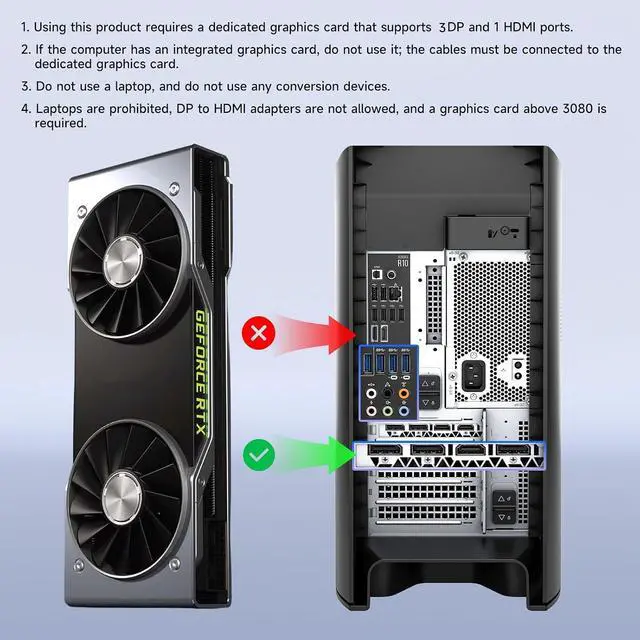
    • NOTE: 1, All connections must be made using a dedicated graphics card. 2, Pls make sure your PC supports 4 screens or above display function before purchasing. 3, To display content across 4 screens simultaneously, make sure each of your PCs is equipped with 3 DisplayPort ports + 1 HDMI port. 4, NOT support EDID emulation.
    +
    +
    Overview
    Specs
    Reviews
    avatar

    Any questions? Our AI beta will help you find out quickly.

    HDMI + 3 DisplayPort KVM Switch 4 Monitors 2 Computers, 4K@120Hz/8K@30Hz Quad Monitors KVM Switches
    HDMI + 3 DisplayPort KVM Switch 4 Monitors 2 Computers, 4K@120Hz/8K@30Hz Quad Monitors KVM Switches
    HDMI + 3 DisplayPort KVM Switch 4 Monitors 2 Computers, 4K@120Hz/8K@30Hz Quad Monitors KVM Switches
    HDMI + 3 DisplayPort KVM Switch 4 Monitors 2 Computers, 4K@120Hz/8K@30Hz Quad Monitors KVM Switches

    NOTE: 

    1, All connections must be made using a dedicated graphics card. 

    2, Please make sure your PC supports 4 screens or above display function before purchasing. 

    3, To display content across 4 screens simultaneously, make sure each of your PCs is equipped with 3 DisplayPort ports + 1 HDMI port. 

    4, NOT support EDID emulation.

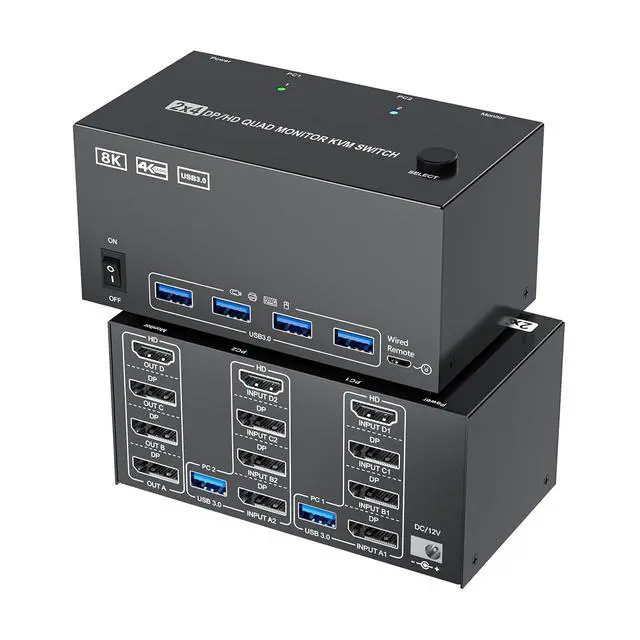
    5, Each computer at the input needs to be connected with 3* DP cables + 1* HDMI cable+1* USB cable. 

    NOTE: 1, All connections must be made using a dedicated graphics card. 2, Please make sure your PC s
    NOTE: 1, All connections must be made using a dedicated graphics card. 2, Please make sure your PC s
    NOTE: 1, All connections must be made using a dedicated graphics card. 2, Please make sure your PC s
    Features
    1. 4 Monitors 2 Computers KVM Switch3 Displayport1.4+HDMI2.1 USB3.0 4 monitors KVM Switch allows 2 computers to share 4 monitors and 4 USB3.0 ports(keyboard,mouse and other USB devices).It can make your work space tidy and efficient, also a premium choice for working from home.NOTE:Only when your computer supports 4 display, you can use this KVM to achieve 2 PC to share 4 monitors.Please use a dedicated graphics card.
    2. 8K@30Hz/2K@144Hz KVMThe resolution and fresh rate of KVM Switch 4 monitors 2 computers supports up to 8K@30Hz/2K@144Hz, But please note that:HDMI part supports 8K@30Hz,4K@120Hz,4K@60Hz,and backward compatible.Displayport part support 8K@30Hz ,4K@144Hz and backward compatible.Warming: Please use HDMI2.1 and DP1.4 cables.
    3. Extended and Mirrored Display ModesExtended mode:extended mode can output 4 different screens,mirrored mode can output 4 identical screens.Note:each connected computer must support multi-screen display and have 3 DP + HDMI ports.Selection method: Press Window and P on the keyboard and mouse at the same time. Please use a desktop computer with a high-bandwidth dedicated graphics card; laptops are not acceptable.
    4. With 4 USB3.0 USB PortsThis DP HDMI 4 monitors KVM switch with 4 USB3.0 ports for sharing mouse, keyboard, USB printers, scanners, etc,. USB 3.0 port transmission is more stable and faster, if you are looking for a USB 3.0 version KVM switch this will be a good choice!
    5. NOTE: 1, All connections must be made using a dedicated graphics card. 2, Please make sure your PC supports 4 screens or above display function before purchasing. 3, To display content across 4 screens simultaneously, make sure each of your PCs is equipped with 3 DisplayPort ports + 1 HDMI port. 4, NOT support EDID emulation.5, Each computer at the input needs to be connected with 3* DP cables + 1* HDMI cable+1* USB cable.
    6. KVM Switch 4 Monitors 2 Computers Package List 1*4 Monitors 2 PCs KVM switch;2*USB3.0 Cables;1*Wired remote controller ;1*User manual ;1*12V Power Adapter.


    Warranty & Returns

    Warranty, Returns, And Additional Information

    Warranty

    • Please contact the Seller directly for warranty information. Warranty information may also be found on the Manufacturer's website.
    • CONTACT

    Return Policies

    Manufacturer Contact Info

    LOADING...