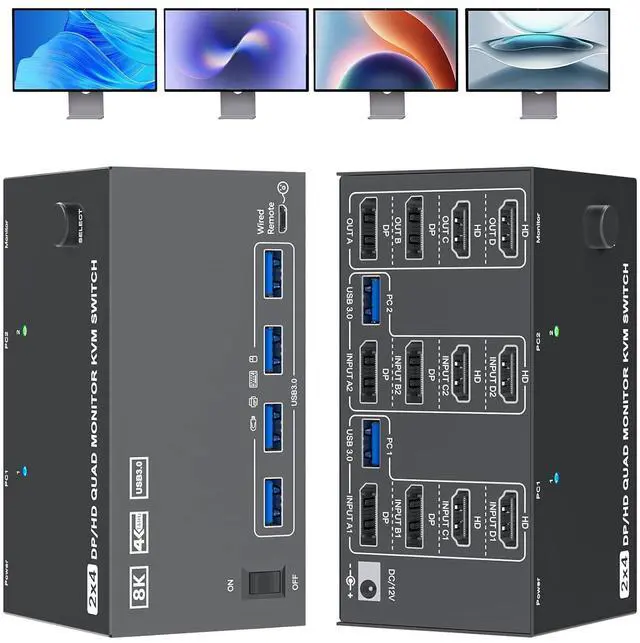
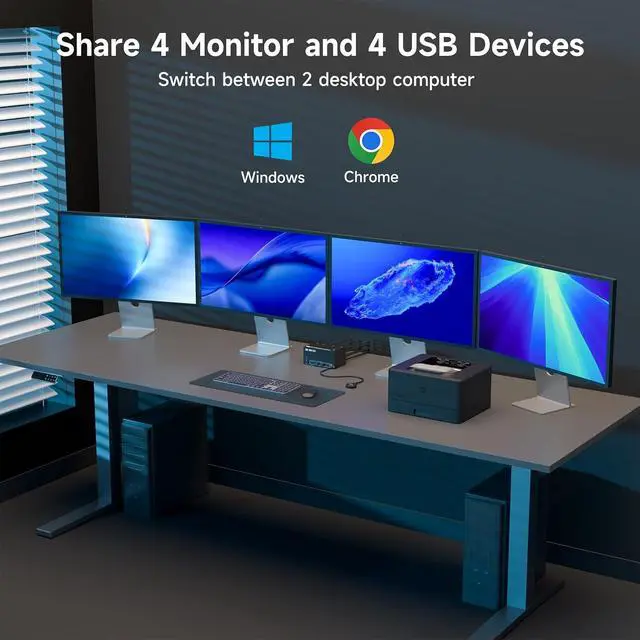
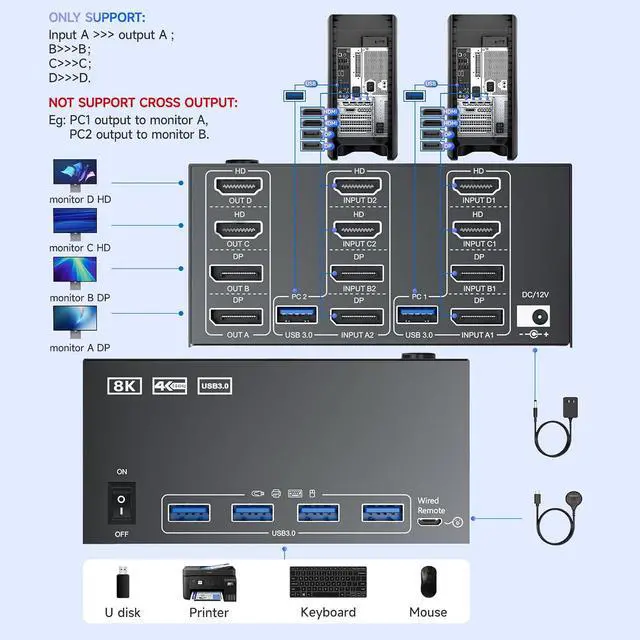
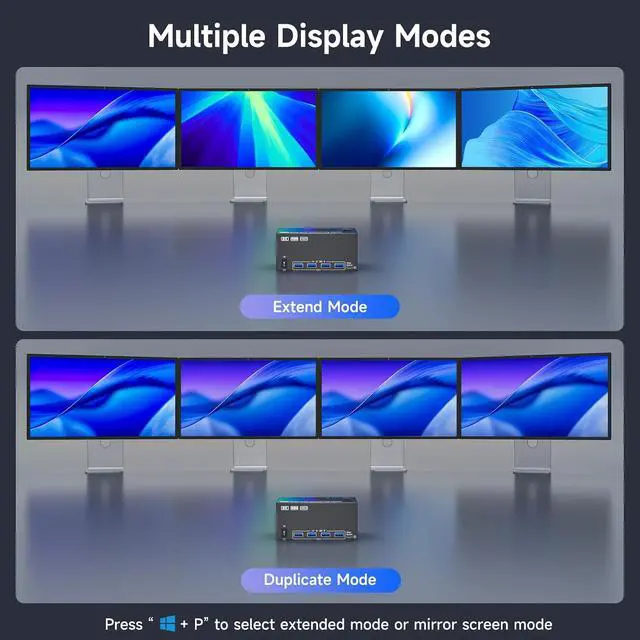
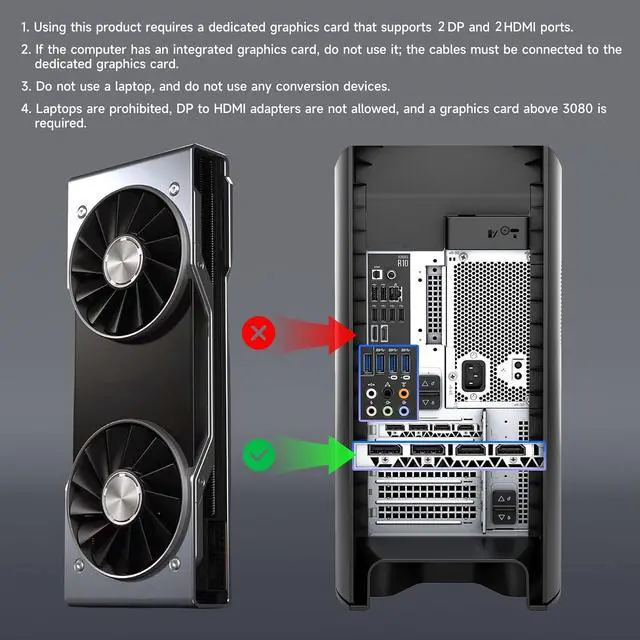
2 HD-MI +2 Displayport KVM Switch Quad Monitor: The KVM switch 4 monitors 2 computers can control 2 computers with 1 independent set of keyboard and mouse to share 4 monitors and 4 USB 3.0 hub.(supports extended and mirrored display modes). Pls note: Your computers graphics card must have 2 DP ports and 2 HD-MI port to properly connect 4 monitors.Press Windows+P and choose Duplicate Mode or Extend Mode.
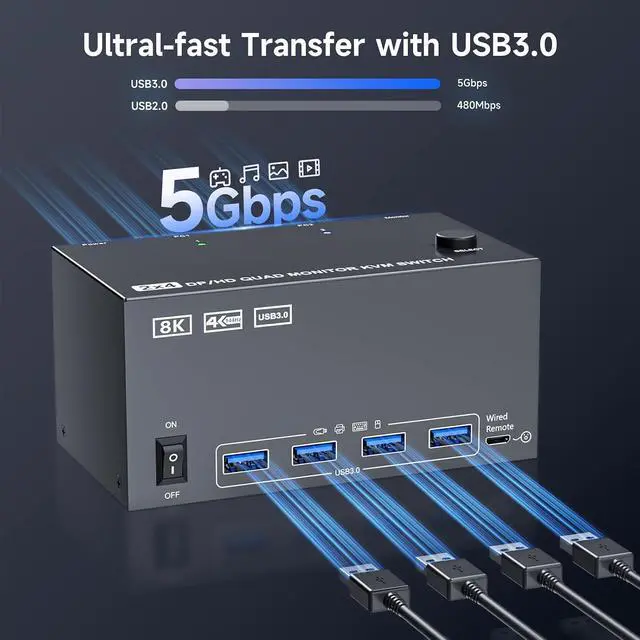
USB 3.0: KVM Switches with 4 USB 3.0 ports for peripheral USB devices such as keyboard, mouse, printer, etc. KVM Switch supports ultra-fast USB 3.0 data transfer rates of up to 5Gb/s-enabling file transfers in seconds.
Extended and Mirrored Display Modes: Extended mode:extended mode can output 4 different screens,mirrored mode can output 4 identical screens.Note:each connected computer must support multi-screen display and have 2 DP +2 HD-MI ports.Selection method: Press Window and P on the keyboard and mouse at the same time. Please use a desktop computer with a high-bandwidth dedicated graphics card [For example, RTX 9070]; laptops are not acceptable.
Compatibility & 2 Switching Methdos: Plug and play, no driver required, compatible with Windows systems. You can press the button on the panel or use the wired remote (included) to switch the computers, LED indicate the active computer.
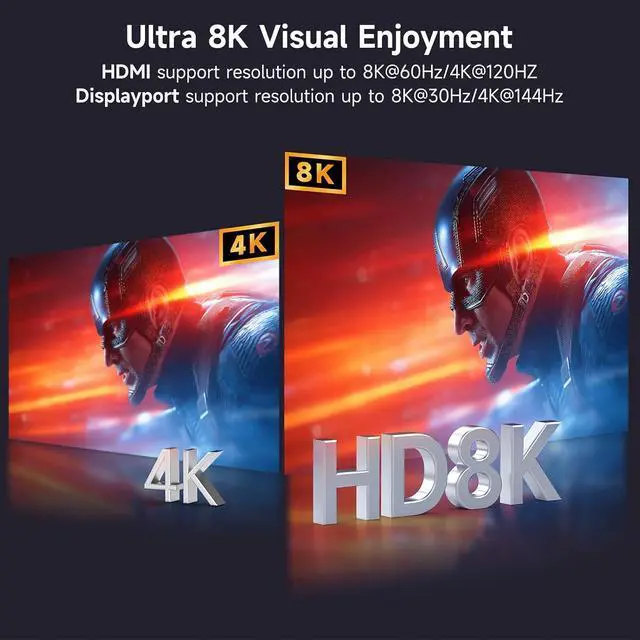
8K Ultra: Features a 2 DisplayPort + 2 HD-MI configuration for 2 computers,Important Usage Notes: Must use standard HD-MI2.1 and DP1.4 cables (shorter cables) for stable transmission.
+
+
Overview
Specs
Reviews
Any questions? Our AI beta will help you find out quickly.
Try me now
Features
2 HD-MI +2 Displayport KVM Switch Quad MonitorThe 8K 2 Displayport1.4+2 HD-MI2.1 KVM switch 4 monitors 2 computers can control 2 computers with 1 independent set of keyboard and mouse to share 4 monitors and 4 USB 3.0 hub.(supports extended and mirrored display modes). Please note: Your computers graphics card must have 2 DP ports and 2 HD-MI port to properly connect 4 monitors.Press Windows+P and choose Duplicate Mode or Extend Mode.
USB3.0 4 Monitors KVM Switch for 2 ComputersThis 4 monitors 2 Computers KVM Switches with 4 USB3.0 ports for peripheral USB devices such as keyboard, mouse, printer, etc. HD-MI Displayport 4 Monitors KVM Switch supports ultra-fast USB 3.0 data transfer rates of up to 5Gb/senabling file transfers in seconds.
Extended and Mirrored Display ModesExtended mode:extended mode can output 4 different screens,mirrored mode can output 4 identical screens.Note:each connected computer must support multi-screen display and have 2 DP +2 HD-MI ports.Selection method: Press Window and P on the keyboard and mouse at the same time. Please use a desktop computer with a high-bandwidth dedicated graphics cardFor example, RTX 9070; laptops are not acceptable.
Compatibility & 2 Switching MethdosPlug and play, no driver required, compatible with Windows systems. The 2 computers 4 Monitors 2 PCs KVM switch driver-free and plug and play. You can press the button on the panel or use the wired remote(included)to switch the computers, LED indicate the active computer.
8K Ultra KVM SwitchThis 4-Monitor KVM Switch features a 2 DisplayPort + 2 HD-MI configuration for 2 computers,Important Usage Notes:Must use standard HD-MI2.1 and DP1.4 cables (shorter cables are highly recommended for stable transmission);Exclusive for desktop computers with Windows operating systems .NOT support EDID emulation
Pcking List 1* Quad Monitor KVM Switch 4 monitors 2 computers, 2* USB 3.0 Cable, 1* Power Adapter, 1* Wired Remote, 1* User's Manual.
This 4 monitors 2 Computers KVM Switches with 4 USB3.0 ports for peripheral USB devices such as keyboard, mouse, printer, etc. 4 Monitors KVM Switch supports ultra-fast USB 3.0 data transfer rates of up to 5Gb/s—enabling file transfers in seconds.
Application
8K 2 Displayport1.4 + 2 HD-MI 2.1 KVM switch 4 monitors 2 computers can control 2 computers with 1 independent set of keyboard and mouse to share 4 monitors and 4 USB 3.0 hub.(supports extended and mirrored display modes).
Features
Plug and play, no driver required, compatible with Windows systems.