• $199.99
  • Free 30-day Returns
  • Ships from China.
    Price alert
    Shop it at NeweggBusiness.

    AUTYUE KVM Switch 3 Monitors 4 Computers, Triple Monitor 2 Displayport + 1 HD-MI | 4 Ports for 4 PC, 3 Screens Output, DP 1.4 Support 8K@30Hz/4K@144Hz, HD-MI2.1 Support 8K@60Hz/4K@120Hz, 5Gbps USB 3.0

    Limited time offer, ends 08/08 By Shenzhen Qiuyiyue Store

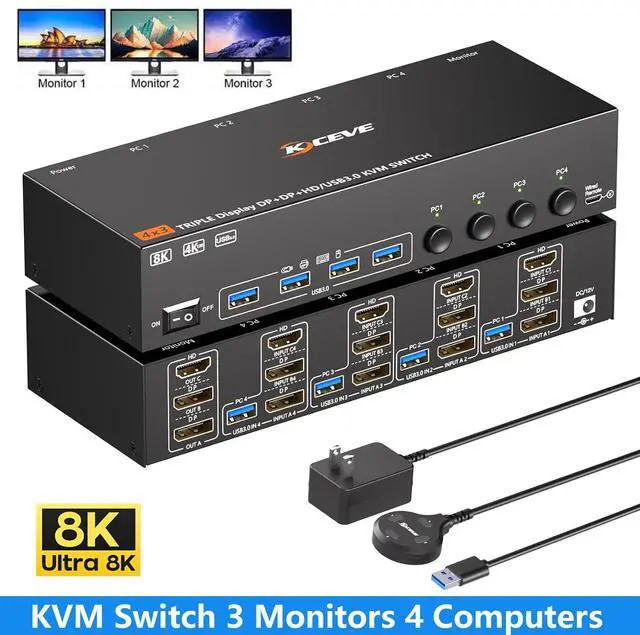
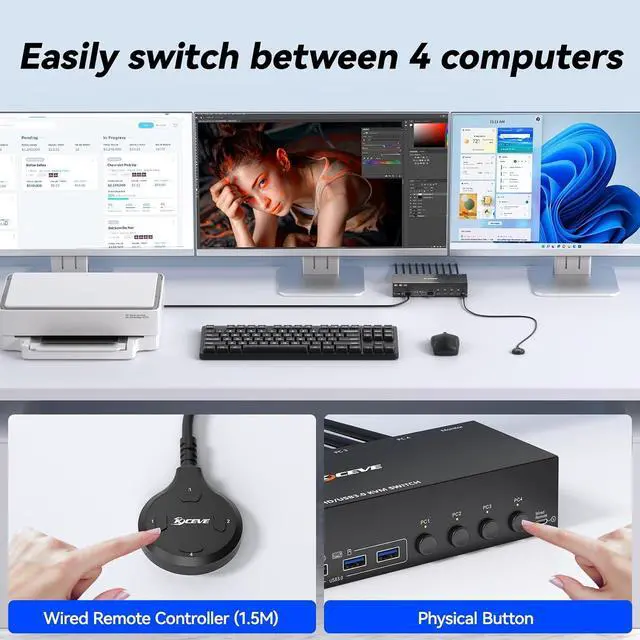
    • KVM Switch 4 Computers 3 Monitors 2 Displayport + 1 HD-MI: This plug-and-play 3 monitors 4 computers KVM switch allows to effortlessly toggle between 4 computers with just one-click while enjoying uninterrupted control via your preferred keyboard and mouse on three expansive monitors.
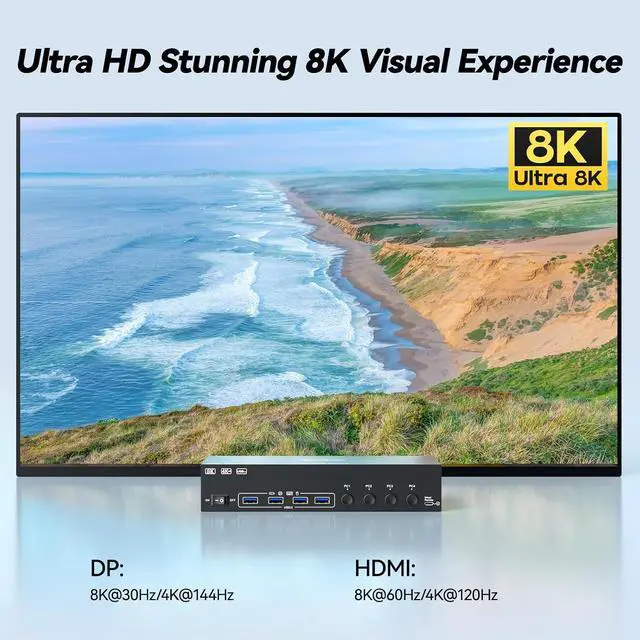
    • Immersive Triple-Screen 8K/4K Visuals: The KVM switch can maximize your triple-monitor setup with uncompromising video quality. Supporting DisplayPort up to 8K@30Hz and 4K@144Hz, alongside HD-MI up to 8K@60Hz and 4K@120Hz, this KVM delivers stunning detail and buttery-smooth transitions across all three displays.
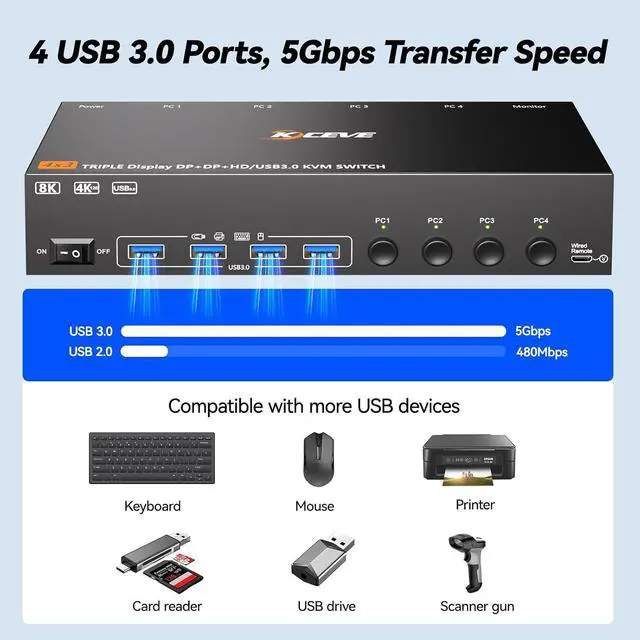
    • 5Gbps Data Transfer & 12V/1A Power Supply: equipped with 4 USB 3.0 ports for connecting keyboard, mouse, printer, webcams, ect, Supporting a max data transfer speed of 5Gbps, which is 10x faster and more stable than USB 2.0, greatly improving data transfer and peripheral response speeds. The 12V/1A external power adapter can supply sufficient power for the KVM switch, ensuring stable identification even when connecting to high-power USB devices.
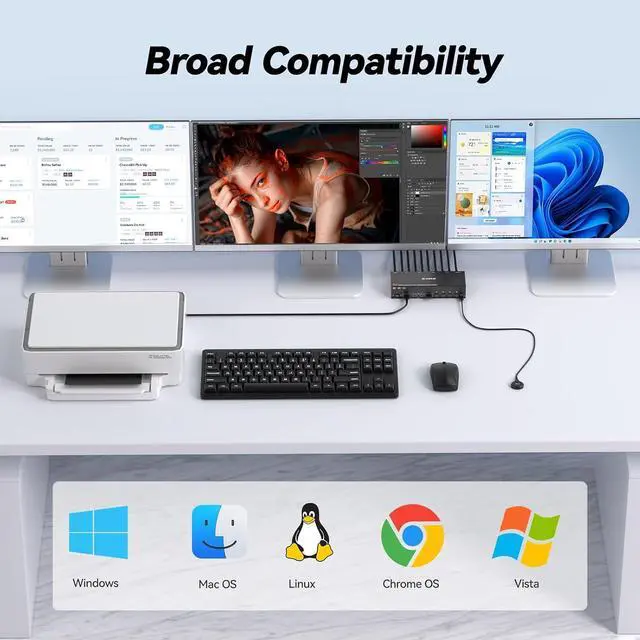
    • Broad Compatibility & Flexible Switching Ways: Widely compatible with Windows, Mac OS, Linux, and Chrome OS. Just One-click switching between 4 computers via Panel LED button & Wired Remote control. Bright LED indicators let you know at a glance which computer is active, making multi-device control effortless.
    +
    +
    Overview
    Specs
    Reviews
    avatar

    Any questions? Our AI mode will help you find out quickly.

    3 Monitors 4 Computers Dual Displayport & HD-MI KVM Switch 4 PCs Share 3 Screens

    3 Monitors 4 Computers Dual Displayport & HDMI KVM Switch 4 PCs Share 3 Screens


    Plug and Play, Easy to Install

    Plug and Play, Easy to Install
    Plug and Play, Easy to Install

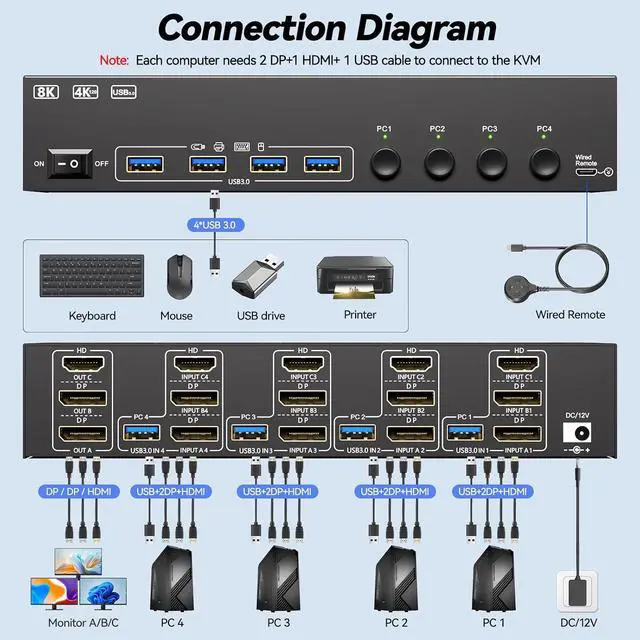
    Connect Steps:

    Step 1. Connect 2*DP cables+1 HD-MI cable +1*USB cable between PC 1 and KVM (USB 3.0 IN1, INPUT A1, INPUT B1, INPUT C1).

    Step 2. Connect 2*DP cables+1 HD-MI cable +1*USB cable between PC 2 and KVM (USB 3.0 IN2, INPUT A2, INPUT B2, INPUT C2).

    Step 3. Connect 2*DP cables+1 HD-MI cable +1*USB cable between PC 3 and KVM (USB 3.0 IN3, INPUT A3, INPUT B3, INPUT C3).

    Step 4. Connect 2*DP cables+1 HD-MI cable +1*USB cable between PC 4 and KVM (USB 3.0 IN4, INPUT A4, INPUT B4, INPUT C4).

    Step 5. Connect 3 monitors to the relevant ports on the 3 monitor KVM (OUT A, OUT B, OUT C).

    Step 6. Connect the keyboard,mouse and other USB devices to the USB3.0 ports on the KVM.

    Step 7: Insert the wired remote to remotely switch between 4 computers.

    Step 8: Plug the included DC 12V/1A power cable to supply external power for the 4 computers kvm.

    Important Note: 

    (1) To get simultaneous 3 screens output, each PC needs to connect 2*DP +1*HD-MI cables to the 4 port triple monitor KVM; 

    (2) To make USB peripherals work properly, a USB cable must be connected from each PC to the 4 port KVM switch; 

    (3) The 4 PC 3 monitor KVM switch is only compatible with RTX 3050/3060/3080 or 50-series and higher graphics cards; 

    (4) For optimal performance, we recommend using standard DP 1.4 and HD-MI 2.1 cables within 1.5M

    Important Note: (1) To get simultaneous 3 screens output, each PC needs to connect 2*DP +1*HDMI cabl
    Important Note: (1) To get simultaneous 3 screens output, each PC needs to connect 2*DP +1*HDMI cabl
    Important Note: (1) To get simultaneous 3 screens output, each PC needs to connect 2*DP +1*HDMI cabl
    Important Note: (1) To get simultaneous 3 screens output, each PC needs to connect 2*DP +1*HDMI cabl
    Important Note: (1) To get simultaneous 3 screens output, each PC needs to connect 2*DP +1*HDMI cabl


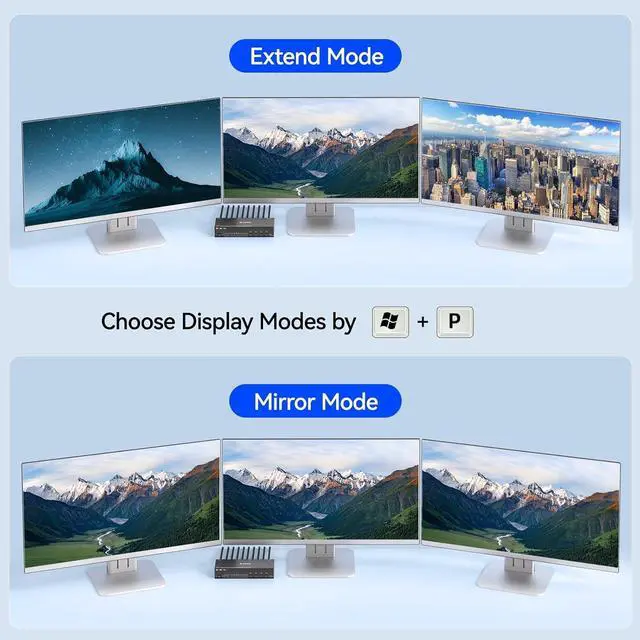
    Note: Extend Mode is Not Supported on Mac M1/M2

    Note: Extend Mode is Not Supported on Mac M1/M2


    Improve Work Efficiency While Enjoying a Tidy & Relax Workstation

    Improve Work Efficiency While Enjoying a Tidy & Relax Workstation
    Improve Work Efficiency While Enjoying a Tidy & Relax Workstation
    Features
    1. KVM Switch 4 Computers 3 Monitors 2 Displayport and HD-MIThis plug-and-play 3 monitors 4 computers KVM switch allows to effortlessly toggle between 4 computers with just one-click while enjoying uninterrupted control via your preferred keyboard and mouse on three expansive monitors. Whether youre teaching in a multimedia classroom, presenting in a boardroom, or managing a multi-PC gaming rig, the true plug-and-play design lets you change environments in seconds without the hassle of reconnecting cables
    2. Immersive Triple-Screen 8K/4K VisualsThe 4 port 3 monitors KVM switch can maximize your triple-monitor setup with uncompromising video quality. Supporting DisplayPort up to 8K@30Hz and 4K@144Hz, alongside HD-MI up to 8K@60Hz and 4K@120Hz, this 4 computers KVM delivers stunning detail and buttery-smooth transitions across all three displays. Perfect for video editors, designers, and gamers who demand both high resolution and high refresh rates simultaneously
    3. 5Gbps Data Transfer & 12V/1A External Power Supply4 port 4 PCs KVM switch is euipped with 4 USB 3.0 ports for connecting keyboard, mouse, printer, webcams, ect, Supporting a max data transfer speed of 5Gbps, which is 10 times faster and more stable than USB 2.0, greatly improving data transfer and peripheral response speeds. The 12V/1A external power adapter can supply sufficient power for the 4 port 3 monitors KVM switch, ensuring stable identification even when connecting to high-power USB devices
    4. Broad Compatibility & Flexible Switching WaysThe 2 Displayport and HD-MI KVM switch is widely compatible with a wide range of operating systems, including Windows, Mac OS, Linux, and Chrome OS. Just One-click switching between 4 computers via Panel LED button & Wired Remote control. Bright LED indicators let you know at a glance which computer is active, making multi-device control effortless


    Important Note


    (1) System Requirements & Setup Guide: For simultaneous 3-monitor output: Requires a graphics card that supports 3 independent displays. And 2x DP and 1x HD-MI cables should be connected from each computer to the 4 port KVM, use of conversion cables or adapters may result in erratic/flickering transmissions or failure to transmit images;


    (2) To get the 8K/4K@120Hz above resolution, the length of Displayport1.4 and HD-MI2.1 cables should shorter than 1.5M;


    (3) For proper USB function: Each computer needs to connect a USB cable to the KVM's rear USB-A port


    Warranty & Returns

    Warranty, Returns, And Additional Information

    Warranty

    • Please contact the Seller directly for warranty information. Warranty information may also be found on the Manufacturer's website.
    • CONTACT

    Return Policies

    Manufacturer Contact Info

    LOADING...