




 here!
here!
I’m your shopping assistant for PC builds, upgrades, and everything tech.
Got questions? Ask away!
Start a conversation
here!
I’m your shopping assistant for PC builds, upgrades, and everything tech.
Got questions? Ask away!
Start a conversation



Any questions? Ask CelesteSM will help you find out quickly.

Precautions of Our HD-MI Displayport KVM Switcher
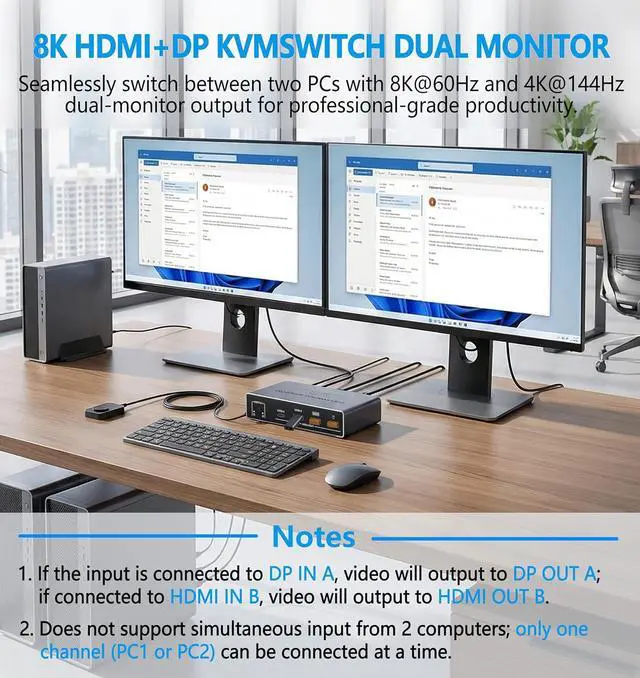
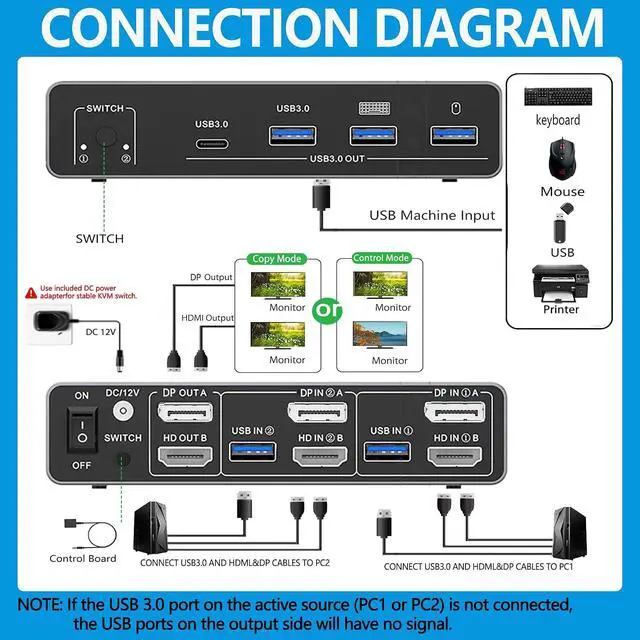
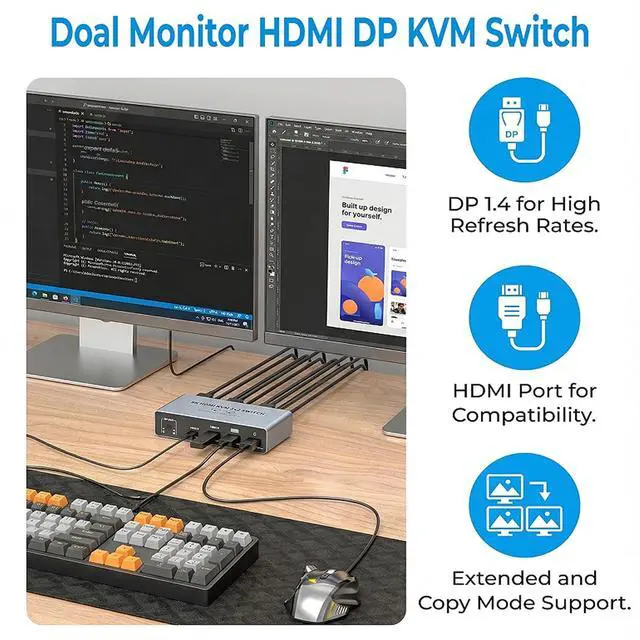
Plug into DP IN A -> picture goes to DP OUT A. Plug into HDMI IN B -> picture goes to HDMI OUT B.

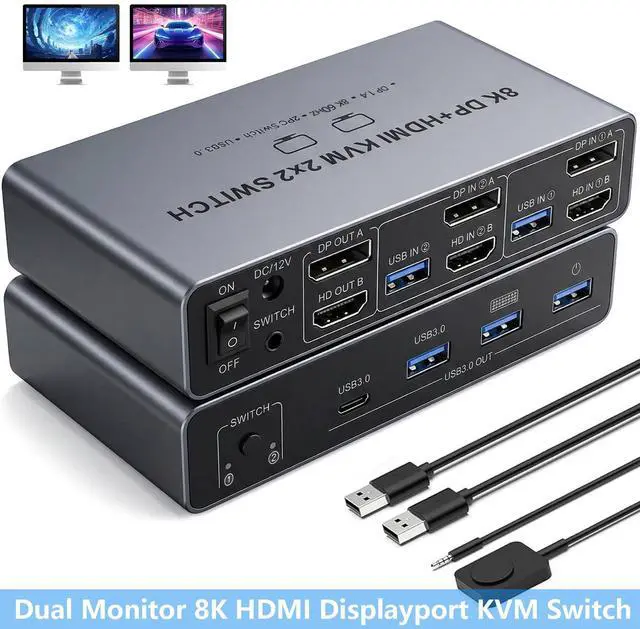
KVM Switch 2 Monitors 2 Computers - Dual Monitor KVM Switch with HDMI2.1 + DP1.4, 4 USB 3.0 Ports, Easy Switching, and Stable Work
HDMI2.1 + DP1.4 Support: Enjoy high-resolution displays up to 8K@60Hz and 4K@120Hz, with backward compatibility for 4K@60Hz, 1080P, and 720P. Automatically identifies and switches between different resolutions.

Our KVM Switch is designed for professionals and power users who need to manage two monitors from a single desktop computer (laptops are not supported as the source).

Product Features
8K UHD Quality
Equipped with DisplayPort 1.4 and HDMI 2.1 output ports, this KVM switch delivers stunning 8K@60Hz resolution, making it ideal for graphic designers, video editors, programmers, traders, and gamers who demand the highest image quality.
Effortless Peripheral Sharing
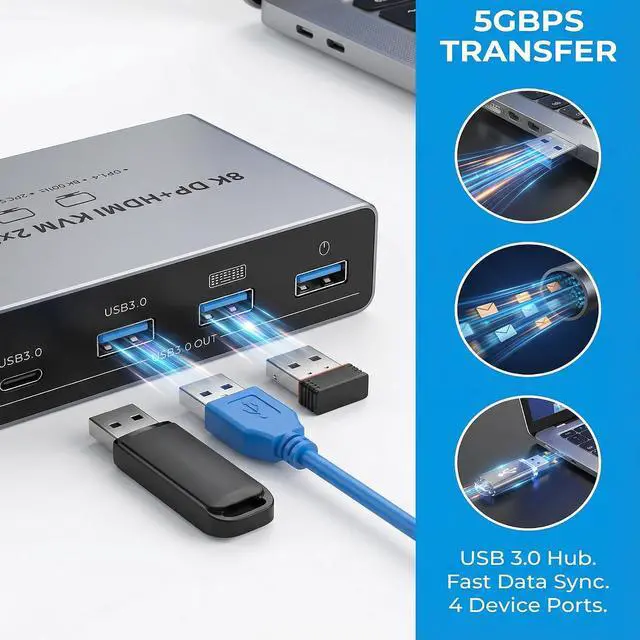
With 3 USB 3.0 ports and 1 USB-C port supporting transfer speeds of up to 5Gbps, you can seamlessly share all essential peripherals, such as keyboards, mice, printers, and external hard drives.
Seamless Switching
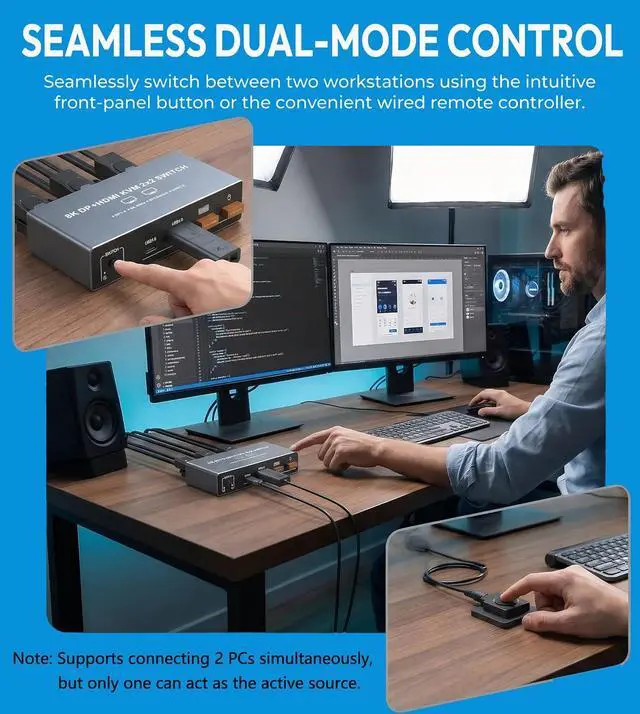
Instantly switch between computers using the panel buttons or the included wired remote control. The remote can be conveniently placed on your desk while the unit itself remains hidden, keeping your workspace neat and organized.
Plug-and-Play, Simple and Convenient
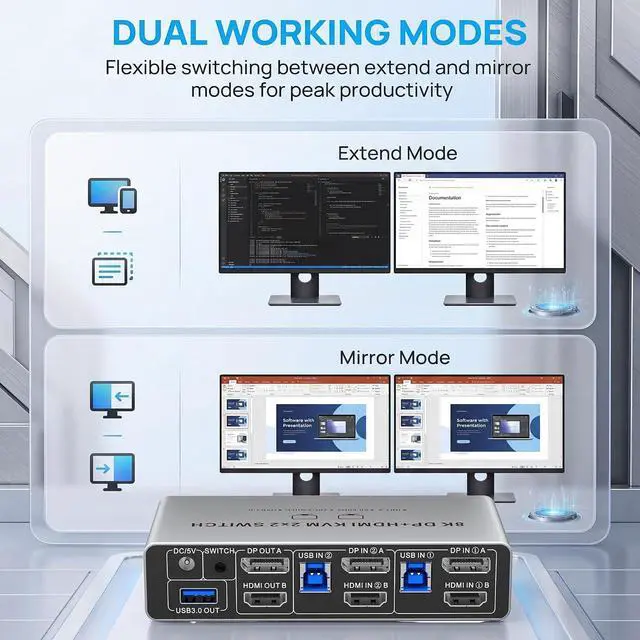
No drivers, no software, and no hassle. Simply connect your computers and monitors, plug in your USB devices, and youre ready to go. Supports extended and mirrored modes for flexible multitasking.
Package Contents:
1× 8K KVM Switch (DP+HD-MI Output)
2× USB 3.0 Cables
1× Desktop Controller
1× Power Adapter
1× User Manual


