• $109.99
  • Free 30-day Returns
  • Ships from China.
    Price alert
    Shop it at NeweggBusiness.

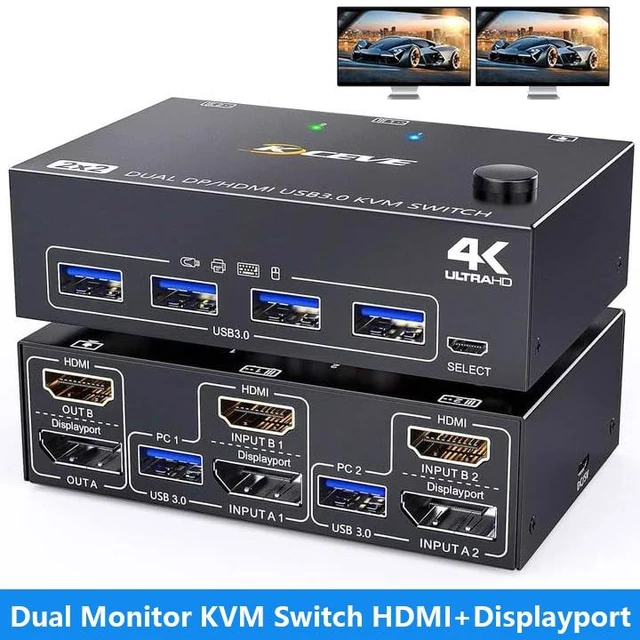
    AUTYUE USB 3.0 Dual Monitor KVM Switch HDMI+Displayport 4K@60Hz 2K@120Hz, 2 Monitors 2 Computers KVM Switch for 2 Computer Share 2 Display and 4 USB3.0 Devices, Wired Remote and 4 Cables Included

    Limited time offer, ends 10/03 By Shenzhen Qiuyiyue Store

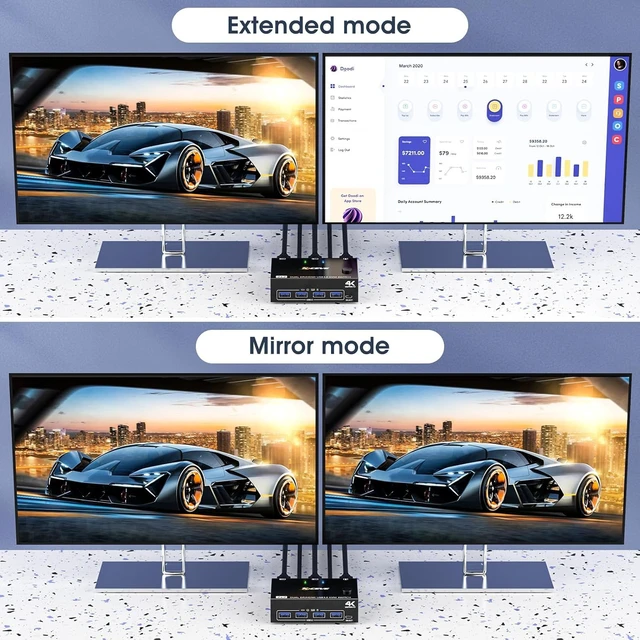
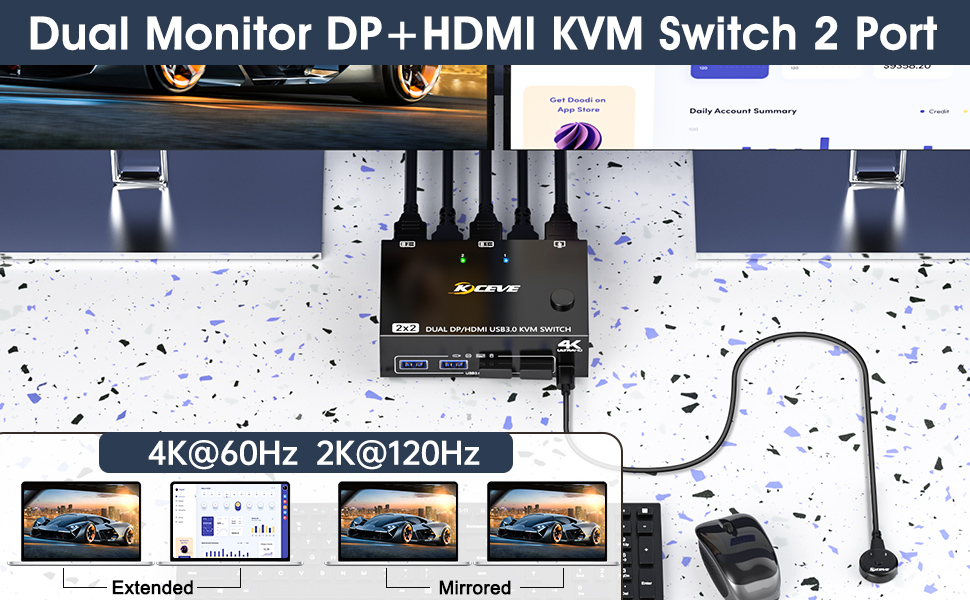
    • HDMI+DP KVM Switch Dual Monitor: KVM switch 2 monitors 2 computers allow you to control 2 computers by only one set of wired or wireless keyboard mouse,share 4 USB 3.0 devices and 2 monitors(extended mode or copy display mode). Please note that the extended mode can output 2 different screens, and the mirror mode can output 2 identical screens.
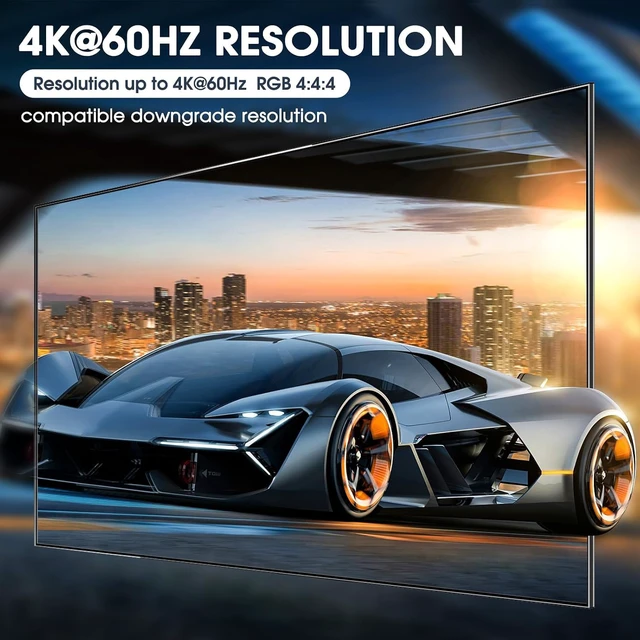
    • Ultra HD 4K@60Hz/2K@120Hz: Support resolution 4K@60Hz. 2 computers 2 monitors KVM switch also support input terminal to connect 2 computers with different resolutions, e.g. one is 4K@60Hz, the other is 4K@30Hz, 1440P@60Hz, 1080P@60Hz or lower resolution.Note: if you need a 4K resolution, pls use HD-MI2.0/DP1.4 cables and make sure your computers and monitors support 4K !
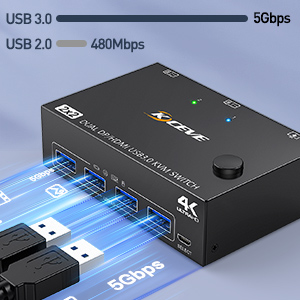
    • with 4 USB 3.0 Ports: KVM switch with 4 integrated USB 3.0 ports for keyboard,mouse,printer and other USB devices.supports ultra-fast USB 3.0 data transfer, Data transfer speeds up to 5Gbps,compatible with USB 2.0/1.1 devices.
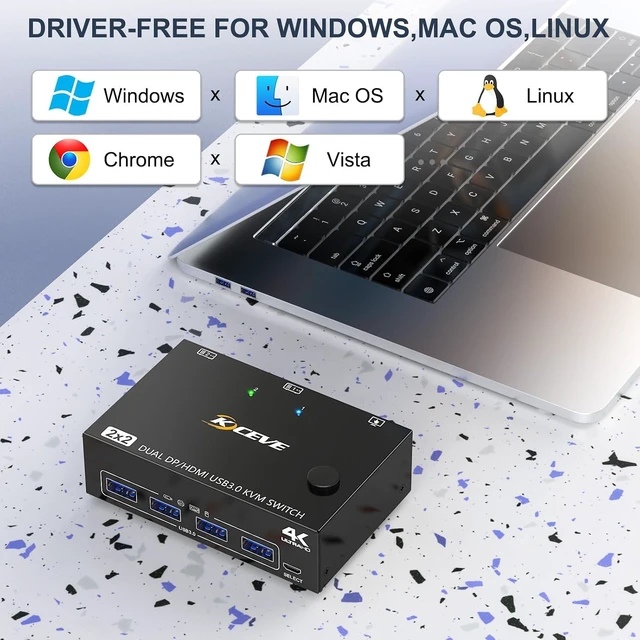
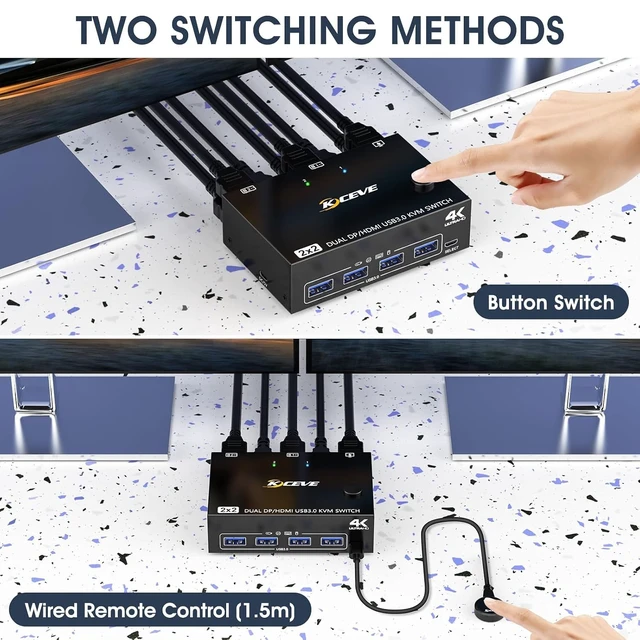
    • Great Compatibilit &2 Switching Mode: KVM switch driver-free for Windows and Mac OS,Linux.Powered by USB cable,but when using a high-power USB device with this KVM switch(such as HDD, SSD etc),external 5V adapter is required.You can press the button or use the wired remote (included) to switch the computers.LED indicate the active computer.
    • Two Monitor KVM With Wide Applicability: KVM support many kinds of input devices,such as PC,Laptop,A-p-ple TV,PS3/PS4,Xbox.This KVM switch is widely applied for Office, Multimedia Teaching,Meeting Room,etc.
    +
    +
    Overview
    Specs
    Reviews
    avatar

    Any questions? Our AI mode will help you find out quickly.

    USB 3.0 Dual Monitor KVM Switch HDMI+Displayport 4K@60Hz 2K@120Hz, 2 Monitors 2 Computers KVM Switch
    Dual Monitor KVM Switch Displayport + HDMI


    • Freely switch between two computers, share one set of wired/wireless keyboard, mouse and 2 monitors.
    • HDMI+DP dual display output, three display modes are optional (extended mode, mirror mode or splicing mode).
    • Switching modes: Button switch and wired remote.
    • Cross support most major OS including Windows, Linux, Mac.
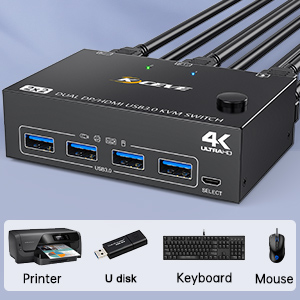
    • With 4 USB 3.0 ports for 4 USB peripherals.
    Dual Monitor KVM Switch Displayport + HDMI


    Extended mode can output two different screens, and the mirror mode can output two identical screens


    Windows OS: Press the shortcut key "WIN+P" and then select "Extension" or "mirror" below

    Mac OS: 

    Set [Mirror Mode]: Select [App1e Icon] [System Preferences], click [Display] [Arrange], and then check [Mirror Display];

    Set [Extended Mode]: When [Mirror Display] is unchecked, "Extended Mode" can be achieved.

    Extended mode can output two different screens, and the mirror mode can output two identical screen
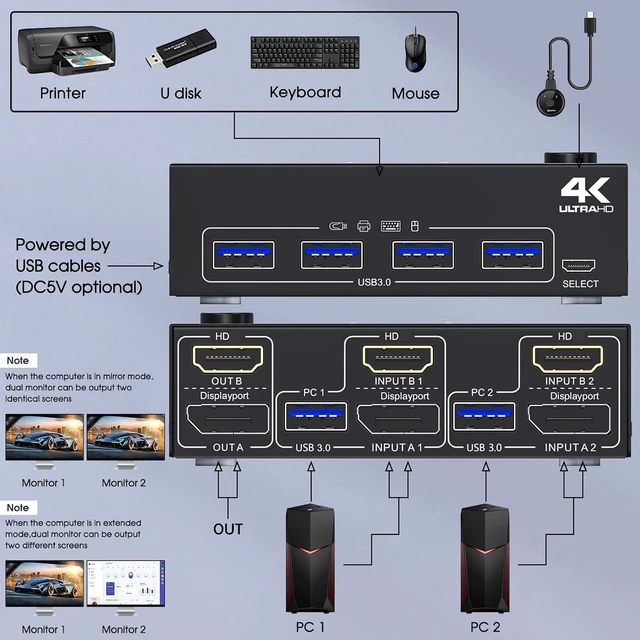
    Guide Tips: Each PC must connection HDMI+DP cables and 1 USB cable to ensure keyboard, mouse and 2 monitors to work correctly


    Connection steps:

    Step 1. Connect 1*HDMI+1*DP cable+1*USB cable between PC 1 and KVM (USB 3.0, INPUT A1,INPUT B1).

    Step 2. Connect 1*HDMI+1*DP cable+1*USB cable between PC 2 and KVM (USB 3.0, INPUT A2,INPUT B2).

    Step 3. Connect HDMI and DP cables between KVM and monitors. (Mark "OUT A,OUT B").

    Step 4. Plug your USB device (keyboard, mouse, printer, USB stick, etc.) into the USB-A port on the KVM.

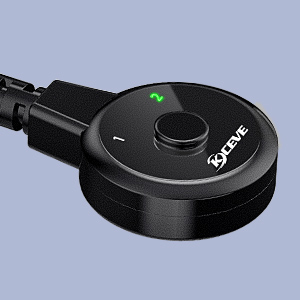
    Step 5. Insert the wired remote into the "SELECT" port to remotely switch between PC1 and PC2.

    Guide Tips: Each PC must connection HDMI+DP cables and 1 USB cable to ensure keyboard, mouse and 2 m

    4K UHD Resolution

    4K UHD Resolution

    4-Port USB 3.0 with 5Gbps
    4-Port USB 3.0 with 5Gbps

    Suitable for multiple systems

    Suitable for multiple systems

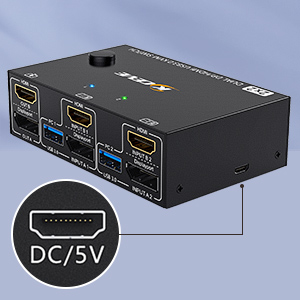
    Optional DC 5V power supply
    Optional DC 5V power supply

    Wired Remote (Length: 1.50m)
    Wired Remote

    Works as a USB 3.0 switch (2 in 4 out)

    ***Notice***      This Dual Monitor HDMI Displayport KVM Switch does not support EDID emulation (al

    ***Notice***


    • This Dual Monitor HDMI Displayport KVM Switch does not support EDID emulation (all DP KVM on the market do not support it, this is the DisplayPort specific issue and is why DisplayPort doesn't support EDID emulation, not just this product). So,after switching, the window position of the original display information will be shifted to some extent.
    • Support 1-year replacement, any questions, please feel free to contact technical-support on the product.
    Features
    1. HDMI+DP KVM Switch Dual MonitorKVM switch 2 monitors 2 computers allow you to control 2 computers by only one set of wired or wireless keyboard mouse,share 4 USB 3.0 devices and 2 monitors(extended mode or copy display mode). Please note that the extended mode can output two different screens, and the mirror mode can output two identical screens.
    2. Ultra HD 4K@60Hz/2K@120Hz2 Monitor KVM switch displayport HDMI support resolution 4K@60Hz. 2 computers 2 monitors KVM switch aslo support input terminal to connect 2 computers with different resolutions, e.g. one is 4K@60Hz, the other is 4K@30Hz, 1440P@60Hz, 1080P@60Hz or lower resolution.Note: if you need a 4K resolution , Please use HDMI2.0/DP1.4 cables and make sure your computers and monitors support 4K !
    3. KVM Switches with 4 USB 3.0 PortsDual monitor KVM USB switch with 4 integrated USB 3.0 ports for keyboard,mouse,printer and other USB devices.supports ultra-fast USB 3.0 data transfer, Data transfer speeds up to 5Gbps,compatible with USB 2.0/1.1 devices.
    4. Great Compatibility & 2 Switching ModeThe dual monitor KVM switch driver-free for Windows and Mac OS,Linux.Powered by USB cable,but when using a high-power USB device with this HDMI displayport KVM switch(such as HDD, SSD etc),external 5V adapter is required.You can press the button or use the wired remote(included in the package)to switch the computers.LED indicate the active computer.
    5. Two Monitor KVM With Wide ApplicabilityDual Monitor KVM support many kinds of input devices,such as PC,Laptop,A-p-p-l-e TV,PS3/PS4,Xbox.This displayport HDMI KVM switch is widely applied for Office,Multimedia Teaching,Meeting Room,etc.


    Warranty & Returns

    Warranty, Returns, And Additional Information

    Warranty

    • Please contact the Seller directly for warranty information. Warranty information may also be found on the Manufacturer's website.
    • CONTACT

    Return Policies

    Manufacturer Contact Info

    LOADING...