• $69.99
  • Free 30-day Returns
  • Ships from China.
    Price alert
    Shop it at NeweggBusiness.

    AUTYUE USB-C + HDMI KVM Switch 1 Monitor 2 Computers, 4K@60Hz USB C HDMI KVM Switches for Laptop & Desktop with 4 USB 3.0 Ports, Share Keyboard Mouse Printer, Desktop Controller Aluminum

    Limited time offer, ends 10/03 By Shenzhen Qiuyiyue Store

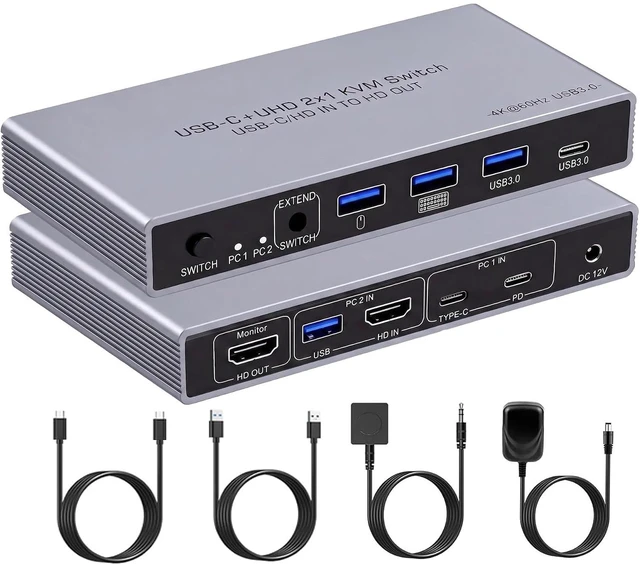
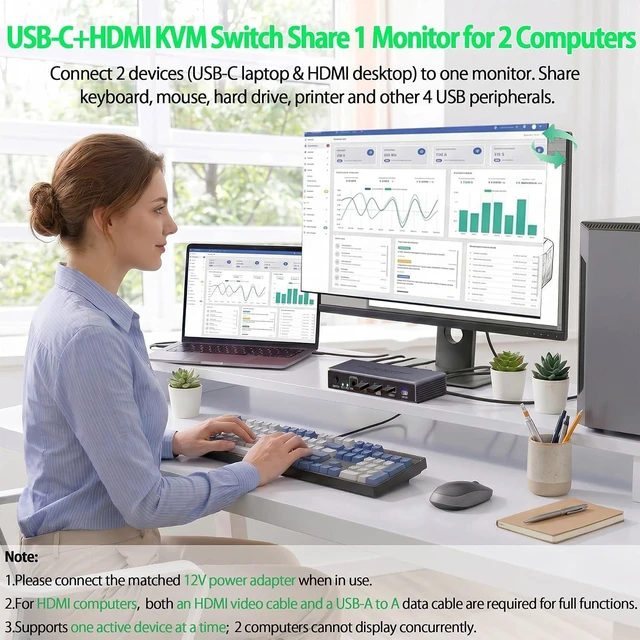
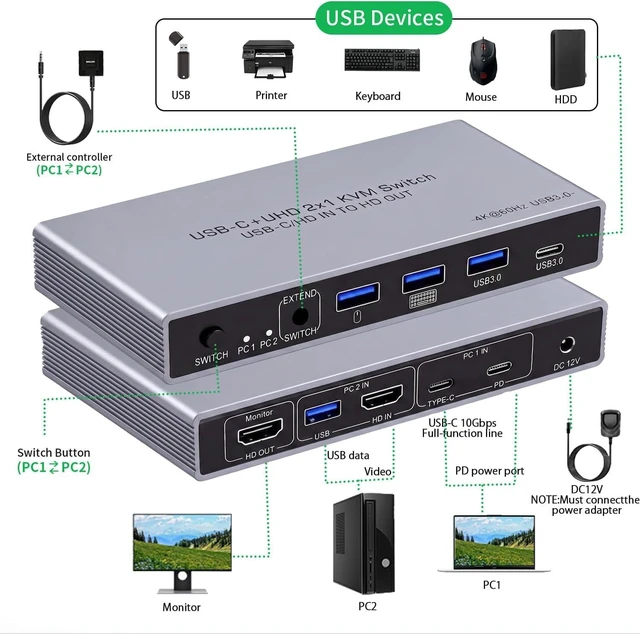
    • USB-C+HDMI KVM Switch for Laptop & Desktop:This KVM switch 1 monitor 2 computers lets you connect 1 USB-C laptop and 1 HDMI desktop to a single monitor. Share keyboard, mouse, printer, and more with one-click switching between work and entertainment.(Note: To use the HDMI computer with this KVM, you'll need two connections: an HD-MI cable for video and a USB-A to A cable for data.)
    • 4K@60Hz This KVM switch 1 monitor 2 computers delivers video output up to 4K@60Hz, giving you vivid, true-to-life colors and crisp details. It also works smoothly with Windows, Mac OS, and Linux. Note: To get 4K output, make sure your cable supports 4K and that the input and output resolutions are set the same.
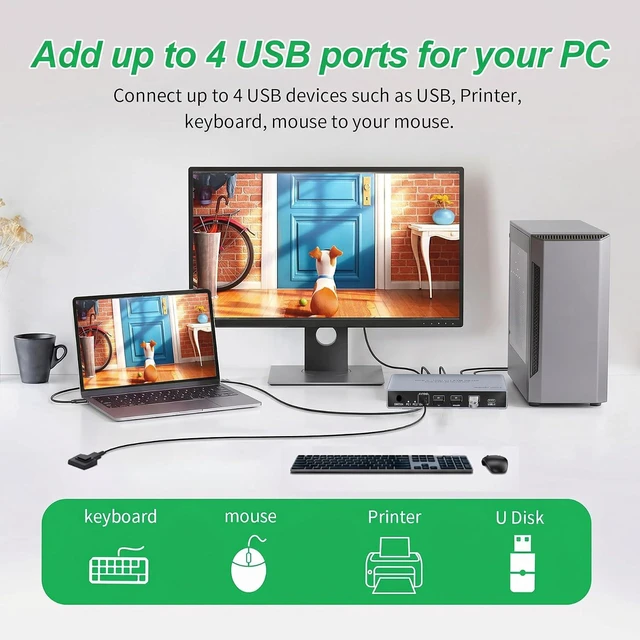
    • 4-Port USB 3.0 Hub (3 USB-A + 1 USB-C): This KVM switch comes with 3 USB-A 3.0 ports and 1 USB-C port, making it easy to connect peripherals such as a mouse, keyboard, flash drive, external hard drive, or printer. Data transfers run up to 5 Gbps via USB 3.0, so moving files is quick and responsive. Note: The included 12V power adapter must be connected for normal operation. (To charge your laptop, plug its own charger into the PD port on the switch.)
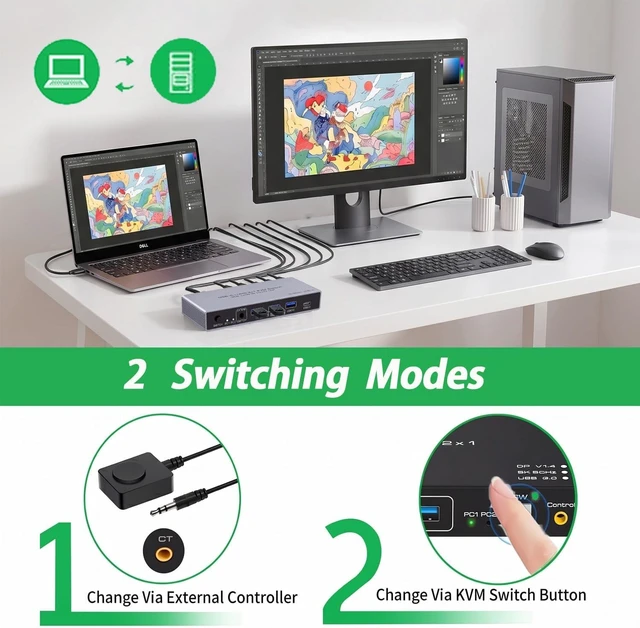
    • Two Ways to Switch + LED Indicator :This KVM switch lets you freely switch between 2 computers using either the physical button on the unit or the included desktop controller. Keep the KVM hidden away - the desktop controller becomes your quick-switch helper, saving desk space while sharing your display, keyboard, and mouse. The LED indicator.
    +
    +
    Overview
    Specs
    Reviews
    avatar

    Any questions? Our AI mode will help you find out quickly.

    USB-C + HDMI KVM Switch 1 Monitor 2 Computers, 4K@60Hz USB C HDMI KVM Switches for Laptop & Desktop
    Important Usage Notes for KVM Switch


    1. When using a laptop as the signal source, please ensure your laptop has a fully functional USB-C port.

    2. When using a desktop computer as the signal source, make sure both the HDMI and USB IN ports are connected and working properly.

    3. Switching between computers is not supported when a computer is in sleep mode.

    4. When using this product, always power it with the included 12V power adapter.

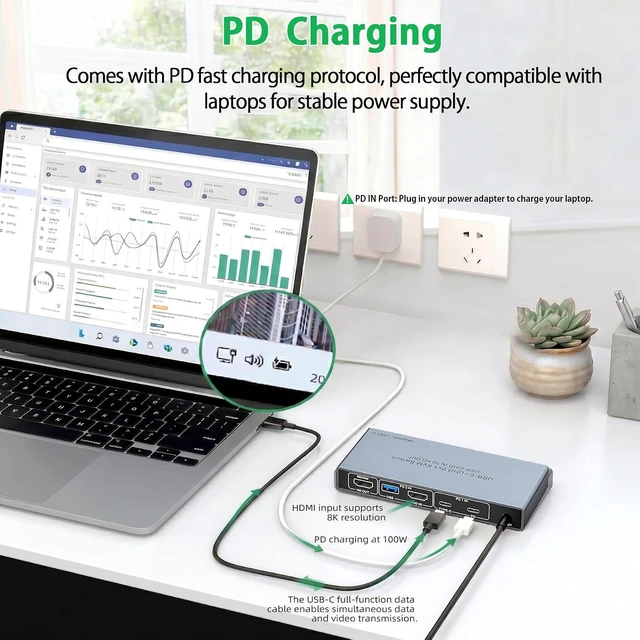
    5. The PD IN port is only for charging a laptop and does not support video input transmission.

    6. HDMI cables are not included and must be purchased separately to meet your needs for different cable lengths and quality.

    KVM Switch

    Who Is It For?

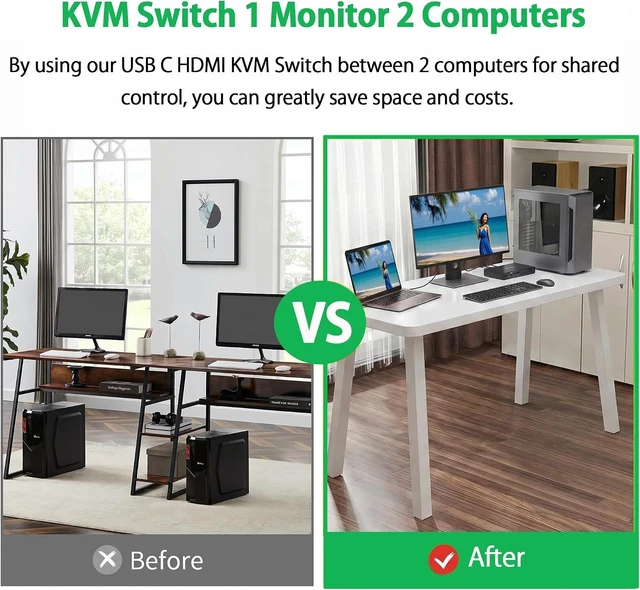
    Ideal for home office, hybrid work, stock trading, video editing and programming users. Effortlessly control your desktop and laptop with one set of keyboard and mouse on one single monitor. Switch instantly via the physical button or wired controller, eliminating frequent cable swaps for a cleaner desktop and higher productivity.

    Features
    1. USB-C+HDMI KVM Switch for Laptop & Desktop:This KVM switch 1 monitor 2 computers lets you connect one USB-C laptop and one HDMI desktop to a single monitor. Share keyboard, mouse, printer, and more with one-click switching between work and entertainment.(Note: To use the HDMI computer with this KVM, you'll need two connections: an HDMI cable for video and a USB-A to A cable for data.)
    2. Sharp 4K@60Hz Image Quality This KVM switch 1 monitor 2 computers delivers video output up to 4K@60Hz, giving you vivid, true-to-life colors and crisp details. It also works smoothly with Windows, Mac OS, and Linux. Note: To get 4K output, make sure your cable supports 4K and that the input and output resolutions are set the same.
    3. 4-Port USB 3.0 Hub (3 USB-A + 1 USB-C):This USB-C KVM switch comes with 3 USB-A 3.0 ports and 1 USB-C port, making it easy to connect peripherals such as a mouse, keyboard, flash drive, external hard drive, or printer. Data transfers run up to 5 Gbps via USB 3.0, so moving files is quick and responsive. Note: The included 12V power adapter must be connected for normal operation. (To charge your laptop, plug its own charger into the PD port on the switch.)
    4. Two Ways to Switch + LED Indicator :This KVM switch lets you freely switch between two computers using either the physical button on the unit or the included desktop controller. Keep the KVM hidden away the desktop controller becomes your quick-switch helper, saving desk space while sharing your display, keyboard, and mouse. The LED indicator clearly shows which computer is active. Note: No automatic or hotkey switching.
    5. PD Charging:This KVM switch supports up to 85W PD charging for laptops while also powering the switch itself. If a low-power PD adapter is used to charge your laptop and run the KVM at the same time, the power may be insufficient causing your computer to show a "non-original adapter" warning. A 100W PD power supply is recommended for reliable performance.


    Warranty & Returns

    Warranty, Returns, And Additional Information

    Warranty

    • Please contact the Seller directly for warranty information. Warranty information may also be found on the Manufacturer's website.
    • CONTACT

    Return Policies

    Manufacturer Contact Info

    LOADING...