• $169.99
  • Free 30-day Returns
  • Ships from China.
    Price alert
    Shop it at NeweggBusiness.

    AUTYUE KVM Switch 3 Monitors 3 Computers Displayport HDMI 4K@60Hz EDID Emulation Triple Monitor KVM Switch EDID, Expand to 3 Monitors and 4 USB 3.0 Ports, Wired Remote, USB Cables, 12V Power Adapter

    Limited time offer, ends 10/10 By Shenzhen Qiuyiyue Store

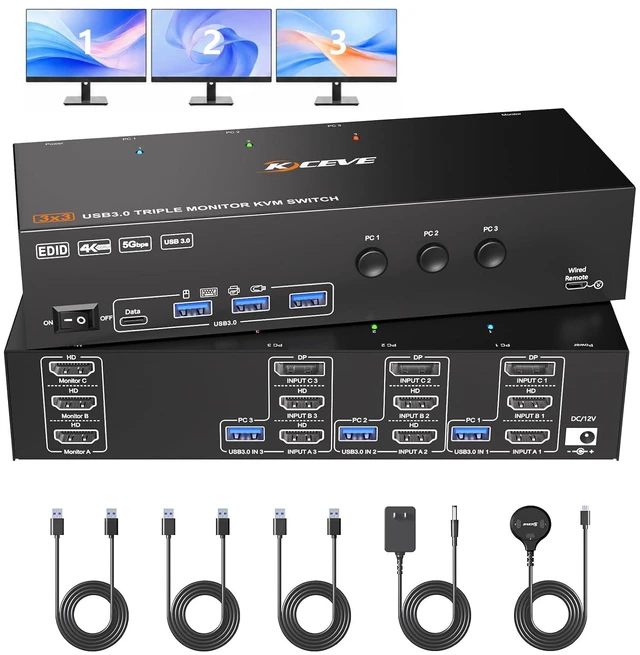
    • KVM Switch 3 Monitors 3 Computers: This KVM switch lets you connect 3 computers to share 3 external monitors, supporting both extended and mirrored display modes.**Note**: Extended mode outputs three independent displays; mirrored mode duplicates identical content on all three screens.
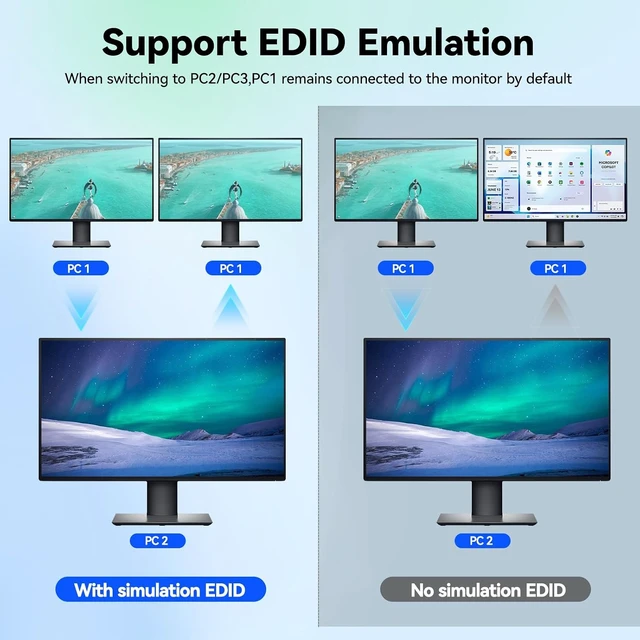
    • with EDID: This KVM switch features EDID emulation to save monitor resolution and refresh rate data. When toggling between 3 computers, it retains your existing window placement, resolution and multimonitor layout without resetting.
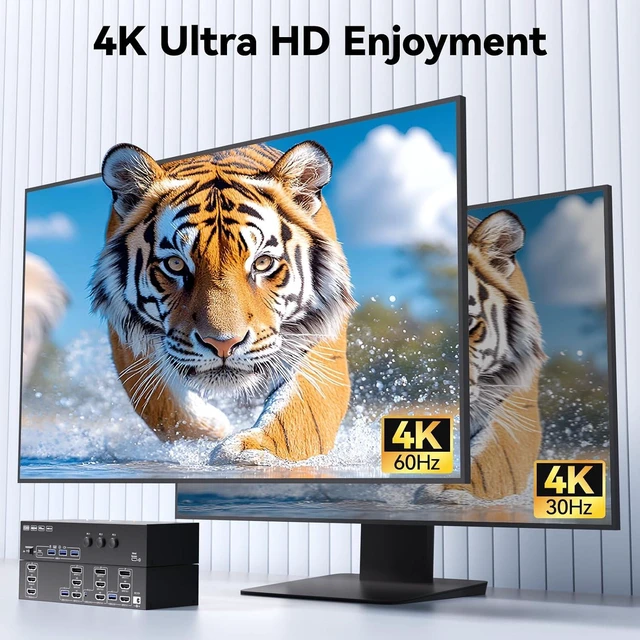
    • 4K Ultra HD KVM Switch 3 Screen: Support simultaneous triple 4K@60Hz output, backward compatible with 2K@120Hz & lower resolutions, delivering crisp, ultra-high-definition images without lag or blurring.**Note**: Pls use HD-MI 2.0 / DP 1.2 or higher cables. The length of each individual cable should not exceed 1.5m.
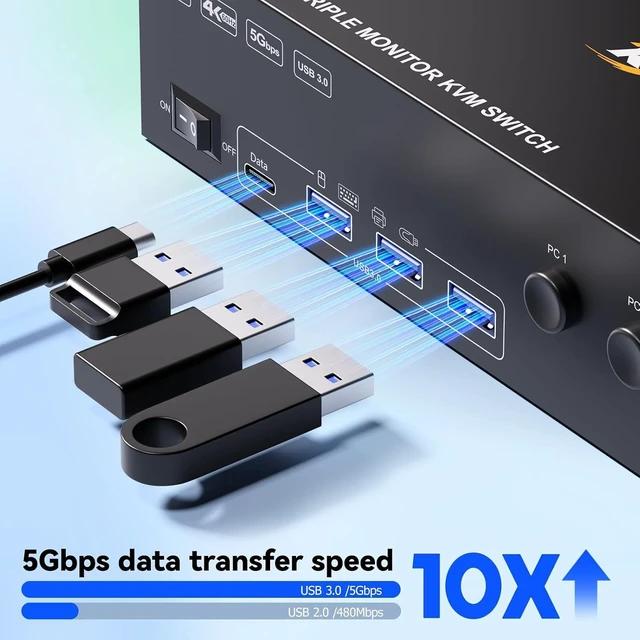
    • with 4 USB 3.0 Ports: KVM Switch integrated 4 USB3.0 ports for keyboard, mouse, printer & USB drives Supports 5Gbps ultra-high-speed data transfer ( A USB cable is required between your computers and the KVM switch ).
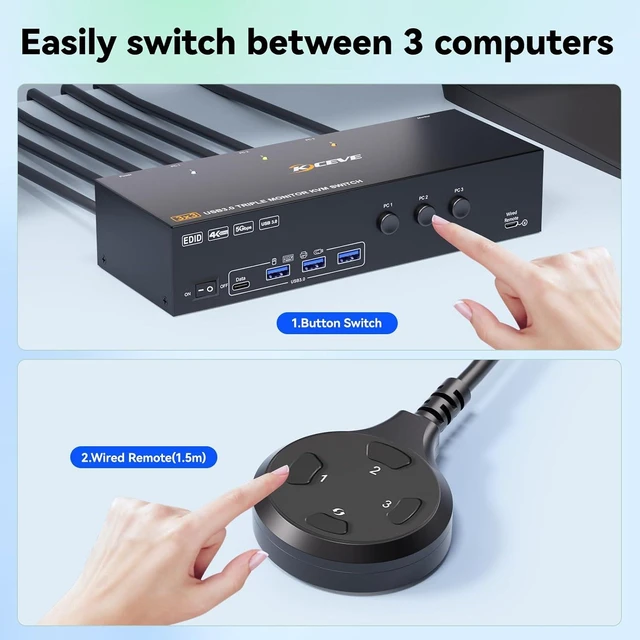
    • Excellent Compatibility & 2 Switching Modes: This 3 monitor KVM switch is driverfree for Windows, Mac, Linux and Unix. It works with desktops featuring 1*DP + 2*HDMI ports. Ideal for home and office environments. Toggle between your computers via the physical button or the wired remote. LED indicators clearly show which PC is active.
    +
    +
    Overview
    Specs
    Reviews
    avatar

    Any questions? Our AI mode will help you find out quickly.

    KVM Switch 3 Monitors 3 Computers Displayport HDMI 4K@60Hz EDID Emulation Triple Monitor KVM Switch


    This triple-monitor KVM switch lets you control 3 computers with a single keyboard-and-mouse set, sharing 3 monitors and 4 USB peripherals.

    This triple monitor KVM switch lets you control 3 computers


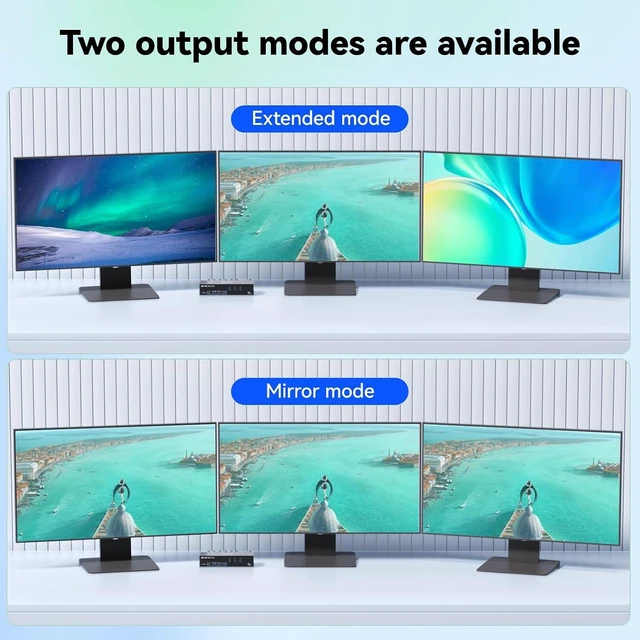
    One computer outputs to three external displays, supporting both Mirror and Extended display modes.

    One computer outputs to three external displays, supporting both Mirror and Extended display modes.


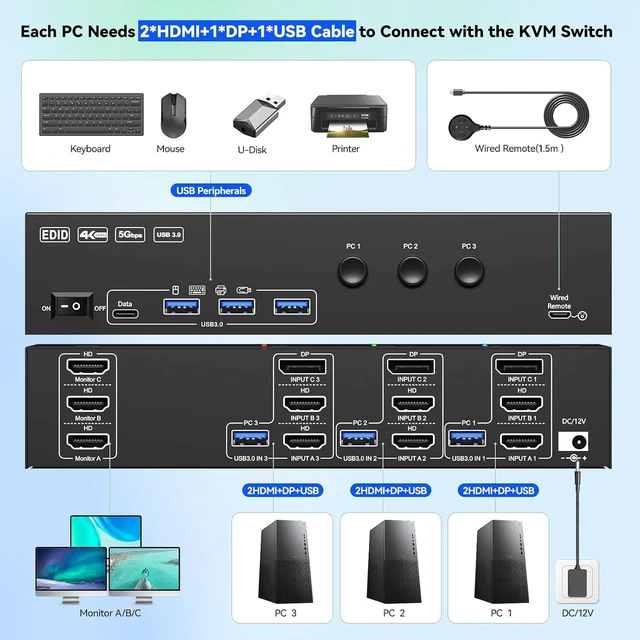
    Each PC must be connected to the KVM switch simultaneously with 2 HD-MI cable + 1 DP cable + 1 USB cable. Please check if the ports on your computers are compatible.

    Each PC must be connected to the KVM switch simultaneously with 2 HDMI cable + 1 DP cable + 1 USB ca
    Each PC must be connected to the KVM switch simultaneously with 2 HDMI cable + 1 DP cable + 1 USB ca
    Each PC must be connected to the KVM switch simultaneously with 2 HDMI cable + 1 DP cable + 1 USB ca


    Each PC must be connected to the KVM switch simultaneously with 2 HD-MI cable + 1 DP cable + 1 USB cable. Please check if the ports on your computers are compatible.

    Each PC must be connected to the KVM switch simultaneously with 2 HDMI cable + 1 DP cable + 1 USB ca


    Preserves your custom multi-monitor layout while switching sources. Eliminate messy window shifts and resolution resets when toggling PCs. Enable or disable EDID emulation

    Preserves your custom multi


    Delivers simultaneous max 4K@60Hz output for 3 external monitors, backward-compatible with 4K@30Hz and 1920×1080@120Hz.

    Delivers simultaneous max 4K@60Hz output for 3 external monitors, backward compatible with 4K@30Hz a


    With 4 USB 3.0 ports for keybaord, mouse, U disk, support ultra-fast data transfer up to 5Gbps.

    With 4 USB 3.0 ports for keybaord, mouse, U disk, support ultra-fast data transfer up to 5Gbps.


    Please Note: HDMI and DP cables are not included in the package. We recommend HDMI 2.0 / DP 1.2 or-higher cables. For best performance, keep each cable under 1.5m.

    Features
    1. KVM Switch 3 Monitors 3 Computers This Displayport HDMI 3 monitor KVM switch lets you connect 3 computers to share 3 external monitors, supporting both extended and mirrored display modes.**Note**: Extended mode outputs three independent displays; mirrored mode duplicates identical content on all three screens.
    2. KVM Switch with EDID This KVM switch 3 computers 3 monitors features EDID emulation to save monitor resolution and refresh rate data. When toggling between 3 computers, it retains your existing window placement, resolution and multimonitor layout without resetting. No more tedious manual window rearrangement, a common annoyance on ordinary KVM switches.
    3. 4K Ultra HD KVM Switch 3 Screen HDMI Displayport KVM switch 3 monitors support simultaneous triple 4K@60Hz output, backward compatible with 2K@120Hz & lower resolutions, delivering crisp, ultra-high-definition images without lag or blurring.**Note**: Please use HDMI 2.0 / DP 1.2 or higher cables. The length of each individual cable should not exceed 1.5 m.
    4. 3 Displays KVM Switch with 4 USB 3.0 Ports 3 computers KVM Switch triple monitor integrated 4 USB3.0 ports for keyboard, mouse, printer & USB drives Supports 5Gbps ultra-high-speed data transfer ( A USB cable is required between your computers and the KVM switch ).
    5. Excellent Compatibility & 2 Switching ModesThis 3 monitor KVM switch is driverfree for Windows, Mac, Linux and Unix. It works with desktops featuring 1*DP + 2*HDMI ports. Ideal for home and office environments. Toggle between your computers via the physical button or the wired remote. LED indicators clearly show which PC is active.
    6. Packing list 3 Monitor KVM Switch, 3 * USB3.0 Cable, Wired Remote, 12V Power Adapter, User Manual. Note: 1. Does not include HDMI and DP cables; 2. Hotkey switching is not supported; 3.Each PC requires 2×HDMI+1×DP+1×USB cable for connection to the KVM switch. 1-year wa-rranty (including repair or replacement)


    Warranty & Returns

    Warranty, Returns, And Additional Information

    Warranty

    • Please contact the Seller directly for warranty information. Warranty information may also be found on the Manufacturer's website.
    • CONTACT

    Return Policies

    Manufacturer Contact Info

    LOADING...