




 here!
here!
I’m your shopping assistant for PC builds, upgrades, and everything tech.
Got questions? Ask away!
Start a conversation
here!
I’m your shopping assistant for PC builds, upgrades, and everything tech.
Got questions? Ask away!
Start a conversation



Any questions? Ask CelesteSM will help you find out quickly.
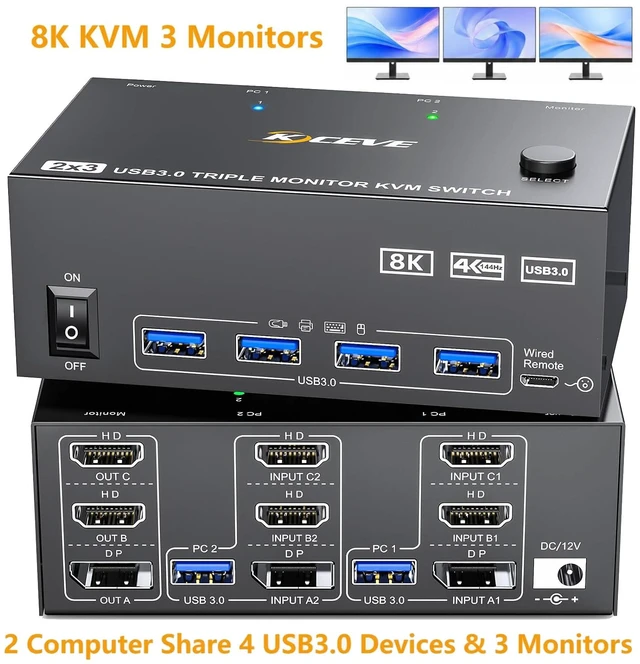
8K@60Hz KVM Switch DP + 2 HDMI 2 Computers Share 3 Monitors and 4 USB Devices

2 HDMI + 1 Displayport KVM Switch 3 Monitors 2 Computers
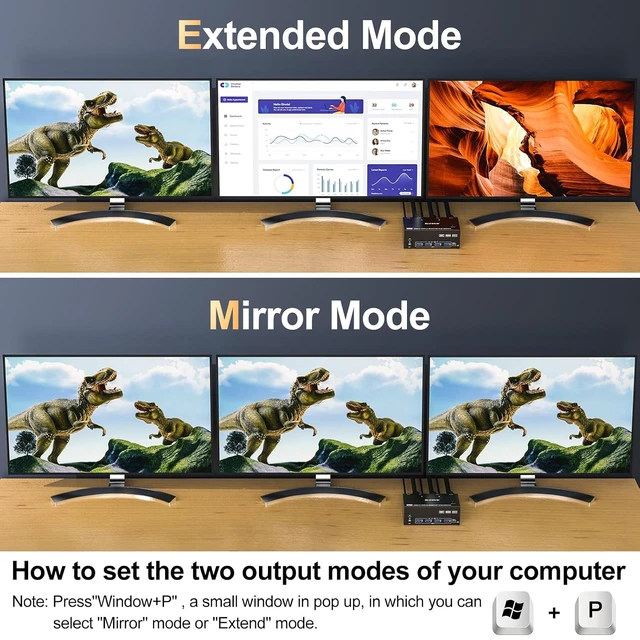
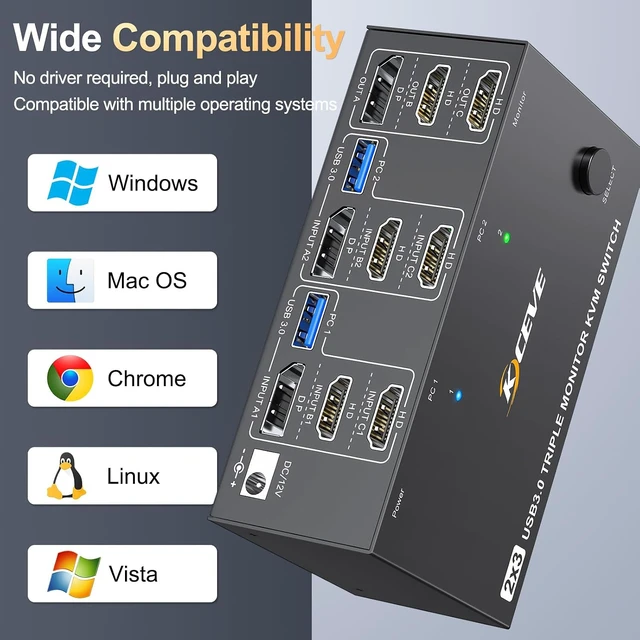
USB3.0 KVM Switch allows 2 desktops or laptops to share 3 monitors and 4 USB 3.0 ports. Supports extended and mirror display mode. It makes your workspace cleaner and more productive and is also great for working from home. Note: You can only use this KVM switch to connect 2 computers and share 3 monitors if your computer supports 3 or more monitors.

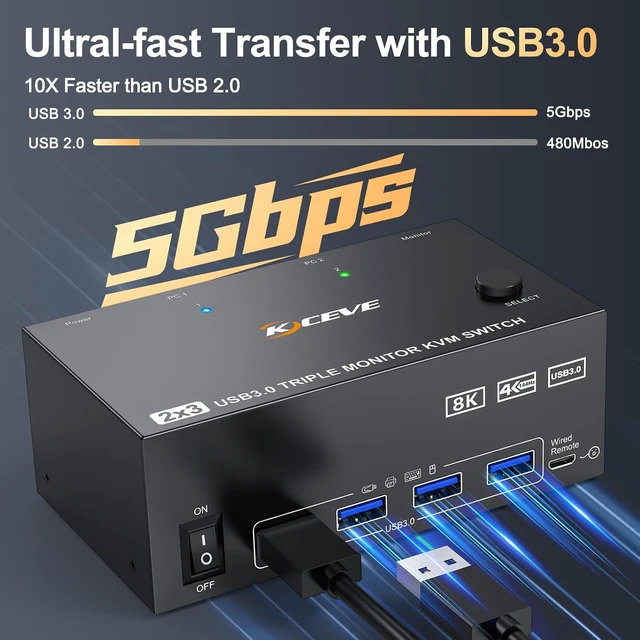
The HDMI Displayport KVM Switch 3 monitors with 4 USB3.0 ports detects keyboards, mice, printers, scanners and other USB devices. USB3.0 transfers speed up to 5Gbps, 10 times faster than USB 2.0. Important note: Make sure you use a USB cable to connect the KVM switch to the USB port of your computer, otherwise the USB port may not be detected.

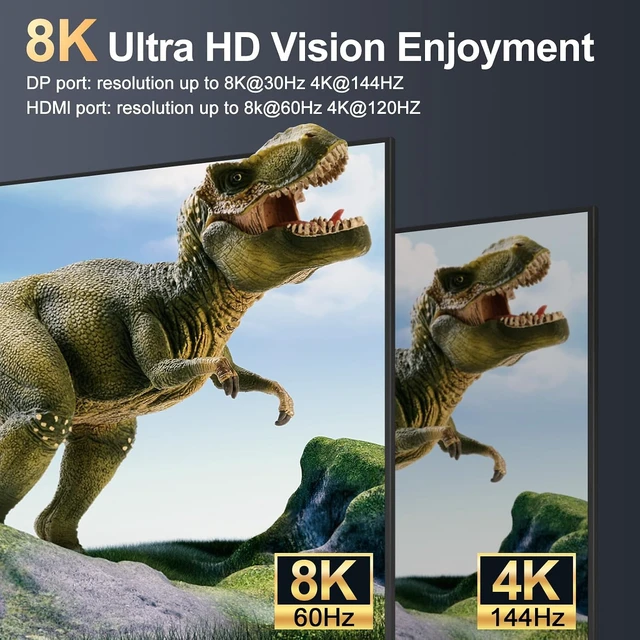
Triple Monitor KVM Switch 2 computers supports resolutions and refresh rates up to 8K@60Hz/4K@144Hz.
Note: Please use DP1.4 and HDMI2.1 cable, otherwise you will not enjoy the best resolution or cannot display at all. The shorter the cable length, the better if the installation distance allows.

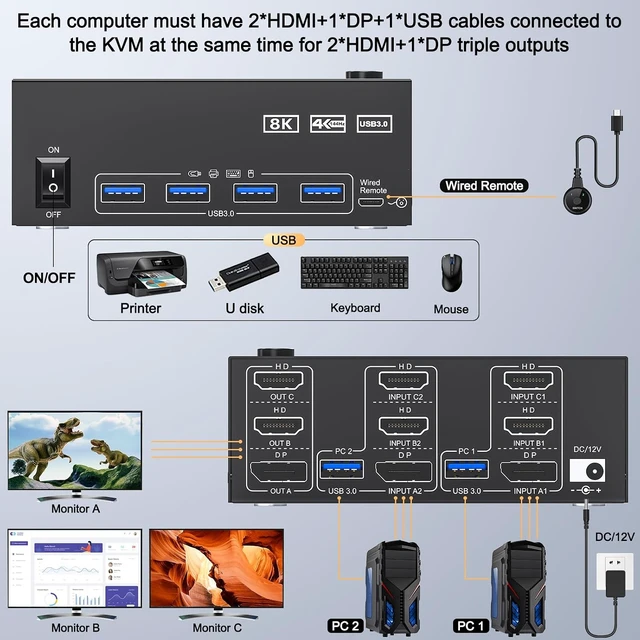
Connection diagram of triple monitor KVM switch
Each PC requires 2*HDMI+1*Displayport +1* USB cable to connect the 3 monitor KVM switch,OUT A, OUT B, OUT C connect to 3 monitors.
Supports DP to HDMI, USB-C/Type C to HDMI, USB-C/Type C to DP converter and USB-C docking station.
Please check your computer configuration.


Easy Switching
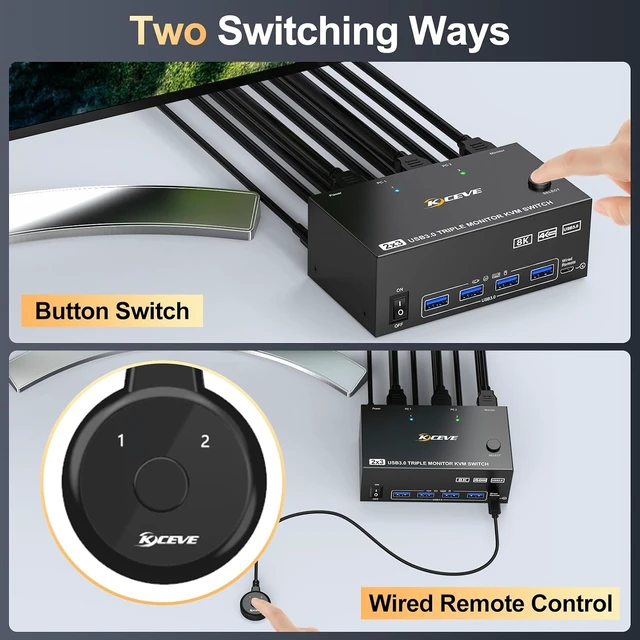
You can freely switch between two computers by using the buttons on the control panel or the wired remote control. LED indicator shows which computer is running, and solves the problem of frequent plugging and unplugging. Note: Hotkey switching is not supported.


Package included:
1x KVM Switch,
2x USB 3.0 Cable,
1x Power Adapter,
1x Wired remote,
1x User's manual.


