• $229.99
  • Free 30-day Returns
  • Ships from China.
    Price alert
    Shop it at NeweggBusiness.

    AUTYUE 4K@60Hz HDMI Dual Monitors USB 3.0 KVM Switch for 4 Computers 2 Monitor, 4 Port HDMI KVM Switch Input Supports EDID Emulators with 3 USB 3.0 Ports & Audio, Support Extended/Mirror Mode

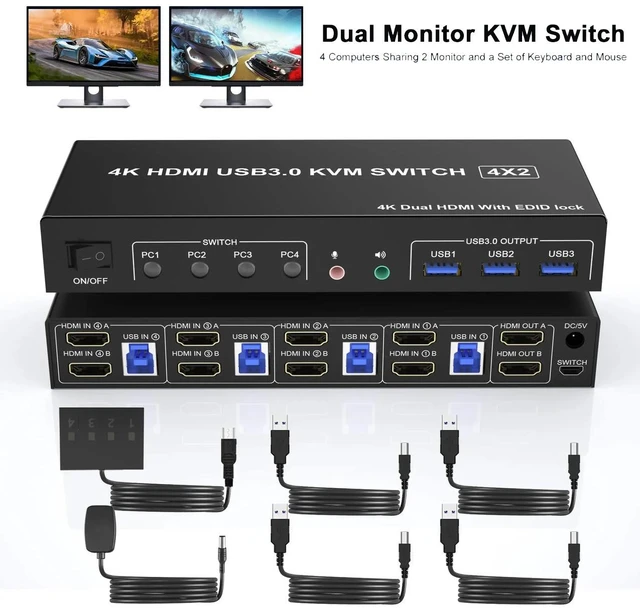
    • 4K Ultra HD HDMI KVM Switch with Dual Monitor: Support The 4K USB 3.0 KVM Switch delivers crisp, clear visuals up to 4K resolution across two HDMI monitors, ensuring sharp display quality for gaming, work, or entertainment.
    • Supports 4 Computers, 2 Monitors, and Full Audio: This 4 Port HDMI KVM Switch allows seamless switching between 4 computers while connecting to 2 HDMI monitors and supporting full audio transmission via integrated USB and HDMI.
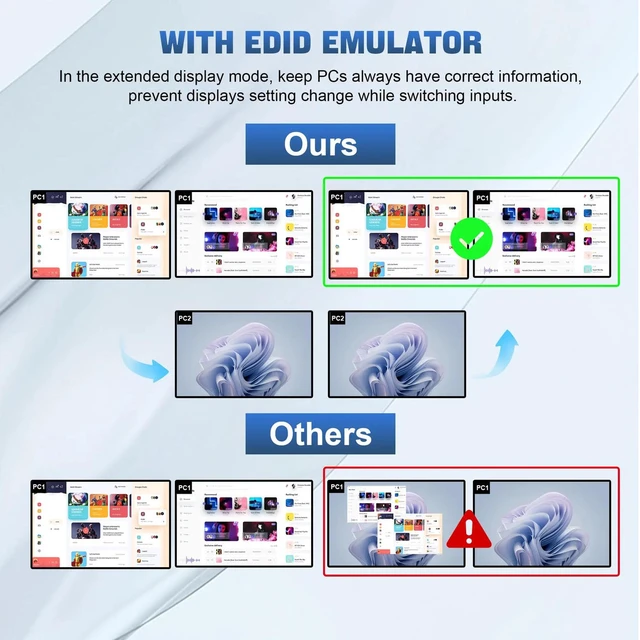
    • Advanced EDID Emulation for Stable Signal:Equipped with EDID Emulators, the switch maintains optimal display settings and ensures consistent signal recognition across all connected devices and monitors.
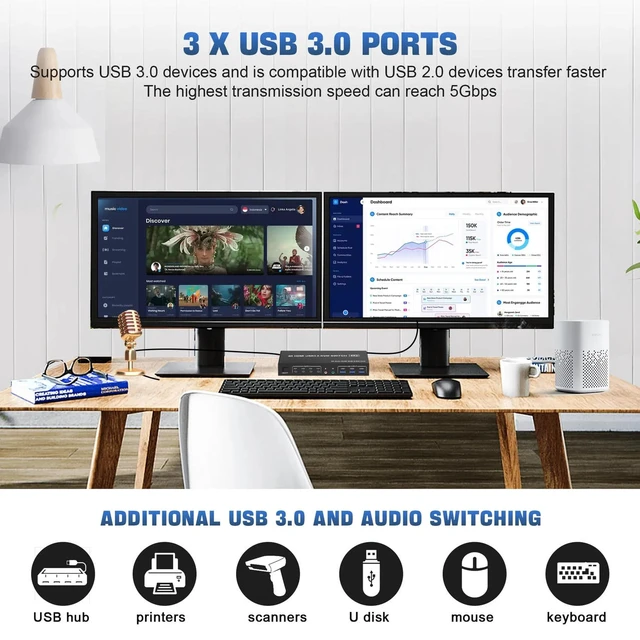
    • 3xUSB 3.0 + Audio Jack:This 4 computers dual monitors kvm switcher features three high-speed USB 3.0 ports, a dedicated microphone/headphone jack.Effortlessly connect peripherals including external hard drives, printers, microphones and headphones,eliminating adapter clutter for a streamlined and productive workspace.
    • Universal Compatibility with Multiple Devices: This 2 monitor hdmi kvm switch driver-free for Windows, Mac OS, Linux and Chrome OS. Works with a wide range of devices including PCs, PS4/3, Xbox, Nintendo Switch, TV, and more, making it ideal for home, office, or gaming setups.
    • Compact Design with Power Adapter: This KVM switch features a slim design measuring 23 x 17 x 6 cm and weighs only 0.660 kg.
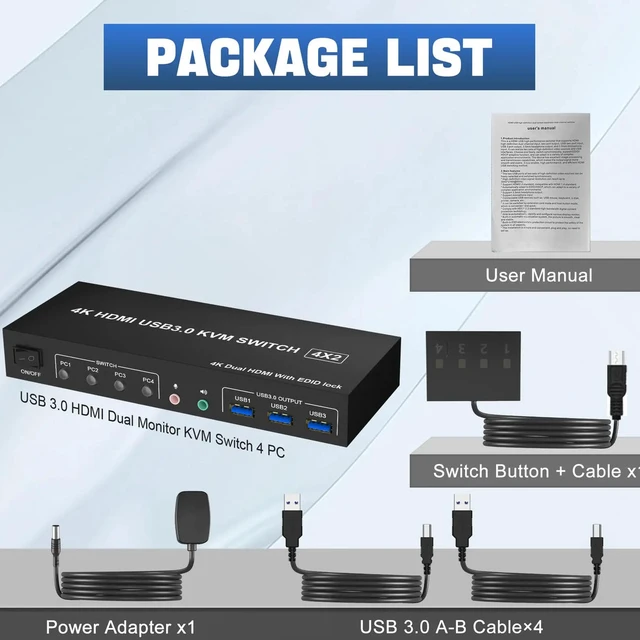
    • PACKAGE LIST:1*4K UHD USB3.0 KVM switch; 4*USB Cable(1M); 1*Wired Remote(1.5M); 1*5V Power adapter and 1*User Manual.
    +
    +
    Overview
    Specs
    Reviews

    Any questions? Ask CelesteSM will help you find out quickly.

    4K@60Hz HDMI Dual Monitors USB 3.0 KVM Switch for 4 Computers 2 Monitor, 4 Port HDMI KVM Switch Inpu
    4K@60Hz HDMI Dual Monitors USB 3.0 KVM Switch for 4 Computers 2 Monitor, 4 Port HDMI KVM Switch Inpu
    4K@60Hz HDMI Dual Monitors USB 3.0 KVM Switch for 4 Computers 2 Monitor, 4 Port HDMI KVM Switch Inpu
    4K@60Hz HDMI Dual Monitors USB 3.0 KVM Switch for 4 Computers 2 Monitor, 4 Port HDMI KVM Switch Inpu
    4K@60Hz HDMI Dual Monitors USB 3.0 KVM Switch for 4 Computers 2 Monitor, 4 Port HDMI KVM Switch Inpu
    4K@60Hz HDMI Dual Monitors USB 3.0 KVM Switch for 4 Computers 2 Monitor, 4 Port HDMI KVM Swith
    4K@60Hz HDMI Dual Monitors USB 3.0 KVM Switch for 4 Computers 2 Monitor, 4 Port HDMI KVM Swith
    4K@60Hz HDMI Dual Monitors USB 3.0 KVM Switch for 4 Computers 2 Monitor, 4 Port HDMI KVM Swith
    4K@60Hz HDMI Dual Monitors USB 3.0 KVM Switch for 4 Computers 2 Monitor, 4 Port HDMI KVM Swith
    4K@60Hz HDMI Dual Monitors USB 3.0 KVM Switch for 4 Computers 2 Monitor, 4 Port HDMI KVM Swith
    4K@60Hz HDMI Dual Monitors USB 3.0 KVM Switch for 4 Computers 2 Monitor, 4 Port HDMI KVM Swith
    4K@60Hz HDMI Dual Monitors USB 3.0 KVM Switch for 4 Computers 2 Monitor, 4 Port HDMI KVM Swith
    4K@60Hz HDMI Dual Monitors USB 3.0 KVM Switch for 4 Computers 2 Monitor, 4 Port HDMI KVM Swith

    Q & A:


    Q: Why is only one monitor displaying the screen?

    A: 1.Please check if each computer supports multi-display output, and set the display mode to "Extend" or "Duplicate" in the system display settings.

    2.Ensure each computer is properly connected to the KVM switch with HD-MI cables and 1 USB cable.


    Q: Why aren't the keyboard and mouse working?

    A: This issue usually occurs because the USB cable between the computer and the switch is not properly connected. If you're using a mechanical keyboard, there may be compatibility issues.


    Q: Do I need to install any drivers?

    A: No driver installation required, plug and play.


    Q: What should I do when the KVM fails to display my Windows PC content correctly?

    A: 1. Please make sure the KVM iscorrectly (8 HDMI2.0 cables + 4 USB3.0 cables + 1 Power Adapter to be connected at the same time).

    2. If you encounter problems during use, please contact service support for assistance.


    Q: What operating systems are supported?

    A: It is compatible with Windows 10/8/7/XP, Linux, Mac, and more.

    USB 3.0 Dual Monitor 4 Port HDMI + HDMI KVM Switch 4K@60Hz for 4 Computers


    Features:


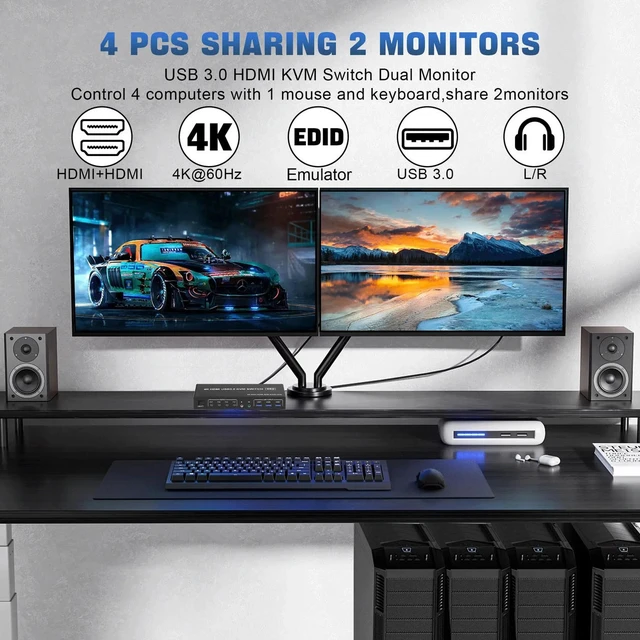
    4 computers/laptops share one set of keyboard, mouse and dual monitors, and more USB 3.0 ports;

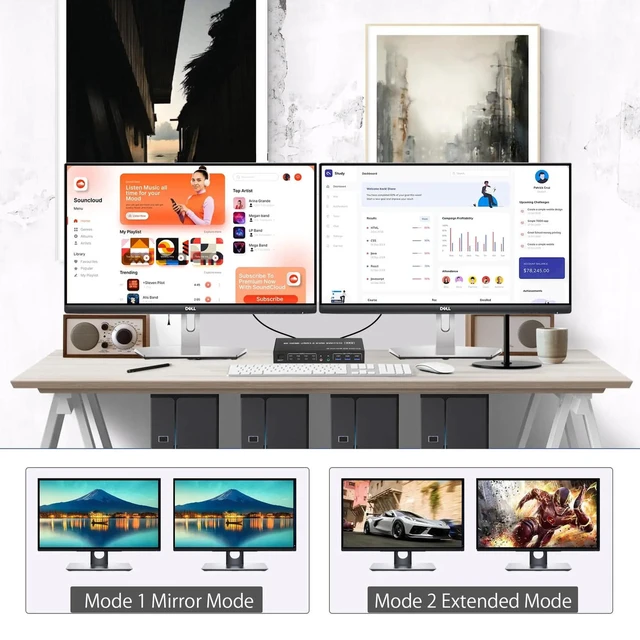
    Support maximum resolution up to 4K 60Hz; Dual monitors output support up to 4K@60Hz for extended and mirrored display;

    Compatible with Windows 11/10/7/2000/XP/Vista, Linux, UNIX, Ubuntu, Fedora, and other systems;

    Advanced switching modes: push button and wired remote;

    No complicated installation is required, and non-professionals can easily operate it;

    The ports that need to plug in HDMI/USB cables are all hidden behind the KVM, so the desktop doesn't get cluttered;

    Audio Microphone output.


    kvm switch 4 port


    installation steps:


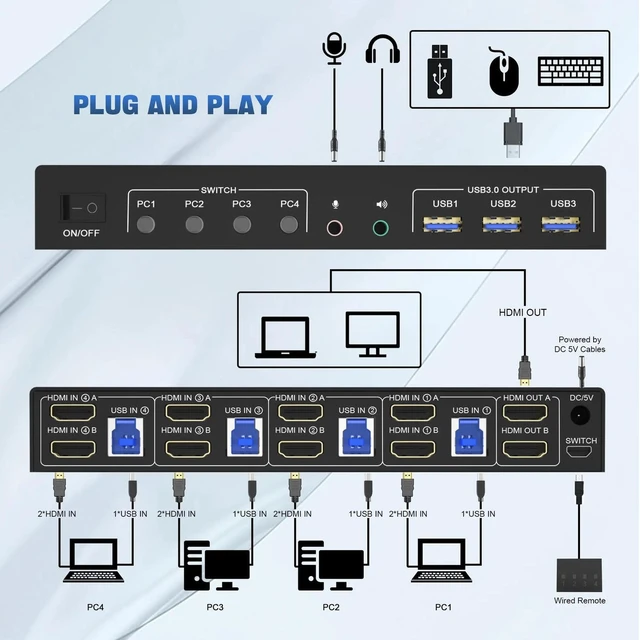
    1. Insert the DC/5V adapter into the KVM ;


    2. Plug the HDMI cable into the KVM and monitor;(Output)


    3. Plug the HDMI cable and USB cable into the KVM and your computer/laptop (HDMI cables are not included)(Input)


    HDM1 IN1 A + HDM1IN1 B + USB IN1=PC1


    HDM1 IN2 A + HDM1IN2 B + USB IN2=PC2


    HDM1 IN3 A + HDM1IN3 B + USB IN2=PC3


    HDM1 IN4 A + HDM1IN4 B + USB IN2=PC4


    4. Insert the mouse and keyboard into the KVM switch


    5. If needed, you can connect a microphone and audio port


    Note:


    1. Most of the reasons why only onevideo output works is because of incorrect connection. Please make sure eachcomputer have 2 HDMI cables connect to the KVM.


    2. If the KVM switch does not work, you can turn off the switch on the panel and turn it on again after 2-3 seconds, and it will return to normal.


    3.Please check the HDMI IN and USB IN is corresponding, HDMI OUT A, HDMI OUT B is corresponding, NOT support mixed insertion.


    4.Note: HD-MI cables are not included


    What's in the Box:

    1 x USB 3.0 KVM Switch 2 Monitor 4 Computers

    4 x USB 3.0 a-b Cables

    1 x switch button cable

    1 x 5V adapter

    1 x User manual


    Note: HD-MI cables are not included

    Warranty & Returns

    Warranty, Returns, And Additional Information

    Warranty

    • Please contact the Seller directly for warranty information. Warranty information may also be found on the Manufacturer's website.
    • CONTACT

    Return Policies

    Manufacturer Contact Info

    LOADING...