• $158.99
  • Free 30-day Returns
  • Ships from China.
    Price alert
    Shop it at NeweggBusiness.

    AUTYUE 8K KVM Switch 3 Monitors 2 Computers, 8K@60Hz HDMI 2.1 & 2 DisplayPort 1.4, Triple Monitor KVM Switch for 2 PCs Share 3 Monitors with 4 USB 3.0 Ports, Extended & Duplicate Mode, Wired Remote

    Limited time offer, ends 12/05 By Shenzhen Qiuyiyue Store

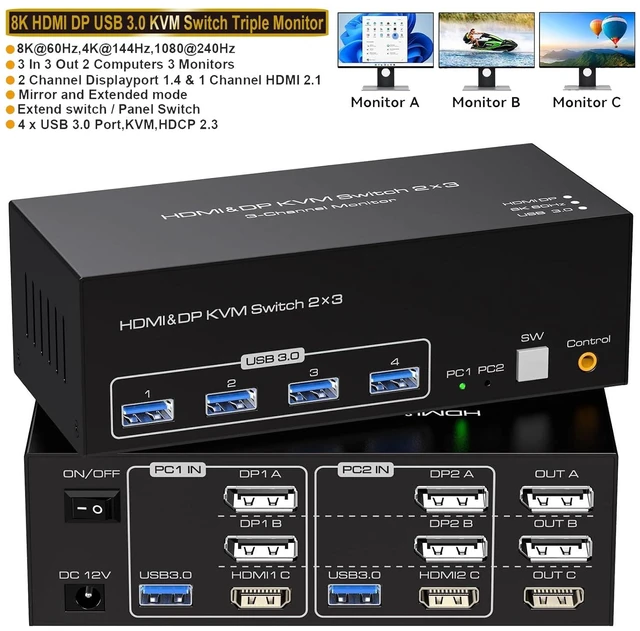
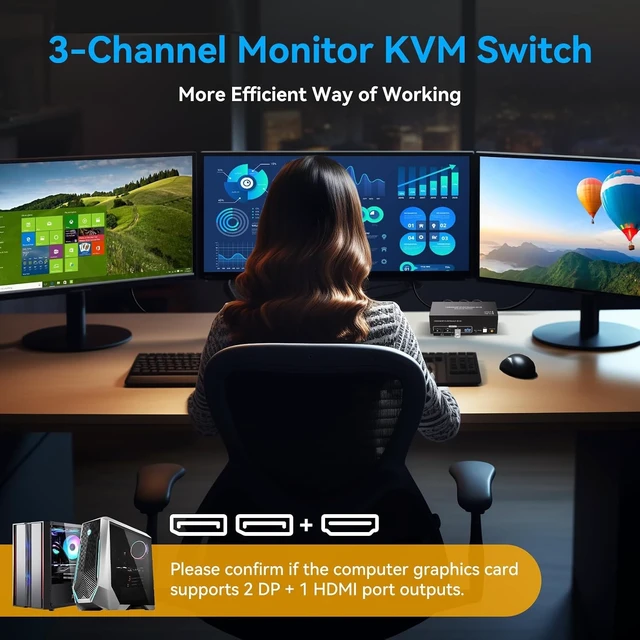
    • Triple Monitor KVM Switch for 2 Computers: Connect 2 computers to share 3 monitors, one keyboard, one mouse, and 4 USB 3.0 peripherals through a single KVM setup. Switch between computers using the KVM controls instead of repeatedly reconnecting cables. To use all 3 monitors simultaneously, both computers must support triple-monitor output, with 2 DisplayPort connections and 1 HDMI connection required for each computer.
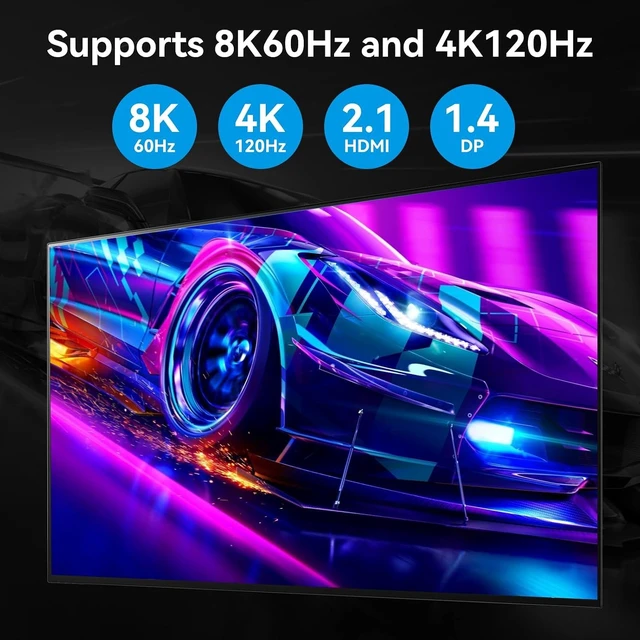
    • 8K@60Hz and 4K@120Hz Display Support: Featuring 2 DisplayPort 1.4 ports and 1 HDMI 2.1 port, this KVM switch supports resolutions up to 8K@60Hz and 4K@120Hz, with support for lower resolutions and refresh rates.
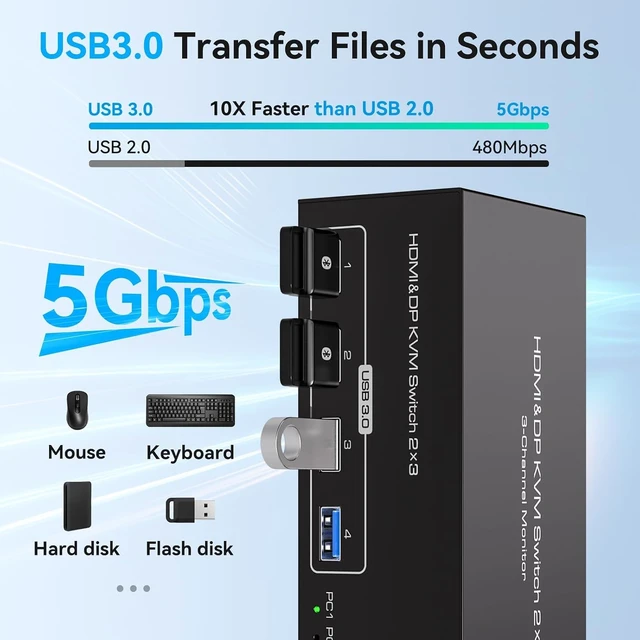
    • 4x USB 3.0 Ports with Up to 5Gbps Transfer Speed: Share compatible USB peripherals between 2 computers through 4 USB 3.0 ports. Connect devices such as keyboards, mice, printers, and USB flash drives, with data transfer speeds of up to 5Gbps. Bluetooth keyboards and mice without a USB receiver cannot be switched through this KVM. Additional docking stations and adapter cables are not recommended.
    • Two Switching Methods: The button on the KVM panel or the included wired remote control. Compatible with Windows, Vista, XP, macOS, Linux, and Unix systems. An external power source is required during use. Keyboard hotkey switching is not supported.
    • Plug-and-Play: Connect both computers using 2 DP connections and 1 HDMI connection per computer,connect the 3 monitors and USB peripherals, and supply external power before switching between computers.
    +
    +
    Overview
    Specs
    Reviews

    Any questions? Ask CelesteSM will help you find out quickly.

    8K KVM Switch 3 Monitors 2 Computers, 8K@60Hz HDMI 2.1 & 2 DisplayPort 1.4, Triple Monitor KVM Switc
    8K KVM Switch 3 Monitors 2 Computers, 8K@60Hz HDMI 2.1 & 2 DisplayPort 1.4, Triple Monitor KVM Switc
    USB 3.0 Triple Monitor HDMI + 2 DisplayPort kvm switch for 2 computer sharing 3 monitor and 4 USB 3.0 Ports


    Features:

    1. 2 computers/laptops share one set of keyboard, mouse, and 3 monitors (HDMI+2 DisplayPort)

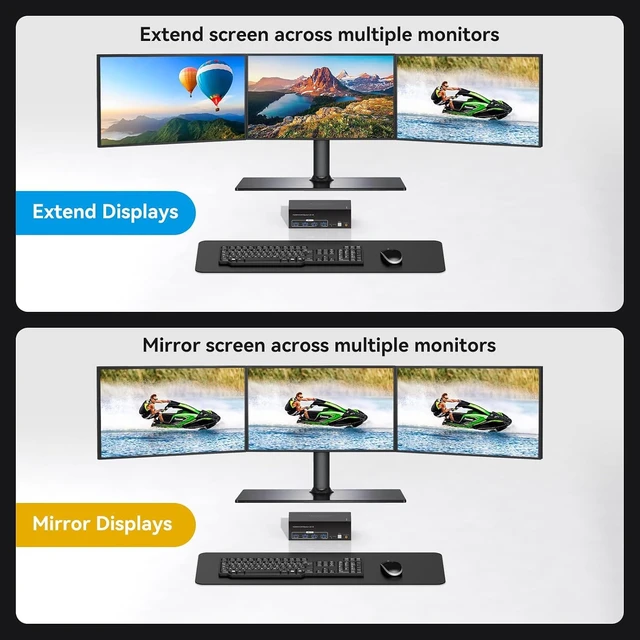
    2. Triple monitors output support up to 8K@60Hz for extended and mirror display, support HDMI 2.1 and DP 1.4 standards.

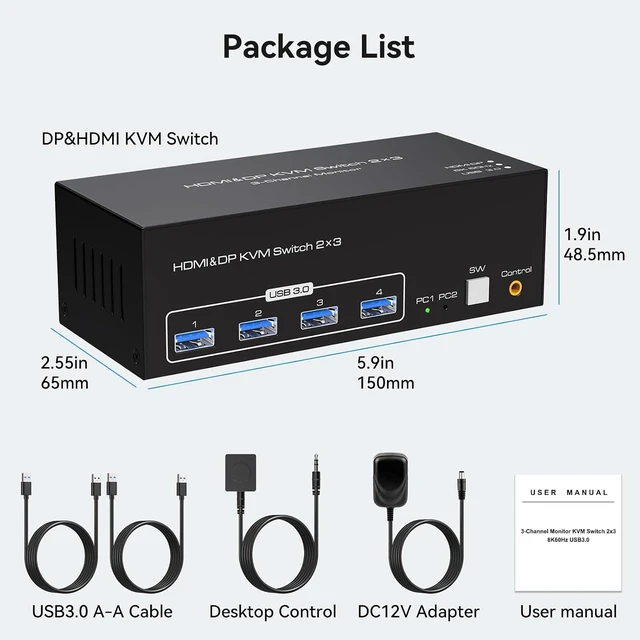
    3. 2 Switching modes: Button switch and wired remote.

    4. With extra 4 x 5Gbps USB 3.0 ports .

    5. Cross-support most major OS including Windows, Linux, Mac, and more.

    6. The ports that need to plug in HDMI/DisplayPort/USB cables are all hidden behind the 3 monitor kvm switch, so the desktop doesn't get cluttered, you can enjoy the clean work space.

    USB 3.0 Triple Monitor HDMI + 2 DisplayPort kvm switch for 2 computer sharing 3 monitor and 4 USB 3.
    Installation steps:


    1. Insert the adapter into the KVM ;

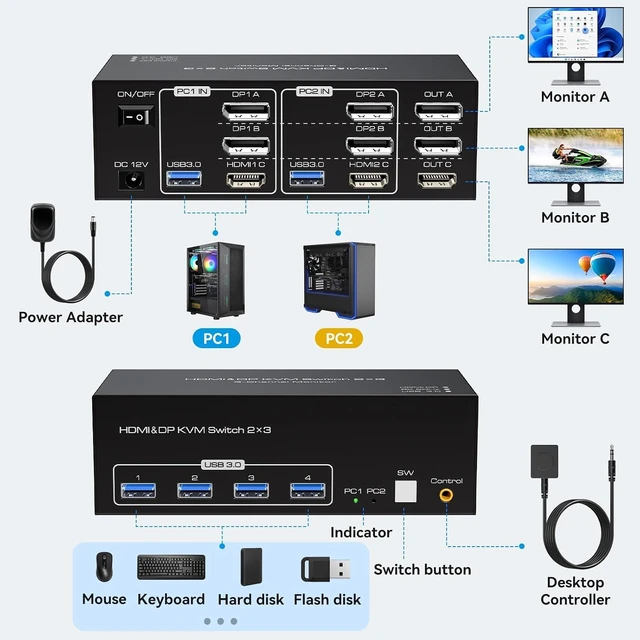
    2. Plug the 2*Displayport cable and HDMI cable into the KVM switch and monitor;(Output)

    3. Plug the Displayport cable, HDMI cable, and USB cable into the KVM switch and your computer/laptop (HDMI and DP cables are not included)(Input)

    Please check whether HDMI IN 1A, DP IN 1B, DP IN 1C, and USB IN 1 corresponding, and whether HDMI IN 2A, DP IN 2B, DP IN 2C and USB IN 2 are corresponding. Mixed insertion is not supported.

    HDMI IN 1A + DP IN 1B + DP IN 1C + USB IN 1=PC1

    HDMI IN 2A + DP IN 2B + DP IN 2C + USB IN 2=PC2

    4. Insert the mouse and keyboard into the KVM switch

    Note:

    1. Most of the reasons why only one video output works is because of an incorrect connection. Please make sure each computer has 1 HDMI /2 DP cables connected to the KVM.
    2. If the KVM switch does not work, you can turn off the switch on the panel and turn it on again after 2-3 seconds, and it will return to normal.


    Note:  Most of the reasons why only one video output works is because of an incorrect connection. Pl
    Note:  Most of the reasons why only one video output works is because of an incorrect connection. Pl
    This USB 3.0 kvm switch 3 monitors 2 computers supports two modes of display (mirroring or extended
    Ultra HD 8K@60Hz Triple Monitor KVM Switch


    Confirms to HDMI 2.1 & DP 1.4 protocol, support HDMI port (8K@60Hz,4K@120Hz) and DP port (8K@60Hz,4K@144Hz,1440P@165Hz) standards and is compatible downwards.


    The 3 monitor requires HDMI & 2 DisplayPort connections from each computer to the KVM switch. When both the display and the signal source support 8K@60Hz, the device can provide a 8K experience.


    Note: Only when both your computer Graphics card and monitor support 8K@60Hz/3440x1440@144Hz 


    with HDMI port, you can get 8K@60Hz/3440x1440@144Hz effect;Only when both your computer Graphics card and monitor support 8K@60Hz/3440x1440@144Hz with DP port ,you can get 8K@60Hz/3440x1440@144Hz effect,so if you want the max resolution you have to check your devices first.

    Ultra HD 8K@60Hz Triple Monitor KVM Switch

    2 PCs Share 4 USB 3.0 Devices

    This kvm switch 3 monitors 2 computers with 4 USB 3.0 Ports for keyboard, mouse, printers, USB headsets or webcams.

    2 PCs Share 4 USB 3.0 Devices  This kvm switch 3 monitors 2 computers with 4 USB 3.0 Ports for keybo
    Features
    1. [Triple Monitor KVM Switch for 2 Computers]: Connect two computers to share three monitors, one keyboard, one mouse, and four USB 3.0 peripherals through a single KVM setup. Switch between computers using the KVM controls instead of repeatedly reconnecting cables. Designed for home offices, multitasking, content creation, and IT work. To use all three monitors simultaneously, both computers must support triple-monitor output, with two DisplayPort connections and one HDMI connection required for each computer
    2. [8K@60Hz and 4K@120Hz Display Support]: Featuring two DisplayPort 1.4 ports and one HDMI 2.1 port, this KVM switch supports resolutions up to 8K@60Hz and 4K@120Hz, with support for lower resolutions and refresh rates. Actual performance depends on the computers graphics card, monitor, and connected cables. For 8K@60Hz output, all three must support the target resolution and refresh rate. For optimal signal performance, use high-quality 28 AWG cables no longer than 5 ft
    3. [Four USB 3.0 Ports with Up to 5Gbps Transfer Speed]: Share compatible USB peripherals between two computers through four USB 3.0 ports. Connect devices such as keyboards, mice, printers, scanners, webcams, and USB flash drives, with data transfer speeds of up to 5Gbps. Bluetooth keyboards and mice without a USB receiver cannot be switched through this KVM. Additional docking stations and adapter cables are not recommended
    4. [Panel Button and Wired Remote Switching]: Choose between two switching methods: the button on the KVM panel or the included wired remote control. Position the remote within easy reach while keeping the main KVM unit away from your primary work area. Compatible with Windows, Vista, XP, macOS, Linux, and Unix systems. An external power source is required during use. Keyboard hotkey switching is not supported
    5. [Plug-and-Play Setup for a Multi-Monitor Workspace]: Set up your triple-monitor workstation without installing additional drivers. Connect both computers using two DisplayPort connections and one HDMI connection per computer, connect the three monitors and USB peripherals, and supply external power before switching between computers. For best compatibility, connect devices directly and avoid additional docking stations or adapter cables. If you need assistance with setup or compatibility, contact customer support


    Warranty & Returns

    Warranty, Returns, And Additional Information

    Warranty

    • Please contact the Seller directly for warranty information. Warranty information may also be found on the Manufacturer's website.
    • CONTACT

    Return Policies

    Manufacturer Contact Info

    LOADING...