

Your Browsing History
- Free 30-day Returns
$183.26
Ships from China.


Meet Your Seller


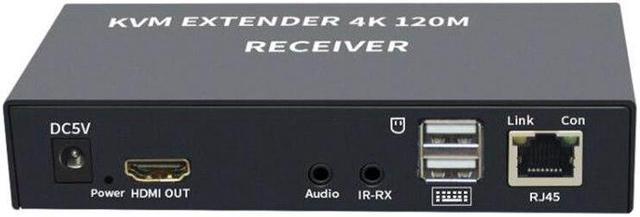
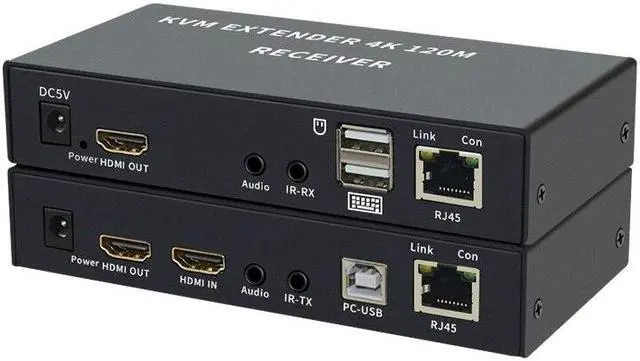
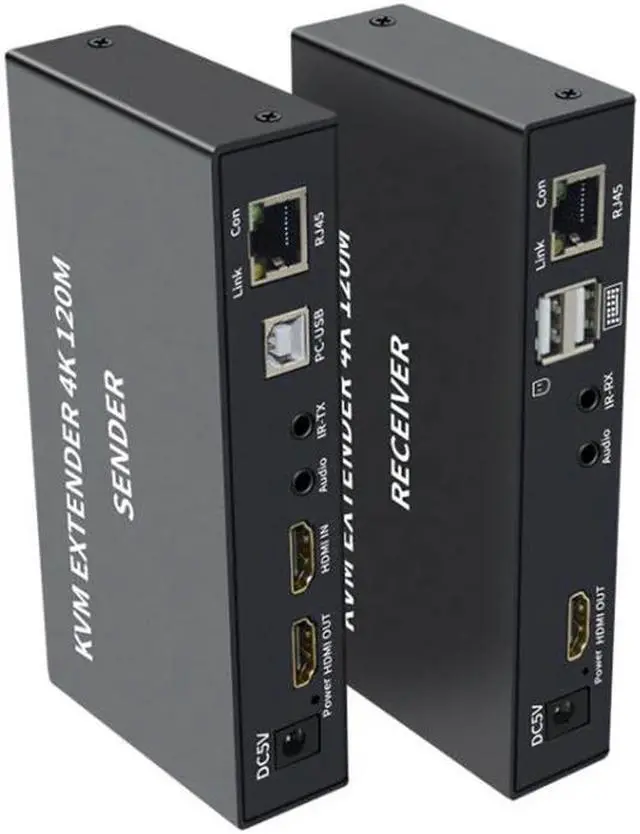
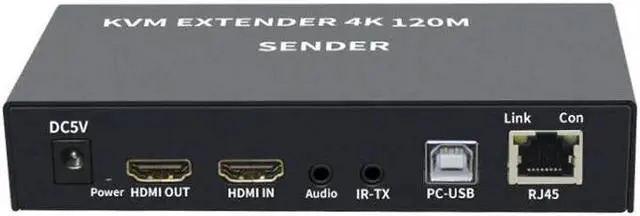
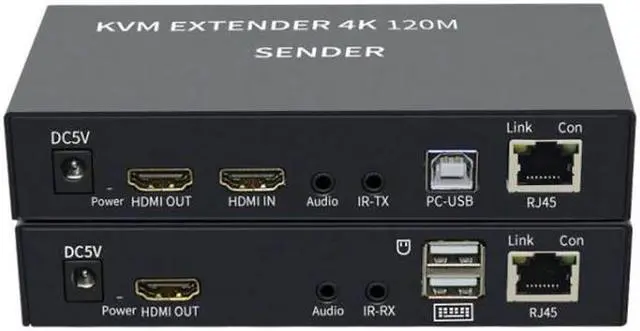


4K HDTV 120M KVM Extender HDMI-Compatible USB-A Keyboard Mouse 3.5mm AUX Aluminium Alloy Over CAT6 RJ45 Lan Ethernet Extender(With US Plug)
- 4K HDTV 120M KVM Extender HDMI-Compatible USB-A Keyboard Mouse 3.5mm AUX Aluminium Alloy Over CAT6 RJ45 Lan Ethernet Extender(With US Plug)
+
+
Overview
Specs
Reviews

Any questions? Our AI mode will help you find out quickly.
Try me now
4K HDTV 120M KVM Extender HDMI-Compatible USB-A Keyboard Mouse 3.5 mm AUX Aluminium Alloy Over CAT6 RJ45 Lan Ethernet Extender
1. INTRODUCTION
The Extender over CAT-5E/6 uses one piece of CAT-5e/6 cable to extend the HDTV display up to 120 meters for 4K*2K, It not only breaks the limitation of the HDMI cable transmission length, but also CAT-5e/6 has more flexibility and convenience in cable construction.
It is equipped with HDMI (high definition multimedia interface) connectors and is capable of supporting DVI (digital visual interface) equipment when used with an HDMI to DVI adapter, providing greater flexibility and options when integrating several home theater components.
It offers solutions for residential consumers: HDTV retail and show site, HDTV, STB, DVD and projector factories, space and security concerns, data center control, information distribution, conference room presentation, school and corporate training environments.
2. BENEFITS
1) The length of HDMI cable is fixed and unchangeable after it is produced. Because the HDMI connector can only be soldered or terminated by the professional workers in factory, the users can not reduce or increase by themselves, however CAT-5E/6 cables are available everywhere and can be processed easily by the user or installer.
2)Because the head of the long HDMI cable is big, using it must in hidden method, what is more, it is not easy to bend the HDMI cable and to pull it through the in-wall tube or tray. However, CAT-5e/6 cables do not have such problems.
3) With this extender, the transmission distance can be up to 120 meters while using CAT-5e/6 cables, for the general HDMI cables, they must be customized when the length is over 10 meters.
3. FEATURES
This Extender has many features that enable it to perform in superior manner, among those features and you will find:
One pair as a full functional module, no need of setting.
CAT-5e/6 cable can substitute HDMI cable to achieve long distance transmission.
CAT-5e/6 follow the standard of IEEE-568B
HKE120- 1.4 video resolution can be up to 4K*2K@30Hz (120 meters CAT6 cable).
Compact size
Signaling rates up to 3.4G bps in support of 4K*2K display.
HDCP compliant
Support uncompressed audio such as LPCM
Support compressed audio such as DTS Digital, Dolby Digital (including DTS-HD and Dolby
true HD)
The sender with HDMI output, audio output and Ir output.
The Receiver with HDMI output, audio output and Ir input.
4. SPECIFICATIONS
1) In order to achieve the high transmission quality please choose the shielded cat-5e or cat-6 cable.
2) The cables with lower quality will not achieve the perfect transmission effect and long distance.
3) Theoretically the function of the product is normal when adopt short distance transmission.
If the product cannot transmit long distance, that is to say, there are quality problems in the transmission cables
5. Installation steps
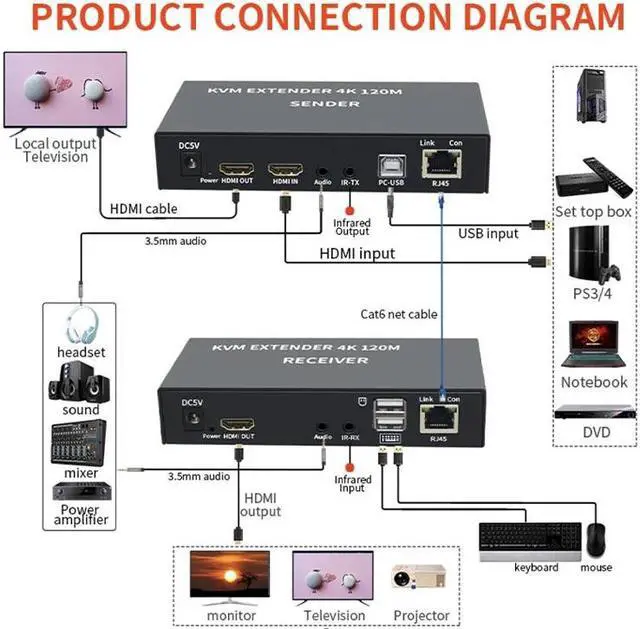
Connect the display monitor to the HDMI signal source, check the monitor and the signal source work correct.
Connect the Sender to the PC with HDMI cable and USB A-B cable.
Connect the Sender to display device, receiver to the display device with HDMI cables.
Connect the Sender to audio device, receiver to audio device with audio cables.
Connect the mouse and keyboard to the receiver.
Connect the Sender and the Receiver with standard CAT-5E/6 cable.
Power on the Sender and Receiver.
When first time to use the extender, or when the LEDs on the keyboard display wrong, use the hotkey to reset the extender:
HotkeyHotkeyrENTER
1. INTRODUCTION
The Extender over CAT-5E/6 uses one piece of CAT-5e/6 cable to extend the HDTV display up to 120 meters for 4K*2K, It not only breaks the limitation of the HDMI cable transmission length, but also CAT-5e/6 has more flexibility and convenience in cable construction.
It is equipped with HDMI (high definition multimedia interface) connectors and is capable of supporting DVI (digital visual interface) equipment when used with an HDMI to DVI adapter, providing greater flexibility and options when integrating several home theater components.
It offers solutions for residential consumers: HDTV retail and show site, HDTV, STB, DVD and projector factories, space and security concerns, data center control, information distribution, conference room presentation, school and corporate training environments.
2. BENEFITS
1) The length of HDMI cable is fixed and unchangeable after it is produced. Because the HDMI connector can only be soldered or terminated by the professional workers in factory, the users can not reduce or increase by themselves, however CAT-5E/6 cables are available everywhere and can be processed easily by the user or installer.
2)Because the head of the long HDMI cable is big, using it must in hidden method, what is more, it is not easy to bend the HDMI cable and to pull it through the in-wall tube or tray. However, CAT-5e/6 cables do not have such problems.
3) With this extender, the transmission distance can be up to 120 meters while using CAT-5e/6 cables, for the general HDMI cables, they must be customized when the length is over 10 meters.
3. FEATURES
This Extender has many features that enable it to perform in superior manner, among those features and you will find:
One pair as a full functional module, no need of setting.
CAT-5e/6 cable can substitute HDMI cable to achieve long distance transmission.
CAT-5e/6 follow the standard of IEEE-568B
HKE120- 1.4 video resolution can be up to 4K*2K@30Hz (120 meters CAT6 cable).
Compact size
Signaling rates up to 3.4G bps in support of 4K*2K display.
HDCP compliant
Support uncompressed audio such as LPCM
Support compressed audio such as DTS Digital, Dolby Digital (including DTS-HD and Dolby
true HD)
The sender with HDMI output, audio output and Ir output.
The Receiver with HDMI output, audio output and Ir input.
4. SPECIFICATIONS
1) In order to achieve the high transmission quality please choose the shielded cat-5e or cat-6 cable.
2) The cables with lower quality will not achieve the perfect transmission effect and long distance.
3) Theoretically the function of the product is normal when adopt short distance transmission.
If the product cannot transmit long distance, that is to say, there are quality problems in the transmission cables
5. Installation steps
Connect the display monitor to the HDMI signal source, check the monitor and the signal source work correct.
Connect the Sender to the PC with HDMI cable and USB A-B cable.
Connect the Sender to display device, receiver to the display device with HDMI cables.
Connect the Sender to audio device, receiver to audio device with audio cables.
Connect the mouse and keyboard to the receiver.
Connect the Sender and the Receiver with standard CAT-5E/6 cable.
Power on the Sender and Receiver.
When first time to use the extender, or when the LEDs on the keyboard display wrong, use the hotkey to reset the extender:
HotkeyHotkeyrENTER
Warranty & Returns
Warranty, Returns, And Additional Information
Warranty
- Please contact the Seller directly for warranty information. Warranty information may also be found on the Manufacturer's website.
- CONTACT
Return Policies
- Return for refund within: 30 days
- Return for replacement within: 30 days
- This item is covered by Astonlink Return Policy
Manufacturer Contact Info
- For a directory of all our manufacturers, please click below.
- Manufacturers Directory
LOADING...
LOADING...