HDMI KVM Switch 2 Port Dual Monitor Extended Display, UHD 4K@60Hz
RGB 4:4: 4, USB Hub, Audio, Hotkey, Button Switching, PC Monitor Keyboard Mouse Switcher for 2 Computers 2 Monitors
Features:
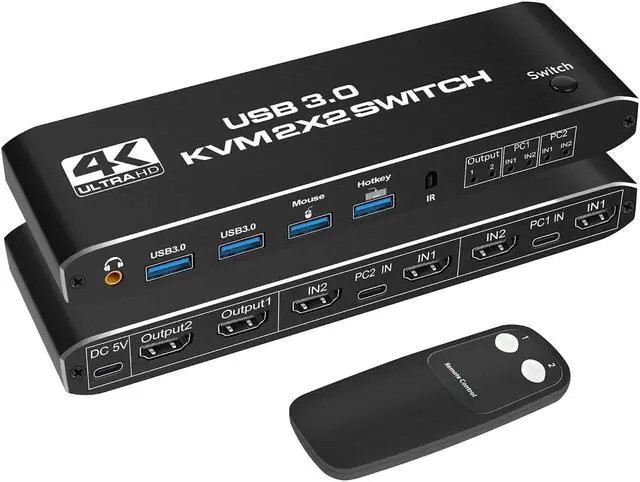
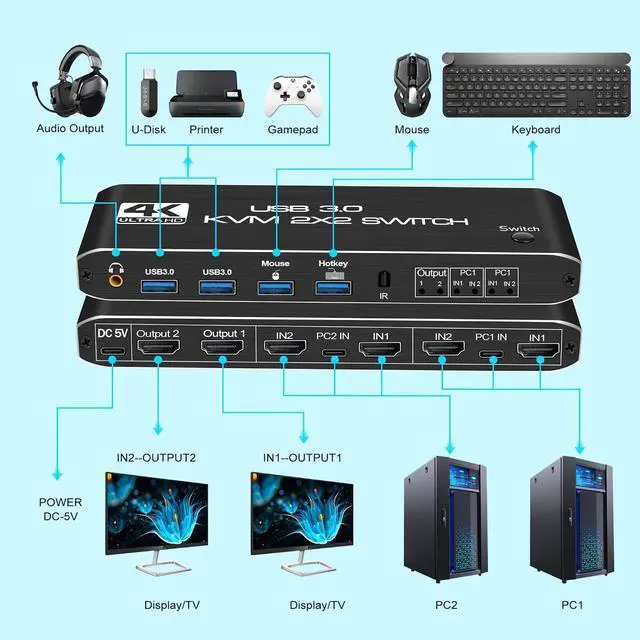
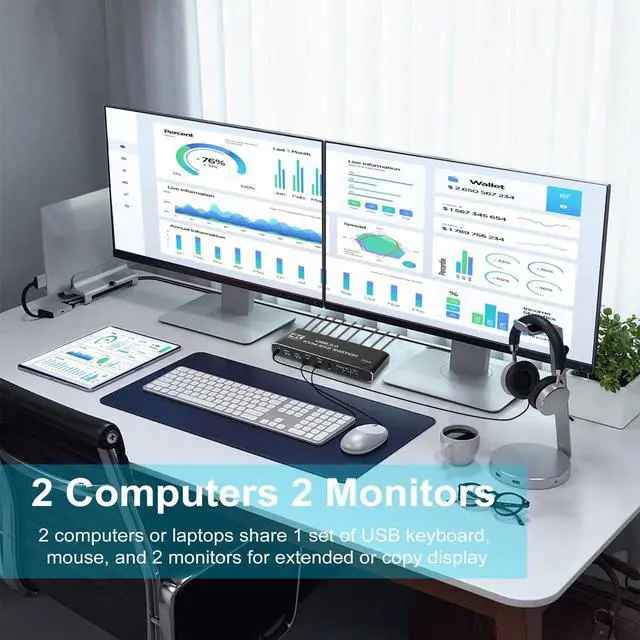
[HDMI KVM USB switch dual monitor]: This KVM Switch allows control 2 computer with one set of controls (keyboard and mouse) and two display screen. Realizes 2 in and 2 out free selection synchronous switching. You can centrally control and manage hosts laptop or game console without having to move from one workstation to another.
[UHD 4K Visual Enjoyment]: The kvm switch supports HDMI 2.0 and standard HDCP 2.2. Support max resolution up to 4K@60Hz, 1080@144Hz, also support 1080P@120Hz or lower resolution, makes image display more exquisite and realistic.
[Dual HDMI KVM Switch with USB 3.0 Port]: Supports Connecting your USB 3.0 port device such as Scanner/USB driver/3D Printer/Monitor Camera
[A Higher Level of Keyboard and Mouse Compatibility]: Support keyboard and mouse pass-through mode (Semi-DDM USB). You can use more keyboard and mouse functions that are not supported by ordinary KVM. Supports wired, wireless, mechanical, multimedia, and gaming K&M. near zero latency keyboard and mouse switching.
[ 2.0CH Audio Extractor]: KVM Switch comes with a 3.5 mm Audio Jack port with a DAC chip inside, which can be inserted into a 3-segment 3.5 mm earpiece device.
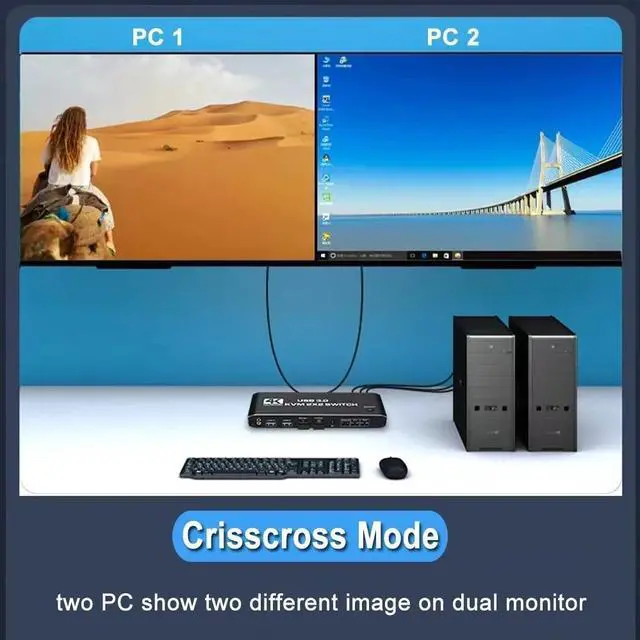
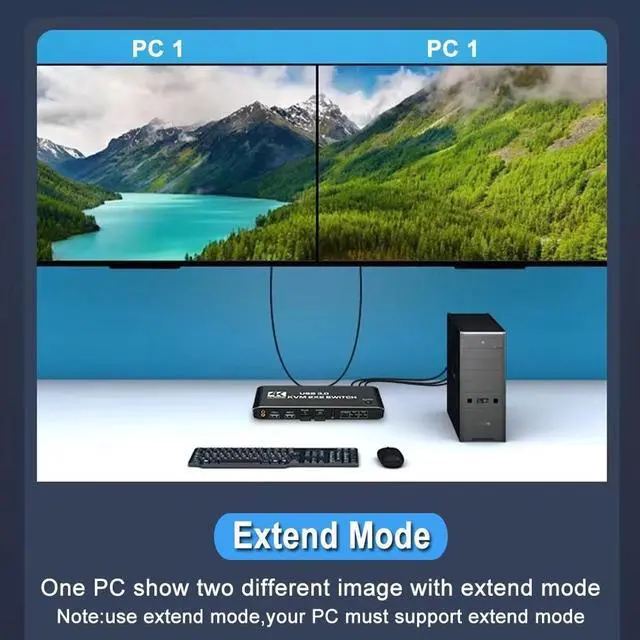
[Wide Compatibility]: This HDMI kvm switch kit support mirror mode, extend mode and crisscross mode, it also can compatible with all laptops with HDMI port and other devices. It has adaptive EDID, adapt to Windows, macOS, Linux, UNIX and other operating systems.
[Plug and Play]: Button switch signal source device, freely switch between 2 computers by pressing a button. Simple to install, plug and play, no driver is needed. Powered by USB C.
Specifications
:
2 In 2 Out 4K USB 3.0 HDMI KVM Switch Box dual monitor for 2 PC Sharing Keyboard Mouse Printer Plug Play Video 2 Display USB Swltch Splitter
- Product Type: HDMI USB 3.0 KVM Switch (2 in 2 out)
- Input Port: HDMI 2.0 x 4, USB-C x2, USB 3.0 x 4
- Output Port: 2 x HDMI 2.0, 1 x L/R audio
- Dimensions: 111.8 x 63.2 x 24.5 mm
- Material: Aluminum Alloy shellanti-rust, anti-corrosion, anti-interference, fast transmission, surtace oxidation
Features:
- Support HDMI 2.0 b HDCP 2.2
- Resolution: Support 1080P/1080@144Hz, 3840x2160p, 4K/60Hz resolution, adaptive screen resolution
- Support system: Windows XP, Windows7, Windows10, Apple MAC, Linux, Unix and other operating systems
- Supports high current hard disk devices
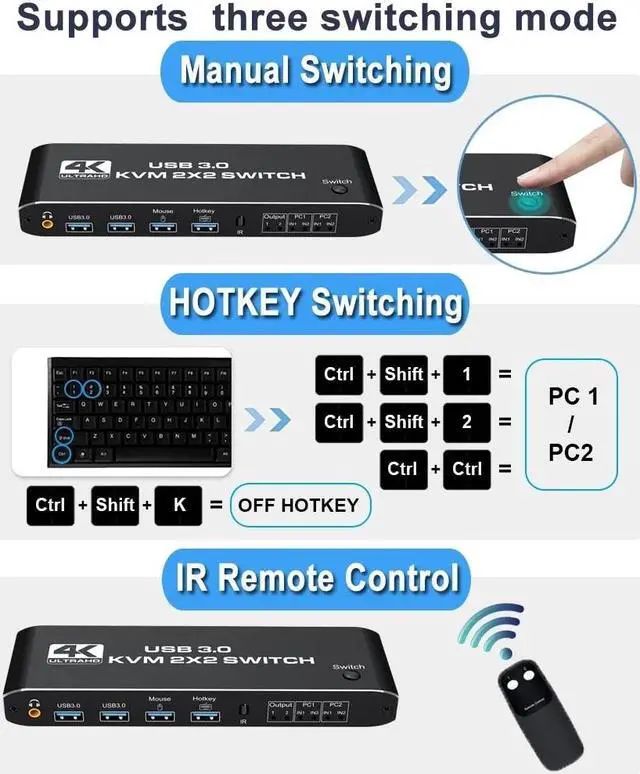
- Three Switching Method:
1. Press the "Select" button on the KVM switch panel to switch between the two source devices;
2. use hotkey switch(Ctrl+Shift+ 1 / 2 to PC1 / PC2 or Ctrl + Ctrl), Ctrl+Shift+ K to turn off hotkey;
3. use IR remote contrl to switch PC 1/ PC 2.
Package contents:
1 x HDMI KVM USB Switch
2 x USB data cable
1 x USB power cable
1 x IR Remote Control (Without AAA battery)
1 x User Manual
Remarks!!!
1)To support dual display, your pc's video card must be capable of supporting 2 HDMI out simutaneously.
2)to use the extended and spliced display function, your video card must be capable of doing so. As the dual monitor HDMI KVM Switch display only what was connected to the input. It is a bypass swicth and it can not processing those function by itself.
3)This is a HDMI KVM dual monitor switch, it is not a HDMI KVM Matrix.
If you have any questions about the product, please feel free to contact us.