Your Browsing History
- Free 30-day Returns
$136.28
Ships from Hong Kong.
Meet Your Seller
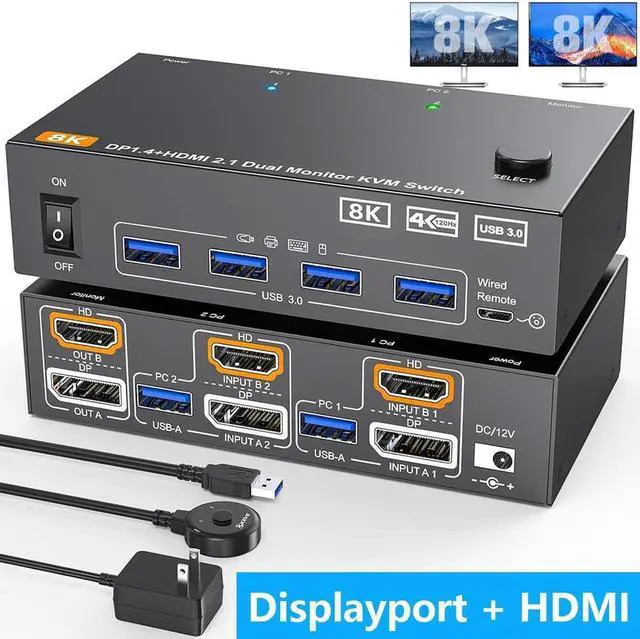
Dual Monitor Displayport + HDMI KVM Switch 2 in 2 Out, 2 Port 8K@60Hz 4K@144Hz HDMI+DP USB 3.0 KVM Switch Extended Display 2 Monitors 2 Computers with USB 3.0 Cables Wired Controller
Limited time offer, ends 07/29 By E-tech
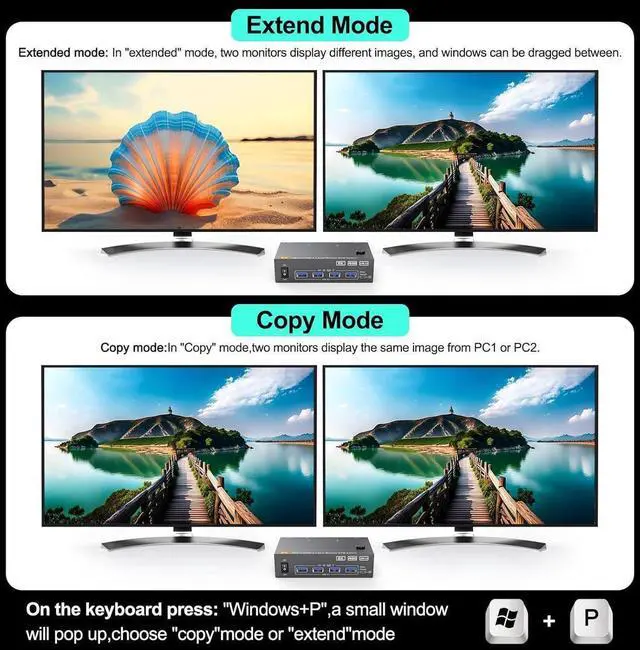
- [Dual Monitor KVM Switch] This HDMI+DP KVM Switch allows to control 2 computers by 1 set of keyboard & mouse and 2 monitors(Extend display mode or Copy display mode) Note: Press "Window+P",a small window will pop up, in which to choose "Copy" Mode or "Extend" Mode.
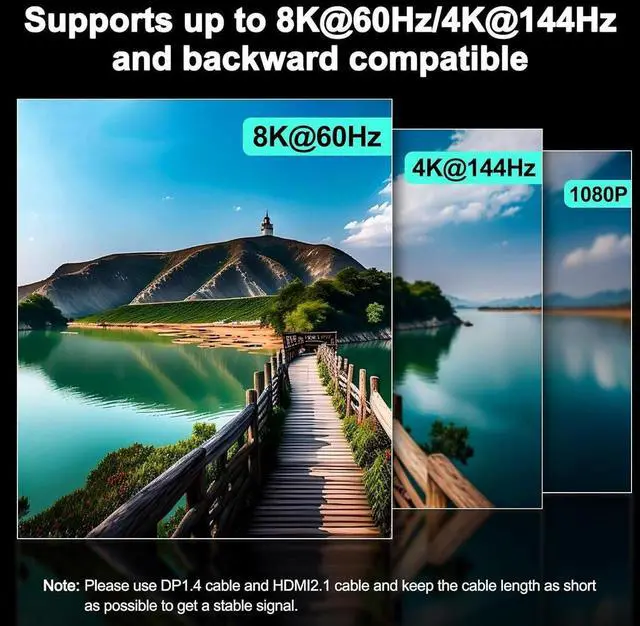
- [Support up to 8K@60Hz] Supports resolution up to 8K@60Hz/4K@144Hz. The KVM switch supports 2 computers that with different resolutions, such as 1 computer is 4K@60Hz, the other is 4K@30Hz, 1440P@60HZ, 3D 1080P@60HZ or lower resolution.
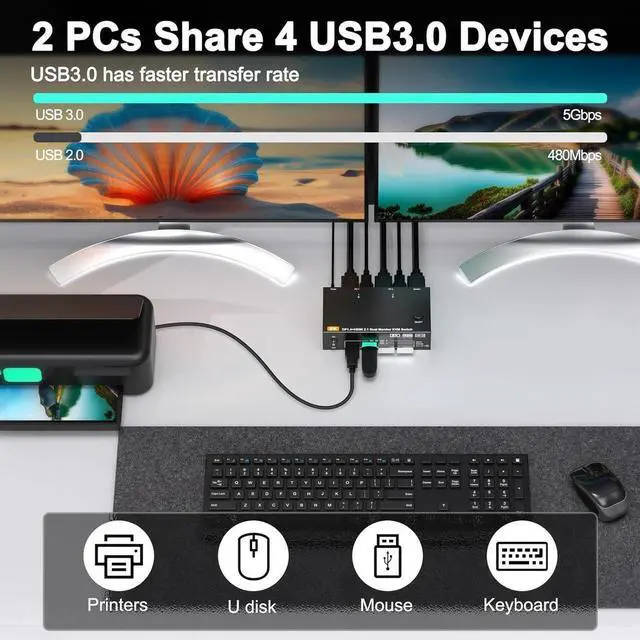
- [with 4 USB 3.0 Ports] with 4 USB 3.0 ports which can recognize keyboard,mouse,printer and other USB devices. USB 3.0 offers data transfer speeds of up to 5Gbps.
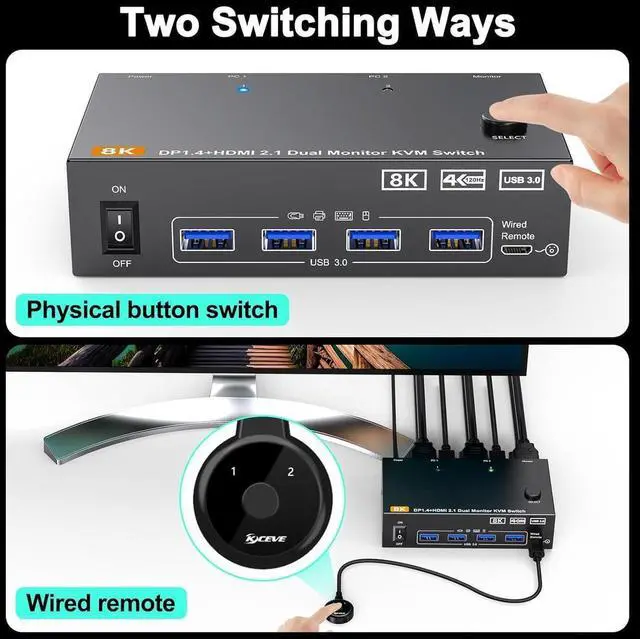
- [2 Switching Mode&LED Indicator] With 2 switch methdos that are pressing the button on the panel and the wired controller (included).
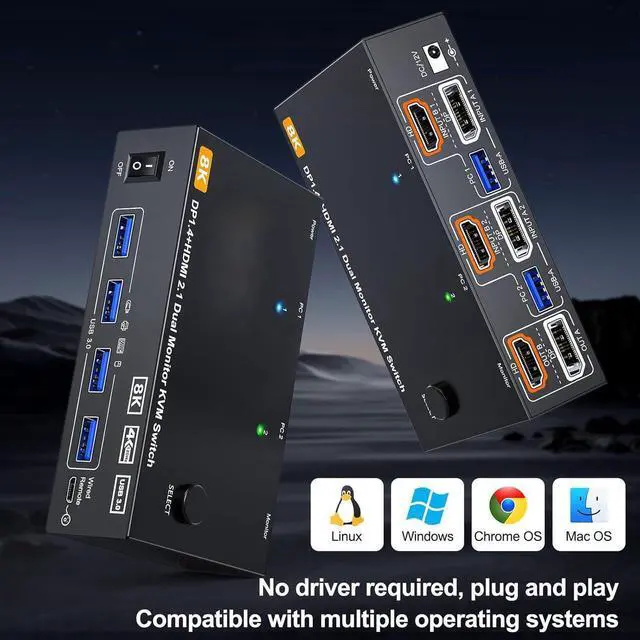
- [Wide Compatibility and Easy to Use] Driver-free, plug and play.It is required that each connected computer have HDMI and DP port, if not have HDMI and DP port, then an adapter is required.
+
+
Overview
Specs
Reviews
Any questions? Our AI beta will help you find out quickly.
Try me now
8K@60Hz/4K@144Hz Dual Monitor KVM for 2 Computer 2 Displayport 1.4 + HDMI 2.1
Dual monitor kvm switch
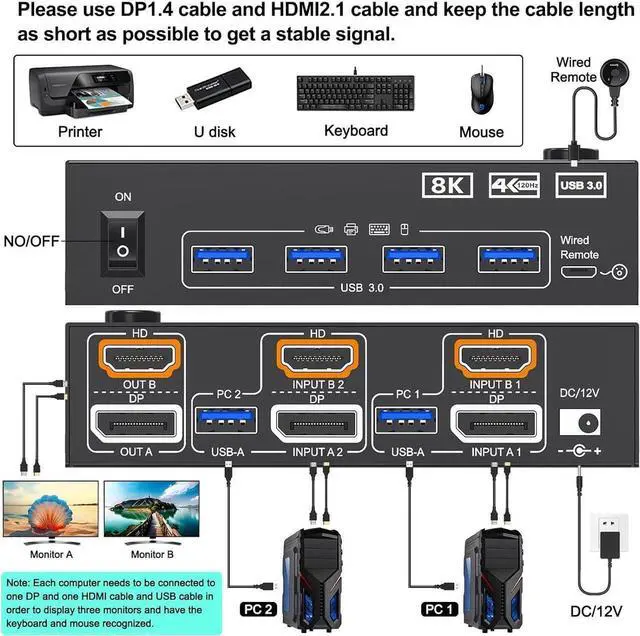
Please connect the devices correctly to make the switch work properly.
Each computer needs to connect DP, HDMI and USB cables to the machine.
Please note: Please use DP 1.4 and HD-MI 2.1 cables, and the shorter the cable length, the better.
2 PC share 2 Monitor and 4 USB 3.0 Devices
8K KVM switch 2 monitors
The resolution and fresh rate of dual monitor KVM switch supports up to 8K@60Hz/4K@144Hz.
BUT PLEASE NOTE THAT: HDMI part supports 8K@60Hz, 4K@120Hz, and backward compatible. Displayport part support 8K@30Hz, 4K@144Hz and backward compatible.
Warming: Please use HDMI 2.1 and DP 1.4 cables, if the set distance allows, the length of cabels more short more better.
2 Display Model for the Dual Monitors KVM
Two switching Method
Two switching methods: control panel button + 4.92 ft wired controller (included)

Dual monitor kvm switch
Please connect the devices correctly to make the switch work properly.
Each computer needs to connect DP, HDMI and USB cables to the machine.
Please note: Please use DP 1.4 and HD-MI 2.1 cables, and the shorter the cable length, the better.
2 PC share 2 Monitor and 4 USB 3.0 Devices
8K KVM switch 2 monitors
The resolution and fresh rate of dual monitor KVM switch supports up to 8K@60Hz/4K@144Hz.
BUT PLEASE NOTE THAT: HDMI part supports 8K@60Hz, 4K@120Hz, and backward compatible. Displayport part support 8K@30Hz, 4K@144Hz and backward compatible.
Warming: Please use HDMI 2.1 and DP 1.4 cables, if the set distance allows, the length of cabels more short more better.
2 Display Model for the Dual Monitors KVM
Two switching Method
Two switching methods: control panel button + 4.92 ft wired controller (included)
Warranty & Returns
Warranty, Returns, And Additional Information
Warranty
- Please contact the Seller directly for warranty information. Warranty information may also be found on the Manufacturer's website.
- CONTACT
Return Policies
- Return for refund within: 30 days
- Return for replacement within: non-replaceable
- This item is covered by E-tech Return Policy
Manufacturer Contact Info
- For a directory of all our manufacturers, please click below.
- Manufacturers Directory
LOADING...