Your Browsing History
- Free 30-day Returns
$55.28
Ships from Hong Kong.
Meet Your Seller
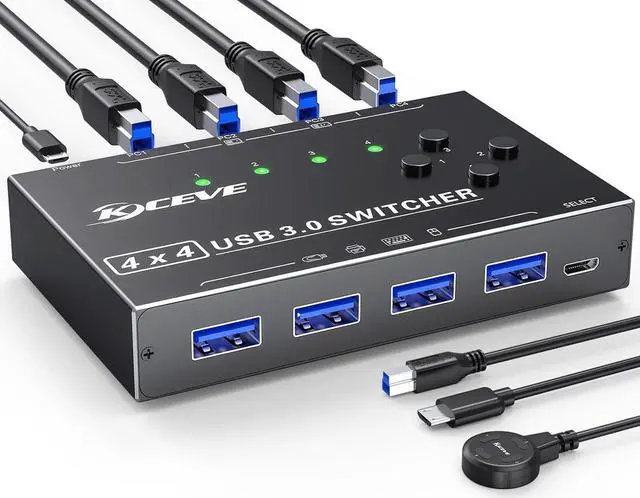
USB 3.0 Switch 4 Computers, 4 Port USB Switch Selector for 4 Computer Share 4 USB Devices, Keyboard Mouse Switch, 4 in 4 Out USB 3.0 Switcher with Wired Remote and 4 Standard USB-B Cables
Limited time offer, ends 07/29 By E-tech
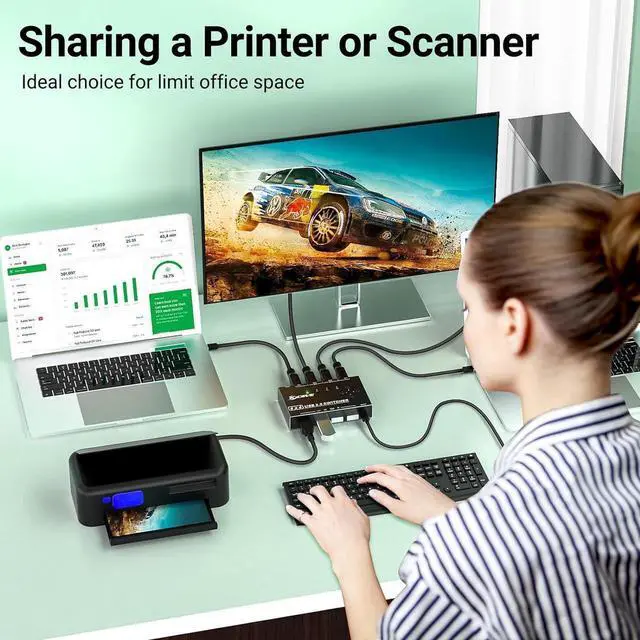
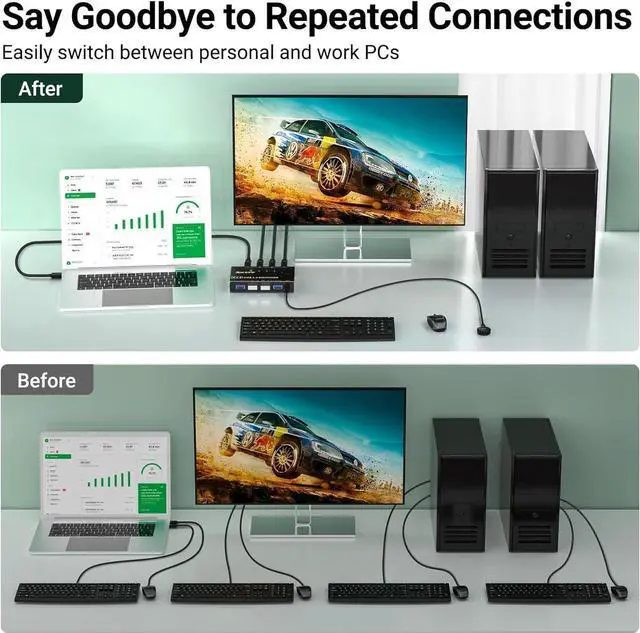
- [USB Switch 4 Computers] 4 Port USB Switcher supports up to 4 computers sharing 4 USB devices like wireless keyboard, mouse, printer etc. Switch freely between your work computer and personal computer and boost your work efficiency.
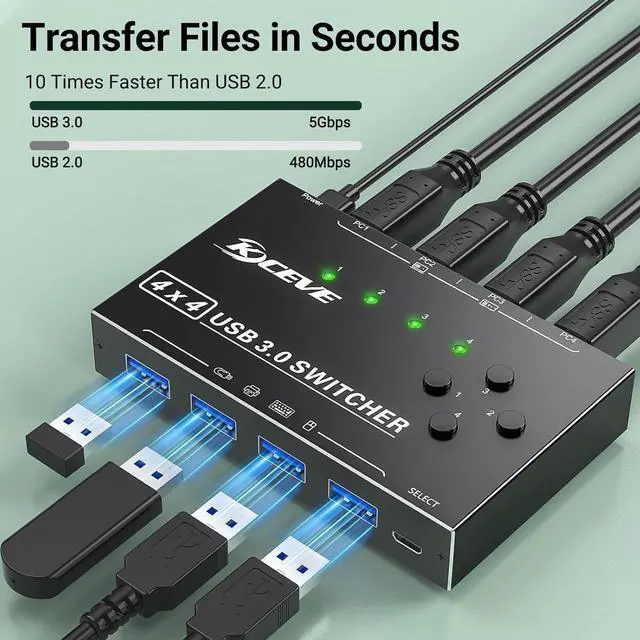
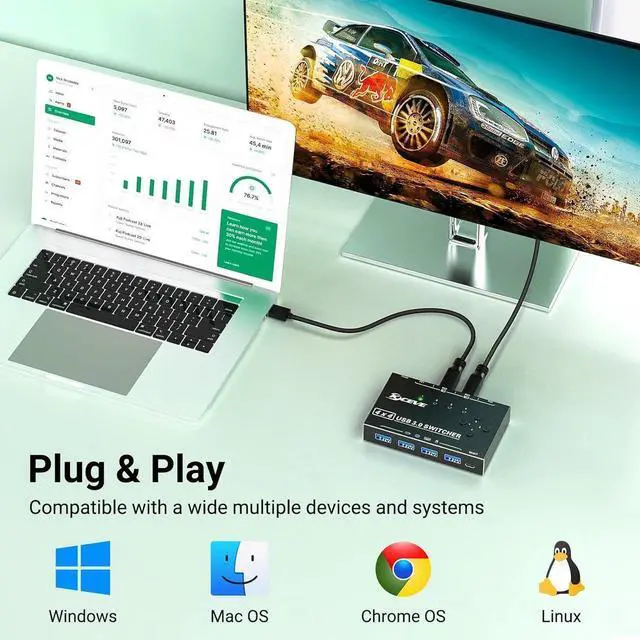
- [5Gb Data Transfer] Support transfer files in seconds(10 times faster than USB 2.0). The USB switch 3.0 is backward compatible with USB 2.0/ 1.1 .Simple plug and play for Windows, macOS, Chrome OS, and Linux computers.
- [USB Power Supply] Designed with a micro charging port for high-power devices like Hard Disk Drives, headsets, and other USB devices to work more stably.
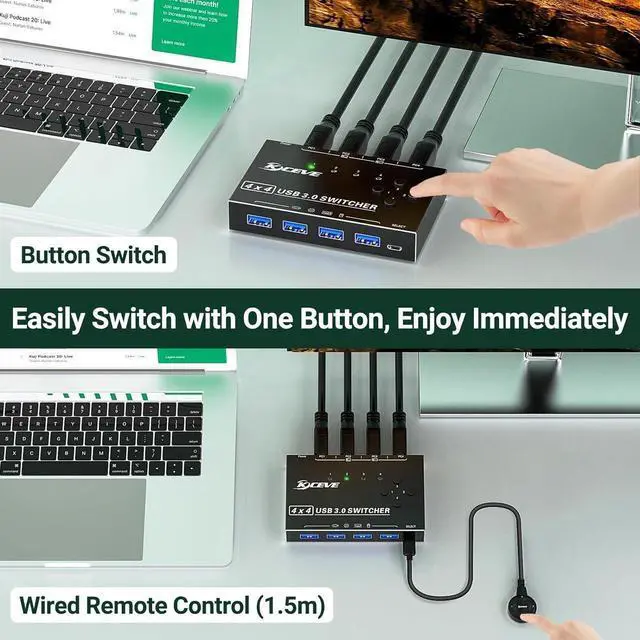
- [Button Switching & Wired Remote]With the USB switcher button or the wired remote, you can freely switch multiple USB devices between 4 computers with one click, green LED indicating the active computer.
- [You will get]4 port USB 3.0 switch; 4*USB3.0 cable (0.8m); wired remote(1.5m); USB power cord. provides 1-year warranty and lifetime technical service for this switch.
+
+
Overview
Specs
Reviews
Any questions? Our AI beta will help you find out quickly.
Try me now
Attention
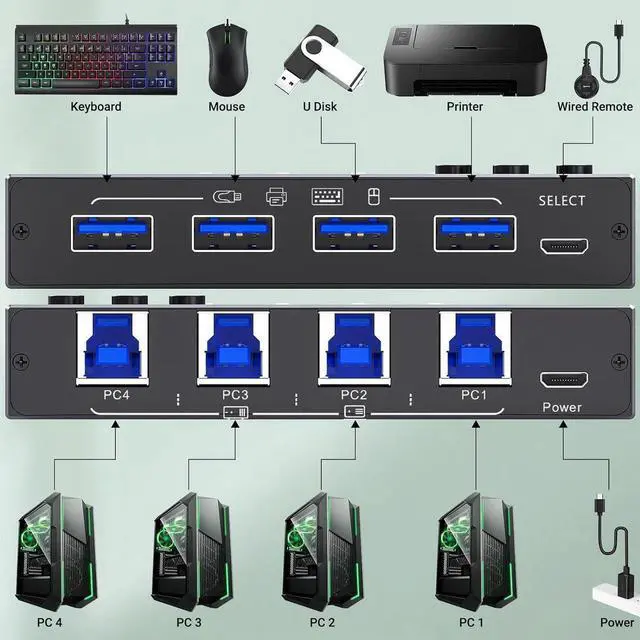
Input Tip: Use the USB A-B cables to connect the USB port of your computers to the USB-B ports of the switch
Output Tip: The USB 3.0 switch has 4 identical USB-A ports on the front, which are used to connect USB devices.
For USB C device: (INPUT) You need to use a USB C to A adapter with a USB A to A cable.
For USB C device: (OUTPUT) If you want to plug a USB C device into this switch, you need to use the USB A to USB C OTG Adapter
Not a KVM It is a USB switch without an HDMI port and it does not support 4 computers sharing a single display
About Power Supply: Not all devices need power supply during use; the power port can only supply power to USB switch.
Package Content: USB 3.0 Switch * 1; USB A to B Cable * 4 ( 2.62FT / 0.8M )
Package Remote Control *1 ( 4.92FT / 1.5M ); USB power cord *1( 4.92FT / 1.5M )

Input Tip: Use the USB A-B cables to connect the USB port of your computers to the USB-B ports of the switch
Output Tip: The USB 3.0 switch has 4 identical USB-A ports on the front, which are used to connect USB devices.
For USB C device: (INPUT) You need to use a USB C to A adapter with a USB A to A cable.
For USB C device: (OUTPUT) If you want to plug a USB C device into this switch, you need to use the USB A to USB C OTG Adapter
Not a KVM It is a USB switch without an HDMI port and it does not support 4 computers sharing a single display
About Power Supply: Not all devices need power supply during use; the power port can only supply power to USB switch.
Package Content: USB 3.0 Switch * 1; USB A to B Cable * 4 ( 2.62FT / 0.8M )
Package Remote Control *1 ( 4.92FT / 1.5M ); USB power cord *1( 4.92FT / 1.5M )
Warranty & Returns
Warranty, Returns, And Additional Information
Warranty
- Please contact the Seller directly for warranty information. Warranty information may also be found on the Manufacturer's website.
- CONTACT
Return Policies
- Return for refund within: 30 days
- Return for replacement within: non-replaceable
- This item is covered by E-tech Return Policy
Manufacturer Contact Info
- For a directory of all our manufacturers, please click below.
- Manufacturers Directory
LOADING...