

Your Browsing History
- Free 30-day Returns
$85.33
Ships from Hong Kong.


Meet Your Seller

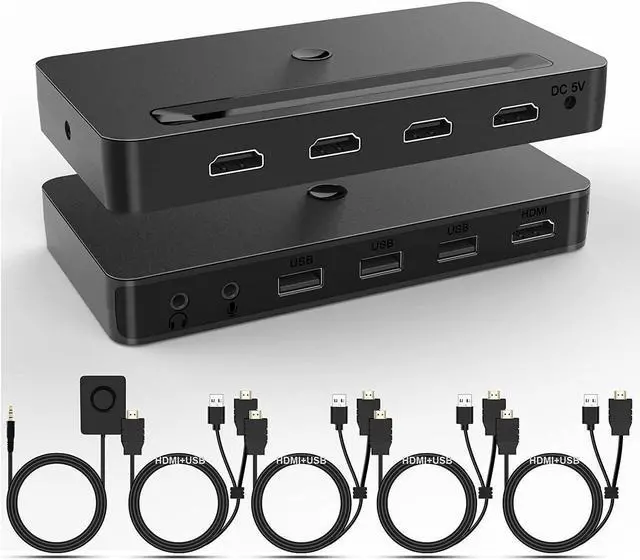


4 Port KVM HDMI Switch with Audio Microphone and 3 x USB Hub - 4K @60Hz 4 in 1 Out HDMI USB Switch Supports Keyboard Mouse with USB+HDMI Combo Cables x4|USB Power Cable|Wire Remote Switch
Limited time offer, ends 10/14 By E-tech
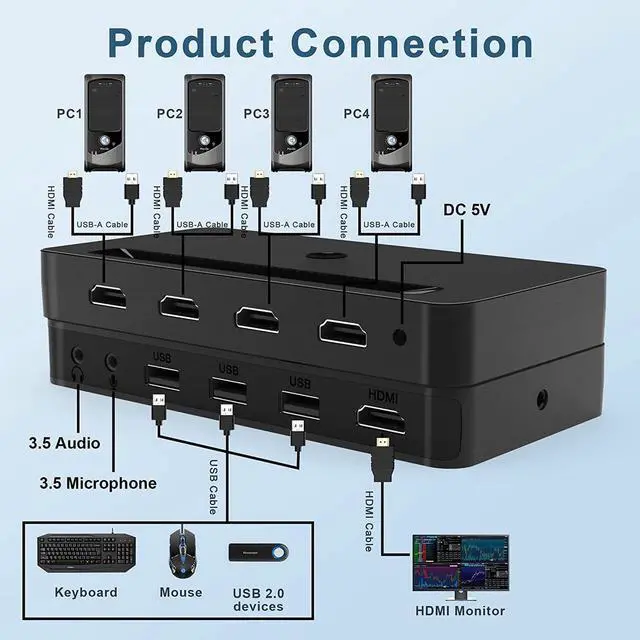
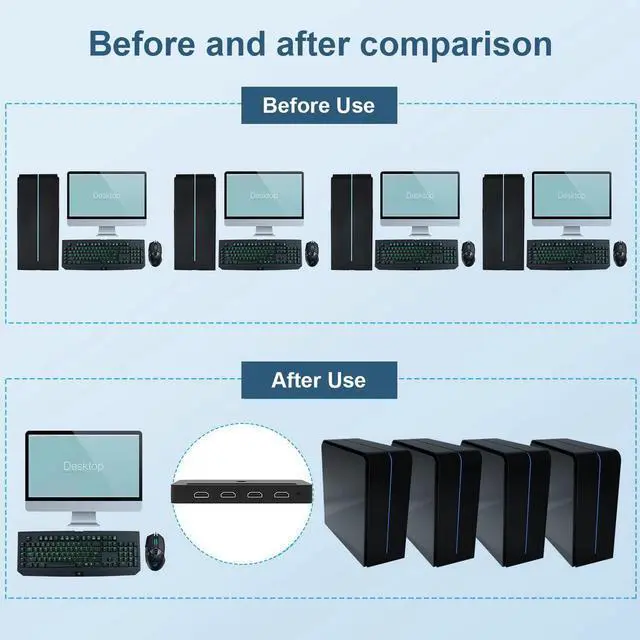
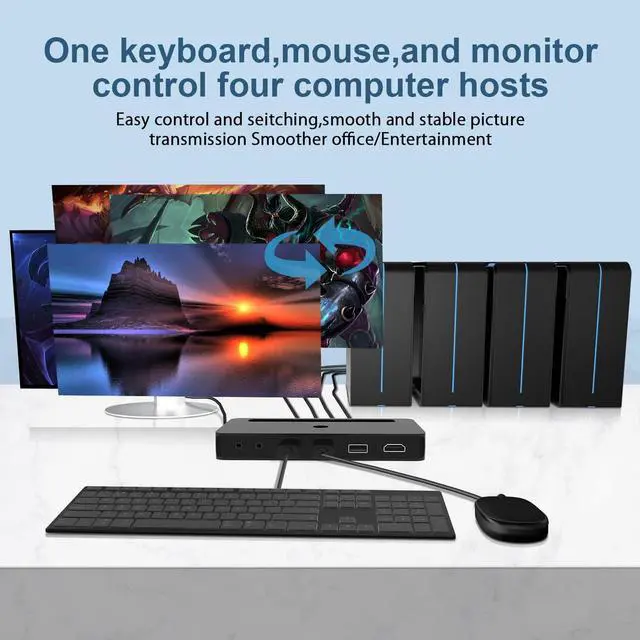
- [HDMI KVM Switch 4 Port Box] HDMI USB kvm switch allows you to control 4 computers by one set of keyboard and mouse, share one HD 4K monitor and 3 USB devices such as U disk, printer, scanner, etc.
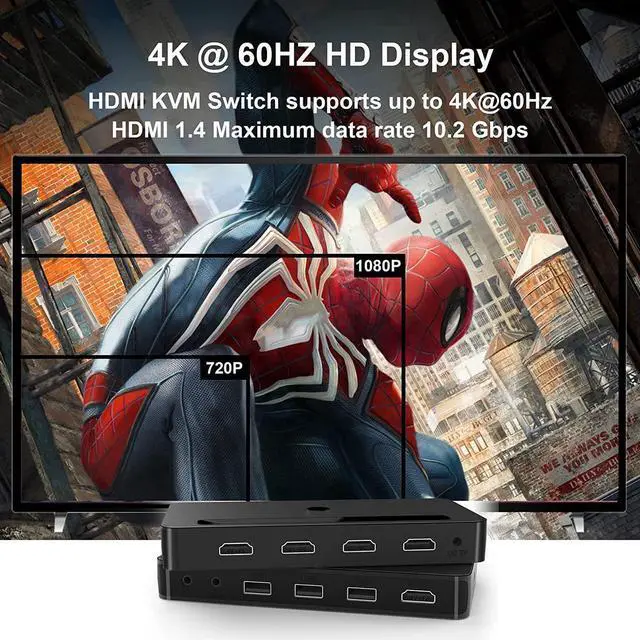
- [HDMI KVM Switch 4K@60Hz, Adaptive EDID] Support max resolution up to 3840*2160 @ 60Hz (YUV 4:4:4), adaptive EDID for each input port, keep devices always having correct display information.Connect the power cord to switch more stable.
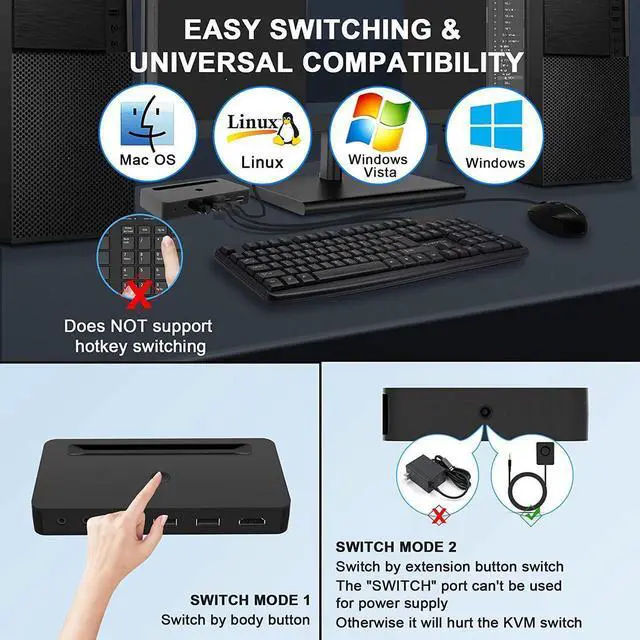
- [Button Switching, Convenient and Simple] There are 2 ways to switch:1.Use the keys on the front panel to switch.2.Use the button extension cable to switch. Quickly switch between the 4 computers with just one click of the switch button and no extra operations.
- [KVM 3 USB 2.0 Port, Wide Compatibility] The KVM Switch has 3 USB 2.0 ports. 4 computers can share more USB 2.0 devices at the same time, such as printers, scanners, hard dish, webcam, etc. This HDMI kvm switch kit can compatible with all laptops with HDMI port and other devices.
+
+
Overview
Specs
Reviews

Any questions? Our AI mode will help you find out quickly.
Try me now
4 Port HDMI KVM Switch 4 In 1 Out
4 Computers Share one set of Keyboard, Mouse and one HD Monitor.
KVM Switch HDMI 4 Port 4K@60Hz
Supports up to 4K@60Hz resolution, and supports backward compatibility with a variety of different resolutions, suitable for multiple signal sources with different resolutions
Installation Step
Plug DC5V 2A power cord into KVM switch and AC socket; (Not included power adapter)
Plug KVM cables into KVM switch and your computers;
Plug HDMI cable into KVM switch and your monitor;
Plug mouse and keyboard into the usb slots of KVM switch;
Plug speaker or microphone or other USB 2.0 peripheral into KVM switch if needed;
Turn on computers.
3 USB 2.0 Ports
Convenient for you to use a variety of USB 2.0 external device
2 Switch Modes
Use the keys on the front panel to switch.
Use the button extension cable to switch.
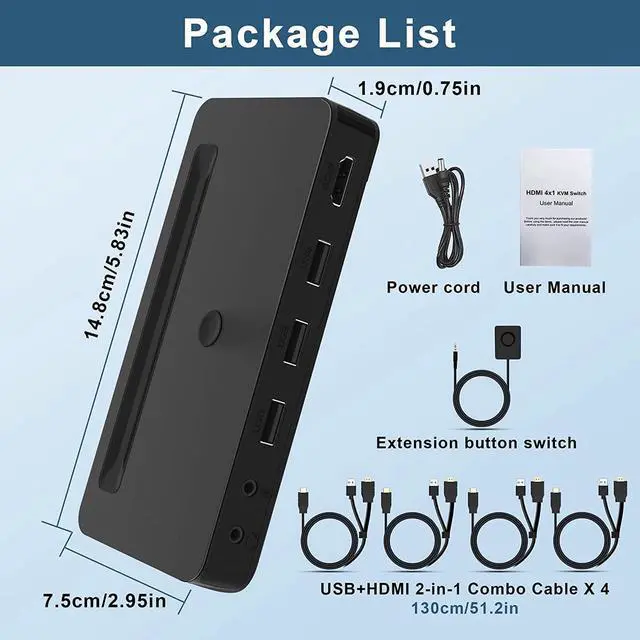
Package included:
1 x HDMI KVM switch
4 x KVM+ USB 2-in-1 combo cables
1 x DC Power cord
1 x wire remote push button switch
1 x User manual
4 Computers Share one set of Keyboard, Mouse and one HD Monitor.
KVM Switch HDMI 4 Port 4K@60Hz
Supports up to 4K@60Hz resolution, and supports backward compatibility with a variety of different resolutions, suitable for multiple signal sources with different resolutions
Installation Step
Plug DC5V 2A power cord into KVM switch and AC socket; (Not included power adapter)
Plug KVM cables into KVM switch and your computers;
Plug HDMI cable into KVM switch and your monitor;
Plug mouse and keyboard into the usb slots of KVM switch;
Plug speaker or microphone or other USB 2.0 peripheral into KVM switch if needed;
Turn on computers.
3 USB 2.0 Ports
Convenient for you to use a variety of USB 2.0 external device
2 Switch Modes
Use the keys on the front panel to switch.
Use the button extension cable to switch.
Package included:
1 x HDMI KVM switch
4 x KVM+ USB 2-in-1 combo cables
1 x DC Power cord
1 x wire remote push button switch
1 x User manual
Warranty & Returns
Warranty, Returns, And Additional Information
Warranty
- Please contact the Seller directly for warranty information. Warranty information may also be found on the Manufacturer's website.
- CONTACT
Return Policies
- Return for refund within: 30 days
- Return for replacement within: non-replaceable
- This item is covered by E-tech Return Policy
Manufacturer Contact Info
- For a directory of all our manufacturers, please click below.
- Manufacturers Directory
LOADING...