• $139.28
  • Free 30-day Returns
  • Ships from Hong Kong.
    Price alert
    Sold by E-tech
    Top Rated
    3.9 (31 seller ratings)

    Shipped by E-tech

    Shop it at NeweggBusiness.

    Meet Your Seller

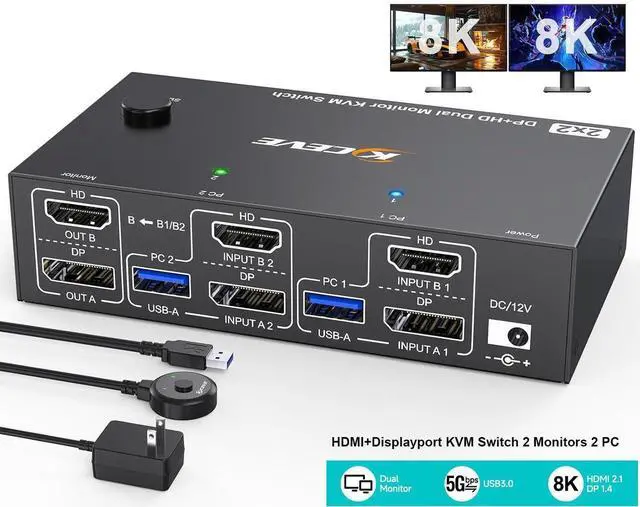
    HDMI + Displayport KVM Switch 2 Monitors 2 Computers 8K@60Hz 4K@144Hz, Dual Monitor KVM Switches with 4 USB 3.0 Ports for Keyboard Mouse Printer, Wired Remote, Power Adapter, USB Cable Included

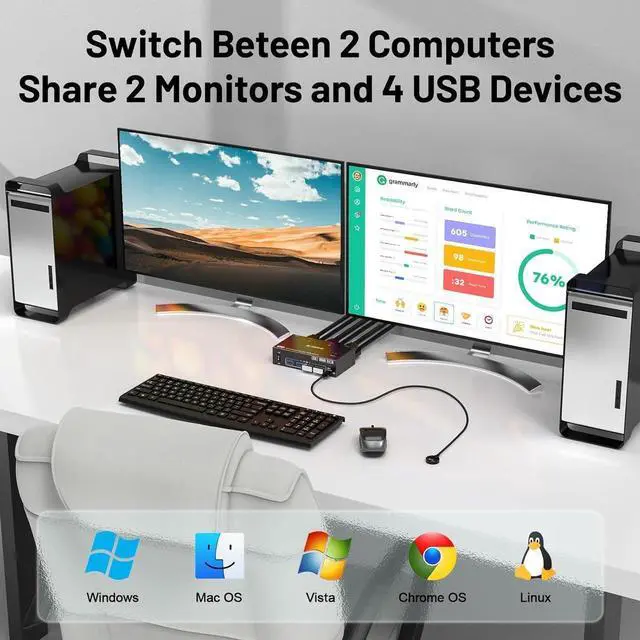
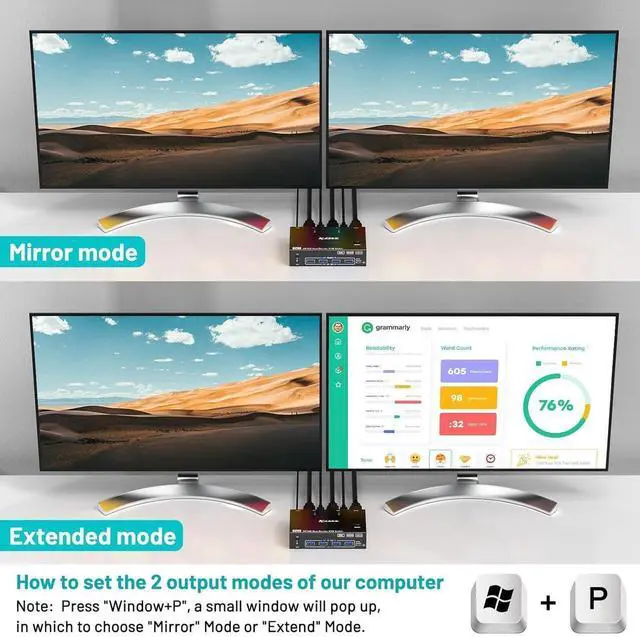
    • [HDMI Displayport KVM Switch Dual monitor] This KVM switch allows you to effortlessly manage 2 computers to share 2 monitors and 4 USB devices together. You can choose expanded mode and copy mode between 2 monitors as required,the extended mode can output 2 different screens and the mirror mode can output 2 identical screens.
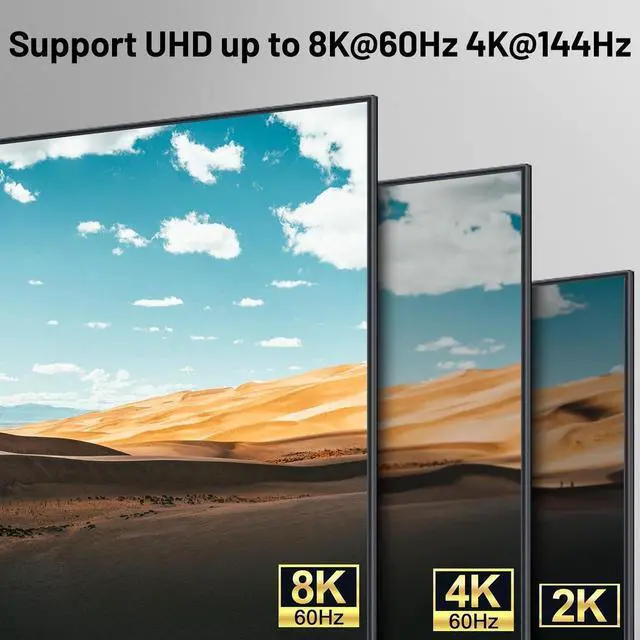
    • [Support Ultra HD 8K] Supports up to 8K@60Hz, 4K@144Hz resolutions and is backward compatible 4K@60Hz,2K@165Hz,1080P240Hz, etc..
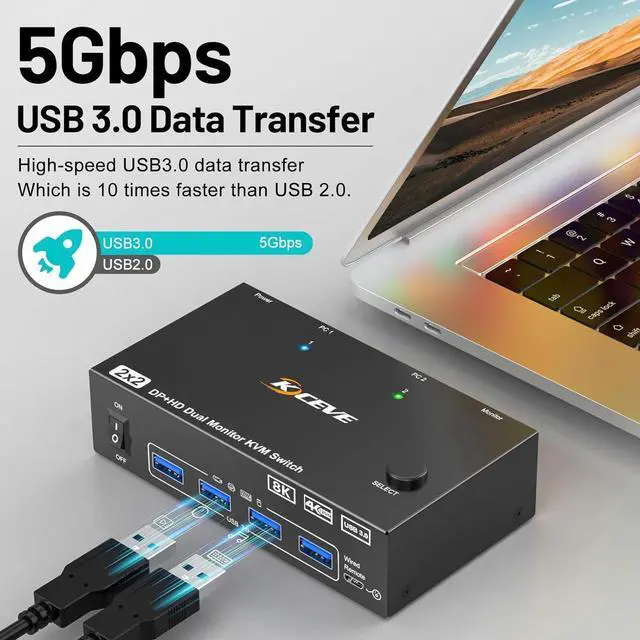
    • [5Gbps Ultra-fast Transfer] USB 3.0 transfer files in Seconds.This KVM Switch with 4 USB3.0 ports for peripheral USB devices such as keyboard, mouse, printer, etc., supports ultra-fast USB 3.0 data transfer rates of up to 5Gb/s. backward compatible with USB2.0/1.1.Support wireless keyboard and mouse.
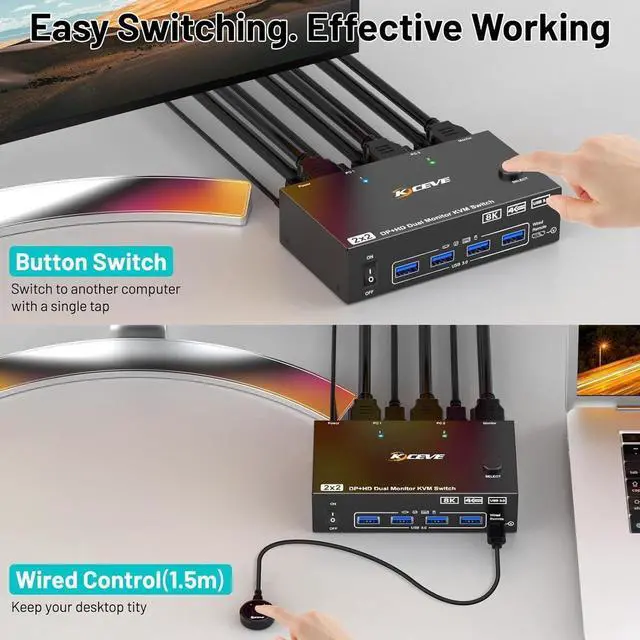
    • [Great Compatibility & 2 Switching Mode] Driver-free for Windows, Mac OS, Linux and Chrome OS. Compatible with PC, Laptop,TV Box. You can press the button on the panel or use the wired remote (included) to switch the computers.
    +
    +
    Overview
    Specs
    Reviews
    avatar

    Any questions? Our AI beta will help you find out quickly.

    HDMI + Displayport KVM Switch 2 monitors 2 computers
    This KVM switches allows 2 desktops or laptops to share a set of keyboard, mouse, printer and 2 monitors. Supports extension mode and copy mode. In expansion mode, 2 monitors will output different images; In copy mode, 2 monitors will output the exact same image.
    KVM switch with widely compatibility and driver-free for Windows, Mac OS, Linux and Chrome OS, etc. Compatible with desktop and laptop, widely used in offices, home, banks, teaching and other places.
    Can enable your computer and monitor to use the highest supported resolution and backward compatible 4K@60Hz 3D 1080P, etc.

    Before using high resolution, please ensure that your computer monitor and cable support high resolution.
    USB 3.0 Ultra Speed Transfer


    With 4 USB 3.0 ports. Data transfer speed of up to 5Gbps, you don't need to turn off the system power to unplug cables or USB devices, plug and play.
    With a 12V power adapter.


    Eliminated the situation of monitor flickering and insufficient power supply when using high-power USB devices
    One click close


    Pressing the button can stop the operation of this KVM switch
    LED light


    The two LED lights on the panel are used to display the currently active computer
    You can switch computers by pressing the buttons on the panel and the wired remote control.
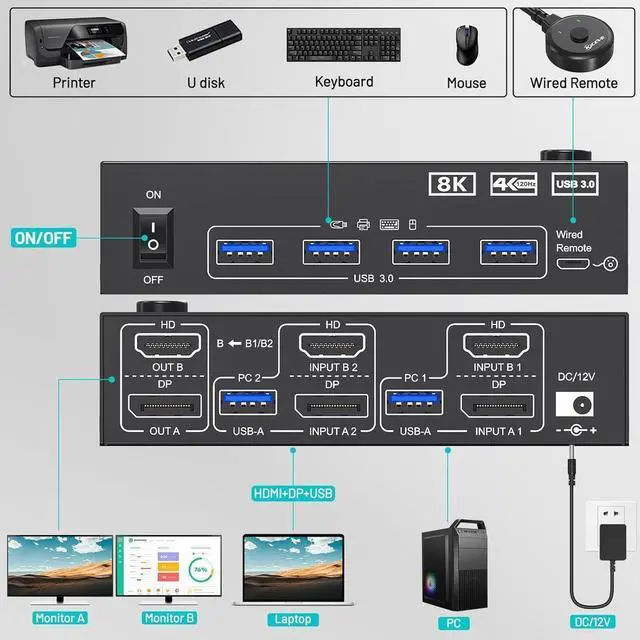
    Installation Guide: Each PC need 1*HDMI+1*DP +1*USB cable to connect with KVM.


    Step 1. Connect 1*HDMI+1*DP cables+1*USB cable between PC 1 and KVM (USB 3.0, INPUT A1, INPUT B1).

    Step 2. Connect 1*HDMI+1*DP cables+1*USB cable between PC 2 and KVM (USB 3.0, INPUT A2, INPUT B2).

    Step 3. Connect HDMI and DP cables between KVM and monitors. (Mark "OUT A, OUT B").

    Step 4. Plug your USB device (keyboard, mouse, printer, USB stick, etc. ) into the USB-A port on the KVM.

    Step 5. Insert the wired remote into the "SELECT" port to remotely switch between PC1 and PC2.

    Warranty & Returns

    Warranty, Returns, And Additional Information

    Warranty

    • Please contact the Seller directly for warranty information. Warranty information may also be found on the Manufacturer's website.
    • CONTACT

    Return Policies

    • Return for refund within: 30 days
    • Return for replacement within: non-replaceable
    • This item is covered by E-tech Return Policy

    Manufacturer Contact Info

    LOADING...