

Your Browsing History
- Free 30-day Returns
$97.89
Ships from Hong Kong.


Meet Your Seller

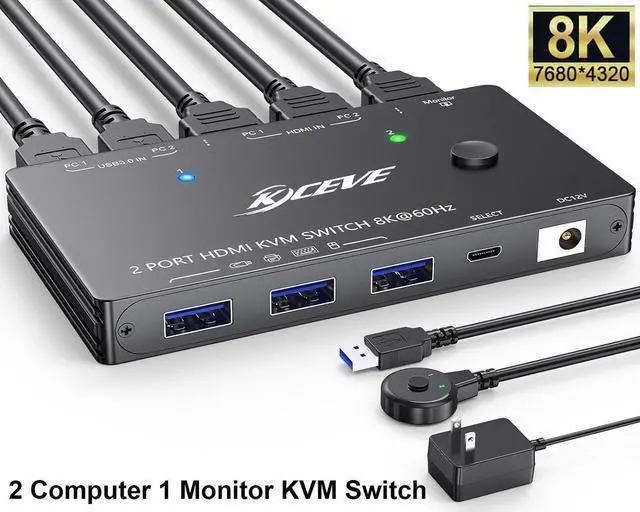


HDMI 2.1 KVM Switch 8K@60Hz 4K@120Hz, 2 Port HDMI KVM Switch for 2 Computers Share 1 Monitor and 3 USB 3.0 Devices, HDCP 2.3, HDR 10, with Wired Remote and USB 3.0 Cables
Limited time offer, ends 09/11 By E-tech
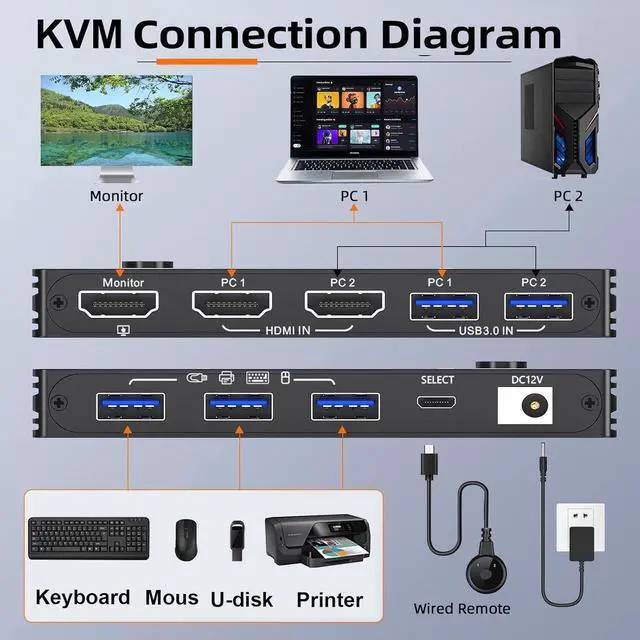
- [KVM Switch 2 Computers 1 Monitor] The KVM Switch let you share 1 monitor and keyboard and mouse between 2 computers, support wireless/wired mouse keyboard and USB external devices such as printers, scanners, etc. Adopts HDMI 2.1 HDCP 2.3 and USB 3.0 technology. Each computer needs 1 HDMI cable + 1 USB cable to plug into the KVM switch HDMI.
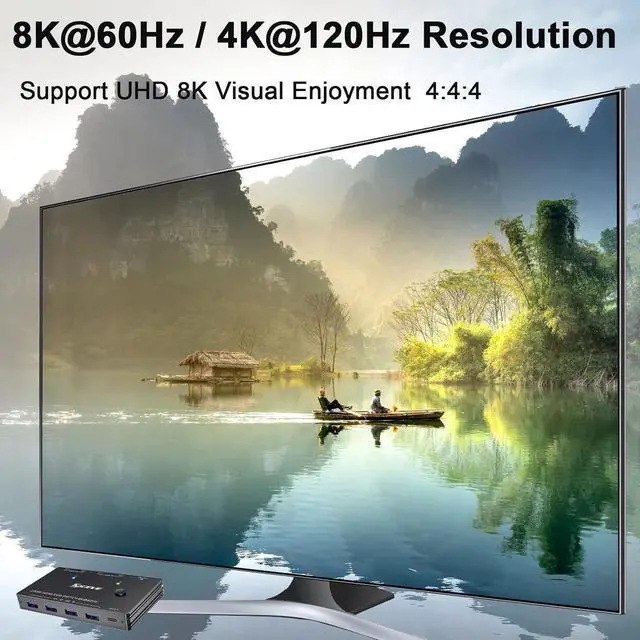
- [8K@60Hz 4K@120HzVisual Enjoyment] Supports 8K@60Hz, 4K@120Hz, 4K@60Hz, 2K@144Hz, 1920x1080@120/60Hz or lower resolution.
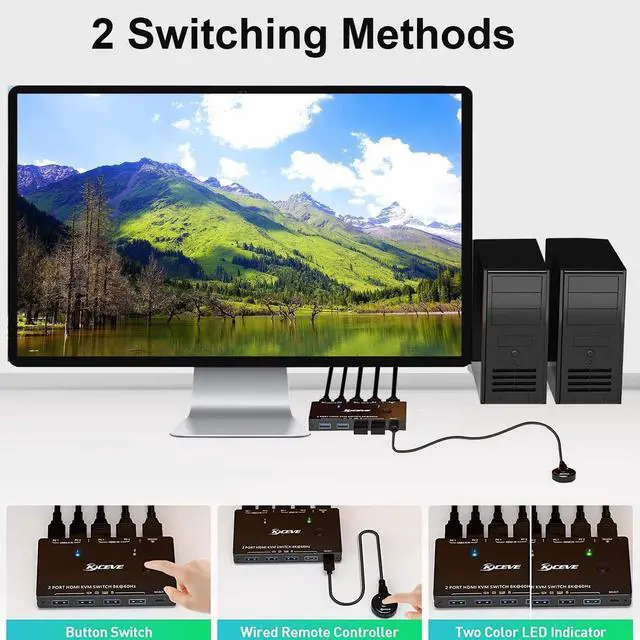
- [2 switching methods] Use the panel button of the KVM Switch or the 1.5m wired remote control to switch between 2 computers. The LED light indicate active computer.
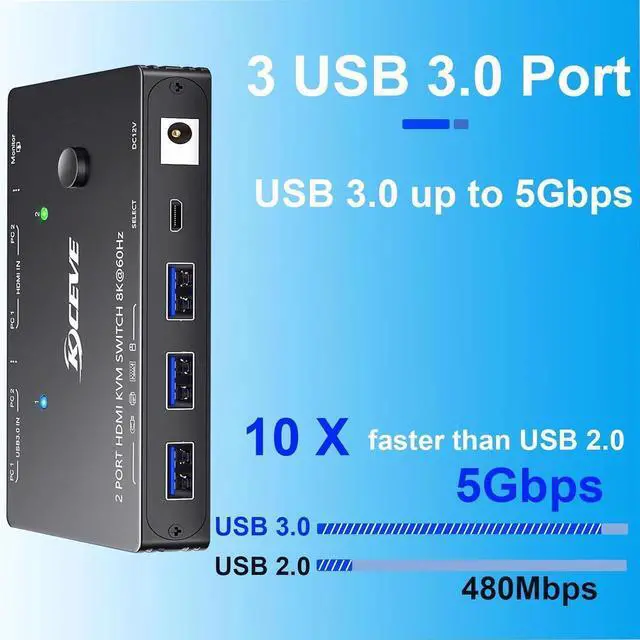
- [with 3 USB 3.0 Ports] Supports USB 3.0 technology. has 5Gbps data transmission efficiency and is compatible with USB 2.0/1.1 device.
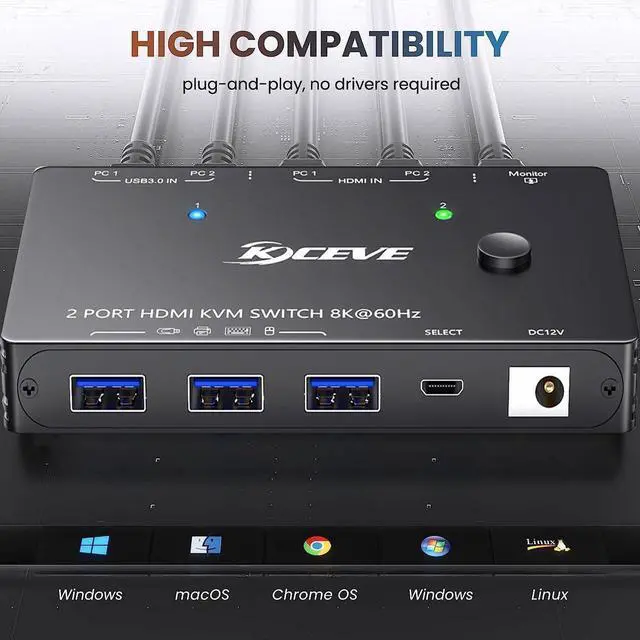
- [Excellent compatibility] Compatible with Windows, MAC OS, Vista, Chrome, Linux, Unix, Ubuntu, Fedora, etc. Widely used in offices, media teaching. support most HDMI input devices, such as computers, laptop, TV box, etc..
+
+
Overview
Specs
Reviews

Any questions? Our AI mode will help you find out quickly.
Try me now
8K HDMI 2.1 KVM Switch 2 Port - 2 computers Share 1 Monitor and 3 USB 3.0 devices
This 2 port 8K HDMI KVM Switch can control two computers or laptops with 1 set of wired or wireless keyboard mouse and 1 monitor. Switch between 2 computers by pressing the button on the KVM panel or wired remote.
Plug and play, Equipped with a 12V power adapter, it completely solves the issue of unstable connection of high-power USB devices such as RGB keyboards and hard drives.
Ultra HD resolution: 8K@60Hz, 4K@144Hz/120Hz, 2K, 1080P, 720P, RGB
4:4: 4, 8bit.
3 integrated USB 3.0 ports for keyboard, mouse, U disk, printer etc., supporting 5Gbps transmission rate.
Support total bandwidth: 48Gbps, HDCP: 2.3, backward compatible.
Wired remote with a length of 1.5 m for easy cable management.
Compatible with multiple systems, such as Windows, Mac, Unix, etc.
USB 3.0 HDMI KVM Switch 1 monitors 2 computers -- monitor switch for 2 computers
It's a good choice for the user who need to use two computers. You can easily switch between 2 computers and 3 USB devices. It eliminates the need to plug and unplug HDMI and USB cables back and forth, making your work more convenient and efficient.
PROS:
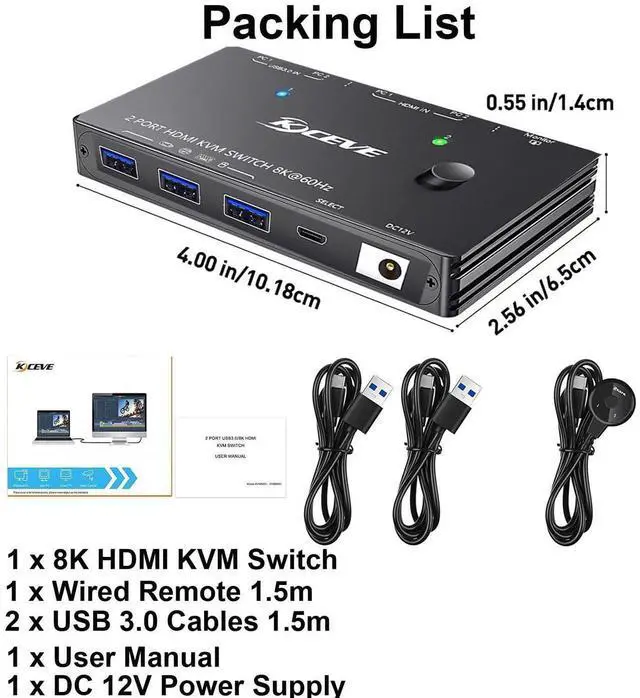
-- All video inputs/outputs are on the back and the USB connections on the front. Ideal for a desktop KVM as the video cables go behind the desk, and the USB connections are easily accessible from the front.
-- Additional extension button is provided if the KVM is out of reach. Has a nice 1 or 2 indicator that lights up to tell you what is selected, clear indication what PC is selected
-- No visual artifacts, stuttering or any other noticeable visual images or performance problems.
8K UHD resolution
Support 8K (7680*4320) @60Hz, 4K@120Hz, backward compatible, available for ultra wide screens.
Comes with wired remote( 1.50 m)
You can place the KVM under the desk for easy cable management. Digital 1/2 indicators correspond to PC1 and PC2.
2 PCs share 3 peripheral USB devices
3 USB 3.0 ports, can be used to connect wired /wireless mouse keyboard, U disk, printer or other USB devices
Support 5Gbps transfer rate, 10 times faster than USB 2.0.
NOTE:
1. Each computer needs 1*HDMI+1*USB cable to connect with KVM. (HDMI cable is not included in the package) Just make sure to buy the best HDMI matching the output you desire' it is recommended to use 8K HDMI 2.1 cable for better effect.
2. The KVM does not support EDID emulation, the window arrangement will be slightly shifted after switching.
3. Hotkey switching is not supported.
4. Make sure you enable access on your Mac once you plugged in everything.
5. This KVM does not support dynamic adjustment of Refresh rate.
6. Supports USB-C to HDMI cable or converter.
7. If your monitor's resolution drops, flickers or doesn't work after connecting the KVM switch, please replace the HDMI cables. 8K HDMI 2.1 cables are recommended, the length of a single cable should not exceed 1.5 m.
This 2 port 8K HDMI KVM Switch can control two computers or laptops with 1 set of wired or wireless keyboard mouse and 1 monitor. Switch between 2 computers by pressing the button on the KVM panel or wired remote.
Plug and play, Equipped with a 12V power adapter, it completely solves the issue of unstable connection of high-power USB devices such as RGB keyboards and hard drives.
Ultra HD resolution: 8K@60Hz, 4K@144Hz/120Hz, 2K, 1080P, 720P, RGB
4:4: 4, 8bit.
3 integrated USB 3.0 ports for keyboard, mouse, U disk, printer etc., supporting 5Gbps transmission rate.
Support total bandwidth: 48Gbps, HDCP: 2.3, backward compatible.
Wired remote with a length of 1.5 m for easy cable management.
Compatible with multiple systems, such as Windows, Mac, Unix, etc.
USB 3.0 HDMI KVM Switch 1 monitors 2 computers -- monitor switch for 2 computers
It's a good choice for the user who need to use two computers. You can easily switch between 2 computers and 3 USB devices. It eliminates the need to plug and unplug HDMI and USB cables back and forth, making your work more convenient and efficient.
PROS:
-- All video inputs/outputs are on the back and the USB connections on the front. Ideal for a desktop KVM as the video cables go behind the desk, and the USB connections are easily accessible from the front.
-- Additional extension button is provided if the KVM is out of reach. Has a nice 1 or 2 indicator that lights up to tell you what is selected, clear indication what PC is selected
-- No visual artifacts, stuttering or any other noticeable visual images or performance problems.
8K UHD resolution
Support 8K (7680*4320) @60Hz, 4K@120Hz, backward compatible, available for ultra wide screens.
Comes with wired remote( 1.50 m)
You can place the KVM under the desk for easy cable management. Digital 1/2 indicators correspond to PC1 and PC2.
2 PCs share 3 peripheral USB devices
3 USB 3.0 ports, can be used to connect wired /wireless mouse keyboard, U disk, printer or other USB devices
Support 5Gbps transfer rate, 10 times faster than USB 2.0.
NOTE:
1. Each computer needs 1*HDMI+1*USB cable to connect with KVM. (HDMI cable is not included in the package) Just make sure to buy the best HDMI matching the output you desire' it is recommended to use 8K HDMI 2.1 cable for better effect.
2. The KVM does not support EDID emulation, the window arrangement will be slightly shifted after switching.
3. Hotkey switching is not supported.
4. Make sure you enable access on your Mac once you plugged in everything.
5. This KVM does not support dynamic adjustment of Refresh rate.
6. Supports USB-C to HDMI cable or converter.
7. If your monitor's resolution drops, flickers or doesn't work after connecting the KVM switch, please replace the HDMI cables. 8K HDMI 2.1 cables are recommended, the length of a single cable should not exceed 1.5 m.
Warranty & Returns
Warranty, Returns, And Additional Information
Warranty
- Please contact the Seller directly for warranty information. Warranty information may also be found on the Manufacturer's website.
- CONTACT
Return Policies
- Return for refund within: 30 days
- Return for replacement within: non-replaceable
- This item is covered by E-tech Return Policy
Manufacturer Contact Info
- For a directory of all our manufacturers, please click below.
- Manufacturers Directory
LOADING...