• $49.90
  • Free 30-day Returns
  • Ships from China.
    Price alert
    Shop it at NeweggBusiness.

    Meet Your Seller

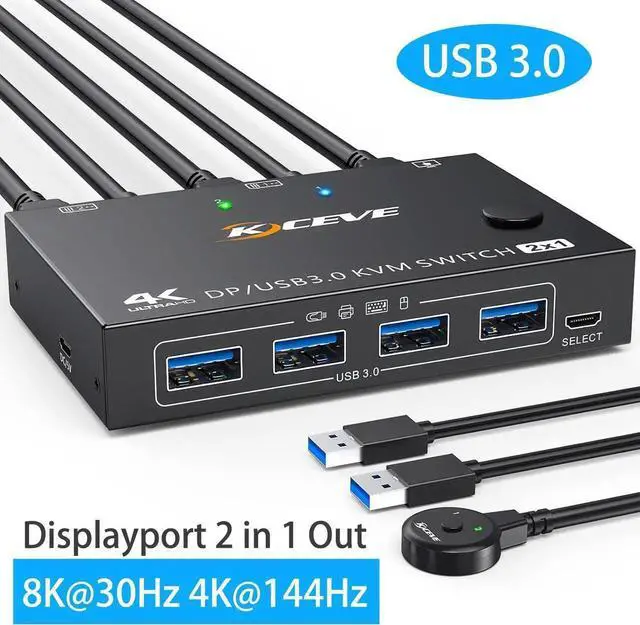
    Displayport KVM Switch 2 Computers 1 Monitor, USB 3.0 KVM Switch Displayport 8K@30Hz 4K@144Hz, DP KVM Switch 2 PC 1 Monitor Share 4 USB 3.0 Devices Keyboard Mouse Monitor, with Wired Remote

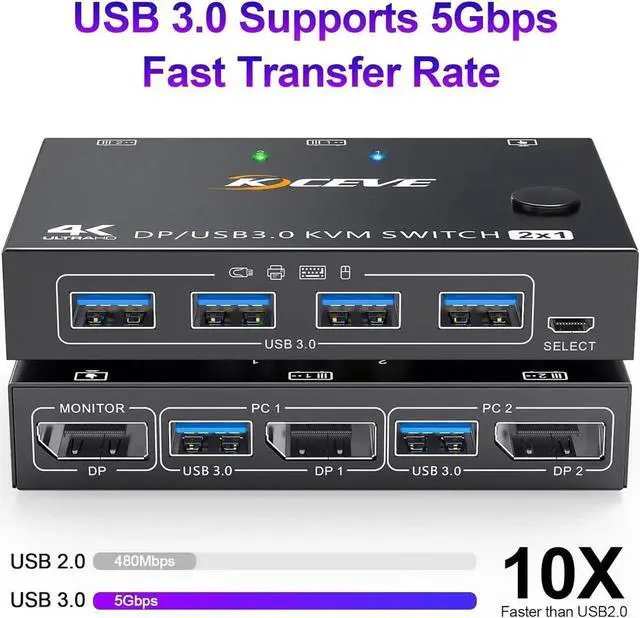
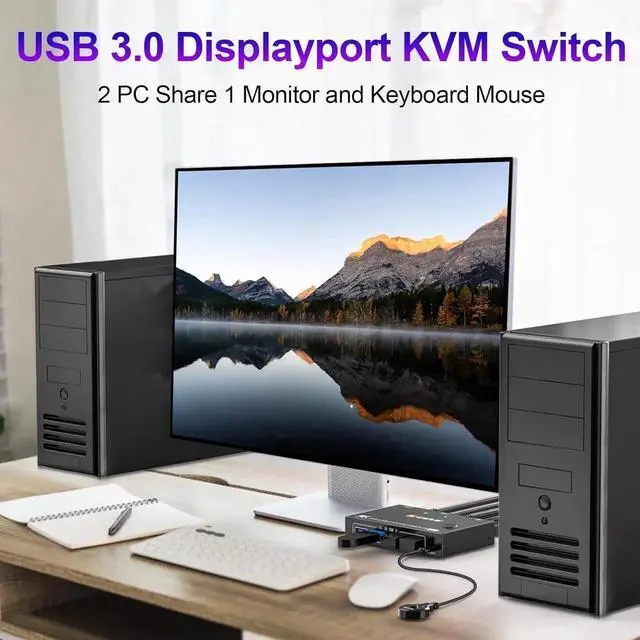
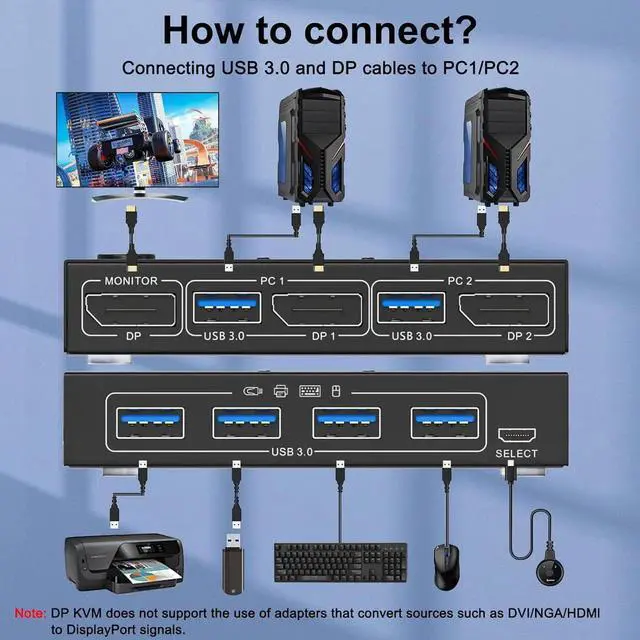
    • [DP KVM Switch 2 PC 1 Monitor] This KVM switch lets you control 2 computers with just one set of controls (monitor, wireless mouse, keyboard and printer) and supports webcams. You can freely switch between the 2 computers. Each PC needs 1 DP & 1 USB cable plugged in KVM.
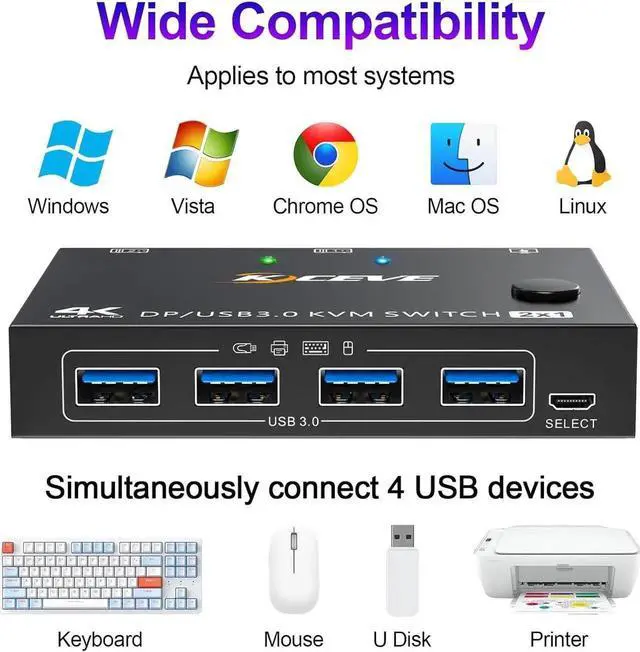
    • [with 4 USB 3.0 Ports] with 4 Integrated USB 3.0 Ports, for 2 Computers share 1 Monitor and 4 USB 3.0 devices without unplugging, Securely Identify Wireless Keyboard, Mouse, printers, scanners and other USB devices(dont support bluetooth mouse). USB 3.0 technology supports 5Gbps efficiency, compatible with USB 2.0/1.1 devices.
    • [4K@144Hz Visual Enjoymen] Supports up to 8K@30Hz, 4K@120Hz, 3440x1440@144Hz, 4K@60Hz, 1920x1080@60hz, 1080P, makes the screen display more delicate and realistic.
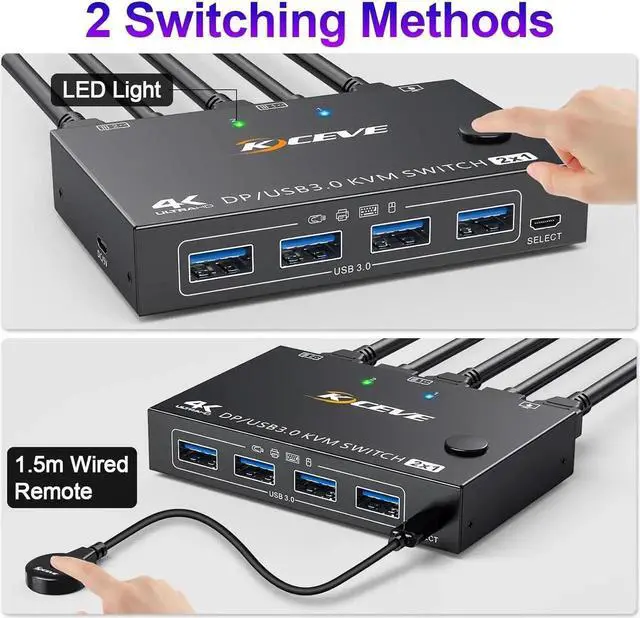
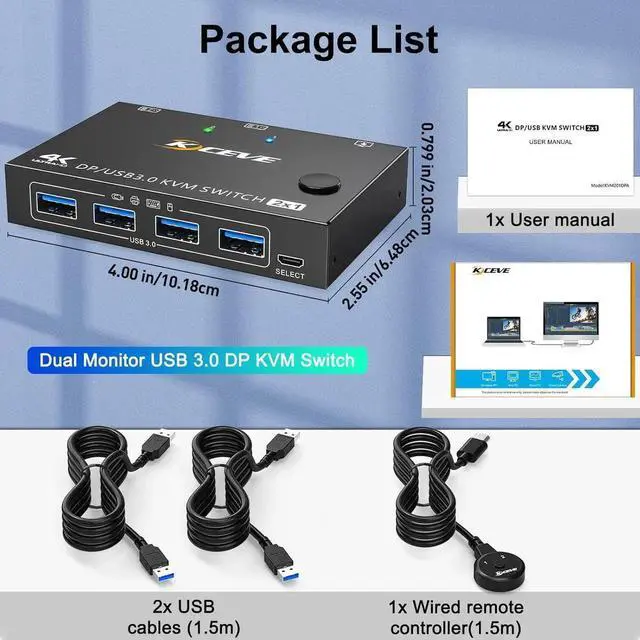
    • [2 Switching Methods] Freely switch between 2 computers 1 monitor to press panel button switch or 1.5m wired remote controller.
    • [Universal Compatibility] Suitable for Windows 10/8/8.1/7/XP/Vista, Mac OS, Linux and Chrome OS systems.
    +
    +
    Overview
    Specs
    Reviews
    avatar

    Any questions? Our AI beta will help you find out quickly.

    1. With this DP1.4 2-port KVM switch, you can control two computers or laptops from a single wired or wireless keyboard, mouse and monitor.
    2. Switching can be done at any time using the wired remote control and control panel buttons.
    3. This DP1.4 KVM switch supports video formats such as 8K@30Hz, 4K@120Hz/60Hz, and more.
    4. Fully compatible with Windows, Unix, Mac OS and Linux.
    5. Equipped with 4 USB3.0 ports for supporting USB devices (e.g. mouse, keyboard, USB flash drive, webcam, etc.). Compatible with wired or wireless keyboard and mouse.

    Precautions:

    Make sure that the connected computer, monitor, and DP cable used all support 8K, so that you can achieve 8K resolution. If the installation distance allows, the DP cable should not be longer than 1.5 meters, as cables that are too long can cause loss of signal, resulting in instability and other problems. Make sure the USB input is plugged in, otherwise the mouse and keyboard will not be recognized.


    Warranty & Returns

    Warranty, Returns, And Additional Information

    Warranty

    • Please contact the Seller directly for warranty information. Warranty information may also be found on the Manufacturer's website.
    • CONTACT

    Return Policies

    • Return for refund within: 30 days
    • Return for replacement within: 30 days
    • This item is covered by HUADO Return Policy

    Manufacturer Contact Info

    LOADING...