

Your Browsing History
- Free 30-day Returns
$159.90
Ships from China.


Meet Your Seller

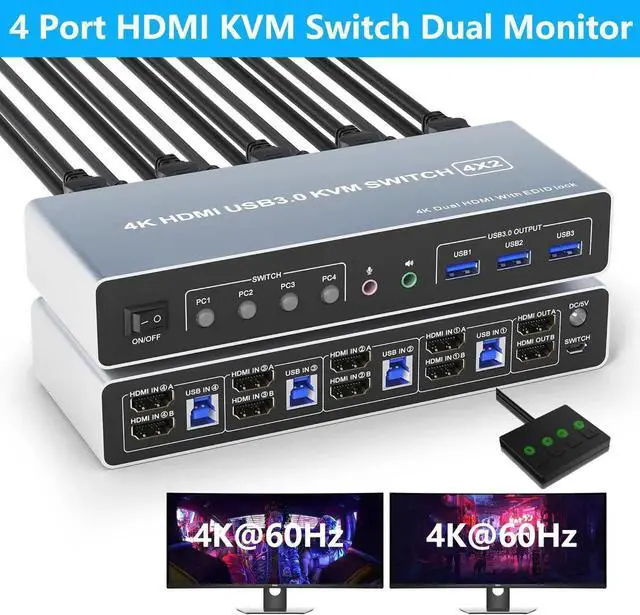



USB 3.0 HDMI KVM Switch 4 Computers 2 Monitors, 4K@60Hz 4 Ports HDMI Dual Monitors KVM Switch Supports EDID, with Audio Microphone Output and 3 USB 3.0 Ports, 4 in 2 Out HDMI KVM Switches
- 4 Port HDMI KVM Switch: This KVM allows you to use a set of keyboard and mouse to control 4 computers, share 3 USB devices and 2 monitors. You may have 4 computers currently, or you may only have 2 computers now, but you may need to use 3 or 4 computers in the future, then you can choose this switch.
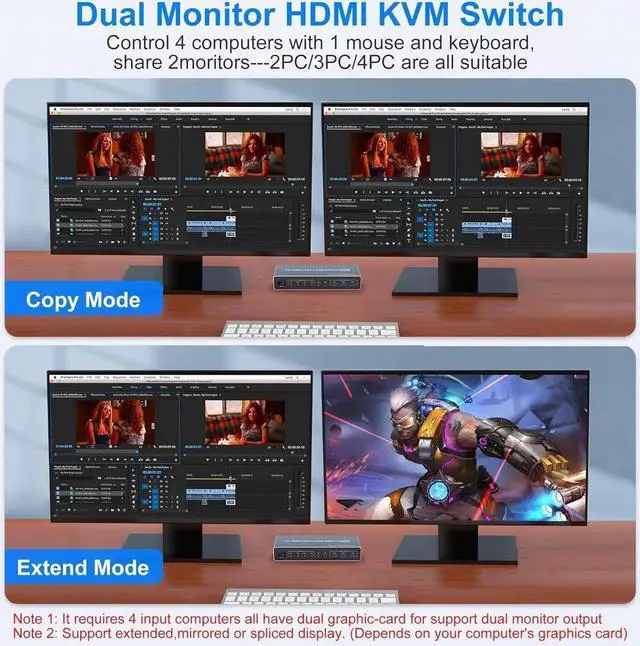
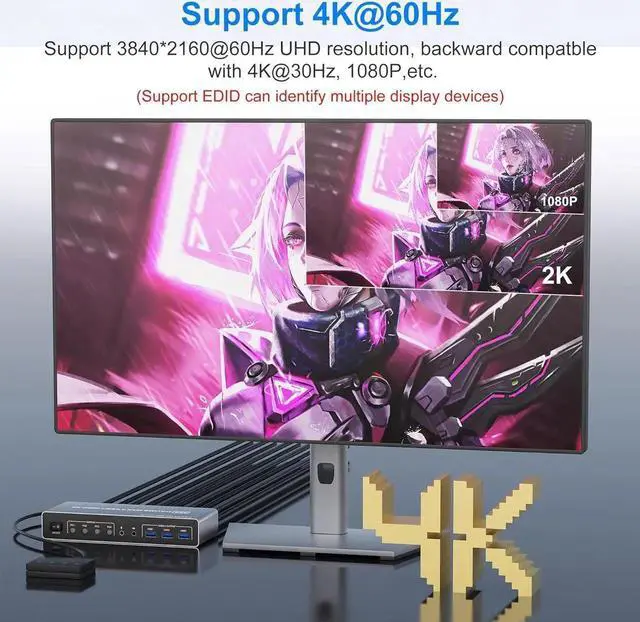
- Ultra HD 4K:Supporting high resolution max up to 4K@60Hz. And support copy mode and extension mode (requires your computer to have 2 HDMI port) copy mode: 2 monitors output the same picture, extender mode: 2 monitors output different pictures
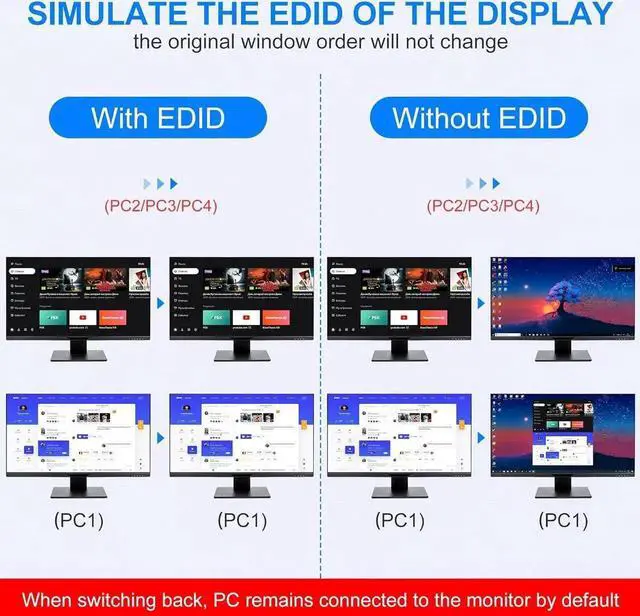
- With Simulation EDID: This KVM switch can simulate the EDID of the display, store the resolution and refresh rate of the display, it comes with EDID emulators in each input port, keep PCs always having correct display information.
- with 3 USB 3.0 Ports:Comes with 3 USB 3.0 ports for sharing USB devices, such as keybaord, mouse, scanners, printers and more other USB devices.Compatible with Windows 7/8/10/11/Vista/xp, Linux, Mac, and so on.
+
+
Overview
Specs
Reviews

Any questions? Our AI mode will help you find out quickly.
Try me now
Does Everything You Need!
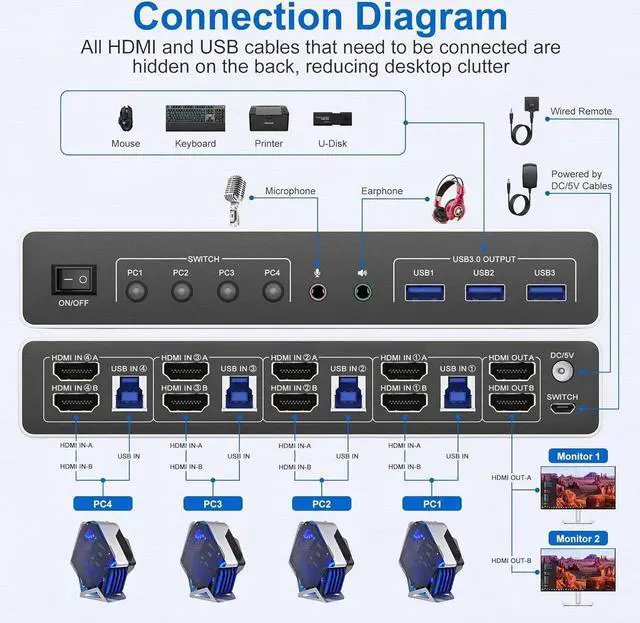
4 port USB 3.0 dual-monitor HDMI KVM Switch (HDMI + HDMI). Each input source device must be connected to two dual-monitor.
This kvm switch dual monitor 4 port help you control 4 PCs share 2 monitors by only one set of USB keyboard & mouse.
Connection Steps & Notes
1. Insert the adapter into the KVM;
2. Plug the HDMI cable into the KVM and monitor; (Output)
3. 1). Connect PC1 Firstly (Input)
Use 1 HDMI cable to connect the "HDMI IN 1 A" input interface and PC1 HDMI A output interface,
Use 1 HDMI cable to connect the "HDMI IN1 B" input interface and PC1 HDMI B output interface.
Use 1 "USB-a to USB-b" USB 3.0 cable to connect the "USB IN 1" input interface and PC1 USB 3.0 interface.
2)Then, Connect PC2, PC3, and PC4 according to the connection steps of PC1.
4. Insert the mouse and keyboard into the KVM switch
5. If needed, you can connect a microphone and audio port
Note:
1. Most of the reasons why only onevideo output works is because of incorrect connection. Please make sure eachcomputer have 2 HDMI cables connect to the KVM.
2. Please check the HDMI IN A1 & A2 & A3 & A4, HDMI IN B1 & B2 & B3 & B4 and USB IN1 & IN2 & IN3 & IN4 is corresponding, HDMI OUT A, HDMI OUT B is corresponding, NOT support mixed insertion.
3.
Note: HDMI cables are not included
See More
Dual Monitor HDMI KVM Switch 4 computers share 2 monitor and 3 USB 3.0 devices
Warranty & Returns
Warranty, Returns, And Additional Information
Warranty
- Please contact the Seller directly for warranty information. Warranty information may also be found on the Manufacturer's website.
- CONTACT
Return Policies
- Return for refund within: 30 days
- Return for replacement within: 30 days
- This item is covered by HUADO Return Policy
Manufacturer Contact Info
- For a directory of all our manufacturers, please click below.
- Manufacturers Directory
LOADING...