• $129.90
  • Free 30-day Returns
  • Ships from China.
    Price alert
    Shop it at NeweggBusiness.

    Meet Your Seller

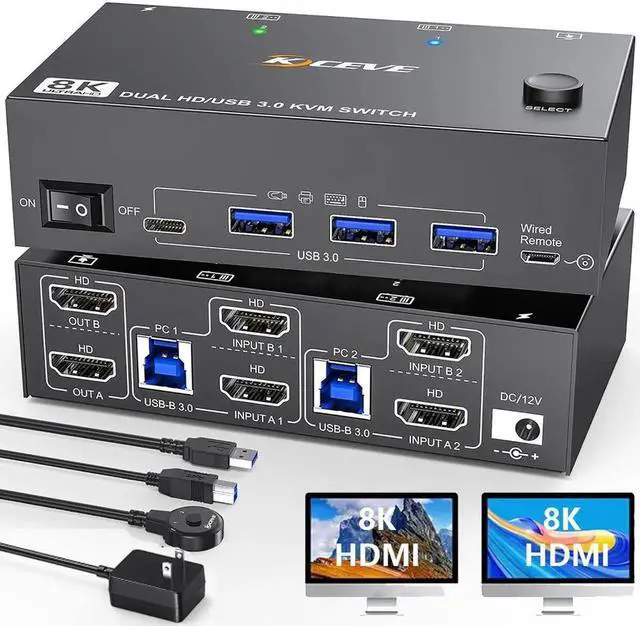
    8K@60Hz HDMI KVM Switch 2 PC 2 Monitors, Dual Monitor HDMI USB 3.0 KVM Switch Simulation EDID, with 4 USB 3.0 HUB for Keyboard, Mouse, Wired Remote, 12V Power Adapter and USB Cable Included

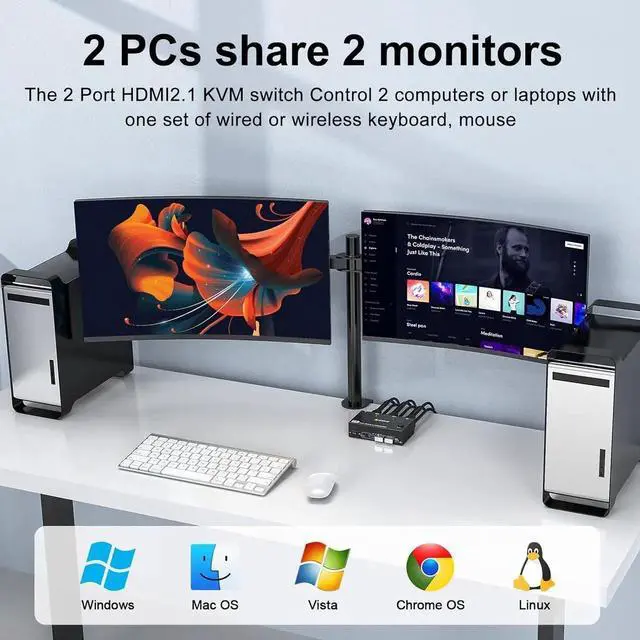
    • [HDMI KVM Switch 2 PC 2 Monitors] Control with only one set of wired or wireless keyboard mouse with this USB 3.0 Dual Monitor KVM Switch and share 4 USB 3.0 devices and 2 monitors.
    • [Ultra HD 8K@60Hz Visual Enjoyment] Supports resolutions up to 8K@60Hz, 4K@144Hz, and is backward compatible. Note: If you need 8K resolution, please use an HD-MI-2.1 cable and make sure your computers and monitors support 8K!
    • [Great Compatibility] Driver-free for Windows 10/8/8.1/7/Vista/XP and Mac OS, Linux. Plug and play, Supports most HDMI-enabled devices or signal source switches. It is widely used for office, teaching, meeting rooms, home theater, games, etc.
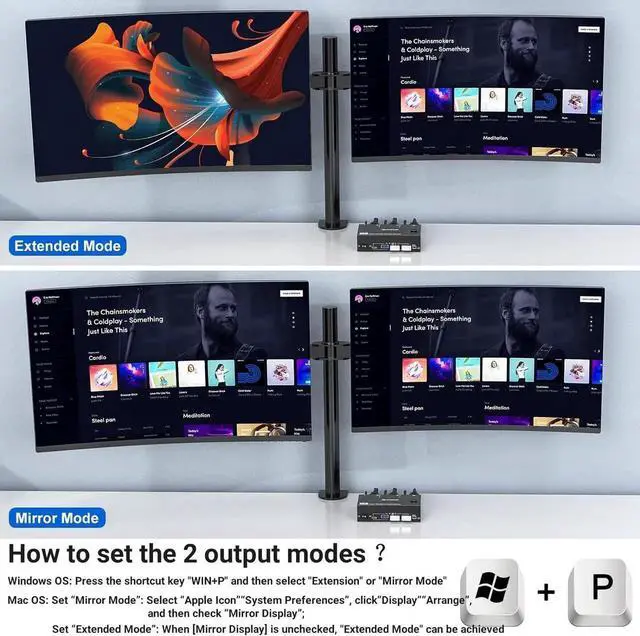
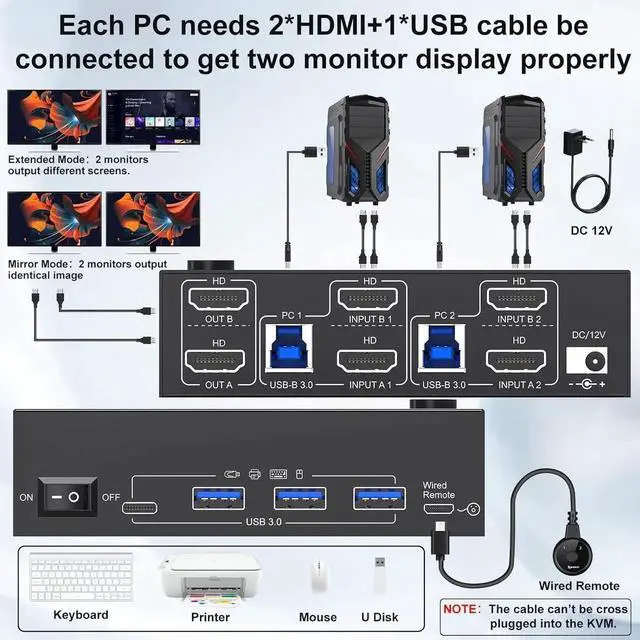
    • [2 Display Modes] You can choose between 2 monitors, advanced mode and copy mode according to your needs. Advanced mode can output 2 different screens, and mirror mode can output two identical screens.
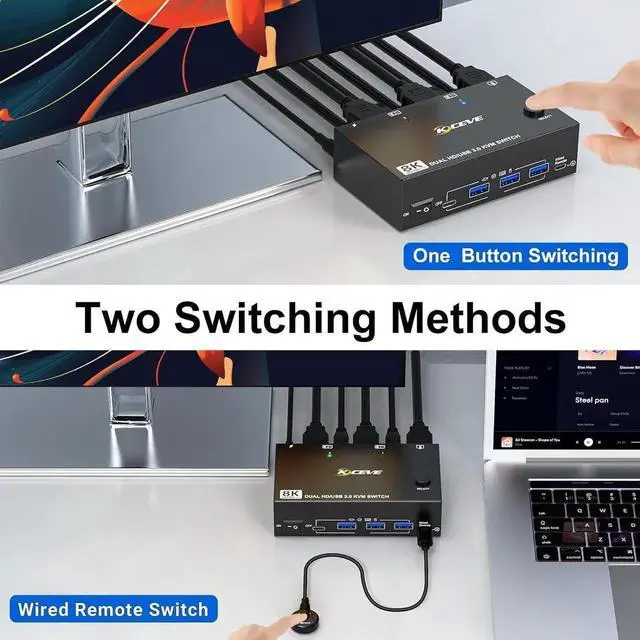
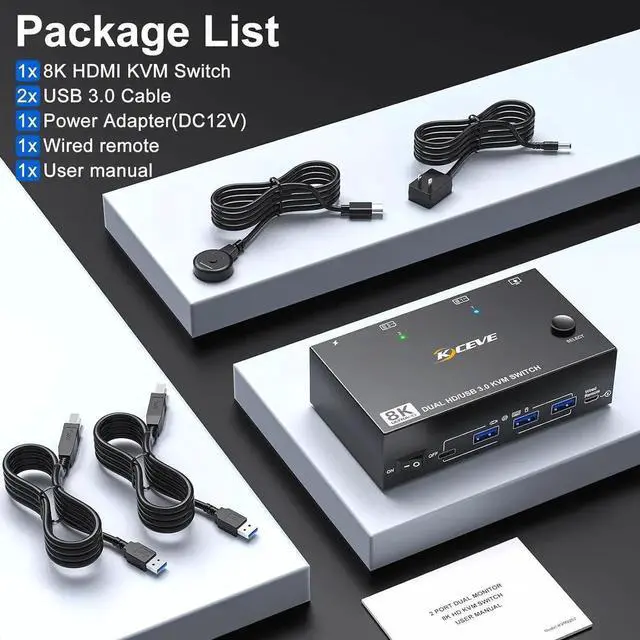
    • [2 Switching Modes] KVM Switcher allows you to switch between 2 computers using the wired remote control (included) or the control panel button.
    +
    +
    Overview
    Specs
    Reviews
    avatar

    Any questions? Our AI beta will help you find out quickly.

    Wide Compatibility

    Driver free For Windows 11/10/8/7/Vista/XP and Mac OS, Linux and Chrome OS.

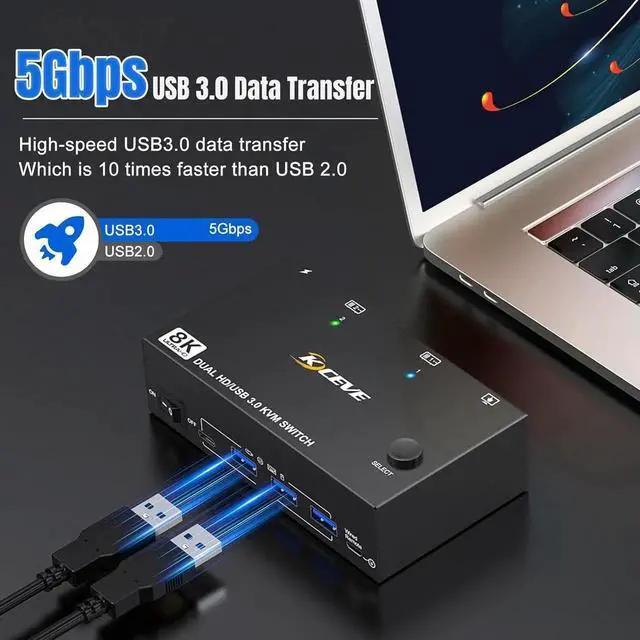
    HDMI KVM switches have 4 USB 3.0 ports for sharing USB devices.

    Supports ultra-fast 5Gbps USB 3.0 data transfer speed, 10 times faster than USB 2.0


    How To connect the device:


    1. Make sure each computer (2 HD-MI cables + 1 USB cable) is connected to the KVM.

    2. After connecting the computers and monitors via KVM, you need to set the screen output mode on the computer (press Windows+P) and select the output mode from the pop-up window on the screen. Otherwise, only one of the two connected monitors will have an image.


    Warranty & Returns

    Warranty, Returns, And Additional Information

    Warranty

    • Please contact the Seller directly for warranty information. Warranty information may also be found on the Manufacturer's website.
    • CONTACT

    Return Policies

    • Return for refund within: 30 days
    • Return for replacement within: 30 days
    • This item is covered by HUADO Return Policy

    Manufacturer Contact Info

    LOADING...