Your Browsing History
Meet Your Seller
4K 144Hz Displayport Dual Monitor KVM Switch 8K Display Port 2 Monitors 2 Computers KVM Switcher DP USB3.0 KVM Selector 2 PC Share Keyboard Mouse 12V DC Adapter and USB3.0 Cables X2 Included
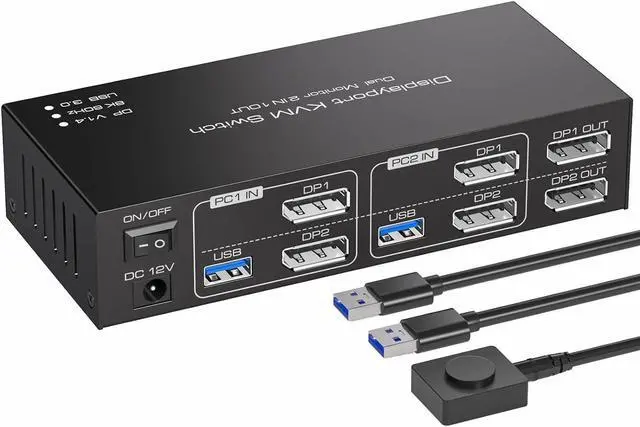
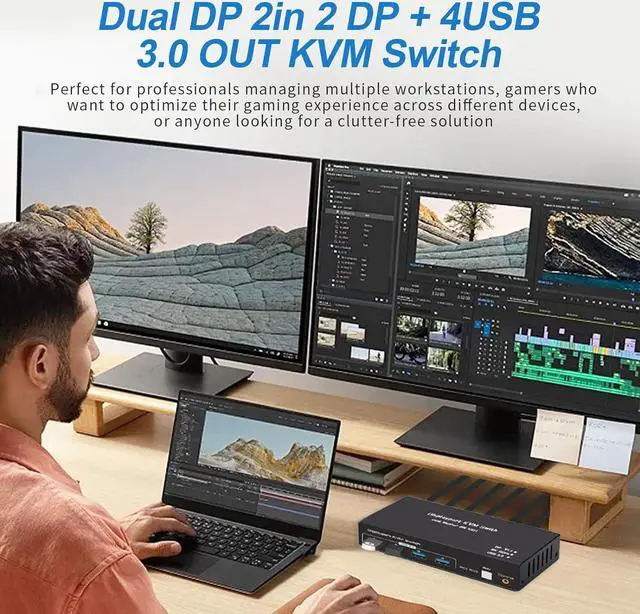
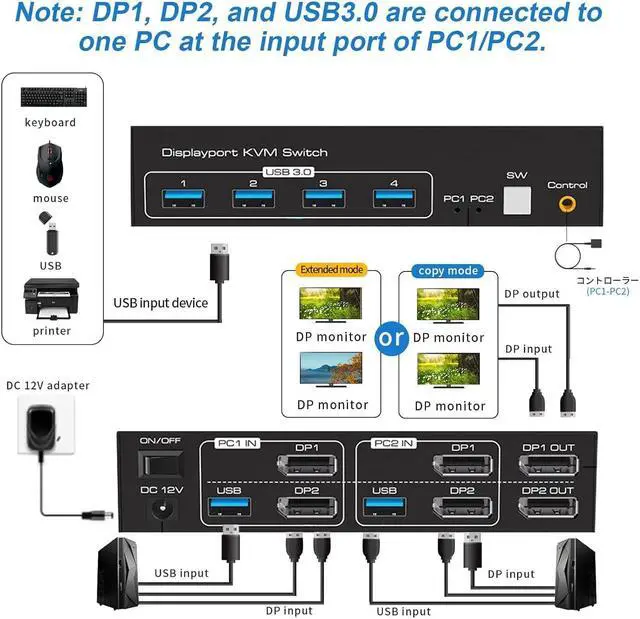
- Powerful Displayport KVM Switch SW223: By distributing DP1 and DP2 input ports on the upper and lower layers, it optimizes vertical space allocation, keeping your desktop tidy while significantly enhancing work efficiency. Its perfect for individuals who need to operate multiple computers simultaneously.
- Streamlined Output Logic: Emphasizing an intuitive design, the Displayport KVM Switch ensures seamless connectivity: DP1 input corresponds directly to DP1 OUT output, while DP2 input aligns with DP2 OUT output, simplifying setup and optimizing workflow efficiency.
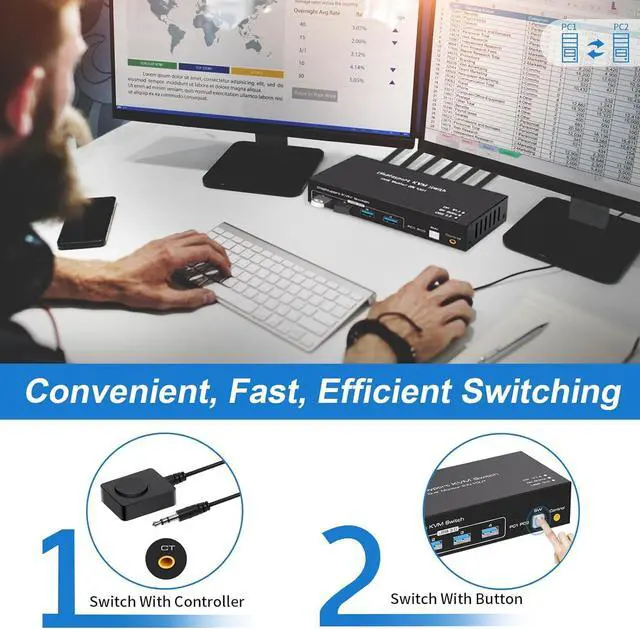
- 2 Way Effortless Input Switching: With 2 Displayport input ports (DP1 and DP2), seamlessly switch between multiple devices such as computers, gaming consoles, and streaming devices with just the press of a button. You can also switch the Displayport source through the extra control. When switching between two computers, the display will go black for a few seconds.
- High-Speed 4 USB3.
+
+
Overview
Specs
Reviews
Any questions? Our AI beta will help you find out quickly.
Try me now
Powerful Displayport KVM Switch SW223: By distributing DP1 and DP2 input ports on the upper and lower layers, it optimizes vertical space allocation, keeping your desktop tidy while significantly enhancing work efficiency. Its perfect for individuals who need to operate multiple computers simultaneously.
Streamlined Output Logic: Emphasizing an intuitive design, the Displayport KVM Switch ensures seamless connectivity: DP1 input corresponds directly to DP1 OUT output, while DP2 input aligns with DP2 OUT output, simplifying setup and optimizing workflow efficiency.
2 Way Effortless Input Switching: With 2 Displayport input ports (DP1 and DP2), seamlessly switch between multiple devices such as computers, gaming consoles, and streaming devices with just the press of a button. You can also switch the Displayport source through the extra control. When switching between two computers, the display will go black for a few seconds.
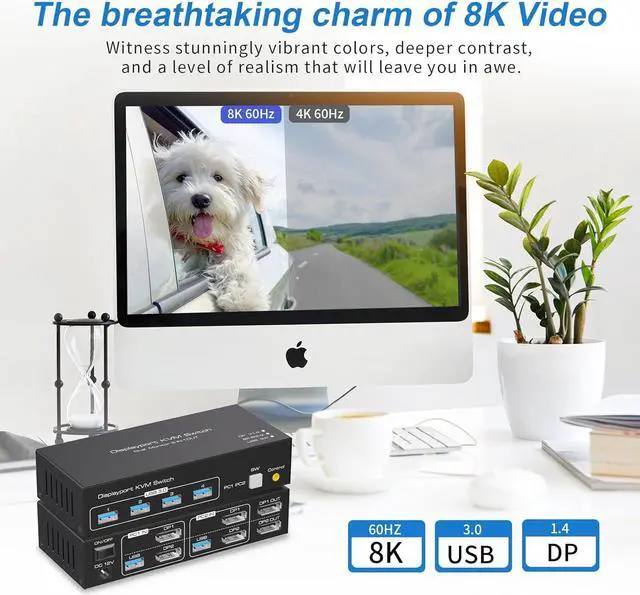
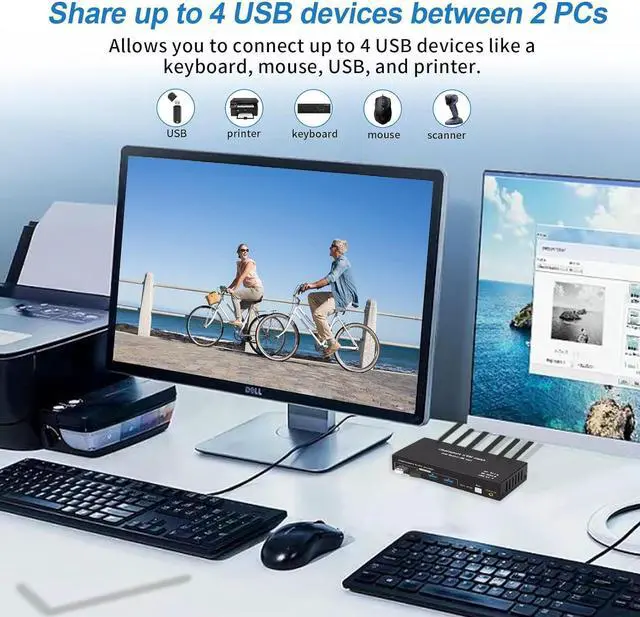
High-Speed 4 USB 3.0 Connectivity: Featuring 4 USB 3.0 output ports, effortlessly transfer data, images, and files between your connected devices. Experience blazing-fast data transfer speeds for enhanced productivity.
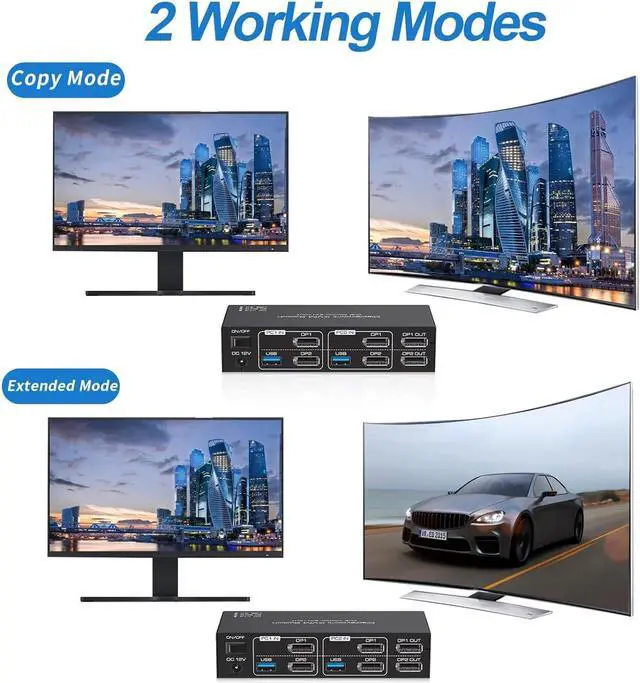
Support Extended & Copy Mode: Elevate your multitasking capabilities with Extended Mode and Copy Mode features. Extended Mode expands your desktop across multiple screens, providing ample workspace for efficient multitasking, while Copy Mode duplicates content on all connected displays, perfect for presentations and collaborative work environments. Enjoy unparalleled versatility and productivity with these advanced modes, tailored to suit your unique workflow needs.

Streamlined Output Logic: Emphasizing an intuitive design, the Displayport KVM Switch ensures seamless connectivity: DP1 input corresponds directly to DP1 OUT output, while DP2 input aligns with DP2 OUT output, simplifying setup and optimizing workflow efficiency.
2 Way Effortless Input Switching: With 2 Displayport input ports (DP1 and DP2), seamlessly switch between multiple devices such as computers, gaming consoles, and streaming devices with just the press of a button. You can also switch the Displayport source through the extra control. When switching between two computers, the display will go black for a few seconds.
High-Speed 4 USB 3.0 Connectivity: Featuring 4 USB 3.0 output ports, effortlessly transfer data, images, and files between your connected devices. Experience blazing-fast data transfer speeds for enhanced productivity.
Support Extended & Copy Mode: Elevate your multitasking capabilities with Extended Mode and Copy Mode features. Extended Mode expands your desktop across multiple screens, providing ample workspace for efficient multitasking, while Copy Mode duplicates content on all connected displays, perfect for presentations and collaborative work environments. Enjoy unparalleled versatility and productivity with these advanced modes, tailored to suit your unique workflow needs.
Warranty & Returns
Warranty, Returns, And Additional Information
Warranty
- Please contact the Seller directly for warranty information. Warranty information may also be found on the Manufacturer's website.
- CONTACT
Return Policies
- Return for refund within: 30 days
- Return for replacement within: 30 days
- This item is covered by restar Return Policy
Manufacturer Contact Info
- For a directory of all our manufacturers, please click below.
- Manufacturers Directory
LOADING...