

Your Browsing History
- Free 30-day Returns
$134.54
Ships from China.
Most customers receive within 4-17 days.

Meet Your Seller

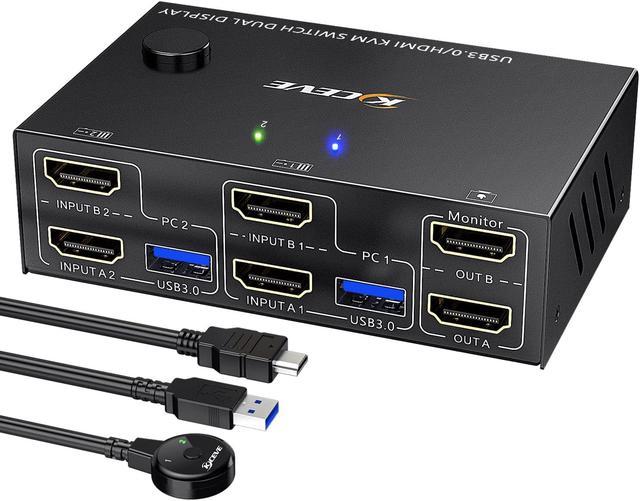


USB 3.0 Dual Monitor KVM Switch HDMI 4K@60Hz 2K@144Hz Simulation EDID, MLEEDA USB HDMI Extended Display Switcher for 2 Computers Share 2 Monitors and 4 USB 3.0 Ports,Wired Remote and Cables Included
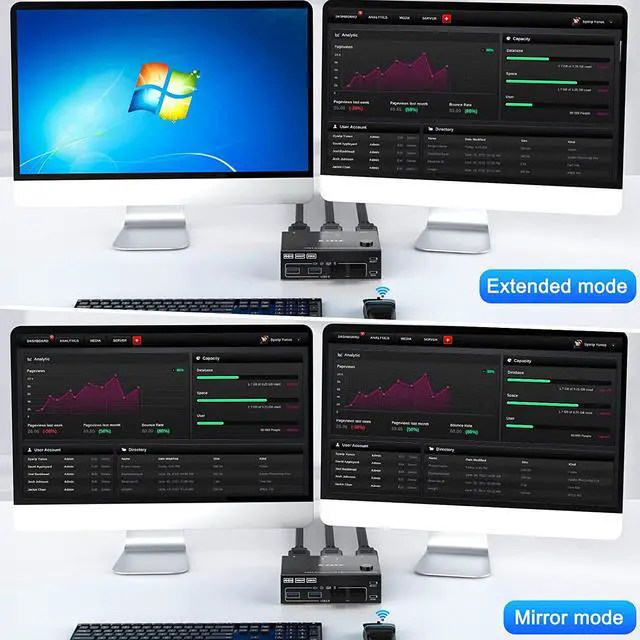
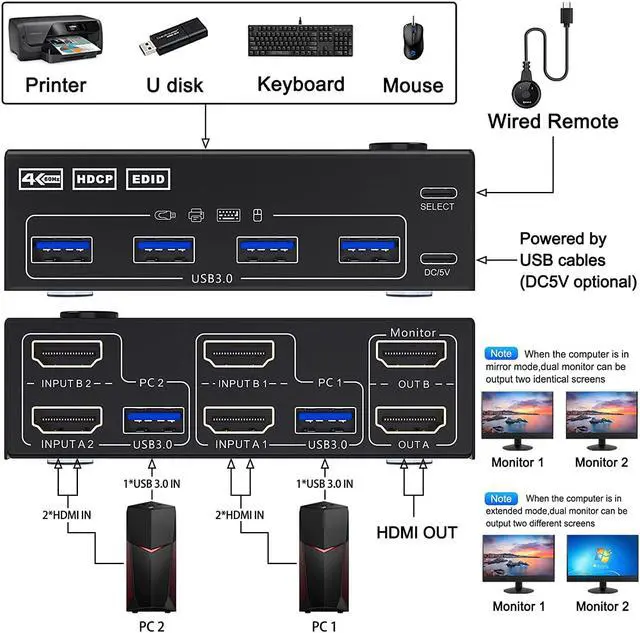
- HDMI KVM Switch Dual Monitor 2 computers 2 monitorsThis Dual Monitor KVM switch 2 monitors 2 computers allow you to control 2 computers or laptops by only one set of wired or wireless keyboard mouse,share 4 USB 3.0 devices and 2 monitors(Extend display mode or copy display mode). Please note that the extended mode can output two different screens, and the copy mode can output two identical screens.
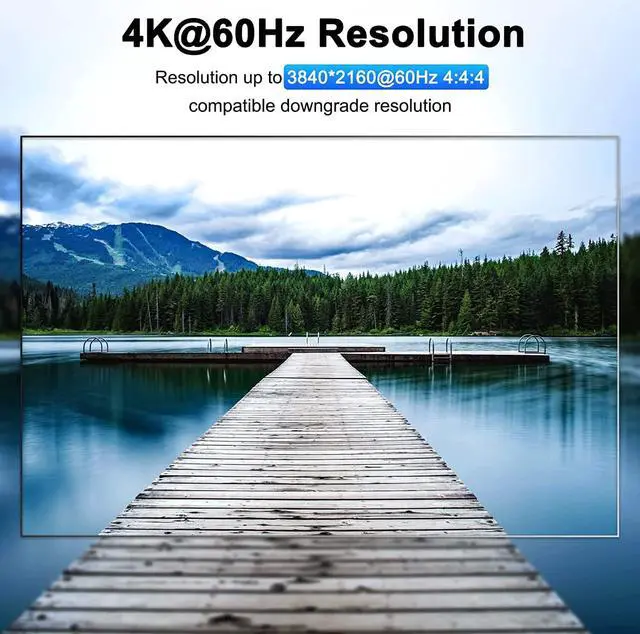
- Ultra HD 4K@60Hz USB 3.0 Dual Monitor KVM switch HDMI support resolution 4K@60Hz,2K@120Hz,@144Hz.KVM switch 2 monitors 2 computers aslo support input terminal to connect 2 computers with different resolutions, e.g. one is 4K@60Hz, the other is 4K@30Hz, 1440P@60Hz, 3D,1080P@60Hz or lower resolution.Note: if you need a 4K resolution , please use HDMI 2.0 cable and make sure your computers and monitors support 4K !
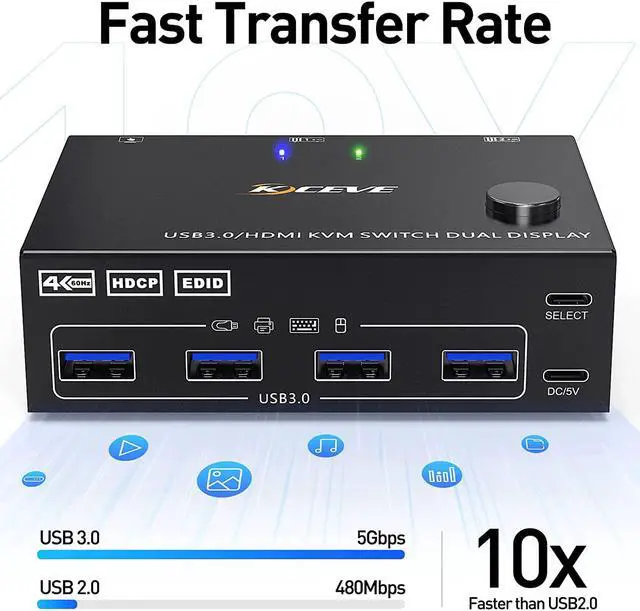
- KVM Switches with 4 USB 3.0 PortsDual monitor HDMI USB switch with 4 integrated USB 3.0 ports which can recognize keyboard,mouse,printer,scaner and other USB devices.
+
+
Overview
Specs
Reviews

Any questions? Our AI beta will help you find out quickly.
Try me now
HDMI KVM Switch Dual Monitor 2 computers 2 monitorsThis Dual Monitor KVM switch 2 monitors 2 computers allow you to control 2 computers or laptops by only one set of wired or wireless keyboard mouse, share 4 USB 3.0 devices and 2 monitors (Extend display mode or copy display mode). Please note that the extended mode can output two different screens, and the copy mode can output two identical screens.
Ultra HD 4K@60Hz USB 3.0 Dual Monitor KVM switch HDMI support resolution 4K@60Hz, 2K@120Hz, @144Hz. KVM switch 2 monitors 2 computers aslo support input terminal to connect 2 computers with different resolutions, e. g. one is 4K@60Hz, the other is 4K@30Hz, 1440P@60Hz, 3D, 1080P@60Hz or lower resolution.
Note: if you need a 4K resolution, please use HDMI 2.0 cable and make sure your computers and monitors support 4K!
KVM Switches with 4 USB 3.0 PortsDual monitor HDMI USB switch with 4 integrated USB 3.0 ports which can recognize keyboard, mouse, printer, scaner and other USB devices. supports ultra-fast USB 3.0 data transfer up to 5Gbps, backward compatible with USB 2.0 / 1.1 devices. When using a high-power USB device with this HDMI dual monitor KVM switch(such as HDD, Digital Video Cameras, SSD etc), external 5V adapter is required. Otherwise, no need to connect to power.
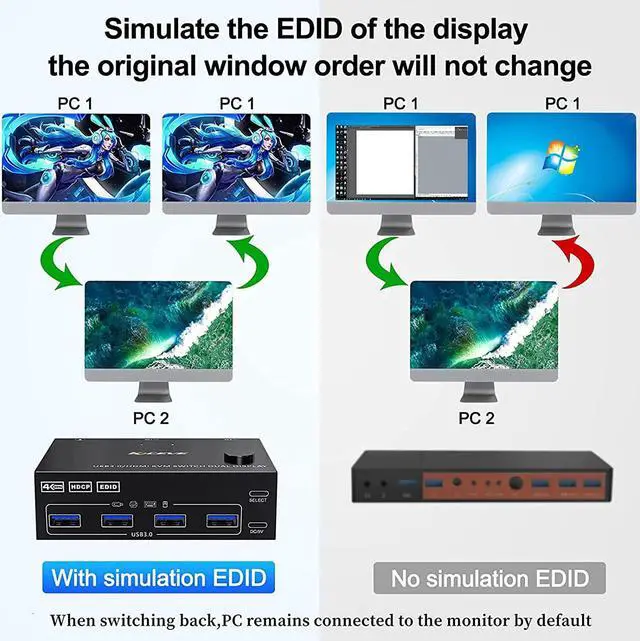
Support Simulation EDIDThis KVM dual monitor switch can simulate the EDID of the display, store the resolution and refresh rate of the display, it comes with EDID emulators in each input port, keep PCs always having correct display information.
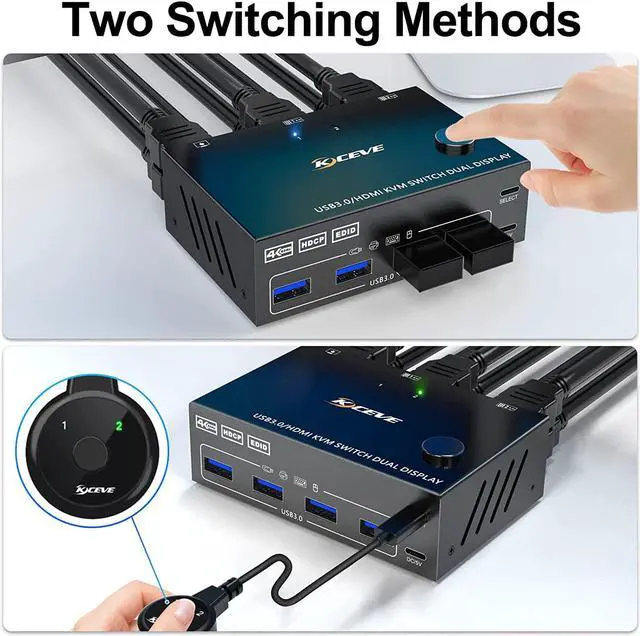
Great Compatibility & 2 Switching ModeMLEEDA 2 monitor KVM switch driver-free for Windows 11/10/8/7/Vista/XP and Mac OS, Linux. plug and play, no external power required. you can press the button on the panel or use the wired remote controllerincluded in the package to switch the computers. LED indicate the active computer.
KVM dual monitor With Wide CompatibilityDual Monitor KVM support many kinds of input devices, such as PC, Laptop, Apple TV, Xbox. it is widely applied for Office, Multimedia Teaching, Meeting Room, etc.
NoteMLEEDA dual monitor KVM switches require each computer to have 2 HDMI output ports and supports extended display, Support USB-C to HDMI converter, not compatible with DP/DVI/VGA to HDMI converter. If your computer only supports single display, then this product cannot help you get dual display function.
ImportantAfter connecting the computers and the monitors through KVM, you need to set the screen output mode on the computer (press Windows+P) and select the output mode in the pop-up window on the screen.
Ultra HD 4K@60Hz USB 3.0 Dual Monitor KVM switch HDMI support resolution 4K@60Hz, 2K@120Hz, @144Hz. KVM switch 2 monitors 2 computers aslo support input terminal to connect 2 computers with different resolutions, e. g. one is 4K@60Hz, the other is 4K@30Hz, 1440P@60Hz, 3D, 1080P@60Hz or lower resolution.
Note: if you need a 4K resolution, please use HDMI 2.0 cable and make sure your computers and monitors support 4K!
KVM Switches with 4 USB 3.0 PortsDual monitor HDMI USB switch with 4 integrated USB 3.0 ports which can recognize keyboard, mouse, printer, scaner and other USB devices. supports ultra-fast USB 3.0 data transfer up to 5Gbps, backward compatible with USB 2.0 / 1.1 devices. When using a high-power USB device with this HDMI dual monitor KVM switch(such as HDD, Digital Video Cameras, SSD etc), external 5V adapter is required. Otherwise, no need to connect to power.
Support Simulation EDIDThis KVM dual monitor switch can simulate the EDID of the display, store the resolution and refresh rate of the display, it comes with EDID emulators in each input port, keep PCs always having correct display information.
Great Compatibility & 2 Switching ModeMLEEDA 2 monitor KVM switch driver-free for Windows 11/10/8/7/Vista/XP and Mac OS, Linux. plug and play, no external power required. you can press the button on the panel or use the wired remote controllerincluded in the package to switch the computers. LED indicate the active computer.
KVM dual monitor With Wide CompatibilityDual Monitor KVM support many kinds of input devices, such as PC, Laptop, Apple TV, Xbox. it is widely applied for Office, Multimedia Teaching, Meeting Room, etc.
NoteMLEEDA dual monitor KVM switches require each computer to have 2 HDMI output ports and supports extended display, Support USB-C to HDMI converter, not compatible with DP/DVI/VGA to HDMI converter. If your computer only supports single display, then this product cannot help you get dual display function.
ImportantAfter connecting the computers and the monitors through KVM, you need to set the screen output mode on the computer (press Windows+P) and select the output mode in the pop-up window on the screen.
Warranty & Returns
Warranty, Returns, And Additional Information
Warranty
- Please contact the Seller directly for warranty information. Warranty information may also be found on the Manufacturer's website.
- CONTACT
Return Policies
- Return for refund within: 30 days
- Return for replacement within: 30 days
- This item is covered by zongangbaihuo Return Policy
Manufacturer Contact Info
- For a directory of all our manufacturers, please click below.
- Manufacturers Directory
LOADING...