

Your Browsing History
- Free 30-day Returns
$104.64
Ships from China.
Most customers receive within 4-17 days.

Meet Your Seller

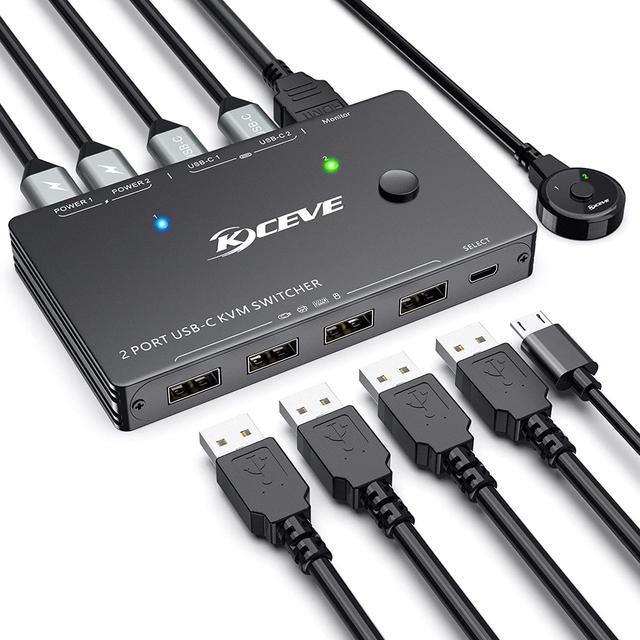


USB Type-C KVM Switch 4K@60Hz,2 in 1 Out Type-C KVM Switch for 2 Computers Share 1 HDMI Monitor and USB Devices-Power Delivery 100W,Type-C KVM with USB-C Cable,HDMI2.0 Cable and Wired Remote
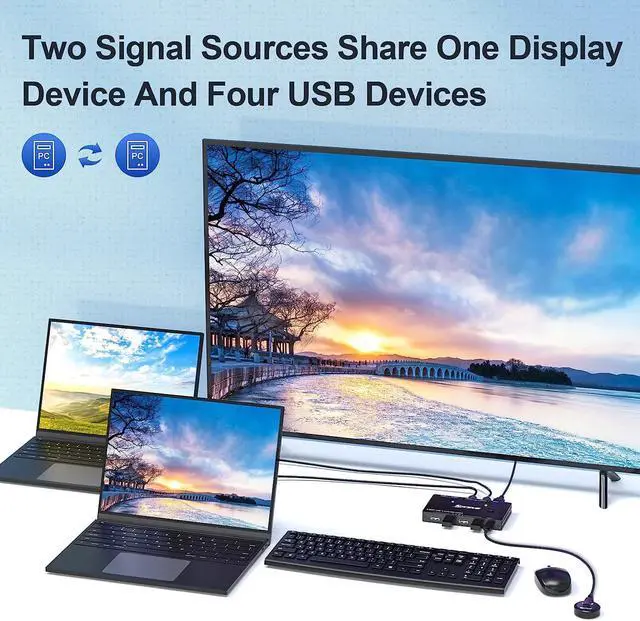
- 2 Ports USB Type-C KVM SwitchThis USB-C KVM Switch allows to control 2 Thunderbolt 3 or USB C computers/laptops with 1 set of controls(Mouse, Keyboard)and 1 monitor.2 Type C input, 1 HDMI output makes work and life much more simple and efficient.
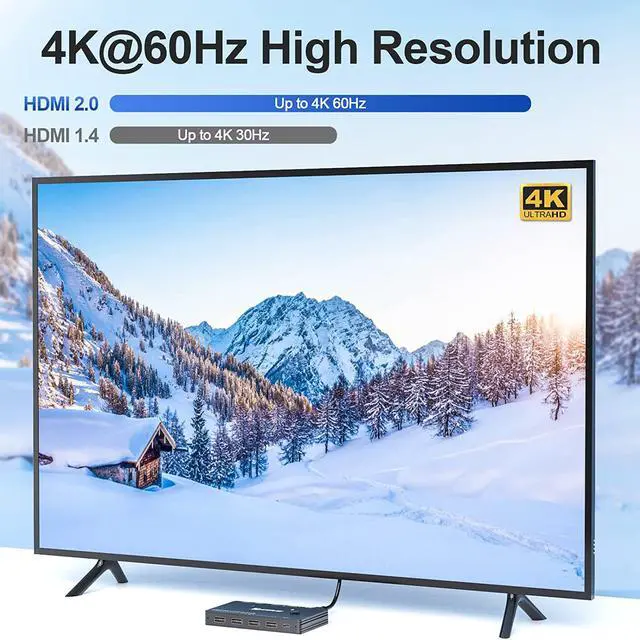
- HD 4K@60Hz Visual EnjoymentThis Type-C in HDMI out KVM switch support USB C alternate mode, and Automatic Identification high-quality output. Supporting resolution max up to 4K@60Hz,2K@120Hz,1440P@100Hz. It also support 4K@30HZ,3D and 1080P or lower resolution.If want to achieve 4K,pls make sure computers/monitor support 4K resolution and HDMI 2.0 cable insert.
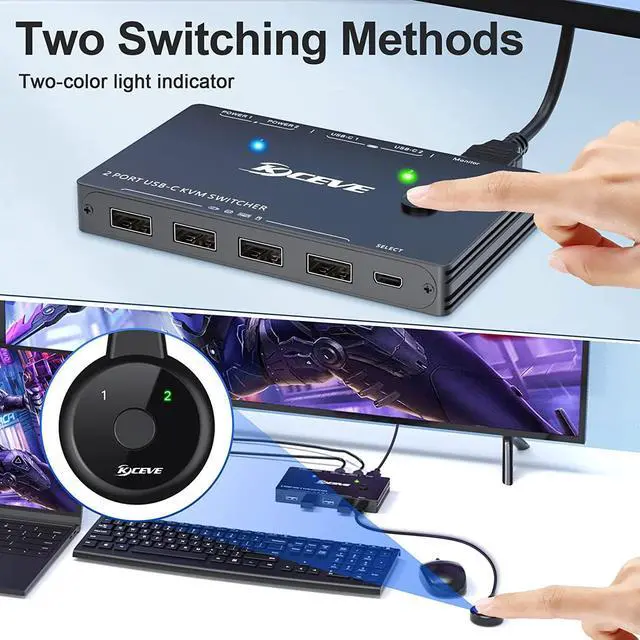
- Two methods switch&LED IndicatorUSB C Switch easily switch between 2 computers by a 1-button swapping or use the desktop controller to switch the computers.LED indicatorblue light and green lightshows which computer is currently switched to
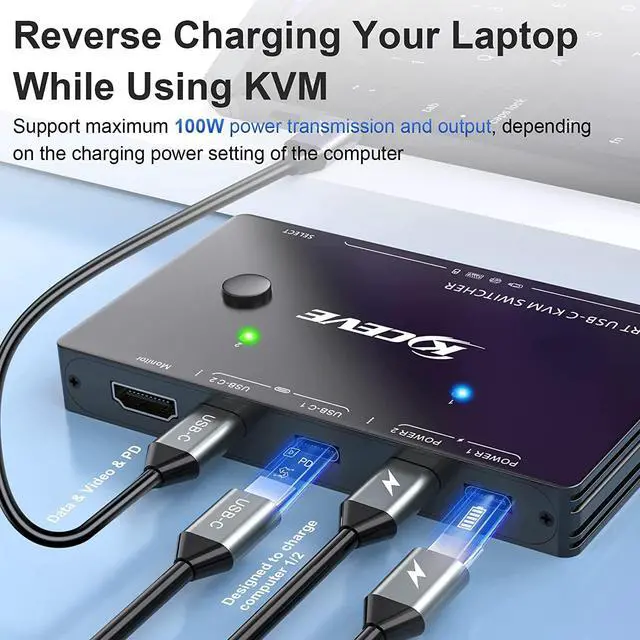
- Type-C PD chargePower Delivery (PD 3.0) compatible, up to 100W at 5V, 9V, 15V, 20V.
+
+
Overview
Specs
Reviews

Any questions? Our AI beta will help you find out quickly.
Try me now
2 Ports USB Type-C KVM SwitchThis USB-C KVM Switch allows to control 2 Thunderbolt 3 or USB C computers/laptops with 1 set of controls(Mouse, Keyboard)and 1 monitor. 2 Type C input, 1 HDMI output makes work and life much more simple and efficient.
HD 4K@60Hz Visual EnjoymentThis Type-C in HDMI out KVM switch support USB C alternate mode, and Automatic Identification high-quality output. Supporting resolution max up to 4K@60Hz, 2K@120Hz, 1440P@100Hz. It also support 4K@30HZ, 3D and 1080P or lower resolution. If want to achieve 4K, pls make sure computers/monitor support 4K resolution and HDMI 2.0 cable insert.
Two methods switch&LED IndicatorUSB C Switch easily switch between 2 computers by a 1-button swapping or use the desktop controller to switch the computers. LED indicatorblue light and green lightshows which computer is currently switched to
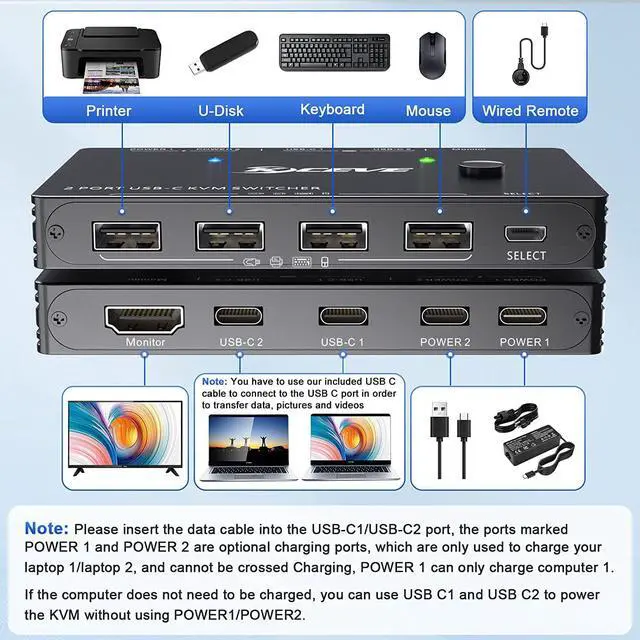
Type-C PD chargePower Delivery (PD 3.0 ) compatible, up to 100W at 5V, 9V, 15V, 20V. Since the KVM requires power, there is a loss of power input to the PC. The USB-C KVM switch includes 4 USB-C connections, associated with 2 ports.
Note: Each power port can only provide power to the associated "PC" port. You do not have to worry about your laptop running out of power while using the KVM.
KVM Switcher with 4 USB 2.0 PortsKVM Switch with 4 USB 2.0 Ports. The USB-C KVM Switch with 4 USB 2.0 ports can recognize wireless keyboards, mice, printers, scanners, and other USB devices. Normally, the USB C KVM switch is powered by the USB C cable connected to the computer, but when using high power USB devices (such as hard drives, digital cameras, SSDs, etc. ), an external power adapter (plugged into the port marked POWER1/POWER2) is required.
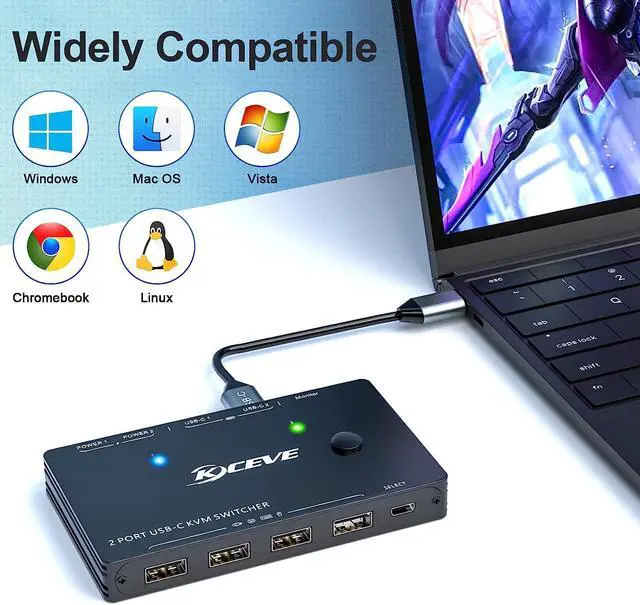
Wide CompatibilityPlug and play. Driver-free for Windows 10/8/ 8.1 /7/Vista/XP and Mac OS, Android. Host compatible with (Laptop) Apple 2020 MacBook, M1 MacBook Pro, HP; (Tablet) Apple i-Pad Air with USB-C connector. Fully compatible with Thunderbolt 3.
Note on the connection cableYou need to use our included USB C cable to connect the USB C port and the connected device in order to transfer data, pictures and videos. The USB C cable that comes with the laptop can only be used for power supply, not for data transfer.
NoteThis USB Type C KVM switch is only suitable for computers or tablets/phones capable of outputting video over USB Type-C (alternate mode) and when using a tablet/mobile phone, an external power supply is required to power the KVM.
Packing List 1*KVM USB C Switch, 2*USB-C Cable( 1.0 m), 1* HDMI 2.0 Cable( 1.5 m), 1*User Manual.
HD 4K@60Hz Visual EnjoymentThis Type-C in HDMI out KVM switch support USB C alternate mode, and Automatic Identification high-quality output. Supporting resolution max up to 4K@60Hz, 2K@120Hz, 1440P@100Hz. It also support 4K@30HZ, 3D and 1080P or lower resolution. If want to achieve 4K, pls make sure computers/monitor support 4K resolution and HDMI 2.0 cable insert.
Two methods switch&LED IndicatorUSB C Switch easily switch between 2 computers by a 1-button swapping or use the desktop controller to switch the computers. LED indicatorblue light and green lightshows which computer is currently switched to
Type-C PD chargePower Delivery (PD 3.0 ) compatible, up to 100W at 5V, 9V, 15V, 20V. Since the KVM requires power, there is a loss of power input to the PC. The USB-C KVM switch includes 4 USB-C connections, associated with 2 ports.
Note: Each power port can only provide power to the associated "PC" port. You do not have to worry about your laptop running out of power while using the KVM.
KVM Switcher with 4 USB 2.0 PortsKVM Switch with 4 USB 2.0 Ports. The USB-C KVM Switch with 4 USB 2.0 ports can recognize wireless keyboards, mice, printers, scanners, and other USB devices. Normally, the USB C KVM switch is powered by the USB C cable connected to the computer, but when using high power USB devices (such as hard drives, digital cameras, SSDs, etc. ), an external power adapter (plugged into the port marked POWER1/POWER2) is required.
Wide CompatibilityPlug and play. Driver-free for Windows 10/8/ 8.1 /7/Vista/XP and Mac OS, Android. Host compatible with (Laptop) Apple 2020 MacBook, M1 MacBook Pro, HP; (Tablet) Apple i-Pad Air with USB-C connector. Fully compatible with Thunderbolt 3.
Note on the connection cableYou need to use our included USB C cable to connect the USB C port and the connected device in order to transfer data, pictures and videos. The USB C cable that comes with the laptop can only be used for power supply, not for data transfer.
NoteThis USB Type C KVM switch is only suitable for computers or tablets/phones capable of outputting video over USB Type-C (alternate mode) and when using a tablet/mobile phone, an external power supply is required to power the KVM.
Packing List 1*KVM USB C Switch, 2*USB-C Cable( 1.0 m), 1* HDMI 2.0 Cable( 1.5 m), 1*User Manual.
Warranty & Returns
Warranty, Returns, And Additional Information
Warranty
- Please contact the Seller directly for warranty information. Warranty information may also be found on the Manufacturer's website.
- CONTACT
Return Policies
- Return for refund within: 30 days
- Return for replacement within: 30 days
- This item is covered by zongangbaihuo Return Policy
Manufacturer Contact Info
- For a directory of all our manufacturers, please click below.
- Manufacturers Directory
LOADING...