

Your Browsing History
Ships from China.
Most customers receive within 4-17 days.

Meet Your Seller

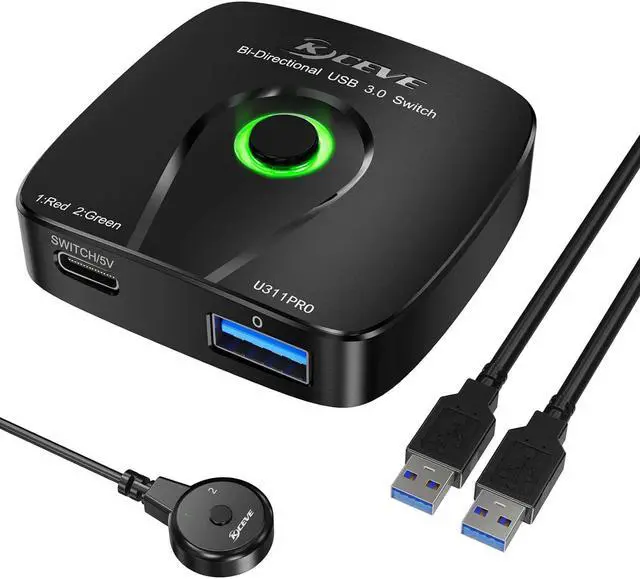


USB 3.0 Switch,Bi-Directional USB 3.0 Switch Selector, 2 in 1 Out / 1 in 2 Out USB Switcher for 2 PCs Share 1 USB Device or 1 PC Share 2 USB Device,Come with Wired Control and 2 USB 3.0 Cables.
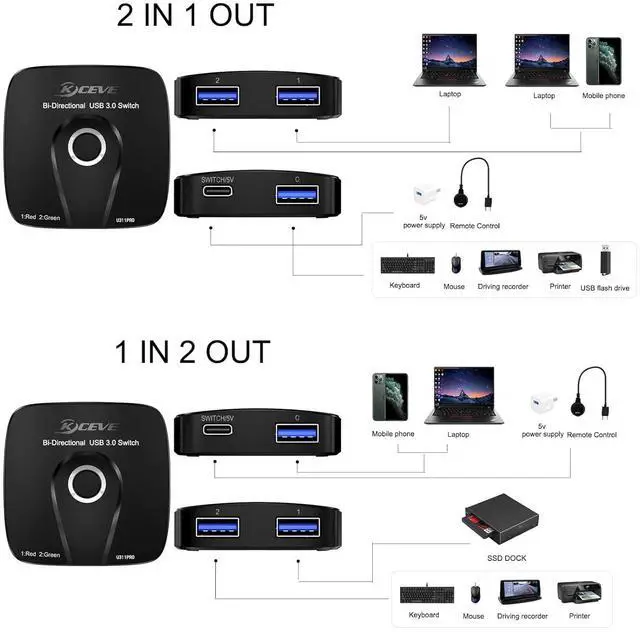
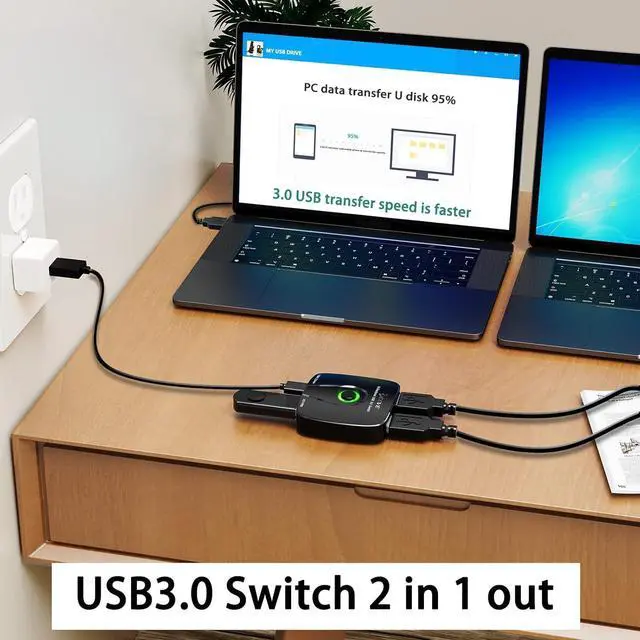
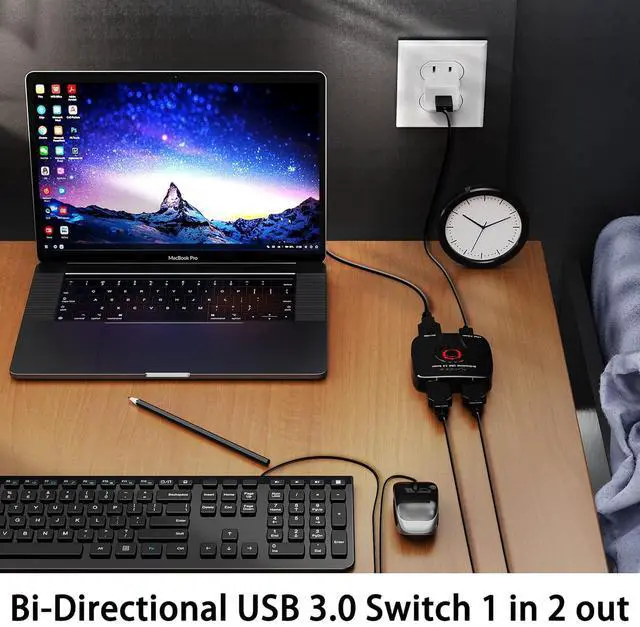
- USB 3.0 Switch 2 in 1 out/1 in 2 outThis USB switch allows 2 computers/laptops share 1 USB device or 1 computer share 2 USB devices.The USB device like printer, scanner, mouse, keyboard, U disk, hard disk,etc.
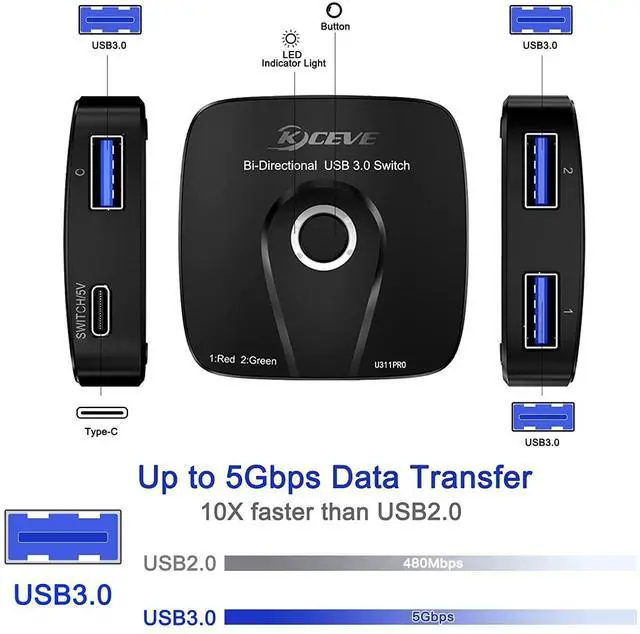
- Port Connection Instructions2 in 1 out mode: Port "1" and Port "2" are used as the input port to connect to computers/laptops, and Port "0" is used as the output port to connect to USB devices. 1 in 2 out mode: Port "0" is used as input port to connect to computers/laptops, and Port "1" and Port "2" are used as output ports to connect USB devices.
- Application scenario USB3.0 switch 1 in 2 out: It can be used to connect two cameras to 1 computer, 1 printer and 1 scanner to 1 computer, etc. USB3.0 switch 2 in 1 out: It can be used to connect two computers to 1 printer, two computers to 1 U disk, etc.
- Note: The USB3.
Overview
Specs
Reviews

Any questions? Our AI beta will help you find out quickly.
Try me now
USB 3.0 Switch 2 in 1 out/1 in 2 outThis USB switch allows 2 computers/laptops share 1 USB device or 1 computer share 2 USB devices. The USB device like printer, scanner, mouse, keyboard, U disk, hard disk, etc.
Port Connection Instructions2 in 1 out mode: Port "1" and Port "2" are used as the input port to connect to computers/laptops, and Port "0" is used as the output port to connect to USB devices. 1 in 2 out mode: Port "0" is used as input port to connect to computers/laptops, and Port "1" and Port "2" are used as output ports to connect USB devices.
Application scenario USB 3.0 switch 1 in 2 out: It can be used to connect two cameras to 1 computer, 1 printer and 1 scanner to 1 computer, etc. USB 3.0 switch 2 in 1 out: It can be used to connect two computers to 1 printer, two computers to 1 U disk, etc.
Note: The USB 3.0 switch allows 2 computers/laptops to share 1 USB device mean that when switch to Port "1", the Port"1" device recognizes the Port"0" device, and when switch to port "2", the Port "2" device recognizes the Port"0" device. The USB 3.0 switch allows 1 computer/laptop to share 2 USB devices mean that when switch to Port "1", the Port"0" device recognizes the Port "1" device, and when switch to Port "2", the Port "0" device recognizes the Port "2" device.
Increased EfficiencyThe USB 3.0 switcher supports ultra-fast USB 3.0 data transfer rates of up to 5Gb/s (10 times faster than USB 2.0 ), to work flawlessly with high-bandwidth USB 3.0 devices, such as external hard disks, high-resolution webcams, video surveillance cameras, digital video cameras, and it is backward compatible with USB 2.0 and USB 1.1 devices.
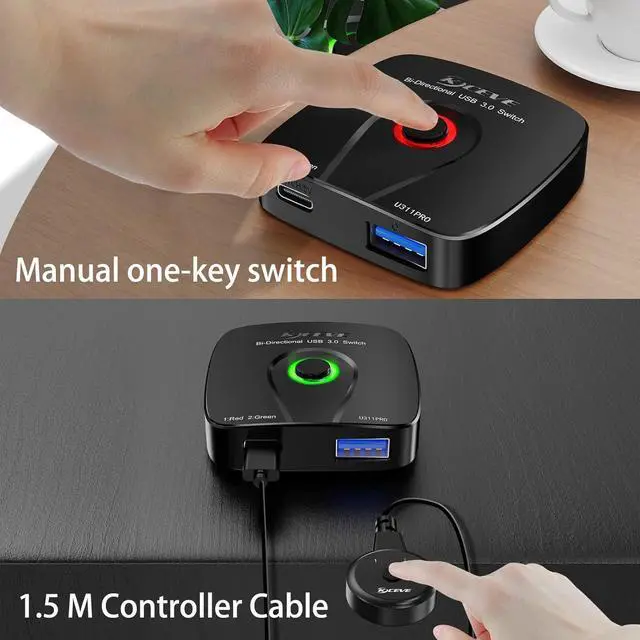
Two switching methods&LED indicatorsSwitching method 1: 1 -key switching.
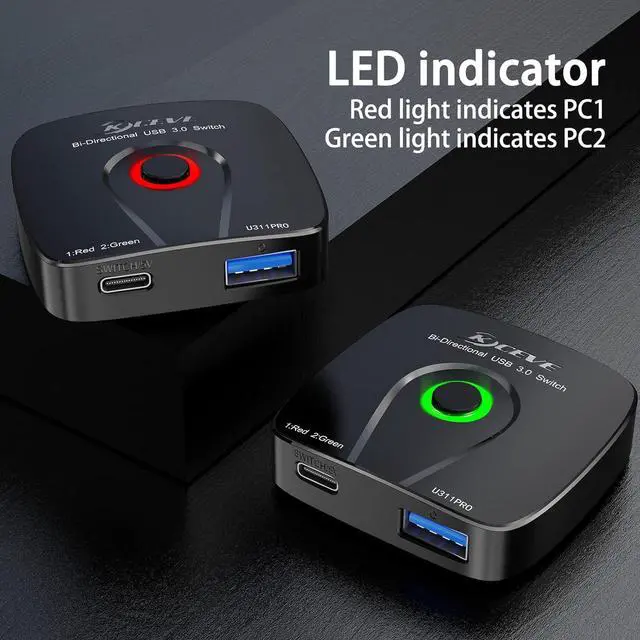
Switching mode 2: wired control switch (included). LED indicators makes easily know which port is being controlled by the device, with red light indicating port "1" and green light indicating port "2".
Two switching methods&LED indicatorsSwitching method 1: 1 -key switching.
Switching mode 2: wired control switch (included). LED indicators makes easily know which port is being controlled by the device, with red light indicating port "1" and green light indicating port "2".
Port Connection Instructions2 in 1 out mode: Port "1" and Port "2" are used as the input port to connect to computers/laptops, and Port "0" is used as the output port to connect to USB devices. 1 in 2 out mode: Port "0" is used as input port to connect to computers/laptops, and Port "1" and Port "2" are used as output ports to connect USB devices.
Application scenario USB 3.0 switch 1 in 2 out: It can be used to connect two cameras to 1 computer, 1 printer and 1 scanner to 1 computer, etc. USB 3.0 switch 2 in 1 out: It can be used to connect two computers to 1 printer, two computers to 1 U disk, etc.
Note: The USB 3.0 switch allows 2 computers/laptops to share 1 USB device mean that when switch to Port "1", the Port"1" device recognizes the Port"0" device, and when switch to port "2", the Port "2" device recognizes the Port"0" device. The USB 3.0 switch allows 1 computer/laptop to share 2 USB devices mean that when switch to Port "1", the Port"0" device recognizes the Port "1" device, and when switch to Port "2", the Port "0" device recognizes the Port "2" device.
Increased EfficiencyThe USB 3.0 switcher supports ultra-fast USB 3.0 data transfer rates of up to 5Gb/s (10 times faster than USB 2.0 ), to work flawlessly with high-bandwidth USB 3.0 devices, such as external hard disks, high-resolution webcams, video surveillance cameras, digital video cameras, and it is backward compatible with USB 2.0 and USB 1.1 devices.
Two switching methods&LED indicatorsSwitching method 1: 1 -key switching.
Switching mode 2: wired control switch (included). LED indicators makes easily know which port is being controlled by the device, with red light indicating port "1" and green light indicating port "2".
Two switching methods&LED indicatorsSwitching method 1: 1 -key switching.
Switching mode 2: wired control switch (included). LED indicators makes easily know which port is being controlled by the device, with red light indicating port "1" and green light indicating port "2".
Warranty & Returns
Warranty, Returns, And Additional Information
Warranty
- Please contact the Seller directly for warranty information. Warranty information may also be found on the Manufacturer's website.
- CONTACT
Return Policies
- Return for refund within: 30 days
- Return for replacement within: 30 days
- This item is covered by zongangbaihuo Return Policy
Manufacturer Contact Info
- For a directory of all our manufacturers, please click below.
- Manufacturers Directory
LOADING...