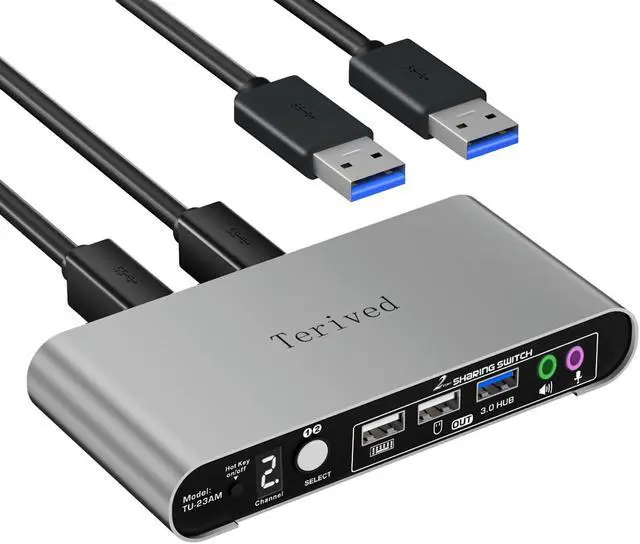
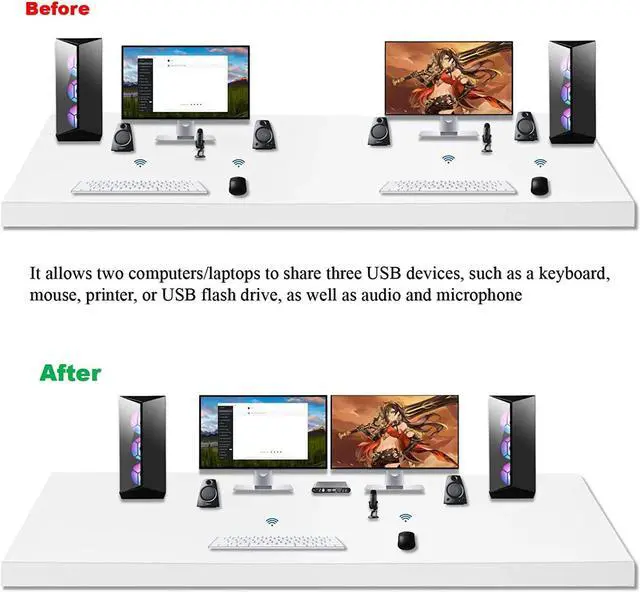
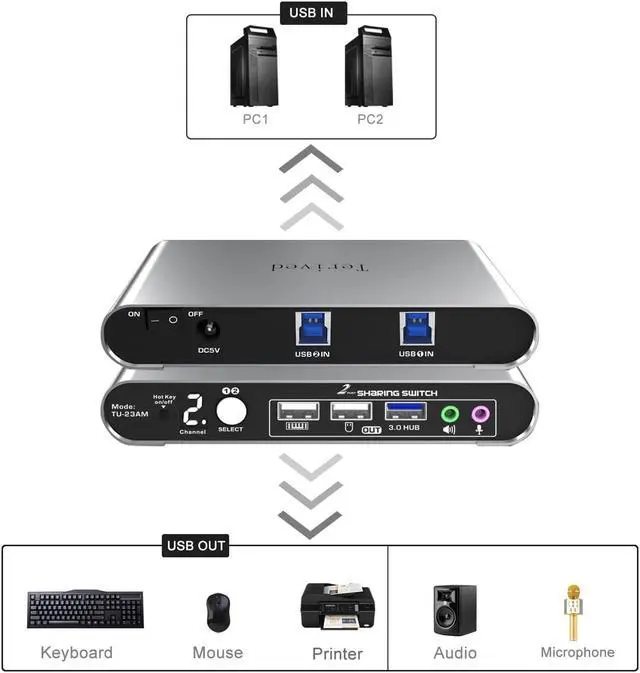
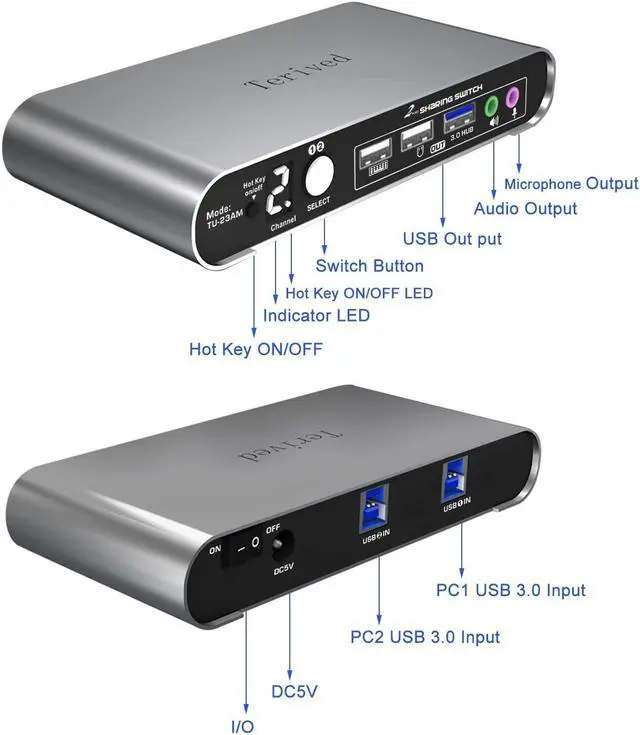
USB Switch - Share 3 USB devices, such as a keyboard, mouse, scanner, printer, speaker, headphone, or other USB devices, between two computers, along with audio and microphone jacks. Once the hotkeys are turned off, the dedicated mouse and keyboard USB ports can be used for other USB devices.
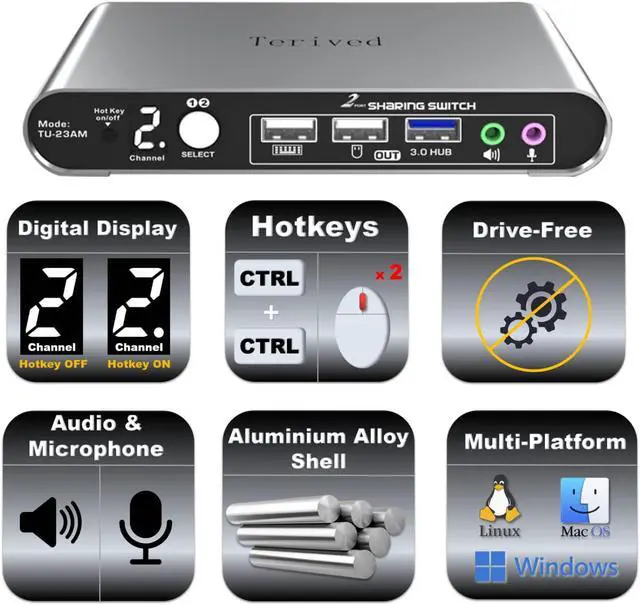
Digital Display Screen - This USB switch selector features a digital display screen, making it easy to see the current channel even in the dark.
Aluminum Alloy Shell - We use high-quality aluminum alloy to provide our customers with an excellent premium look, great drop resistance, lightweight design, strong build, and robust corrosion resistance.
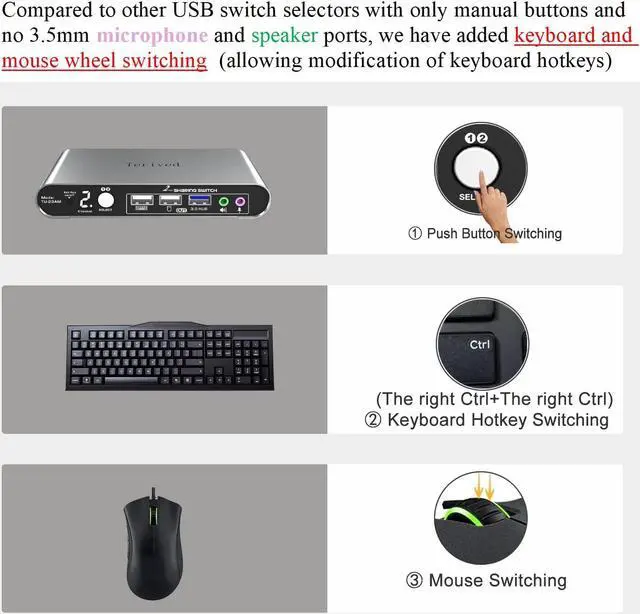
USB Switch selector with Hotkeys - This device supports one-button manual switching, as well as keyboard and mouse hotkey switching. Hotkeys can be turned off manually or by using hotkeys. To switch USB devices between computers or laptops, press right [CTRL], right [CTRL], or double-click the mouse roller wheel. The 'beep' sound can be turned off by pressing right [CTRL], right [CTRL], [b], [Enter].
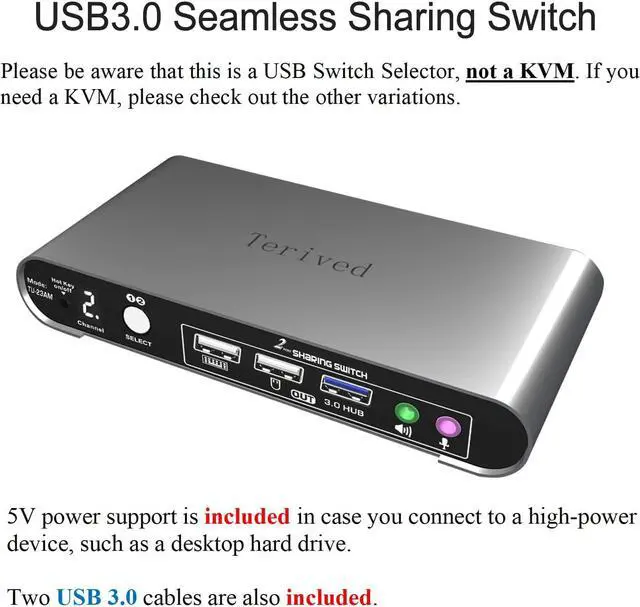
Increased Work Efficiency - With seamless keyboard and mouse hotkey switching, this device saves space and increases work efficiency due to its seamless switch speed. Additionally, a 5V power supply ensures stability when connecting to high-power USB devices.
Attention: If the USB switch's hotkey function conflicts with your keyboard's software, consider turning off the hotkey by using the front manual hotkey on/off button or switching to another keyboard. To disable the keyboard hotkey alone, press right [CTRL], right [CTRL], [K], [Enter]. You can then switch back to your first keyboard and still use the mouse wheel hotkey.
Attention: Please note that this model is a USB switch, not a KVM switch. If you need a KVM switch, please check out our other variations.





 here!
here!