Your Browsing History
Meet Your Seller
Visit Explus-C Store
FOLLOW
8K@60Hz Displayport Kvm Switch 1 Monitors 2 Computers USB 3.0 DP1.4 Kvm Switches Display Port for Two Computers Share Single Screen Mouse Keyboard and 2 Additional Peripherals
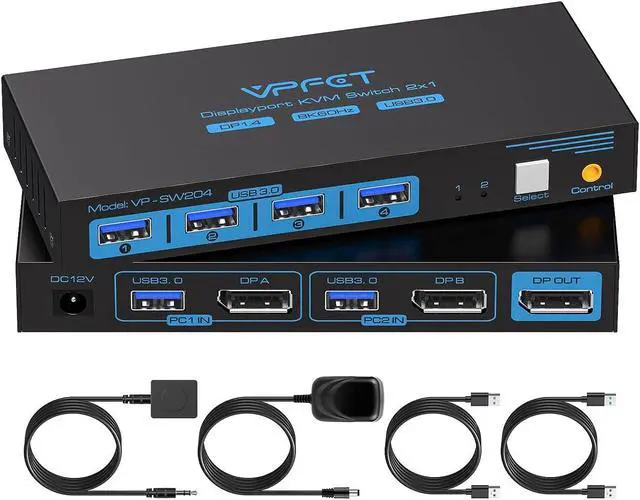
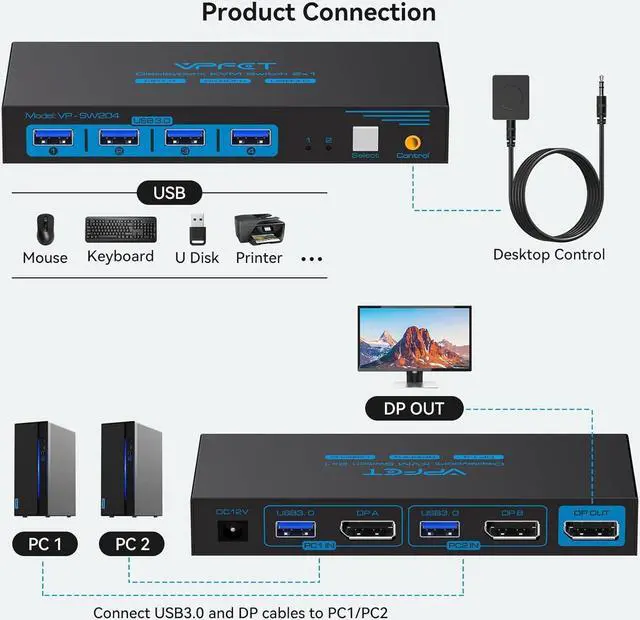
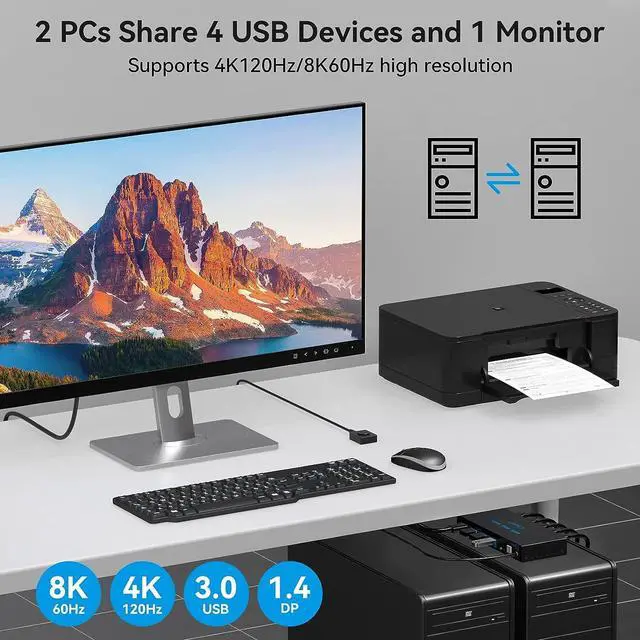
- KVM Switch Displayport 2 PortThis KVM Switch Displayport Allows 2 computers to share Mouse, Keyboards and an HD monitor for quick switching at the push of a button, improving office efficiency and gaming experience.
- 8K High-Quality Video DP switch Supports resolutions up to 8K@60Hz with clear picture quality and lag-free transmission of images, perfect for both office and entertainment use. Note: When transmitting 8K video, please use a standard Super Speed DP 1.4 cable(Not included in the package and needs to be purchased separately) to better experience 8K video and connect the KVM switch to the DC 12V power supply when in use.
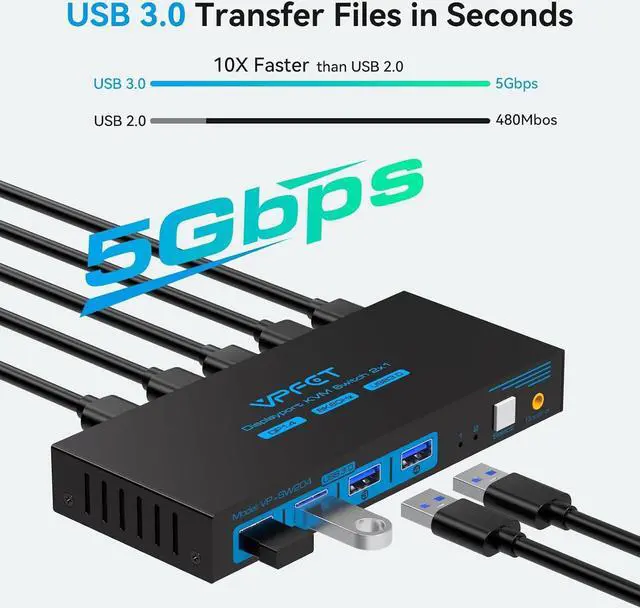
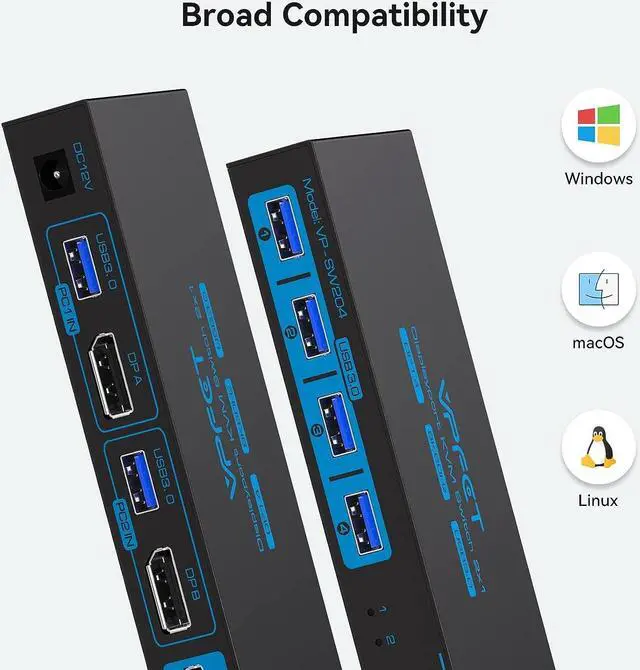
- 4 USB 3.0 PortsThe USB KVM switch is equipped with 4 USB 3.0 ports with a transfer rate up to 5Gbps for connecting peripherals such as mouse, keyboard, printer, webcam and U disk, and is backward compatible with USB 2.0, 1.1 and 1.0.
+
+
Overview
Specs
Reviews
See all Q & A
Any questions? Our AI beta will help you find out quickly.
Try me now
KVM Switch Displayport 2 PortThis KVM Switch Displayport Allows 2 computers to share Mouse, Keyboards and an HD monitor for quick switching at the push of a button, improving office efficiency and gaming experience.
8K High-Quality Video DP switch Supports resolutions up to 8K@60Hz with clear picture quality and lag-free transmission of images, perfect for both office and entertainment use.
Note: When transmitting 8K video, please use a standard Super Speed DP 1.4 cable (Not included in the package and needs to be purchased separately) to better experience 8K video and connect the KVM switch to the DC 12V power supply when in use.
4 USB 3.0 PortsThe USB KVM switch is equipped with 4 USB 3.0 ports with a transfer rate up to 5Gbps for connecting peripherals such as mouse, keyboard, printer, webcam and U disk, and is backward compatible with USB 2.0, 1.1 and 1.0.
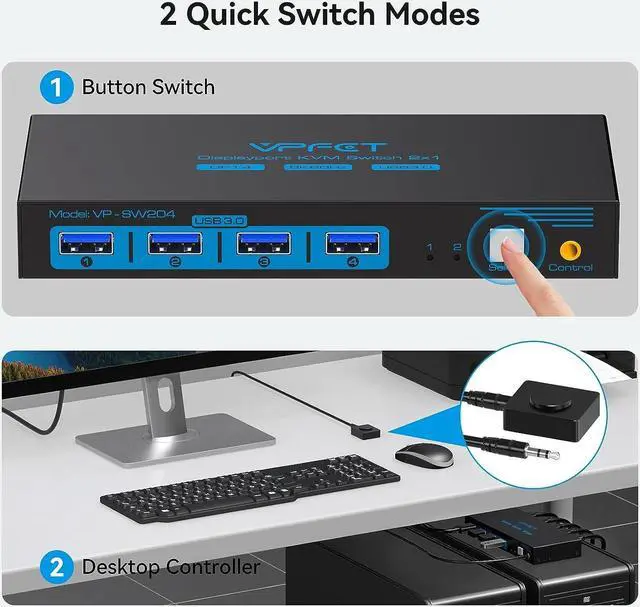
Outstanding performanceTwo button switching methods, easy to switch signal sources, the desktop wire controller can hide the KVM switch, the desktop is cleaner, and the work efficiency is higher. LED indicators show which port is active when the KVM switch is connected to which signal source.
NOTE: Keyboard shortcuts (hotkeys) toggles are not supported.
Stable workKVM includes 12V power adapter. (the current provided by the PC host is small, and it cannot support USB devices such as hard disks). With the external power design, USB devices can obtain a stable working environment through the switch. If you have any questions during use, please contact us. We have a professional technical team to help you solve your difficulties.

8K High-Quality Video DP switch Supports resolutions up to 8K@60Hz with clear picture quality and lag-free transmission of images, perfect for both office and entertainment use.
Note: When transmitting 8K video, please use a standard Super Speed DP 1.4 cable (Not included in the package and needs to be purchased separately) to better experience 8K video and connect the KVM switch to the DC 12V power supply when in use.
4 USB 3.0 PortsThe USB KVM switch is equipped with 4 USB 3.0 ports with a transfer rate up to 5Gbps for connecting peripherals such as mouse, keyboard, printer, webcam and U disk, and is backward compatible with USB 2.0, 1.1 and 1.0.
Outstanding performanceTwo button switching methods, easy to switch signal sources, the desktop wire controller can hide the KVM switch, the desktop is cleaner, and the work efficiency is higher. LED indicators show which port is active when the KVM switch is connected to which signal source.
NOTE: Keyboard shortcuts (hotkeys) toggles are not supported.
Stable workKVM includes 12V power adapter. (the current provided by the PC host is small, and it cannot support USB devices such as hard disks). With the external power design, USB devices can obtain a stable working environment through the switch. If you have any questions during use, please contact us. We have a professional technical team to help you solve your difficulties.
Warranty & Returns
Warranty, Returns, And Additional Information
Warranty
- Please contact the Seller directly for warranty information. Warranty information may also be found on the Manufacturer's website.
- CONTACT
Return Policies
- Return for refund within: 30 days
- Return for replacement within: 30 days
- This item is covered by Explus-C Return Policy
Manufacturer Contact Info
- For a directory of all our manufacturers, please click below.
- Manufacturers Directory
LOADING...