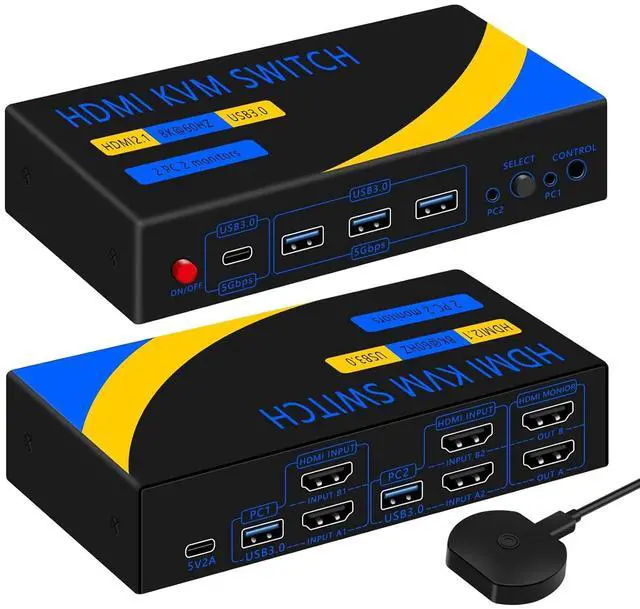
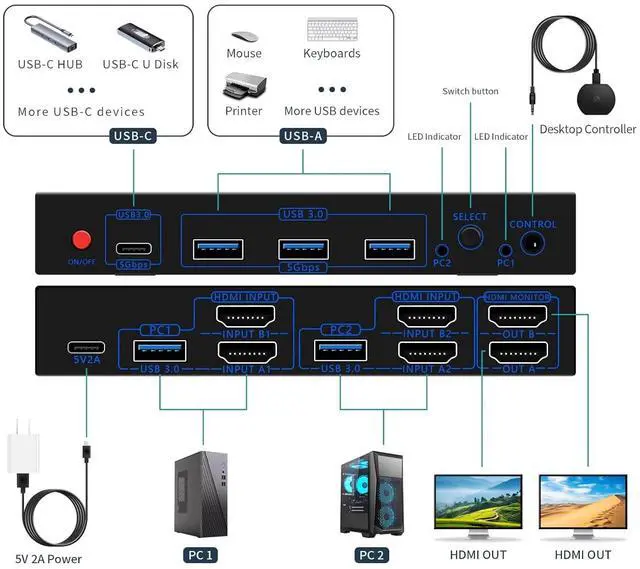
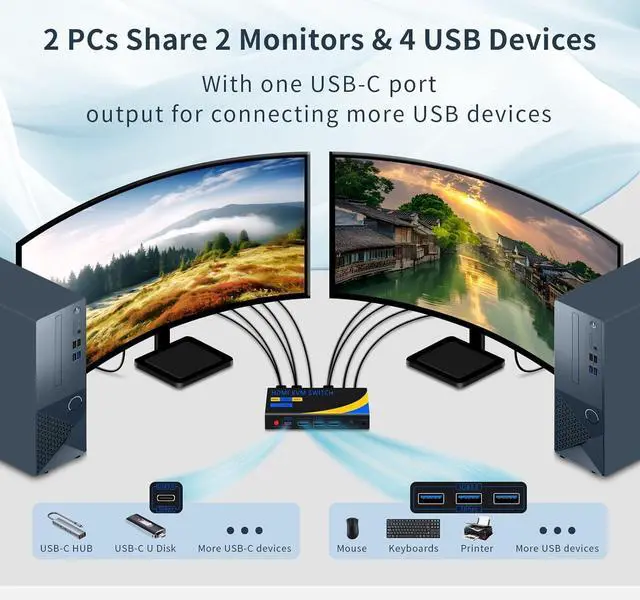
The Dual Monitor KVM Switch allows you to control 2 computers with one set of keyboard and mouse, sharing 2 monitors and 4 USB devices (3*USB-A & 1*USB-C).Supports up to 8K resolution and USB 3.0 rates.Supports replication and extension modes.
Note: Your computer needs to have 2 HDMI ports.
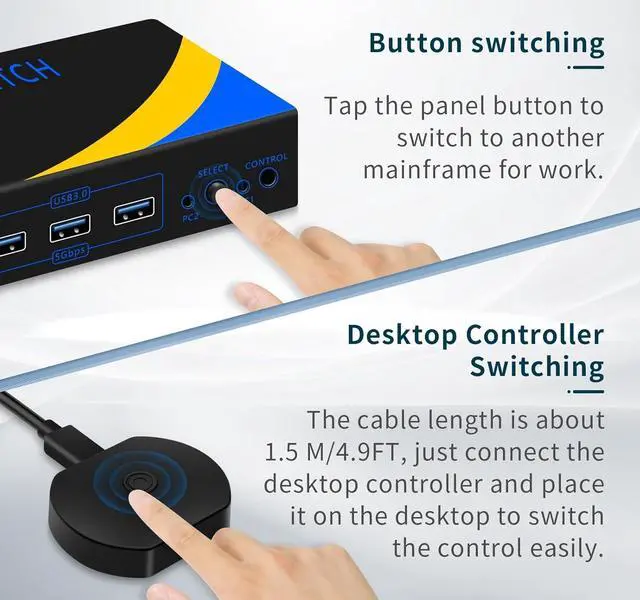
With one keystroke from the KVM switch panel or desktop controller, you can switch 2 monitors and 4 USB devices to make them work in PC1 or PC2, 2 computers share 2 monitors and 4 USB devices.
Note: USB-C port does not support audio/video transmission, only USB data.
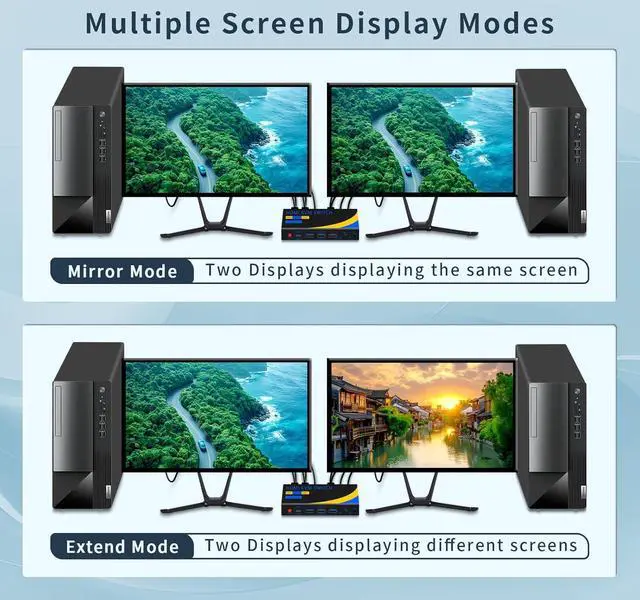
2 monitors display the screen of one host at the same time. Copy mode: can display the same screen; Extended mode: can display different screens.
Note: It is necessary for the host computer to have 2 HDMI ports and support duplicate and expansion modes.
Each computer needs to be connected to 2 HDMI cables and 1 USB cable, connect 2 monitors and USB devices at the same time to complete the sharing.
It is more convenient to connect the desktop controller to switch.
Note: HDMI cable is not included in the kit.
KVM switches are compatible with most host operating systems and monitors, such as windows, MAC, LINX, and so on. It also supports laptop typec interface to connect through the converter docking station, please use a high quality converter.
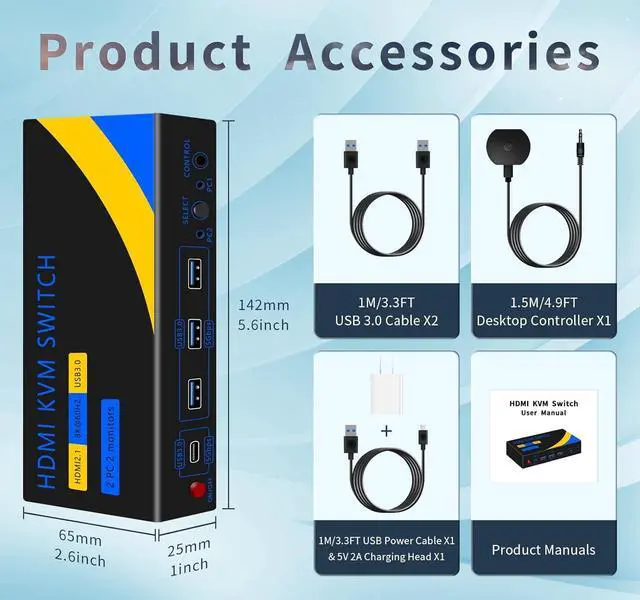
Dual monitor KVM switch kit includes 1x HDMI KVM switch, 1x 5V 2A charger, 1x 1.5m desktop controller, 2x 1m USB3.0 cables, 1x 1m USB power cable and 1x user manual.
Note: HDMI cables need to be provided by yourself, total 6 pcs are needed.
kvm switch 2 monitors 2 computer 8K USB3.0 One-touch switching of monitors and USB devices Two modes, replication mode and extension mode Simple Connections Good compatibility with hosts and monitors KVM SWITCH Accessory List