• $358.99
  • Free 30-day Returns
  • Price alert
    Shop it at NeweggBusiness.

    Meet Your Seller

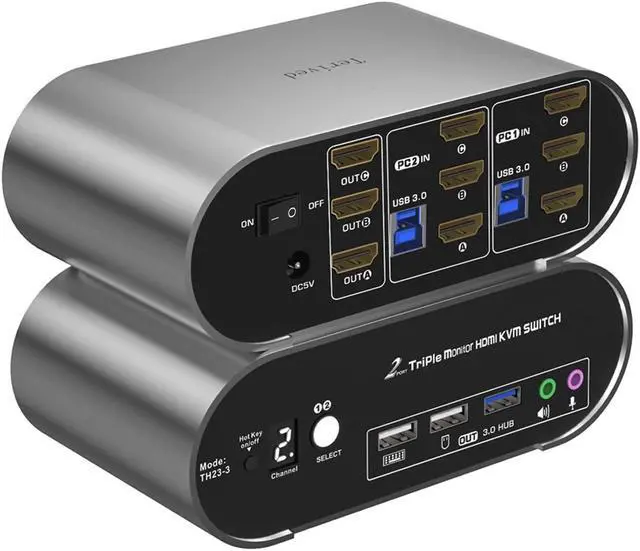
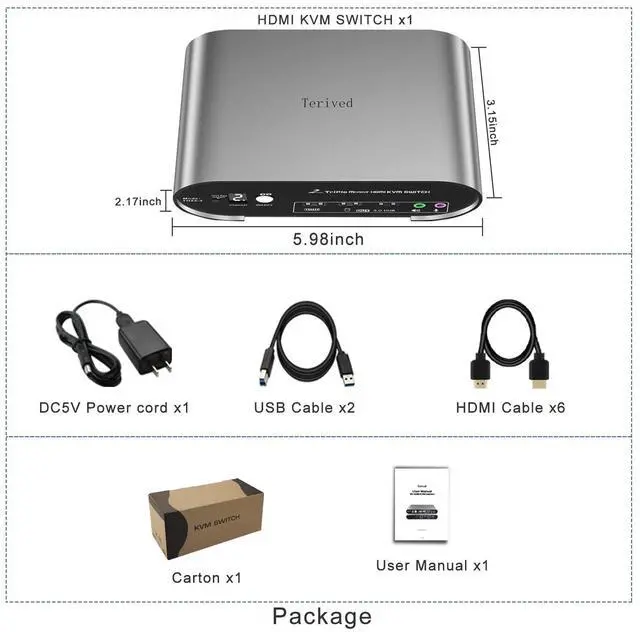
    Ennovor HDMI Triple Monitor KVM Switch 4K60Hz, Audio Microphone hotkey EDID with Cables

    • Aluminum Alloy shell -Aluminum alloy for the body, which provides you with an excellent premium look, great drop resistance, light-weight, strong, and robust corrosion resistance
    • HDMI Switch 4K - Supported resolutions: 480i, 480p, 720p, 1080i, 1080p, 2K@120Hz, 4K@60Hz RGB 4:4:4 HDR10, HDMI 2.0 compatible.Auto-Scan, auto-detection, auto EDID. Hot plug & play and HDCP. Multi-platform: support Windows 11/10/7/2000/XP/Vista, Linux, and Mac
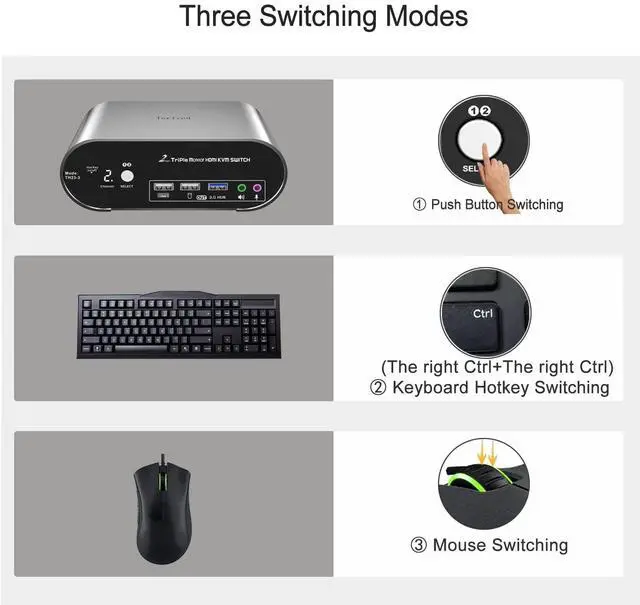
    • Hotkey - Tired of a manual button switch? This product gives you a convenient way to switch use hotkeys
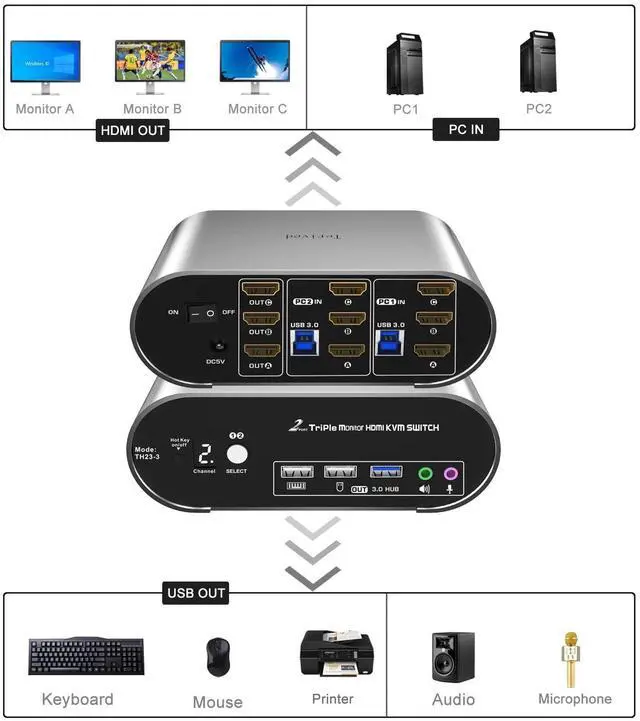
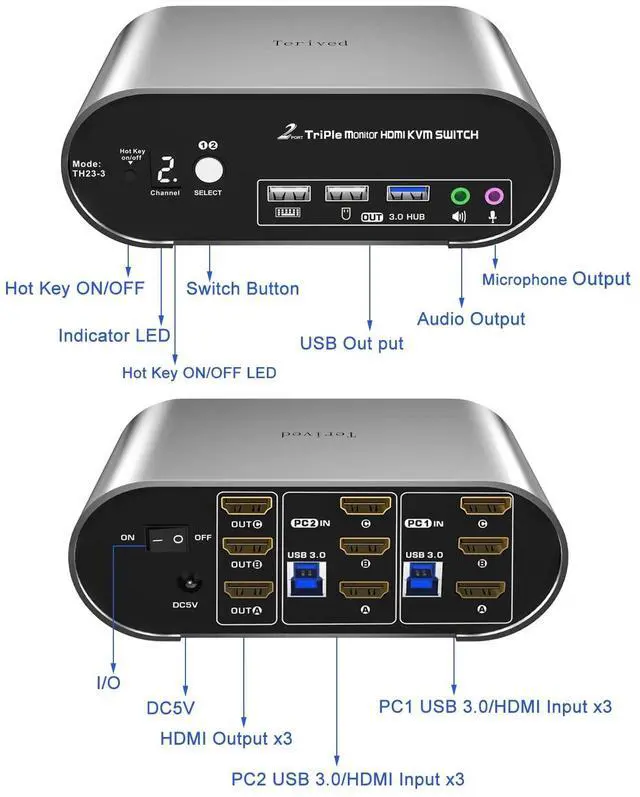
    • Two computers three monitors - Control two HDMI interfaced computers or other applicable devices using one keyboard, a mouse, three HDMI monitors with audio & microphone, and USB 3.0 HUB
    • KVM switch with Automatic Switching: To enable the automatic switching feature of the KVM switch, press Right [CTRL] twice, then [S], and [Enter]. The default auto-switching time is 10 seconds. (To turn it off, simply press this shortcut combination again)

    +
    +
    Overview
    Reviews
    avatar

    Any questions? Our AI beta will help you find out quickly.

    Aluminum Alloy shell -Aluminum alloy for the body, which provides you with an excellent premium look, great drop resistance, light-weight, strong, and robust corrosion resistance
    HDMI Switch 4K - Supported resolutions: 480i, 480p, 720p, 1080i, 1080p, 2K@120Hz, 4K@60Hz RGB 4:4:4 HDR10, HDMI 2.0 compatible.Auto-Scan, auto-detection, auto EDID. Hot plug & play and HDCP. Multi-platform: support Windows 11/10/7/2000/XP/Vista, Linux, and Mac
    Hotkey - Tired of a manual button switch? This product gives you a convenient way to switch use hotkeys
    Two computers three monitors - Control two HDMI interfaced computers or other applicable devices using one keyboard, a mouse, three HDMI monitors with audio & microphone, and USB 3.0 HUB
    KVM switch with Automatic Switching: To enable the automatic switching feature of the KVM switch, press Right [CTRL] twice, then [S], and [Enter]. The default auto-switching time is 10 seconds. (To turn it off, simply press this shortcut combination again)

    Warranty & Returns

    Warranty, Returns, And Additional Information

    Warranty

    • Please contact the Seller directly for warranty information. Warranty information may also be found on the Manufacturer's website.
    • CONTACT

    Return Policies

    Manufacturer Contact Info

    LOADING...