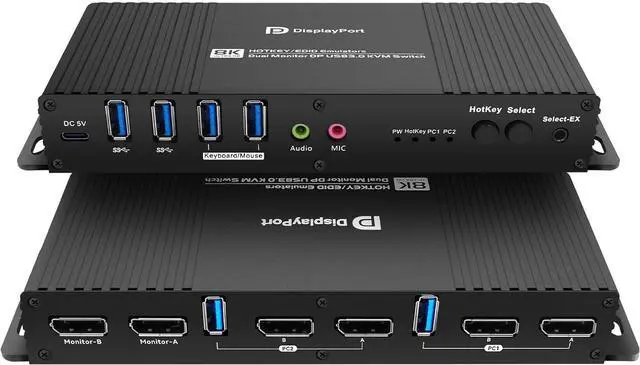
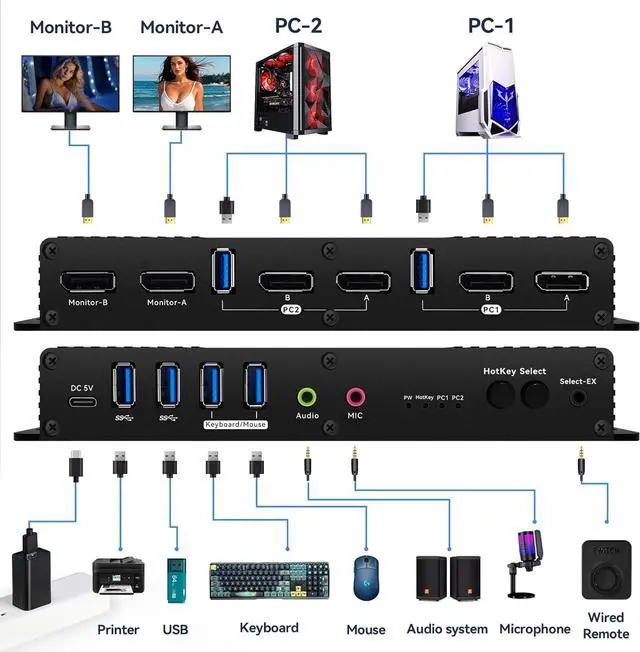
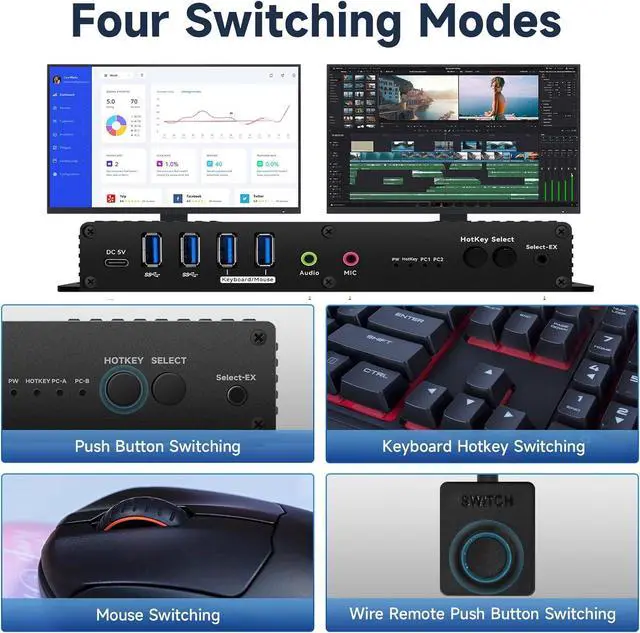
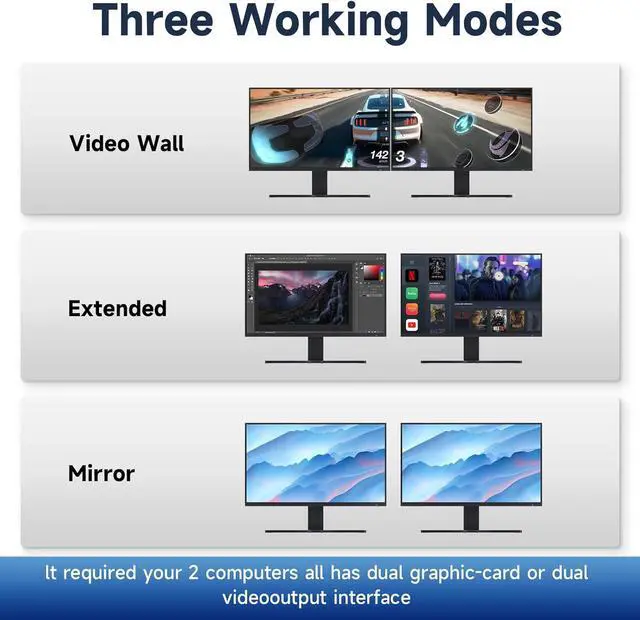
Dual Monitor kvm Switch displayport Edid has four switching modes, Mouse hotkey ,Keyboard hotkey,Boutton switching,wired switching .
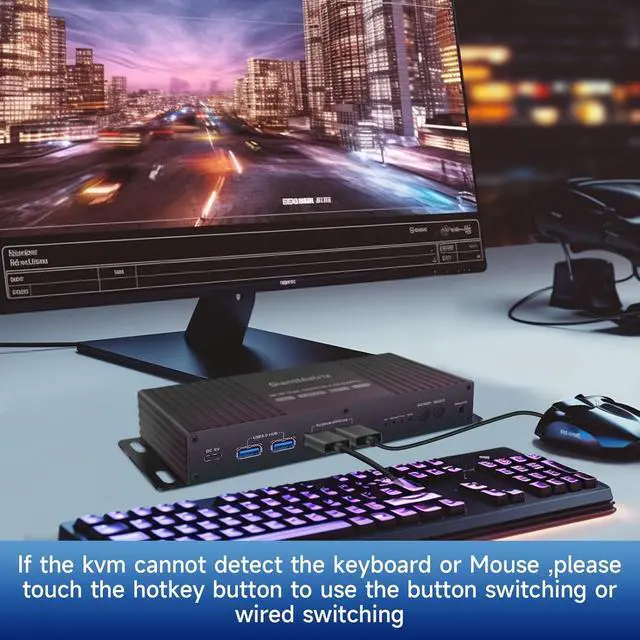
If the dp kvm switch 2 monitors 2 computers edid cannot detect your Mouse or your keyboard, please just chose hotkey though to touch the hotkey button.then you can use button switching and wired switchingAnd you can email to us,we will try our best to fix the problem.
There are four ways to Switch PC-A TO PC-B
1. Button mode: push the switch button on the dual monitor kvm displayport indicated ,you can switch to PC-A or PC-B by pushing the switch button
2. Wired remote button mode: you can switch PC-A or PC-B by Wired remote button which connect to the dp kvm switch dual monitor
3. Mouse mode: Double Click the middle Roller of mouse +LB(Left Button) ,you can switch to PC-A, Double Click the middle roller of mouse +RB(Right Button),you can switch to PC-B.
4. Keyboard Hotkey Mode: You need to put the Hotkey button,them the Hotkey indcate on
Right Control two times and number 1 and EnterRight Ctrl+Right ctrl+1+Enteryou will switch to PC-A, and Right Ctrl+Right ctrl+2+Enter you will switch to PC-B. You can use Keyboard Hotkey Right Ctrl+Right ctrl+B+Enter to turn off or turn on the Beep for the dual monitor kvm switch.Thank you!
Attention: You can Right Ctrl+Right ctrl+R+Enter to Reset factory settings.
1,If all the cables are plugged in the Displayport kvm switch dual monitor 2 computer and it does not work, please re-plug the power cable.
2,If the Display port kvm switch dual monitor 2 computer lights are normal, try to replace the input and output DP Cables,
3,If the input and output DP cables are replaced and the video cannot be appear normally, you can try to unplug and plug the DP interface of the computer or try to replace the DP input interface of the monitor;
4:The 2 in 2 out displayport kvm can not pass with Boot Bios,and the computer switch for 2 computers dual monitor display port can not support USB-C to DPThe computer switch for 2 computers dual monitor displayport cannot support mac. The display port kvm switch dual monitor cannot support Laptop (usb-c output)
There many advantage of the Kvm switch 2 monitors 2 computers Display port:
1. Hotkey Switching : Mouse Switching and Keyboard Switching
2. Boutton Switching and Wired Switching
3. With Displayport Equalizer
4. High refresh rate Resolution
5. Drive -Free ,there is no need driver
6. 4 Port 5G USB3.0 Hub More faster than USB2.0
7. Aluminium Alloy Shell
8, Multi Platform
9Four DP Cables
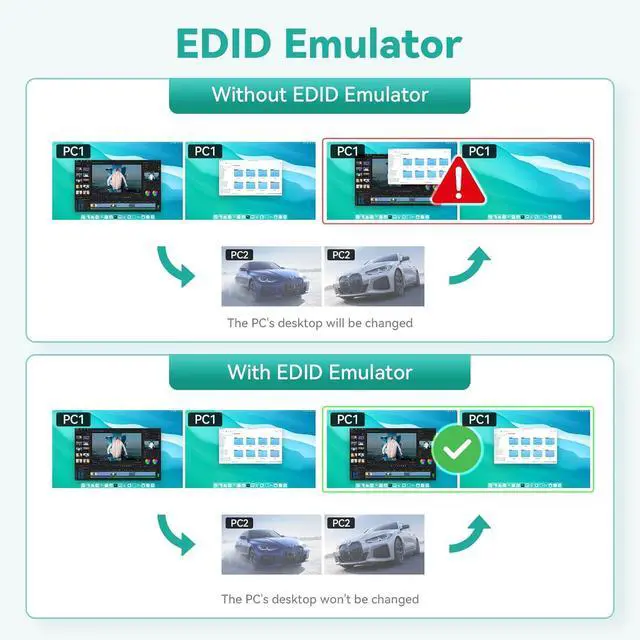
10, Edid Emulator
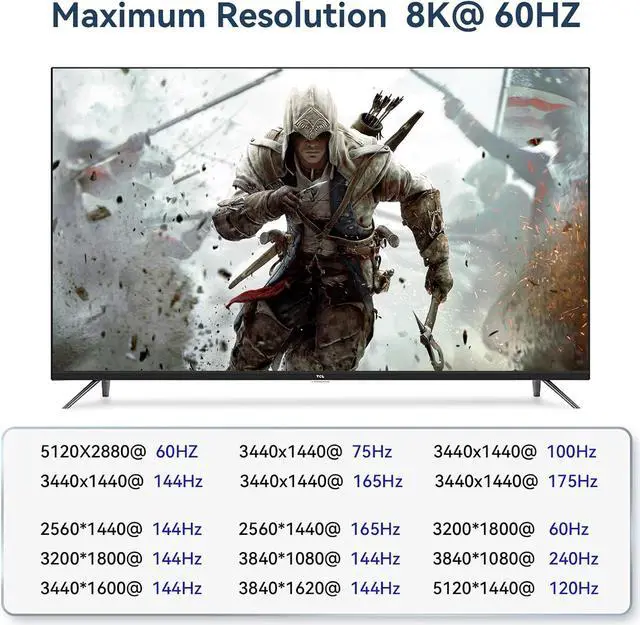
1. Kvm Switch 2 monitors 2 computers Displayport Support DP1.4 8K@30HZ, 4K@144HZ ,4K@120Hz 5120X1440@60HZ5120X1440@75HZ5120X1440@144HZ
3. Support DP1.3
5120X2880@60HZ,3440x1440@75Hz,3440x1440@100Hz,3440x1440@144Hz,3440x1440@165Hz,3440x1440@175Hz;
2560*1440 144Hz,2560*1440@165Hz 3200*1800@60Hz,3200*1800@144Hz; 3840*1080@144Hz,3840*1080@240Hz; 3440*1600@144Hz,3840*1620@144Hz and so on.
4. Displayport KVM Switch 2 monitors 2 computers Support 1440P 120Hz1440P 144Hz1440P 160Hz1440P 165Hz,1440P 175Hz1440P 240Hz, 3840x1600 @ 144Hz, FreeSync, G-SYNC
5. Display port KVM Switch 2 monitors 2 computers support USB3.0 5G High Speed ,key board,Mouse, U DiskUSB MS
Kvm Switch Displayport 2 Monitors 2 Computers Edid Kvm Switch Displayport 2 Monitors 2 Computers Edid Kvm Switch 2 Monitors 2 Computers Edid 144hz Kvm Switch 2 Monitors 2 Computers Edid 144hz Kvm Switch 2 monitors 2 computers Displayport 4k 144hz Kvm Switch 2 monitors 2 computers Displayport 4k 144hz