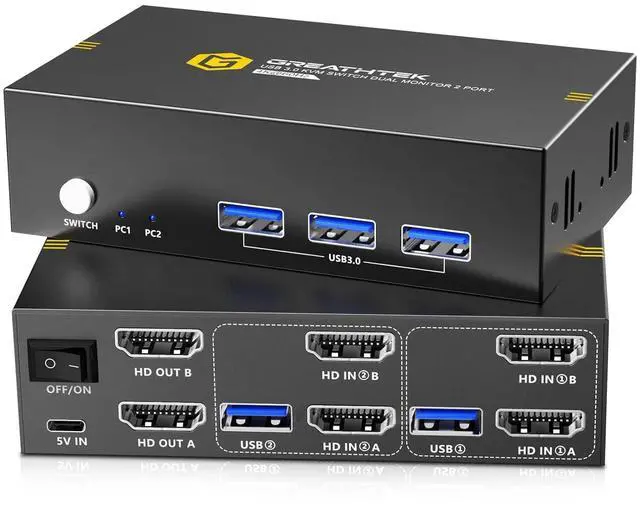
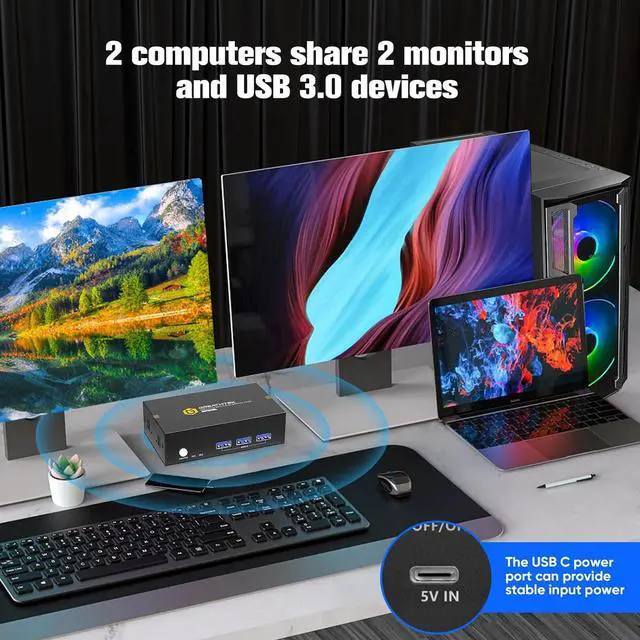
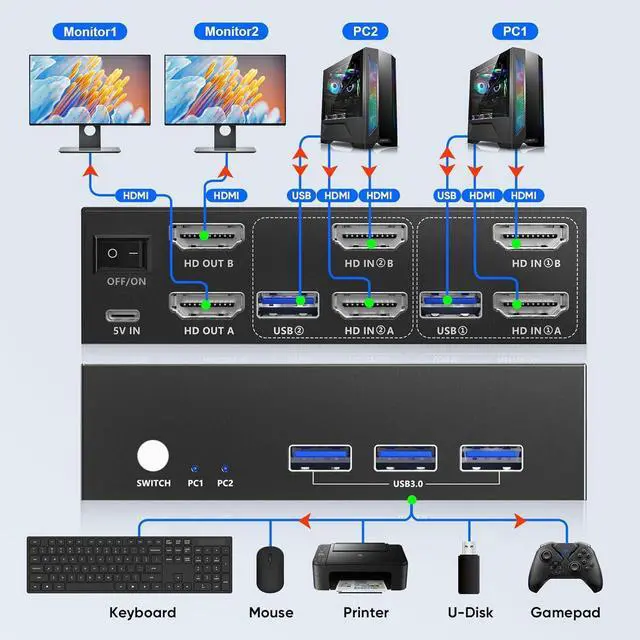
-2 IN 2 OUT: This USB3.0 Dual Monitor KVM Switches can makes 2 computers to share 2 monitor and 3 USB3.0 devices. 1 set of keyboard and mouse can control 2 computers. Switch between 2 computers by pressing the button on the KVM Switch panel, convenient and quick.
-Plug and Play: The HDMI KVM Switch 2 port is easy to connect, plug and play, no need to install any software driver. Power is supplied through USB3.0 cables, no power adapter is required.
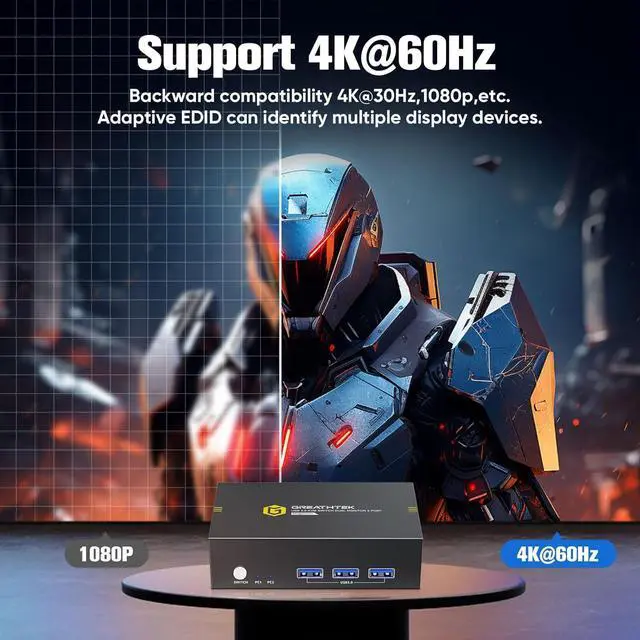
-4K@60Hz & Adaptive EDID: This KVM Switch 2 monitors 2 computers support 4K@60Hz, backward compatible with lower resolution like 4K@30Hz, 1920*1080P@60Hz etc. Support HDMI2.0, HDCP2.2 standards. Comes with adaptive EDID function.
-High Compatibility: Compatible with multiple systems, such as Windows, Mac, Unix, etc.
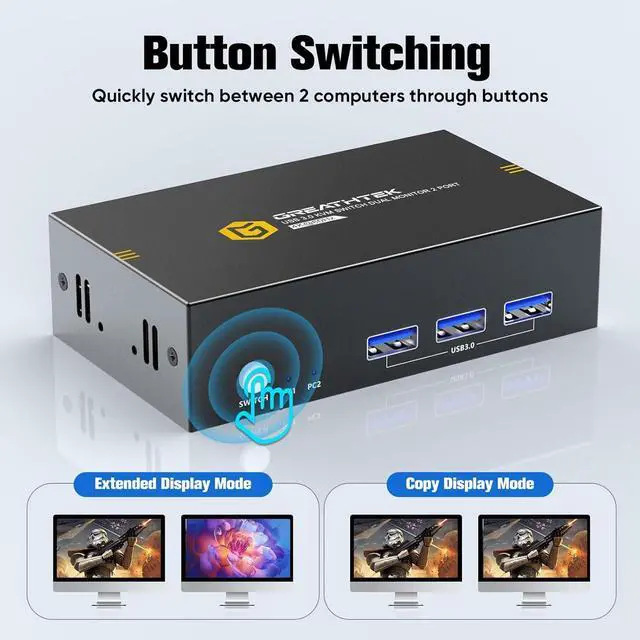
KVM Switch Dual Monitor is a good choice for the people who need to use 2 computers and 2 monitors. You can easily switch between 2 computers and USB devices without any confusion. It eliminates the hassle of repeatedly plugging and unplugging HDMI and USB devices, or controlling a computer with multiple keyboards and mice. 2 monitors can extend the display or duplicate the display, which is convenient for you to view multiple windows and improve your work efficiency. It's greatly save your desk space and your time.
** We recommend that your computer has 2 HDMI ports and supports dual display.
KVM Switch 2 monitors 2 computers is equipped with 3 USB3.0 ports, which have an ultra fast transmission rate of up to 5Gbps, which is 10 times faster than USB2.0. Compatible with a wide range of USB devices such as keyboards, mice, cameras, etc.
Dual monitor KVM Switch allows 2 computers to share multiple USB devices. It can greatly improve your work efficiency and meet your USB speed requirements.
*Warm tips*
If only one monitor is displayed after connection:
1. Please make sure each computer has 2 HDMI cables and 1 USB3.0 cable connected to the switcher. A total of 6 HDMI cables, 2 USB3.0 cables, and 1 Type-C power cable need to be connected.
2. Please make sure your display mode is: Extended Mode or Copy Mode.
3.Please make sure your resolution is 3840*2160@60Hz or below.
Button Switch
USB 3.0 KVM switch with one-button switching. You can quickly switch between 2 computers. You can determine which computer is currently selected by the indicator light and text on the panel.
* Please note that this device does not support hotkey switching.
Heat dissipation ports
There are heat dissipation holes on both sides of the KVM Switch, providing a stable working environment and extending its lifespan.
USB C power port stabilized output
USB3.0 KVM switch is powered by a USB cable and can be connected to any computer without the need for a power adapter. Easy to install, plug and play.
Wide compatibility
Compatible with a wide range of systems.
Connection steps:
1. Use 2 HDMI2.0 cable and 1 USB3.0 cable to connect the PC1 and switch PC1 input ports.
2. Use 2 HDMI2.0 cable and 1 USB3.0 cable to connect the PC2 and switch PC2 input ports.
3. Use 2 HDMI2.0 cable to connect the 2 monitors and switch output port.
4. Connect the Type-C power cable to power the switcher.
5. Connect the keyboard and mouse to the USB 3.0 ports.
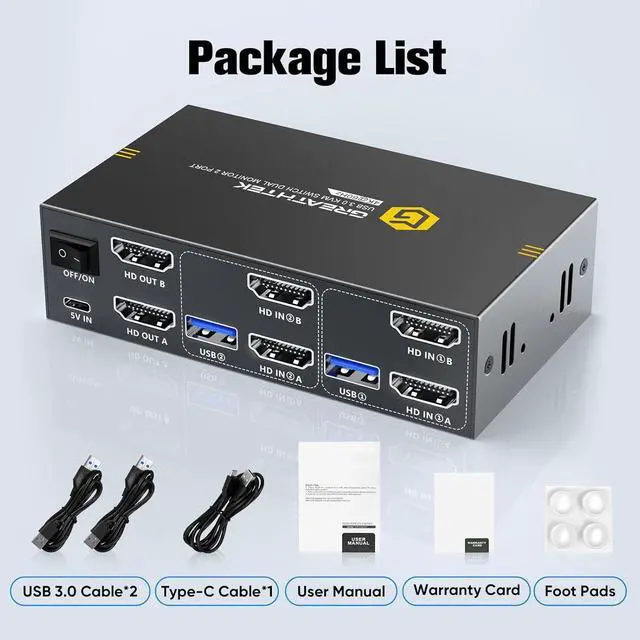
The product packaging is equipped with 1 USB3.0 KVM Switch Dual Monitor, 2 USB3.0 cables, 1 Type-C power cable.
GREATHTEK USB3.0 KVM Switch Dual Monitor - 2 PCs Share 2 Monitor Hi-Speed USB 3.0 KVMSwitcher