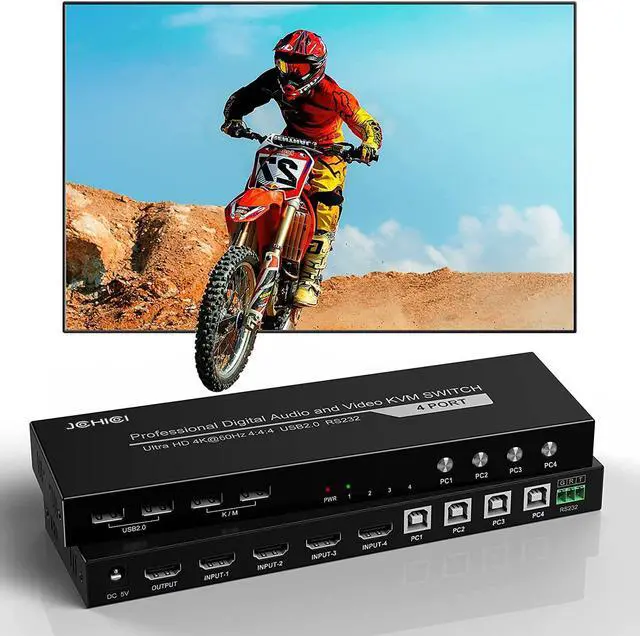
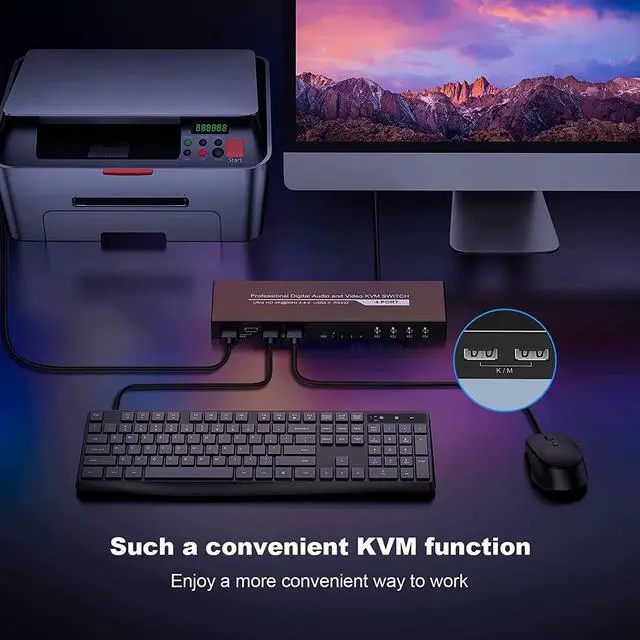
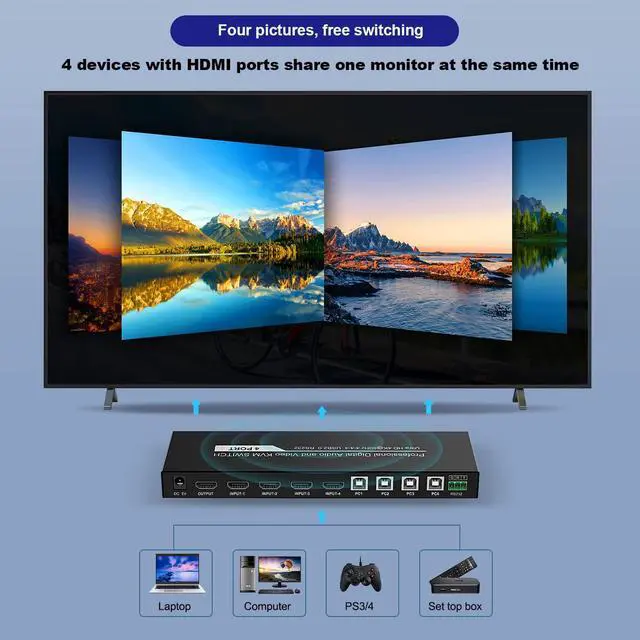
1 .With KVM function, controls 4 devices through a set of keyboard and mouse at the same time.
2. The 4-way HDMI input sources support various combinations, such as 4PCs,or 2PCs, a TV box and a PS3/4 combination, which greatly saves your desktop space and beautifies your working environment.
Watching movies or playing games on big screen with family , so gorgeous!
4 Simple Ways To Switch .Choose the most habitual switch mode to save study costs.
Best part of all, 4 independent number buttons can help you to switch the device which you want quickly and easily.
Warm tips:
When the hotkey doesn't work, it may cause by these points:
1, The product have 4hotkey modes, butremember that 4modes hotkey can't user at same time ! need switch next mode, then could use.
2. If you have inadvertently change another hotkey. Please try the 4 modes to confirm which mode you changed.
try these 4 modes:
1, Double Scroll , then press 2Double Caps then press "" 3.Double "Num" then press "" 4. Press "Ctrl" and "Shift" and "1"
BTW ,no matter what mode, you press * and 1/2/3/4also could swicth (press "*" don'tloose, then press "1" at the same time)
Warm tips:
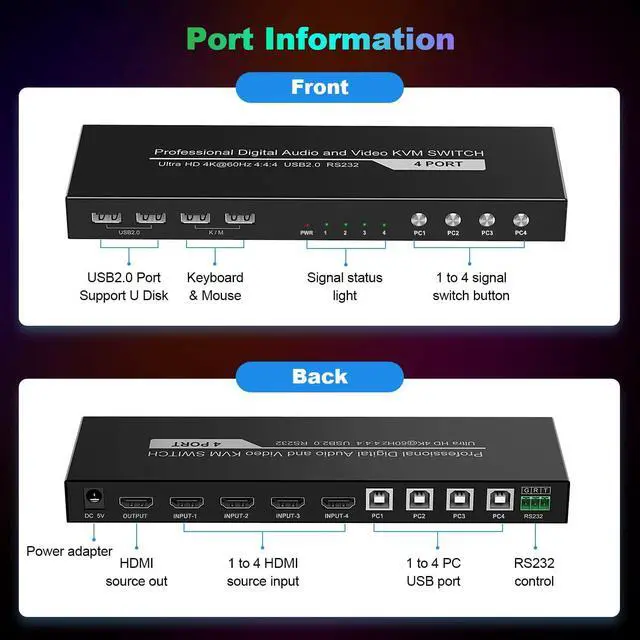
1. If you want to switch by "keyboard" hotkey, please make sure to plug the keyboard and mouse into the dedicated K/M interface to ensure that it works normally.
Content of the package:
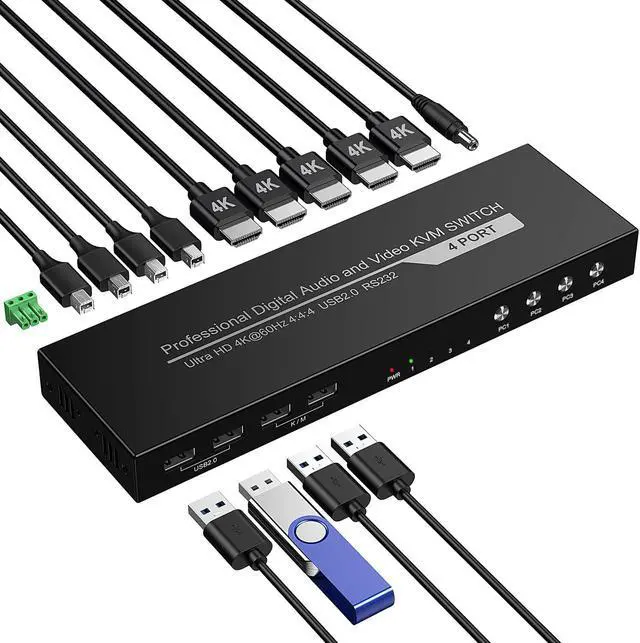
1 * 4x1 HDMI KVM switch
4 * USB cables(A to B)
1 * Power cable
1 * User manual
1.Easy to setup and operate. Just connect your input and output devices via our HDMI KVM switcher and then enjoy your movies, games......So stunning :)
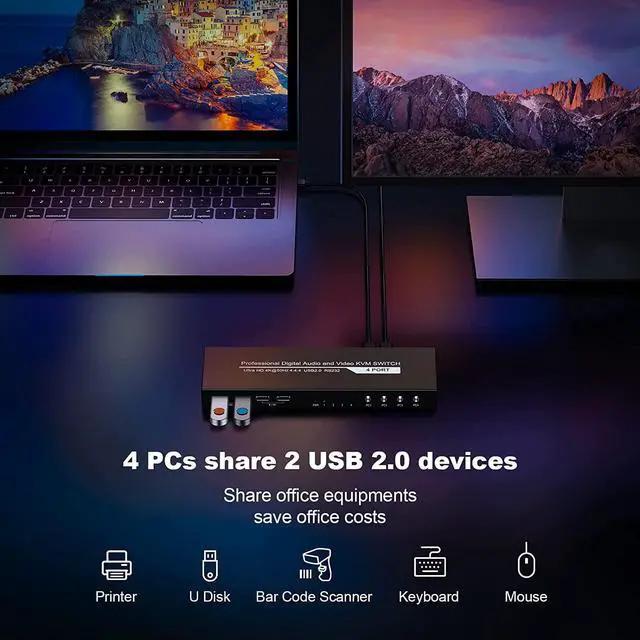
2.Plz make sure to connect the printer, U disk, barcode scanner and other USB devices to the "USB 2.0" ports. Cannot be plugged into the "K/M" port, otherwise it will not work.
3.Available to use keyboard without any delay after switch input sources.
Q: Does this HDMI KVM switch supports to connect wireless keyboard and mouse with 2.4G receiver?
A: Sure! Our KVM switchersupports basic mouse and keyboard, wireless mouse keyboard with 2.4G receiver, mechanical keyboard and gaming keyboard, except wireless Bluetooth keyboard and mouse.
Q: Connected the keyboard and mouse to the KVM interface, but it doesnt work, whats the matter?
A: It may be caused by the following points, pls check them :
1.Our product doesnt support wireless Bluetooth keyboard and mouse, pls make sure if you are using Bluetooth.(supportwireless mouse keyboard with 2.4G receiver)
2.The computer needs to be connected to the USB-B port corresponding to the HDMI port at the same time. For example, the correct connection for PC1 should be to the "HDMI1" and "PC1" ports, if the "HDMI1" and "PC2" ports are connectedthe keyboard and mouse will not work.
3.Please check if the USB cable is damaged.
4.The HDMI KVM switch requires the USB driver to work, pls make sure your computer has installed the USB driver.
5.If the above points are fine you can try to connect the keyboard and mouse to the USB2.0 port.
Q: Why the mouse macro and keyboard macro doesnt work when my mouse is connected to the KVM port?
A: It may be the compatibility problem of different brands, pls connect the keyboard and mouse to the USB2.0 interface, so that the keyboard macro and mouse macro can be used normally.