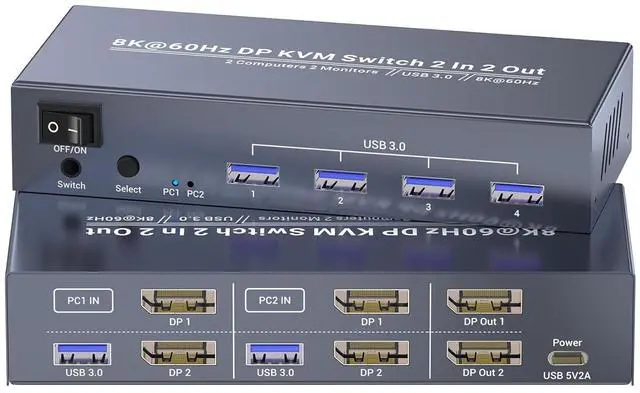
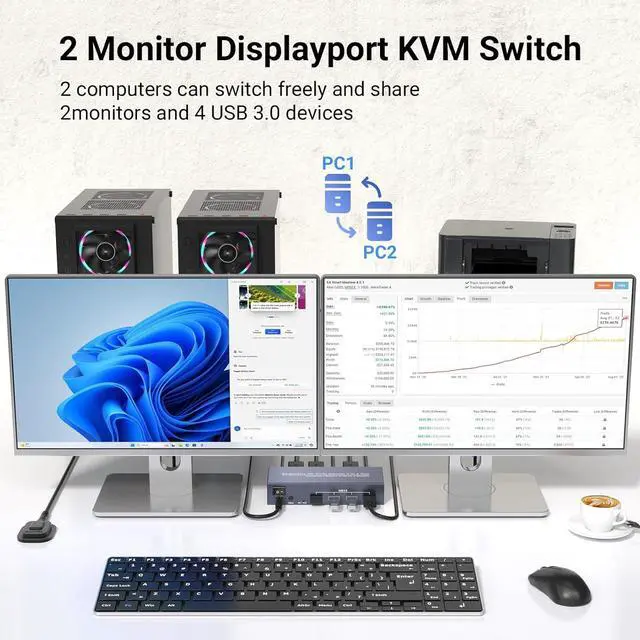
This dual monitor DP KVM switch allows you to control two computers with two monitors using a single set of keyboard, mouse, and USB peripherals, significantly boosting your productivity and workspace efficiency.
Ideal for:
1. Professionals managing multiple workstations
2. Gamers switching between gaming and streaming PCs
3. IT administrators testing and troubleshooting systems
4. Creators working with high-resolution displays
Note
1. Please ensure that both computers support multi-screen display, and both have at least 2 Displayport output ports.
2. No hotkey switching.
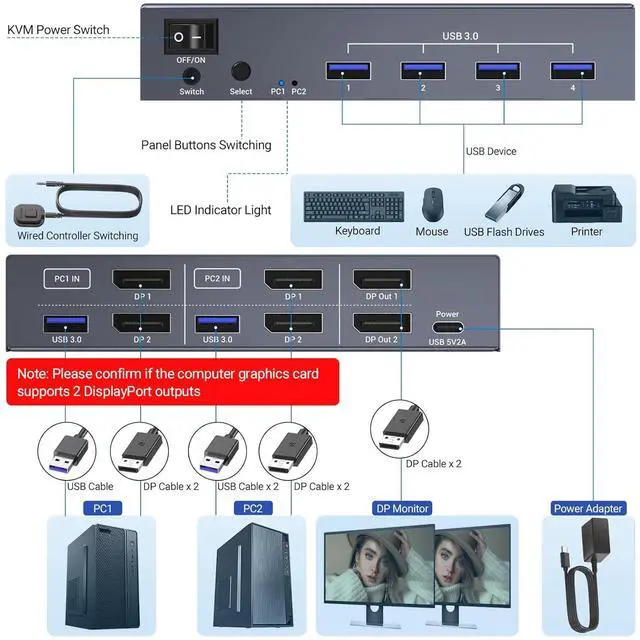
By following these steps, you can easily set up and use this DisplayPort KVM switch to control multiple computers:
1. Turn off all devices before connecting the KVM switch to avoid potential damage or connection issues.
2. Use DP cables to connect your monitors to the output ports on the KVM switch.
3. Use DP cables to connect each computer to the input ports on the KVM switch.
4. Connect the USB cables from each computer to the corresponding USB Host ports on the KVM switch.
5. Plug your keyboard and mouse into the USB Peripheral ports on the KVM switch.
6. Turn on the monitors, computers, and KVM switch
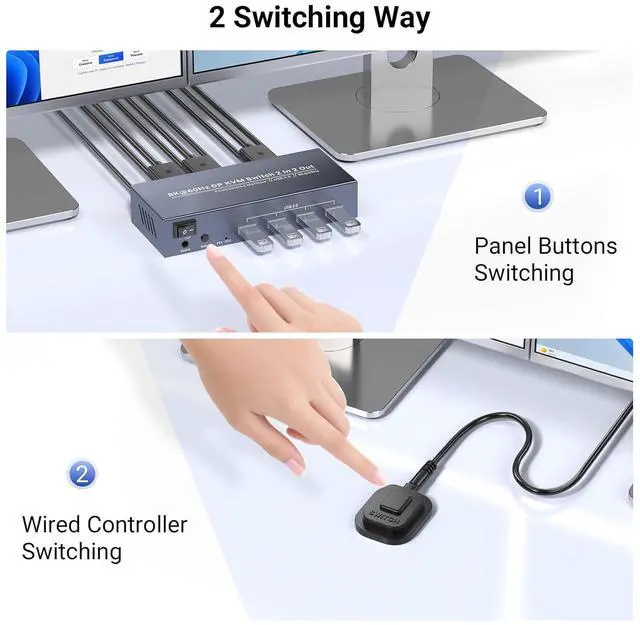
7. Use the KVM switch's button or desktop controller to toggle between the connected computers.
Note: You must use USB cables to connect both computers and the KVM switch, otherwise the 4 USB ports in front of the KVM will not work.
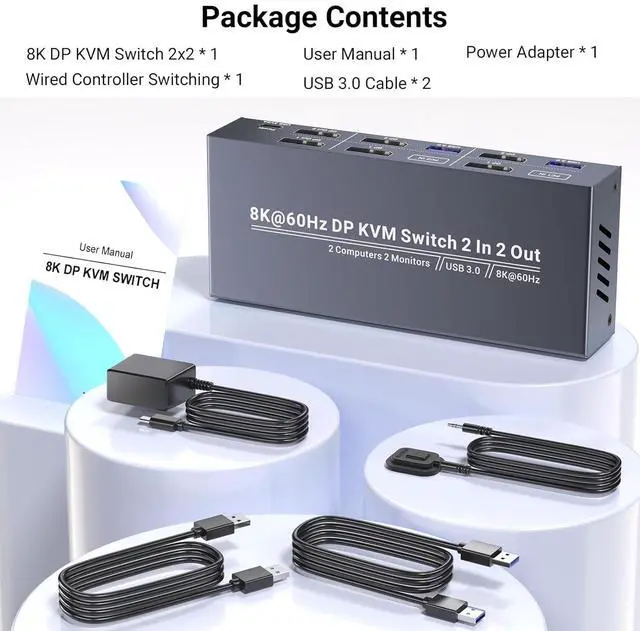
Dual Monitor DP KVM Switch 2 In 2 Out 5V2A USB type C Power AdapterTwo USB 3.0 A-A CablesDesktop ControllerUser Manual 1. Video Input: 2 x DisplayPort (DP)
2. Video Output: 2 x DisplayPort (DP)
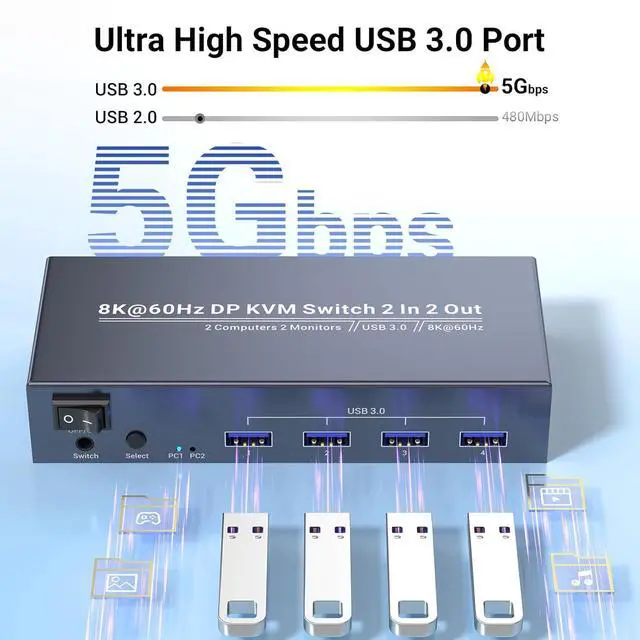
3. USB Ports: 4 x USB 3.0 for Peripherals, 2 x USB 3.0 for Host Devices
4. Resolution Support: Up to 8K@60Hz, 4K@120Hz
5. Switching Method: Button or Desktop Controller Switching
6. Compatible With: Windows, m-a-cOS, Linux
This 2 port DP KVM switch is equipped with high-speed USB 3.0 ports for fast data transfer and peripheral connectivity, including keyboards, mice, webcams, and external drives.
This 2 port DisplayPort KVM switch supports resolutions up to 8K@60Hz 4K@120Hz, ensuring stunning image quality for gaming, design, and professional applications.
The On/Off Power Switch is a compact and easy-to-use solution for controlling the power supply to the KVM switch, providing a straightforward way to turn devices on or off with a simple flick.
LED indicators show which computer or device is currently active and being controlled by the dual monitor KVM switch.
DisplayPort KVM Switch 2 Monitors 2 Computers USB 3.0 Support for Dual Monitor Setup, Effortless Control and High-Resolution Video How to connect your computers and the KVM switch? Effortless Switching--Switch between two computers with the push of a button or a convenient desktop controller Package Content Specifications: 8K@60Hz 4K@120Hz USB 3.0DP KVM Switch 2 Monitors 2 Computers USB 3.0 Connectivity High-Resolution 8K Input and Output On-Off Power Switch Active Device Indication