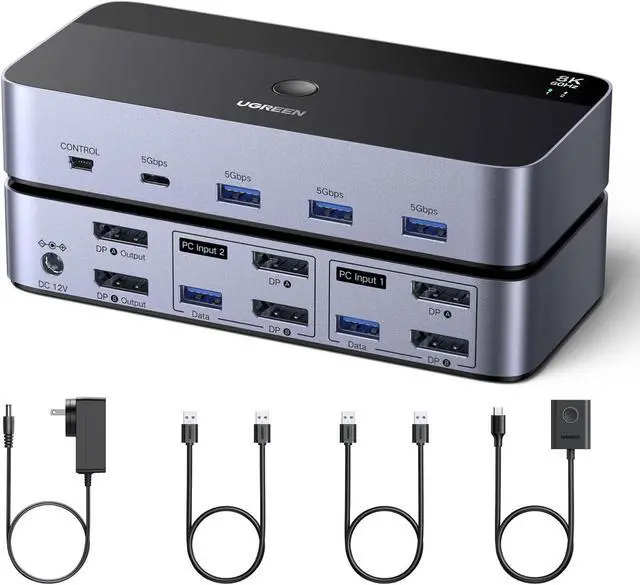
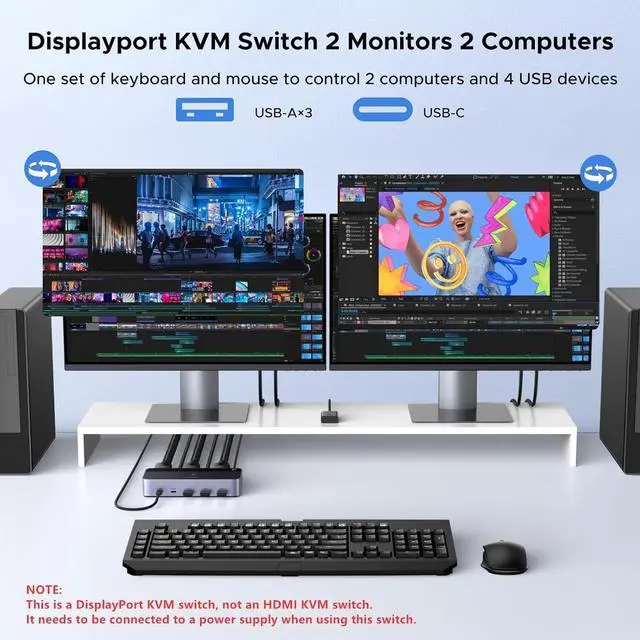
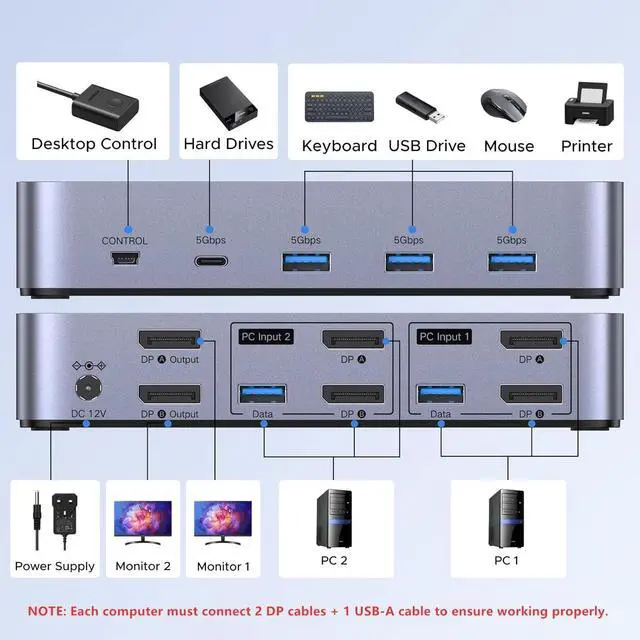
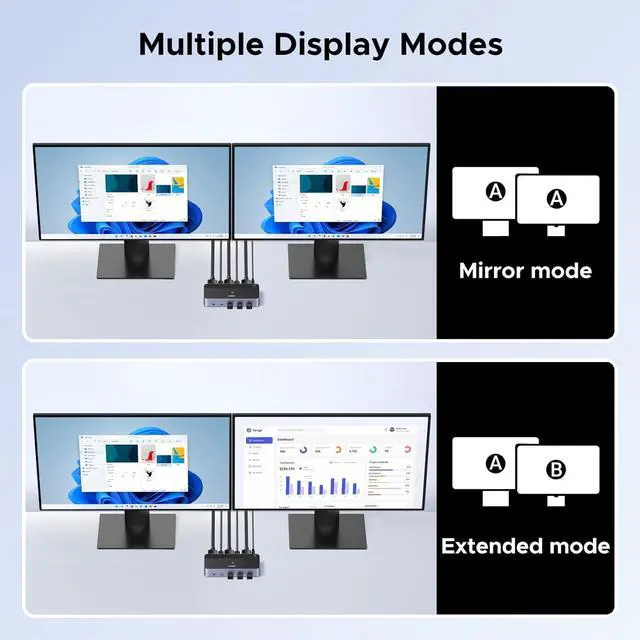
Displayport KVM Switch 2 Monitors 2 Computers: This KVM switch allows you to easily manage and switch between two computers with just one set of keyboard and mouse while simultaneously controlling two monitors and sharing 4 USB 3.0 devices. Support extend mode and mirror mode. Plug & play without any software installation or driver. This dual monitor KVM switch is ideal for both professional and home office setups. (NOTE: This is a DisplayPort KVM switch, not an HDMI KVM switch.)
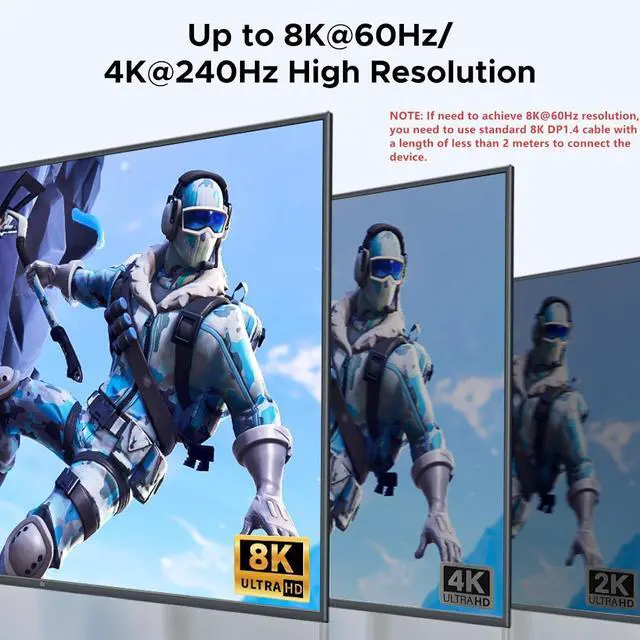
Ultra HD 8K@60Hz Resolution: This DP 1.4 KVM switch displayport supports resolution up to 8K@60Hz and is backward compatible with 8K@30Hz, 4K@240Hz/144Hz/120Hz/60Hz/30Hz, 1080p and below. Providing clear picture quality images, and lag-free transmission. NOTE: If need to achieve 8K@60Hz resolution, your computers and monitor need to support 8K resolution, and you need to use standard 8K DP1.4 cable with a length of less than 2 meters to connect the device. (DP cables not included)
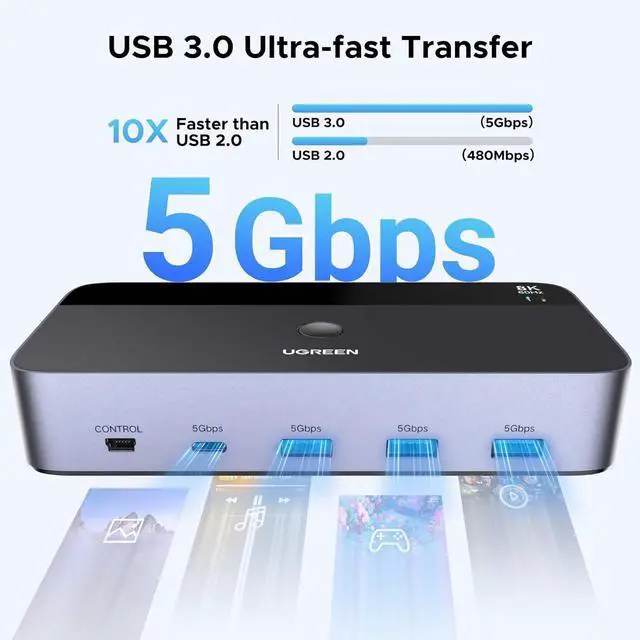
With 4 USB 3.0 Ports: UGREEN KVM switches have 4 USB 3.0 ports (3 USB-A+1 USB-C) for sharing mouse, keyboard, USB flash drives, printer, hard drives, and other USB devices. USB 3.0 offers data transfer speeds of up to 5Gbps, which allows faster data transfer to make work more efficient. NOTE: It needs to be connected to a 12V/2A external power supply when using this switch
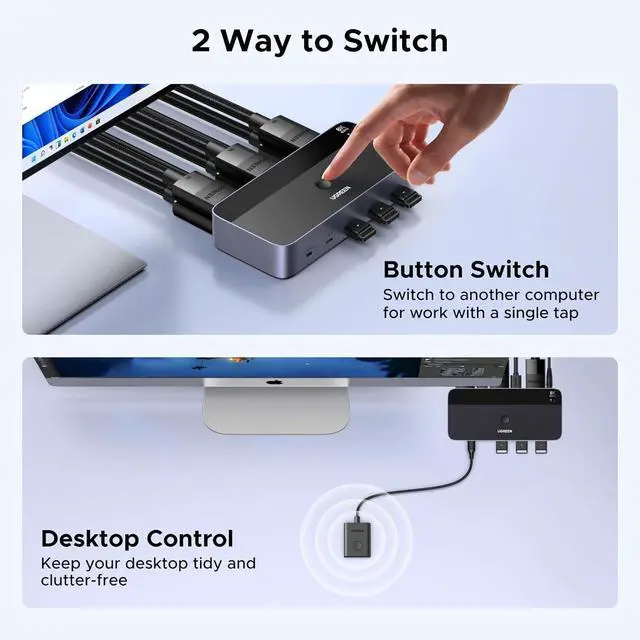
Two Switching Modes: This monitor switch for 2 computers supports button switching and desktop controller switching, freely switching between 2 computers
+
+
Overview
Specs
Reviews
Any questions? Our AI beta will help you find out quickly.
Try me now
Displayport KVM Switch 2 Monitors 2 Computers: This KVM switch allows you to easily manage and switch between two computers with just one set of keyboard and mouse while simultaneously controlling two monitors and sharing 4 USB 3.0 devices. Support extend mode and mirror mode. Plug & play without any software installation or driver. This dual monitor KVM switch is ideal for both professional and home office setups. (NOTE: This is a DisplayPort KVM switch, not an HDMI KVM switch.)
Ultra HD 8K@60Hz Resolution: This DP 1.4 KVM switch displayport supports resolution up to 8K@60Hz and is backward compatible with 8K@30Hz, 4K@240Hz/144Hz/120Hz/60Hz/30Hz, 1080p and below. Providing clear picture quality images, and lag-free transmission. NOTE: If need to achieve 8K@60Hz resolution, your computers and monitor need to support 8K resolution, and you need to use standard 8K DP1.4 cable with a length of less than 2 meters to connect the device. (DP cables not included)
With 4 USB 3.0 Ports: UGREEN KVM switches have 4 USB 3.0 ports (3 USB-A+1 USB-C) for sharing mouse, keyboard, USB flash drives, printer, hard drives, and other USB devices. USB 3.0 offers data transfer speeds of up to 5Gbps, which allows faster data transfer to make work more efficient. NOTE: It needs to be connected to a 12V/2A external power supply when using this switch
Two Switching Modes: This monitor switch for 2 computers supports button switching and desktop controller switching, freely switching between 2 computers. With the desktop controller, you can place this displayport switcher outside your work area, making your desktop cleaner and tidier. NOTE: Not support Keyboard shortcuts (hotkeys) toggles
Learn more about the Detailed Specifications
Additional Information
First Listed on Newegg
September 18, 2025
There are no reviews yet.
Do you own this product?
Warranty & Returns
Warranty, Returns, And Additional Information
Warranty
Please contact the Seller directly for warranty information. Warranty information may also be found on the Manufacturer's website.