




 here!
here!
I’m your shopping assistant for PC builds, upgrades, and everything tech.
Got questions? Ask away!
Start a conversation
here!
I’m your shopping assistant for PC builds, upgrades, and everything tech.
Got questions? Ask away!
Start a conversation



Any questions? Ask CelesteSM will help you find out quickly.
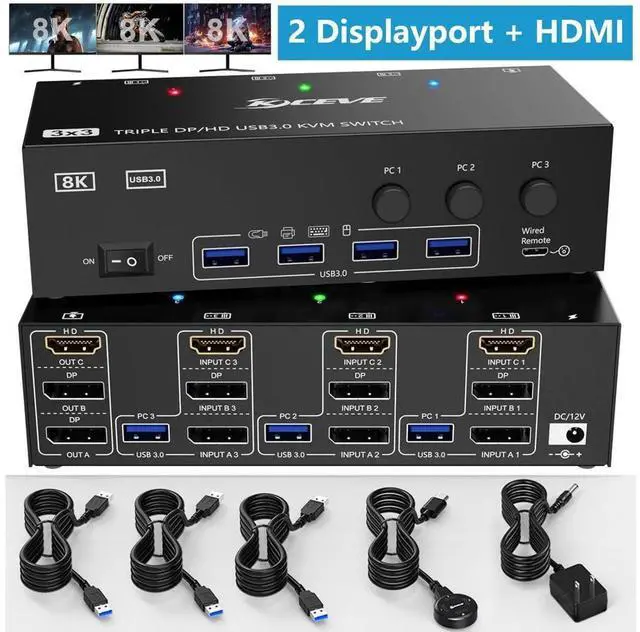
8K@60Hz/4K@144Hz Triple Monitor KVM for 3 Computer 2 Displayport 1.4 + HDMI 2.1
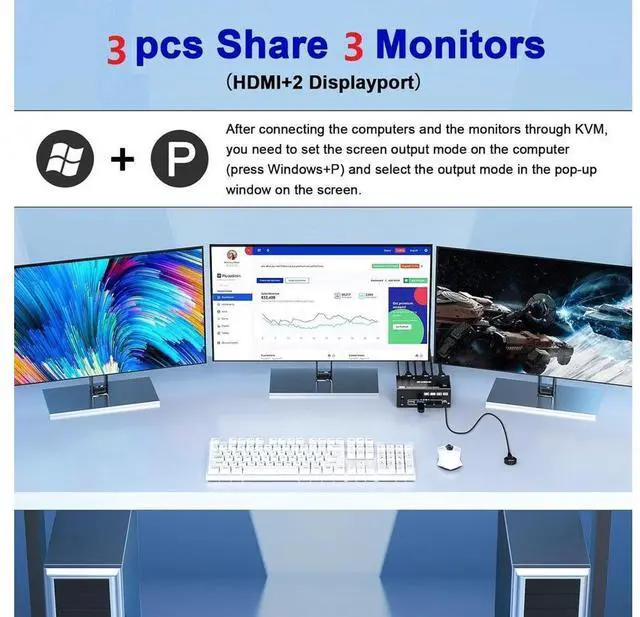
2 Displayport 1.4 +HDMI 2.1 USB 3.0 Triple Monitors KVM Switch allows 3 desktop computers/laptops to share 3 monitors and 4 USB 3.0 ports(keyboard, mouse and other USB devices). It can make your work space tidy and efficient, also a premium choice for working from home.
NOTE1: Only when your computer supports 3 display or multi display, you can use this KVM to achieve 3 PC to share 3 monitors.
NAOTE2: You must make sure that your computer supports three-screen output, otherwise you cannot get three monitors to work at the same time.
Test method: Without connecting to KVM, connect the computer directly to three monitors. If all three monitors work, then your computer supports three-screen output.
NAOTE3: Please connect it correctly to make KVM work properly.
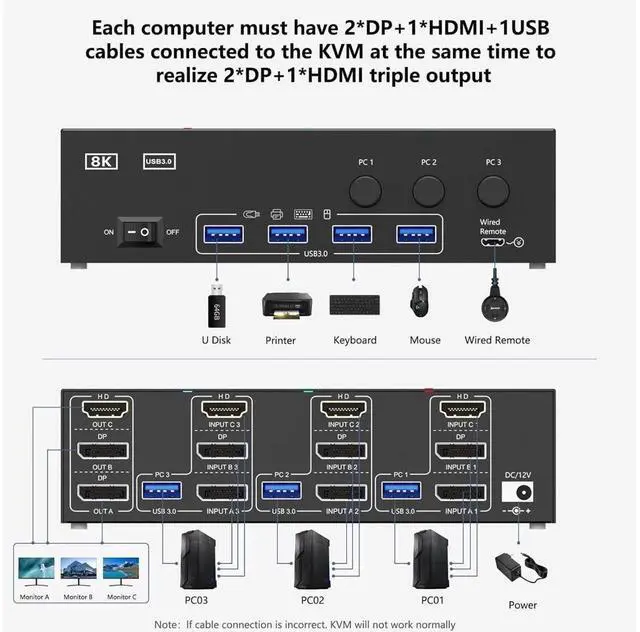
Connection diagram of triple monitor KVM switch
Each computer requires 1*HDMI+2*Displayport +1* USB cable to connect the 3 monitor KVM switch, OUT A, OUT B, OUT C connect to 3 monitors.
Supports DP to HDMI, USB-C to HDMI, USB-C to DP converter and USB-C docking station.
Please confirm whether your computer's graphics card supports 1*HDMI+2*Displayport before placing an order.
Package contents:
1x Triple Monitor KVM Switch,
3 x USB 3.0 Cable,
1x Power Adapter,
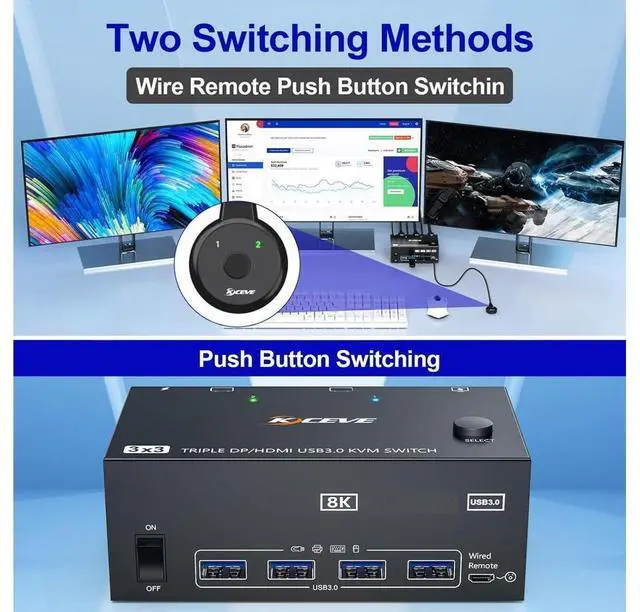
1x Wired remote,
1x User's manual.


