• $336.89
  • Free 30-day Returns
  • Volume Discounts Available
    • $335.89 ea.
    • $334.89 ea.
    • $333.89 ea.
    Ships from China.
    Price alert
    Shop it at NeweggBusiness.

    Meet Your Seller

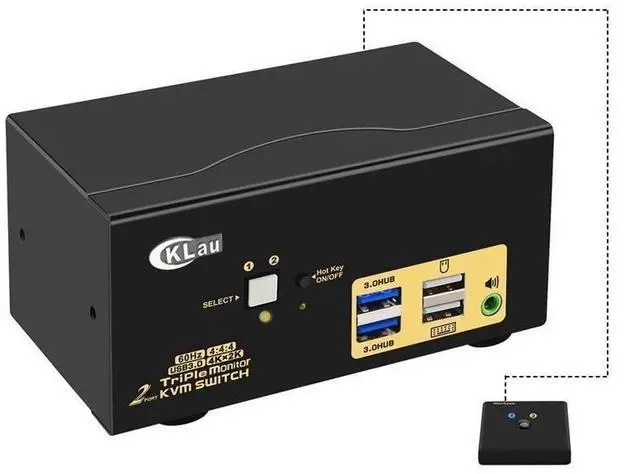
    CKL 4K@60Hz 2 Port HDMI KVM Switch Triple Monitor with Audio, Cables and 2 USB 3.0 Hub for 2 Computers Sharing Single Keyboard Mouse, 3 Monitors and 2 Peripherals Support HDMI 2.0, HDR10 eokCXOY

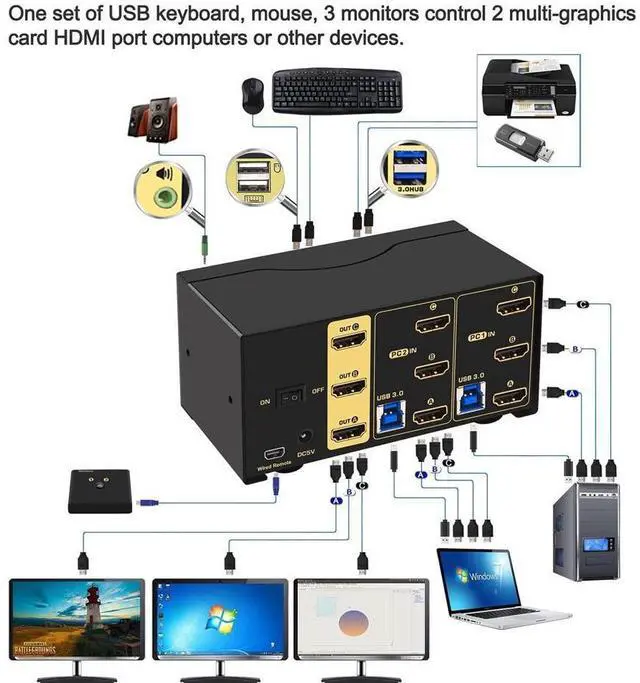
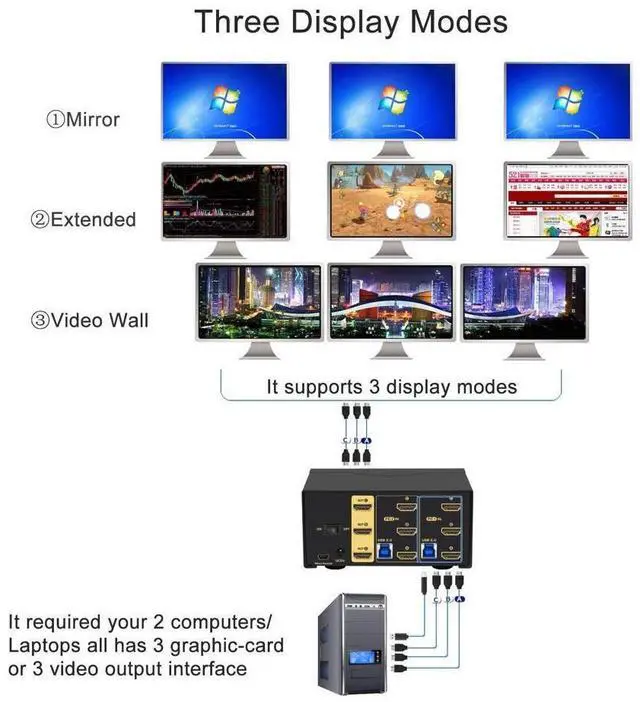
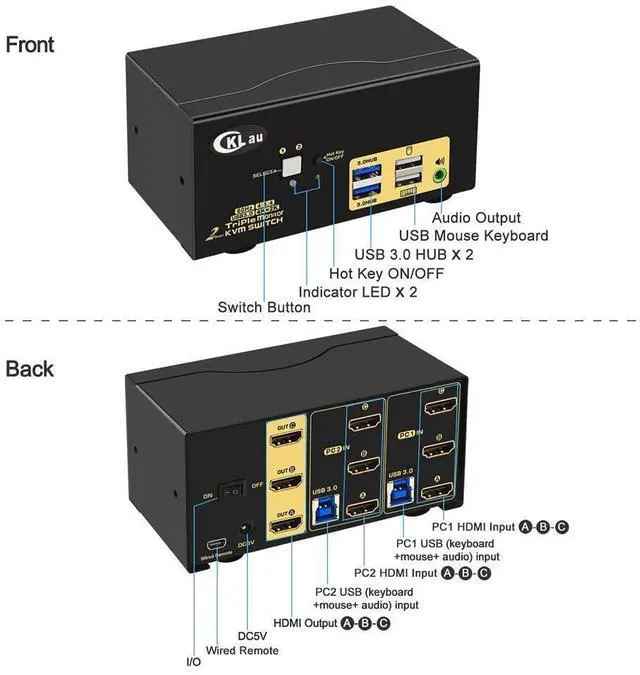
    • 1. KVM HDMI Switch: Allows 2 HDMI-interface computers / Macs / laptops / PCs / DVRs / NVRs Sharing one set of keyboard & mouse, 3 monitors, headset, 2pcs USB 3.0 peripheral devices. With digital audio output and all input cables. Support HDMI 2.0, HDCP 2.2, HDR 10.
    • 2. HDMI Monitor Switch: We are certified HDMI adopter over 10 years. Excellent image processing and transmission capacity, make the output signal more smoothly and steady. Resolution compatible 4096x2160@60Hz 4:4:4, 3840x2160@60hz, 3840x1620@60Hz, 3440x1600@60Hz, 3440x1440@60Hz, 3840x1080@240Hz, 3200x1800@60Hz, 2560x1440@60Hz, 2048x1536@60Hz, 2048x1280@60Hz, 2048x1080@60Hz, 1920x1200@60Hz, 1920x1080@60Hz, etc.
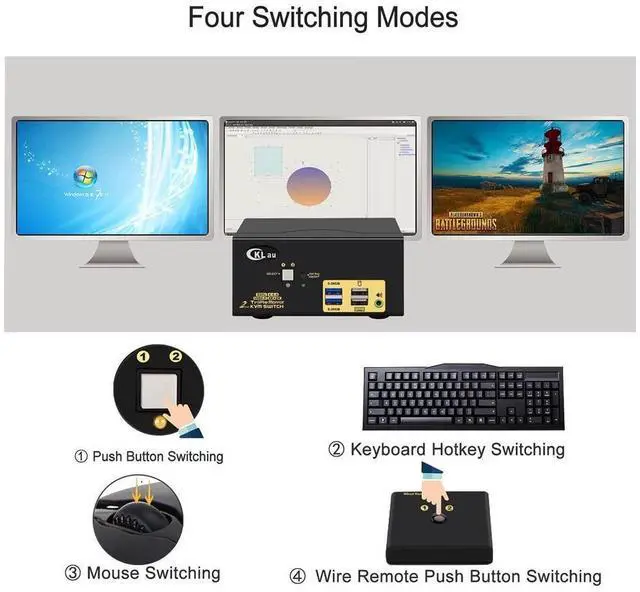
    • 3. 2 Port KVM Switch HDMI: Support wireless / wired keyboard & mouse, Apple keyboard (hot key is changeable), Unify keyboard, touch screen, OLED screen, wide screen, ultra-wide screen, etc. Drive-free for Windows 10/7/2000/XP/Vista, Linux, Mac, Debian, Ubuntu, Fedora, Raspbian, Ubuntu, etc.
    • 4. Monitor Switc
    +
    +
    Overview
    Specs
    Reviews
    avatar

    Any questions? Our AI beta will help you find out quickly.

    KVM Switches KMV Switches KVM Switch 2 Port KVM Switch USB KVM Switch 2 Computers KVM USB HDMI Switch USB HDMI KVM Switch KVM USB Switch 2 Port HDMI KVM Switch 4K

    Installation Step

    1. Turn off all devices and unplug all the cables;

    2. Plug DV5A 2A power adapter into KVM and AC socket;

    3. Plug HDMI cables, USB 3.0 cables into KVM switch and your computers;

    4. Plug HDMI cables into KVM switch and your monitors;

    5. Plug mouse into mouse slot of KVM switch, plug keyboard into keyboard slot of KVM switch;

    6. Plug speaker or other USB peripheral devices or wired remote push button switch into KVM switch if needed;

    7. Turn on KVM switch;

    8. Turn on your computers.

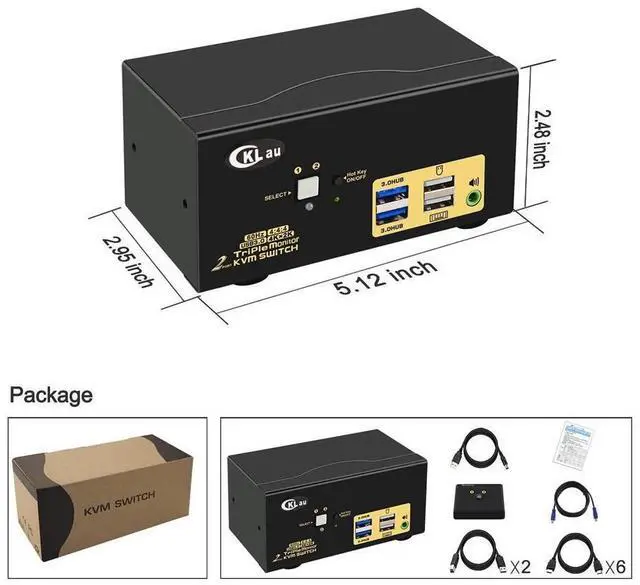
    Package include: 1 x HDMI KVM switch + 1 x DC5V 2A power adapter + 2 x USB 3.0 cable + 6 x HDMI cables + 1 manual + 1 wire remote push button switch

    Warm Tips: If your input devices without HDMI interface, please purchase reliable converter / adapter with chip. The quality of converter / adapter may affect the function of KVM switch.

    Warranty & Returns

    Warranty, Returns, And Additional Information

    Warranty

    • Please contact the Seller directly for warranty information. Warranty information may also be found on the Manufacturer's website.
    • CONTACT

    Return Policies

    Manufacturer Contact Info

    LOADING...