Get a $25 Newegg Promo Gift Card when you spend $250+ between 1/17/26 and 1/19/26. Learn More>
  • $77.19
  • Free 30-day Returns
  • Volume Discounts Available
    • $76.99 ea.
    • $75.99 ea.
    • $74.99 ea.
    Ships from China.
    Price alert
    Shop it at NeweggBusiness.

    Meet Your Seller

    USB 3.0 2x2 KVM Switch 2 Monitors 2 Computers, USB3.0 HDMI KVM Switch Dual Monitor Sharing 4 USB Devices for Keyboard Mouse Scanner, 4K @60Hz KVM Switches Support Audio, Hotkey, Button Switching

    Limited time offer, ends 01/18 By Torpedo Nova

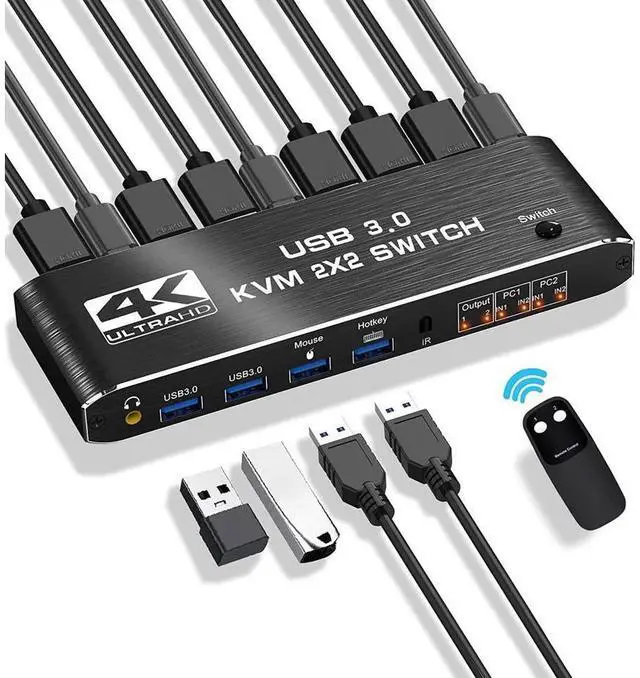
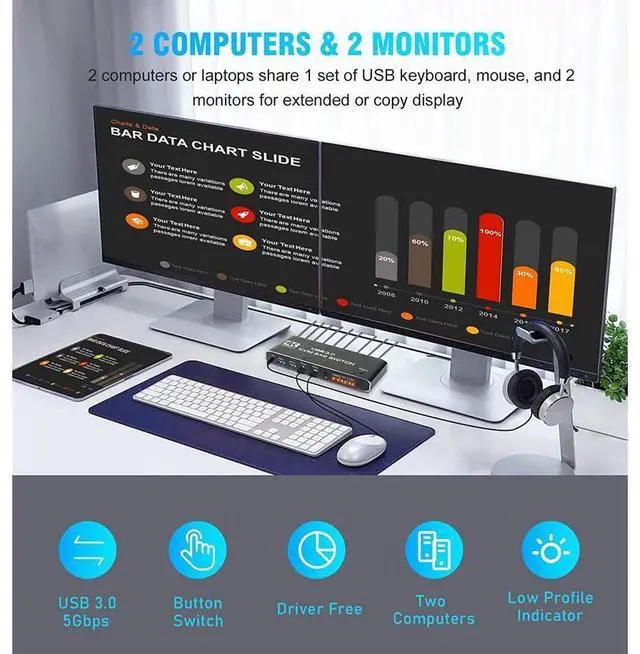
    • [KVM Switch 2 Monitors 2 Computers] The KVM switches allow you to share 2 monitors and 4 USB peripherals (a mouse, keyboard, printer, scanner etc) between 2 computers.
    • [4K@60Hz Ultra HD Visual Enjoyment] Supports up to 4K@60Hz resolution (supports 3D, 1080P), making the image display more fascinating and realistic. 2 additional USB 3.0 ports are added to transmit various video information at extremely high speeds without lag
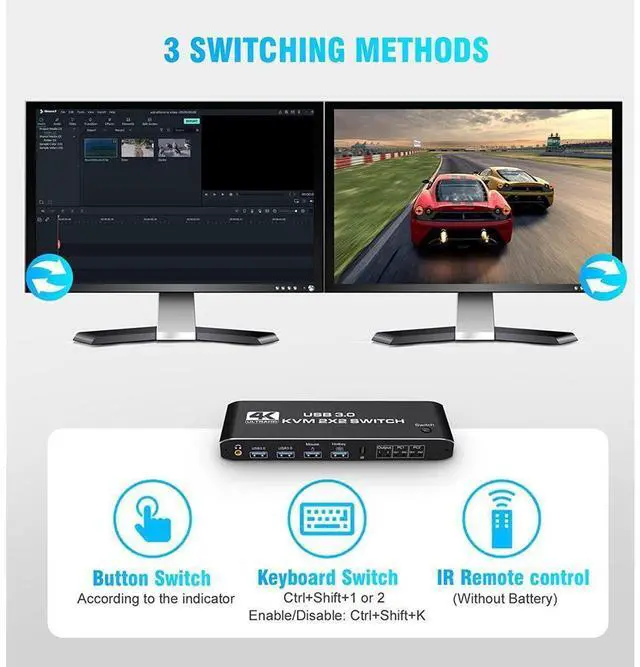
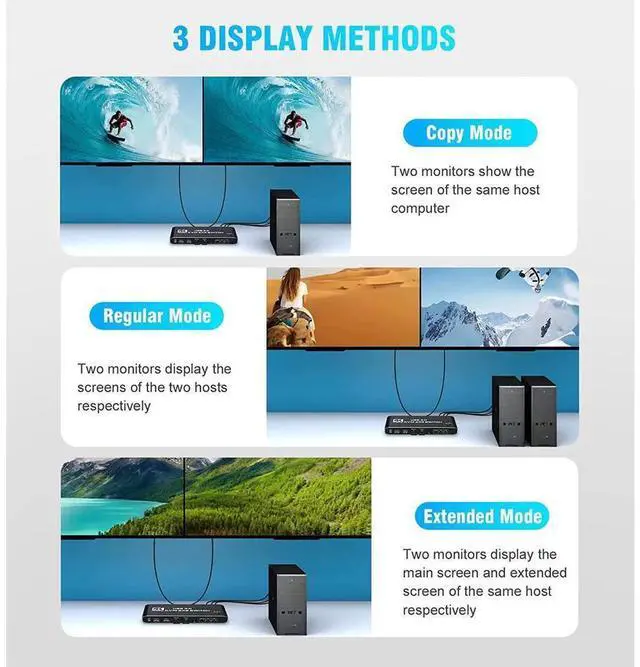
    • [3 Switching Methods & 2 Modes] 3 fast-switching methods: button, hotkey, and IR remote control. For hotkeys, use Ctrl+Shift+1/2 or quickly tap the Ctrl key to switch between computers (Ctrl+Shift+K can disable/enable this function). It also supports copy and extended modes, which will meet more user needs
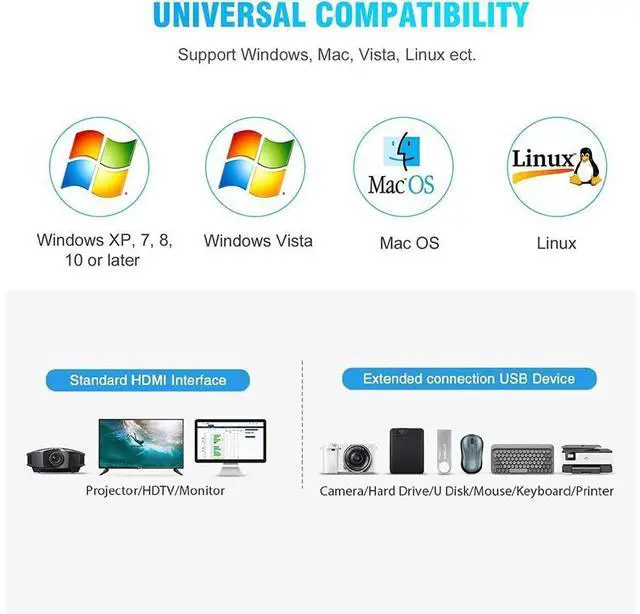
    • [Easy to Install & Use] plug and play, ideal for beginners. Compatible with Windows 10/8/8.1/7/Vista/XP, MacOS X, Linux etc..
    • [Perfect Accessories] 1* KVM Switch, 2x HD MI Cable, 1x IR Remote, 3x USB cable, 1* User manual.
    +
    +
    Overview
    Specs
    Reviews
    avatar

    Any questions? Our AI beta will help you find out quickly.

    Overview:


    The KVM switches allow you to share 2 monitors and 4 USB peripherals between 2 computers, such as a Mouse, Keyboard, Printer, Scanner, USB stick, etc. No need to constantly swap cables or set up complicated tethering software, making your life simpler and more efficient.

    Two display modes:

    Copy Mode: Two monitors show the screen of the same host computer;

    Extended Mode: Two monitors display the main screen and extended screen of the same


    Introduction of ports:


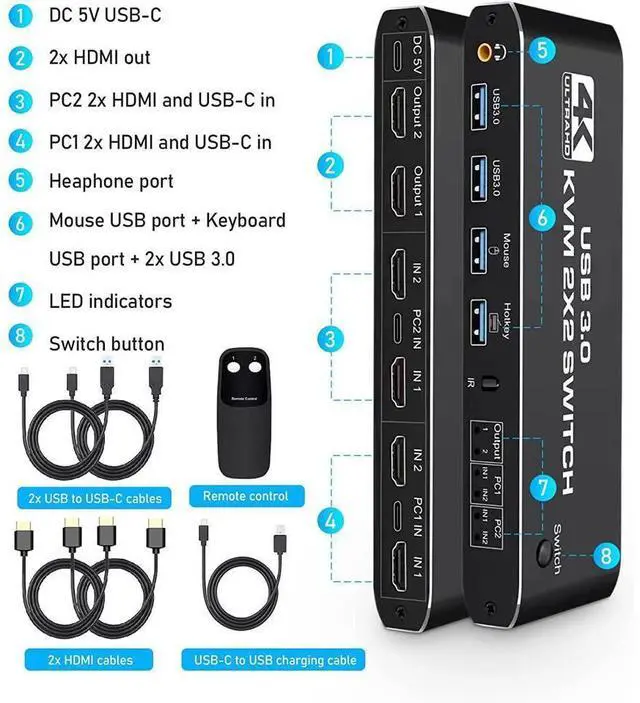
    PC1: USB C + HDMI IN 1 + HDMI IN 2

    PC1: USB C + HDMI IN 1 + HDMI IN 2

    Monitor: HDMI Output 1 + HDMI Output 2

    Devices: 2 x USB-A 3.0, Mouse, Keyboard (Hotkey)

    Audio: 3.5 mm Jack

    Power: USB C 5V1A

    How to quickly master this KVM switch?


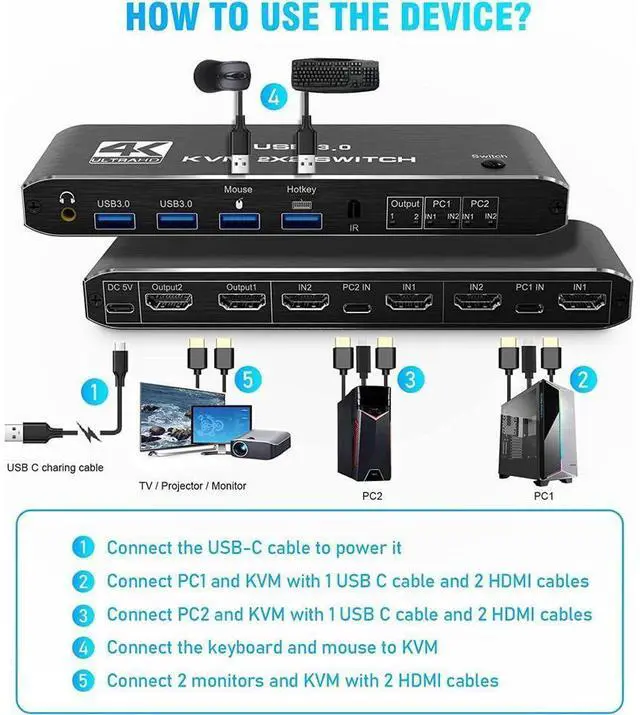
    Connect the USB-C cable to power it;

    Connect PC1 and KVM with 1 USB C cable and 2 HD MI cables;

    Connect PC2 and KVM with 1 USB C cable and 2 HD MI cables;

    Connect the keyboard and mouse to KVM;

    Connect 2 monitors and KVM with 2 HD MI-cables.


    Package included:

    1 x Dual Monitor HDMI KVM

    2 x HD MI-Cable

    1 x IR Remote Control

    2 x Type-c to USB-A Cable

    1 x 5V 1A USB C Power Cable

    1 x IR Remote Control

    1 x User Manual

    Warranty & Returns

    Warranty, Returns, And Additional Information

    Warranty

    • Please contact the Seller directly for warranty information. Warranty information may also be found on the Manufacturer's website.
    • CONTACT

    Return Policies

    Manufacturer Contact Info

    LOADING...