

Your Browsing History
- Free 30-day Returns
$254.18
Ships from China.

Meet Your Seller


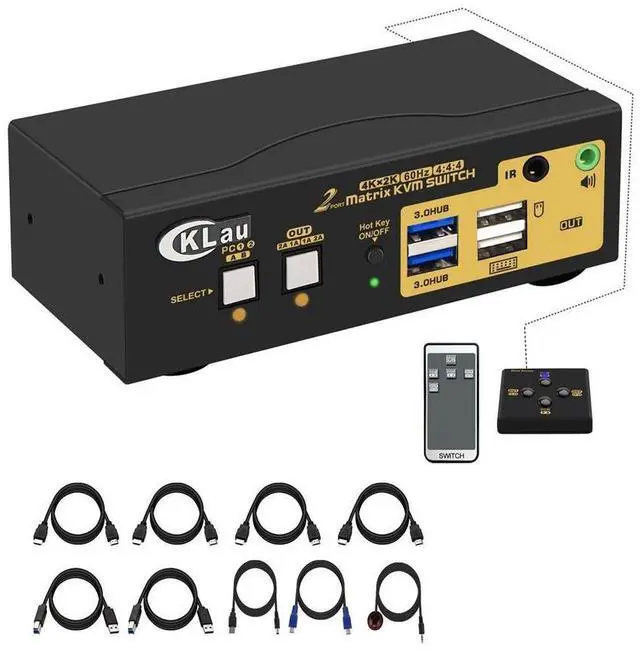


CKL 2 Port USB 3.0 Matrix HDMI KVM Switch Dual Monitor 4K60Hz Supports Simulation EDID with Audio, Cables for 2 PCs 2 Monitor eokCXOY
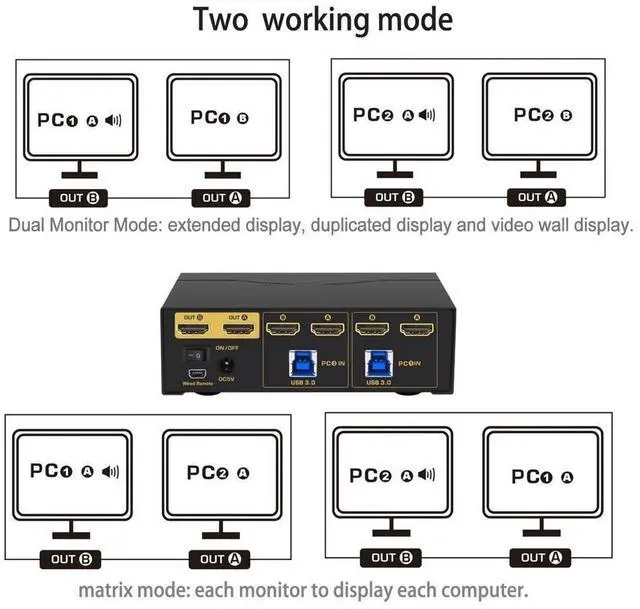
- 1. 2 Port KVM Switch 2 Monitors 2 Computers: one set of keyboard & mouse controls 2 computers and 2 monitor. Support EDID. Tips: this KVM switch required each of your computers/laptops with 2 video output.
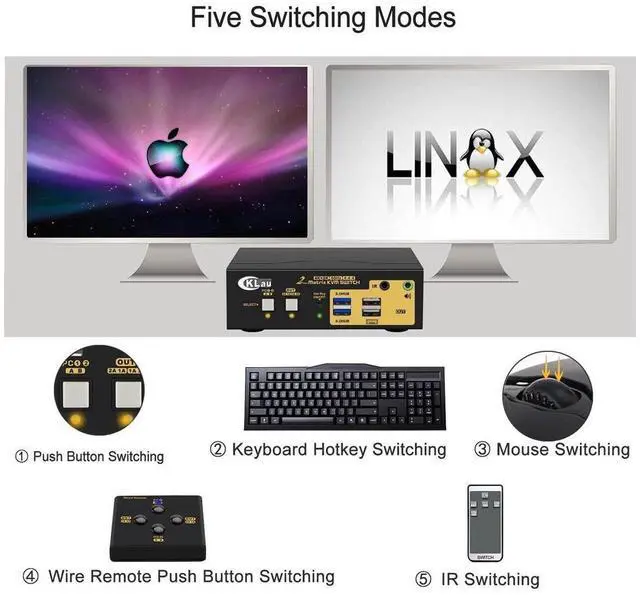
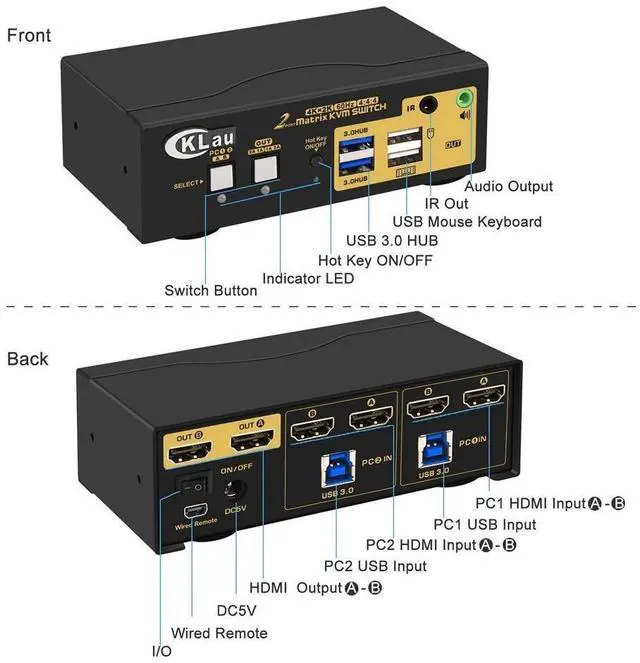
- 2. Dual Monitor KVM Switch HDMI: Five switching way optional: Hotkey switching(Num Lock + Num Lock + 1 / 2 + Enter, or Ctrl + Ctrl + 1 / 2 + Enter, or Scroll Lock+ Scroll Lock+1 / 2 + Enter), mouse switching (click mouse wheel 2 times), manual button switching, wired remote push button switching, IR remote switching.
- 3. KVM HDMI KVM Switch: We are certified HDMI adopter over 10 years. Excellent image processing and transmission capacity, make the output signal more smoothly and steady. Resolution compatible 4096x2160@60Hz, 3840x2160@60Hz, 3840x1620@60Hz, 3440x1440@60Hz, 3840x1080@60/120Hz, 3200x1800@60Hz, 2560x1440@60/144/165Hz, 2048x1536@60Hz, 2048x1280@60Hz, 2048x1080@60Hz, 1920x1200@60Hz, 1920x1080@60Hz, etc.
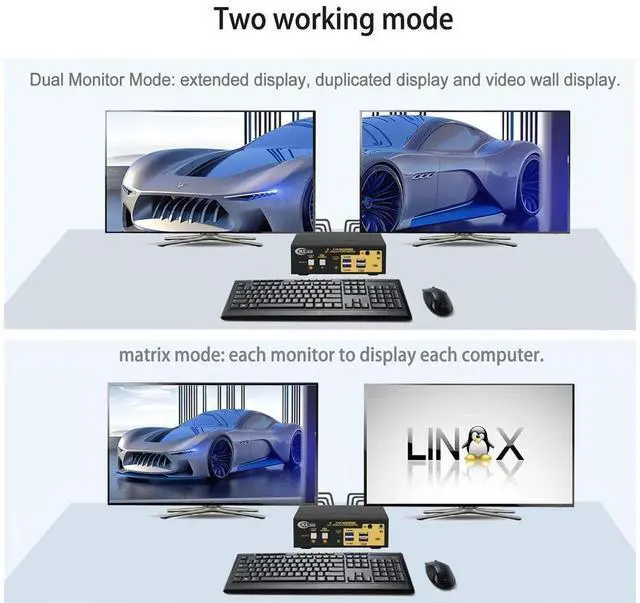
- 4. 4K KVM Switch USB 3.0: dual monitor mode and matrix mode opti
+
+
Overview
Specs
Reviews

Any questions? Our AI mode will help you find out quickly.
Try me now
HDMI KVM HDMI Switch Monitor Switch for Multiple Computer USB KVM Switch 2 Computers 2 Port KVM Switch HDMI KVM for Mac 2 Port HDMI KVM Switch
Installation Step
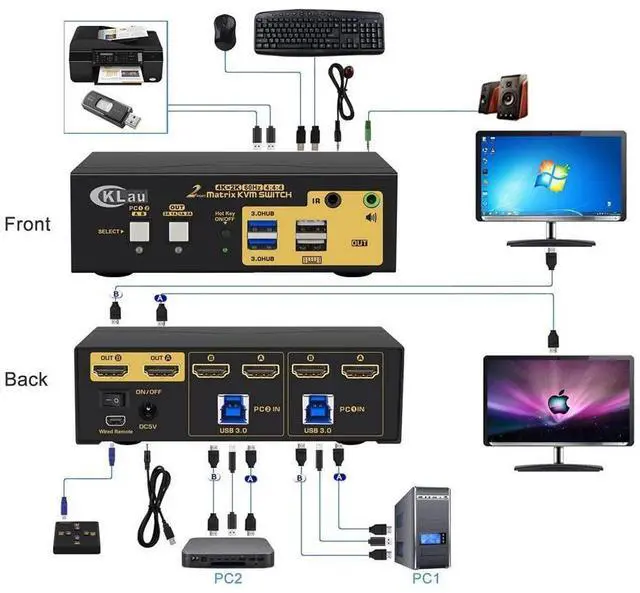
1. Turn off all devices and unplug all the cables;
2. Plug DC5V 2A power adapter into KVM and AC socket;
3. Plug HDMI cables, USB 3.0 cables into KVM switch and your computers;
4. Plug HDMI cable into KVM switch and your monitors;
5. Plug mouse into mouse slot of KVM switch, plug keyboard into keyboard slot of KVM switch;
6. Plug speaker or USB devices into KVM switch if needed;
7. Turn on KVM switch;
8. Turn on your computers.
Package: 1 x 2 port matrix KVM switch + 4 x HDMI cables + 2 x USB 3.0 cables + 1 x DC 5V 2A Power adapter + 1 x manual + 1 x wire remote push button switch + 1 x IR remote(without battery)
Tips:
IR remote not include battery, you need buy it separately (battery specification is CR2025 3V).
Warranty & Returns
Warranty, Returns, And Additional Information
Warranty
- Please contact the Seller directly for warranty information. Warranty information may also be found on the Manufacturer's website.
- CONTACT
Return Policies
- Return for refund within: 30 days
- Return for replacement within: 30 days
- This item is covered by GGnix Return Policy
Manufacturer Contact Info
- For a directory of all our manufacturers, please click below.
- Manufacturers Directory
LOADING...