- Free 30-day Returns
Meet Your Seller
8K@60Hz KVM Switch 3 Monitors 2 Computers, 8K HDMI+ 2 Displayport KVM with 3 USB 3.0 Port, 2 Computer 3 Monitor KVM Switch with Audio Mic Keyboard and Mouse Switcher
Limited time offer, ends 07/12 By GGnix
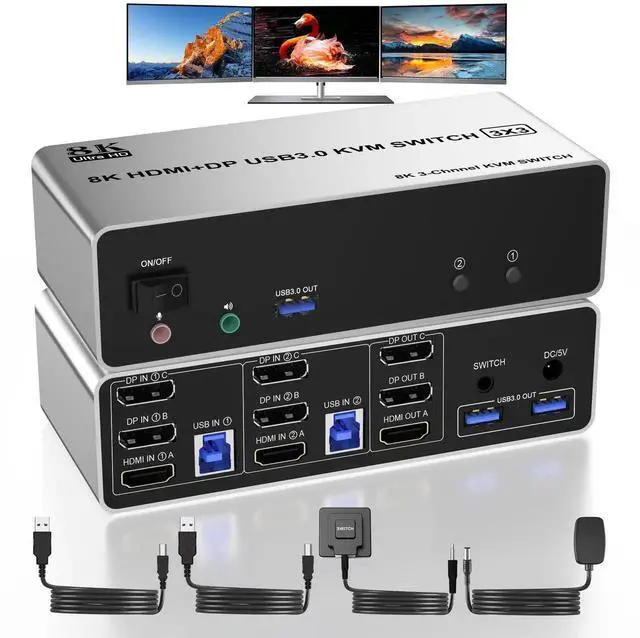
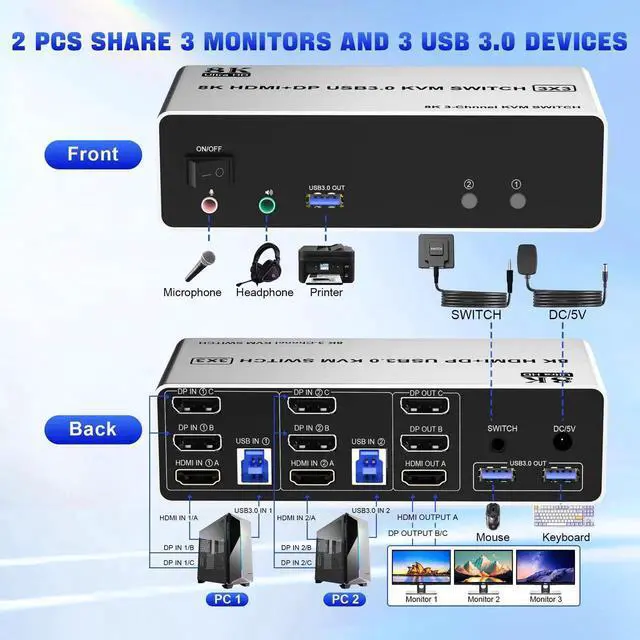
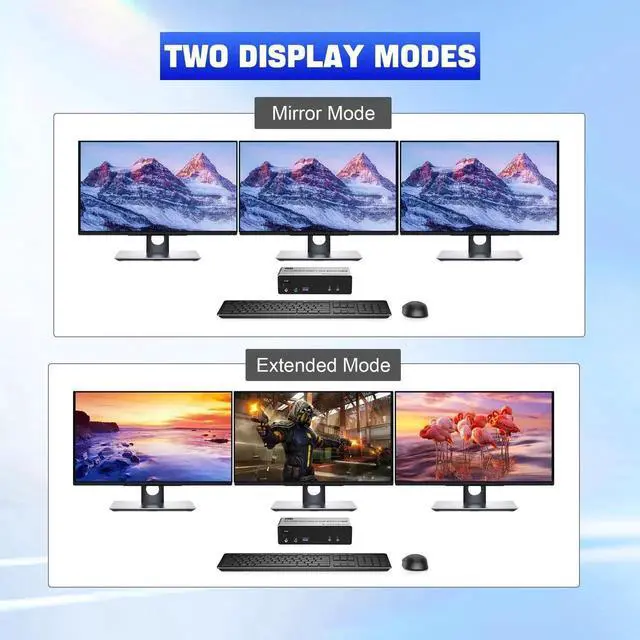
- [HDMI + 2 DP KVM Switch Triple Monitor] 8K KVM 3 monitor 2 computers is used to connect 2 desktop or laptop computers to share a set of keyboard, mouse and 3 monitors for extended, mirrored displays. 2 Displayport + 1 HDMI display output make your work space tidy and efficient. It requires every Laptop/PC support 3 screen or above display functions and must support extended display.
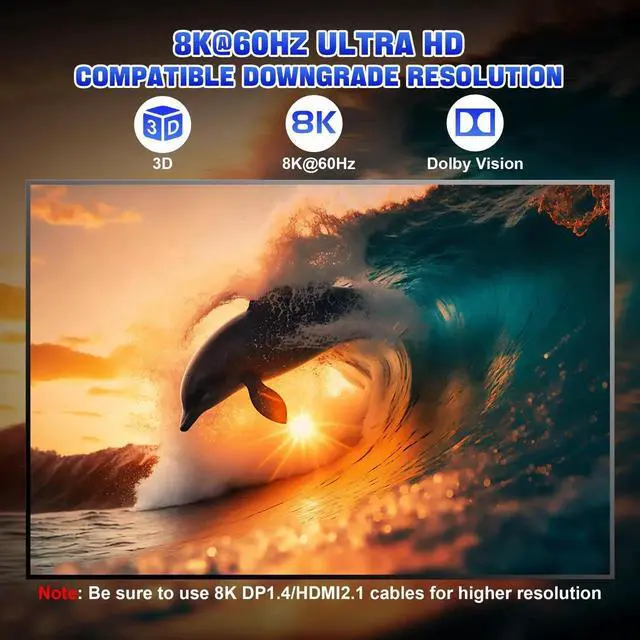
- [8K@60Hz UHD Display] 3 Monitors KVM supports resolution up to 8K@60Hz, 4K@60Hz and is backward compatible. Please note that you can only get the 8K@60Hz effect if your computer graphics card and monitor both support 8K@60Hz.
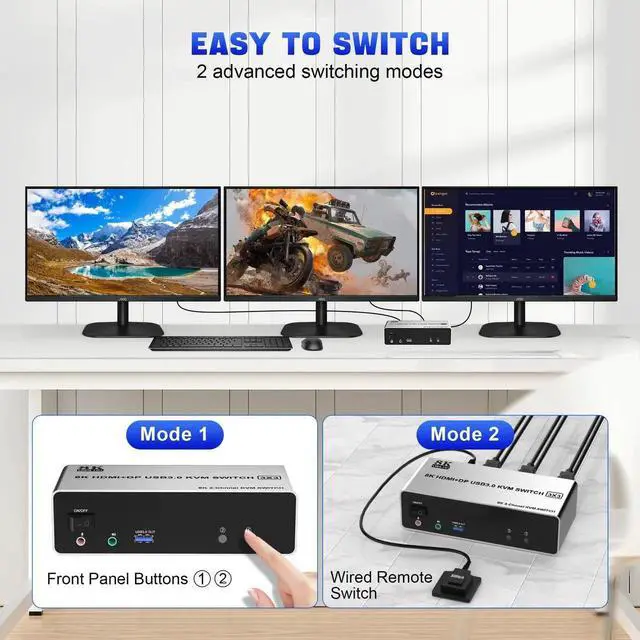
- [Easy to Switch] Triple Monitor KVM can switch easliy between two computers with 2 switching ways. Toggle selection on front panel. Wired remote control included in the package. LED lights indicate active ports.
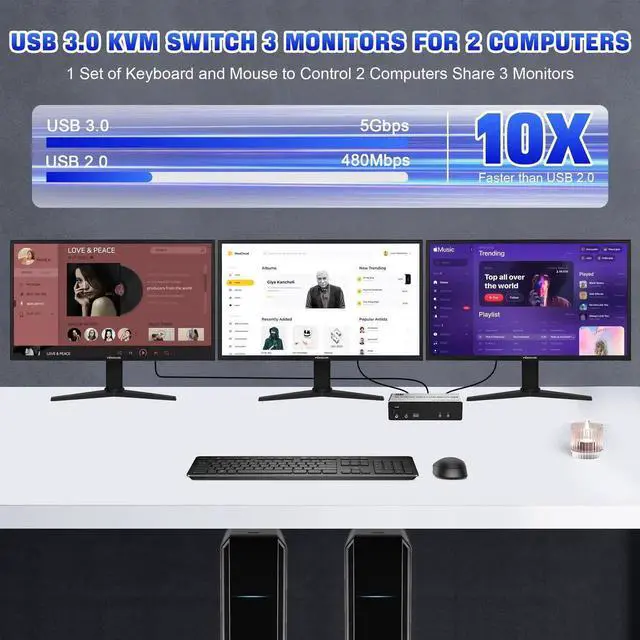
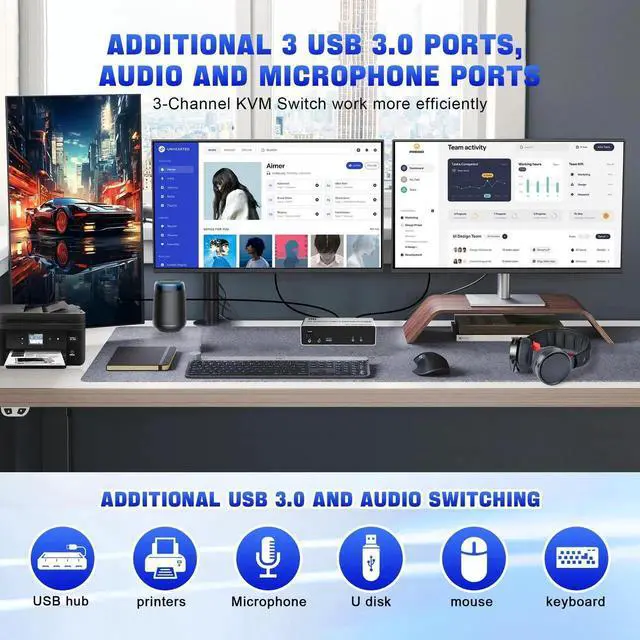
- [EXtra 3 USB 3.0 and Audio Mic Outputs] 3 monitor 2 computer KVM switch with 3 USB 3.0 ports to support keyboard, mouse, printer, scanner and other USB devices. Ultra-fast USB 3.0 data transfer speeds up to 5Gbps, backwards compatible with USB 2.0/1.1. Supports separate audio and microphone outputs. Plug and play, say goodbye to messy cables.
- [What you get] 1x USB 3.0 8K KVM Switch for 3 Monitor 2 Computer, 2x USB 3.0 Cables, 1x Power Adapter, 1x Wired Button, 1x User's manual. Please use the 5V power adapter ( include in the package) to power this KVM switch. We offer 18 months warranty. If you have any questions about the product, please contact us.
Any questions? Our AI beta will help you find out quickly.
8K@60Hz HDMI + 2 DisplayPort KVM Switch 3 Monitors 2 Computers Sharing 3 USB 3.0 Ports, Audio & Microphone, Keyboard & Mouse
Features:
Share one set of keyboard, mouse and 3 monitors (HDMI + 2 DisplayPort) between 2 computers or laptops;
3 monitors resloution up to 8K@60Hz, support HDMI 2.0 and DP 1.2 standards. Extended ,Mirrored or spliced displayDepends on your computer's graphics card);
No complicated installation is required, and non-professionals can easily operate it, Ideal for multi-tasking professionals and gamers who need to access multiple devices quickly and efficiently;
Cross support variety of major operation systems including Windows, Linux, Mac and more;
2 Switching modes: Buttons on the front panel and wired remote;
The ports that need to plug in HDMI/DP/USB cables are all hidden behind the KVM, so the desktop doesn't get cluttered;
The kvm switch can expand the USB 3.0 ports if multiple connections are required, also an audio microphone output.
Important: After connecting the computers and the monitors through KVM, you need to set the screen output mode on the computer (press Windows+P) and select the output mode in the pop-up window on the screen.
Warranty & Returns
Warranty, Returns, And Additional Information
Warranty
- Please contact the Seller directly for warranty information. Warranty information may also be found on the Manufacturer's website.
- CONTACT
Return Policies
- Return for refund within: 30 days
- Return for replacement within: 30 days
- This item is covered by GGnix Return Policy
Manufacturer Contact Info
- For a directory of all our manufacturers, please click below.
- Manufacturers Directory