

Your Browsing History
- Free 30-day Returns
$67.98
Ships from China.

Meet Your Seller

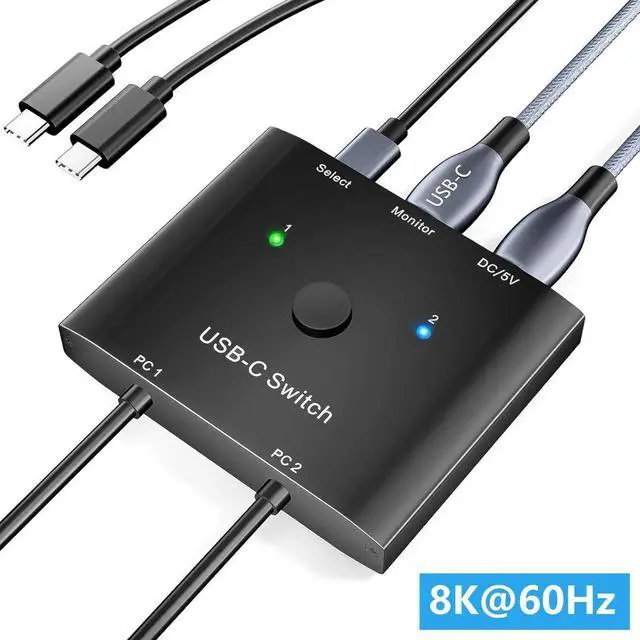


WISDUM IHDAPP USB C Switch 2 in 1 Out, USB Type C KVM Switch 2 Computers 1 Monitor, 8K@60Hz / 4K@120Hz / 20Gbps/ USB 3.1 Gen 2 / 100W PD/Compatible with Thunderbolt Devices/Wired Remote, 1 USB-C Cable
Limited time offer, ends 09/27 By TechMax Depot
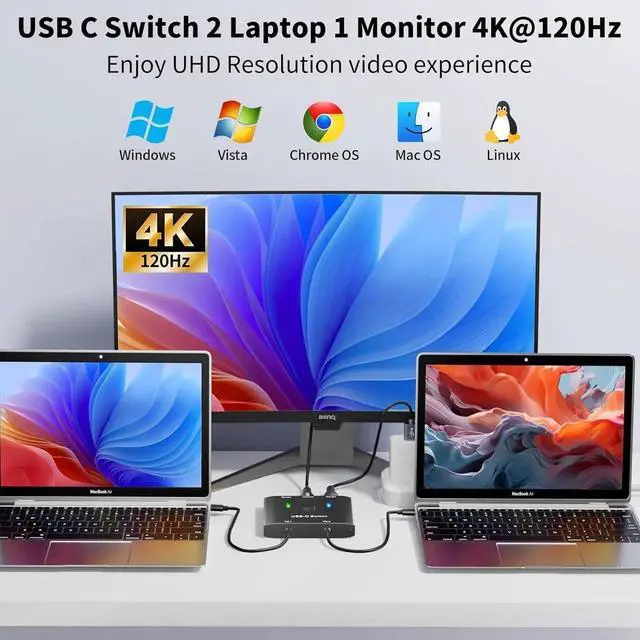
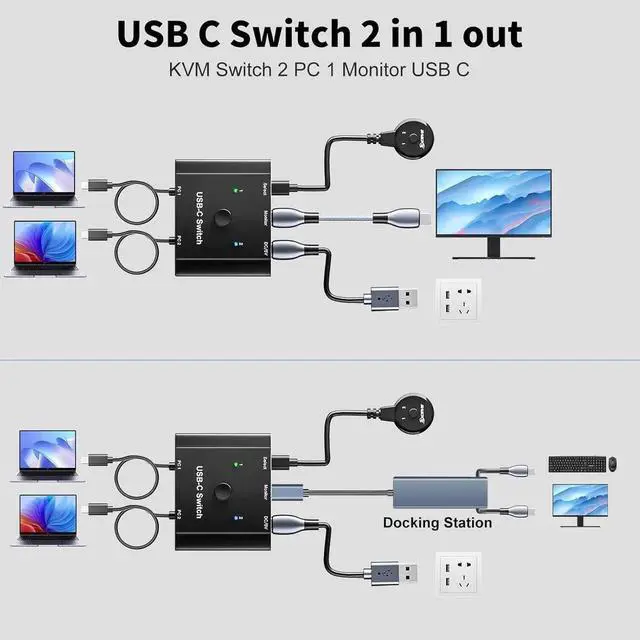
- USB C Switch 2 in 1 out: USB C Switch supports 2 USB C signal source inputs and 1 monitor output. USB C switch 2 computers is compatible with laptops, tablets, game consoles and other devices that comply with the USB-C Alt DP protocol.
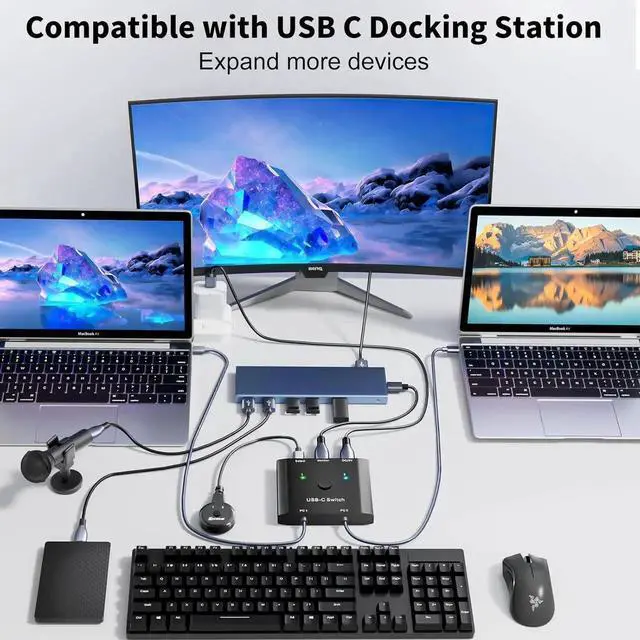
- Works with a premium USB-C Docking Station: USB C Switch can be used with most premium USB C docking stations. Pls note that if you use a poorly compatible USB C docking station, the monitor will not display images. You can test it in the following way (directly use this USB C switch to connect a USB C monitor).
- 8K@60Hz: Supports output 8K@60Hz and 4K@120Hz video to a USB C or HDMI display. Support C to HDMI or DP adapter. Backwards compatible with lower resolution 1080P@165Hz, etc.
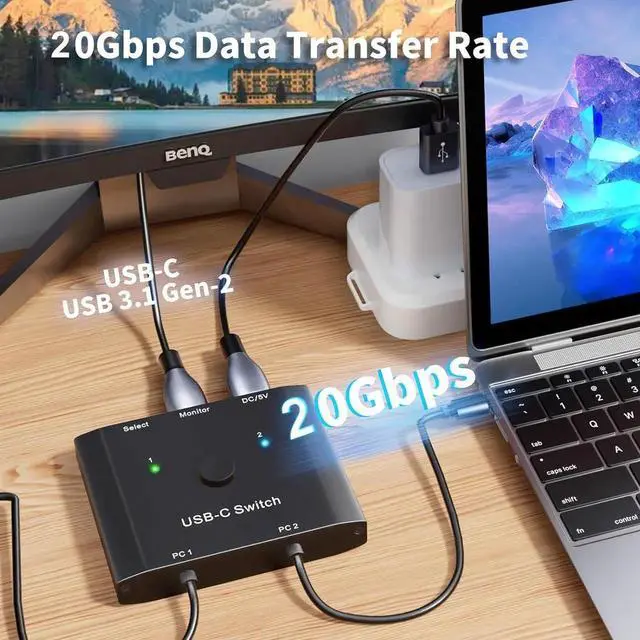
- 20Gbps Data Transfer Rate: The USB-C switch supports 20Gbps Data Transfer Rate and complies with the USB 3.1 Gen 2 protocol. Please use USB-C USB 3.1 Gen-2 specification cables. When KVM Switch USB C is connected to a USB-C/Thunderbolt docking station/hub, some docking stations with poor compatibility may cause the screen to flicker or go black.
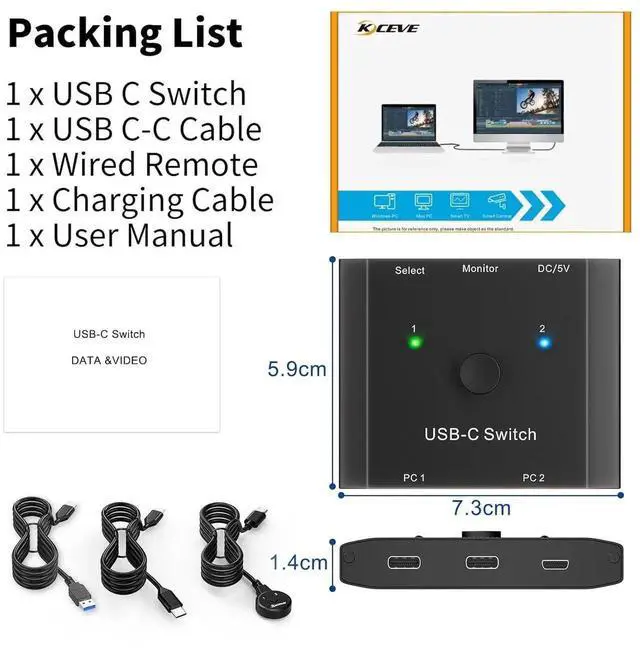
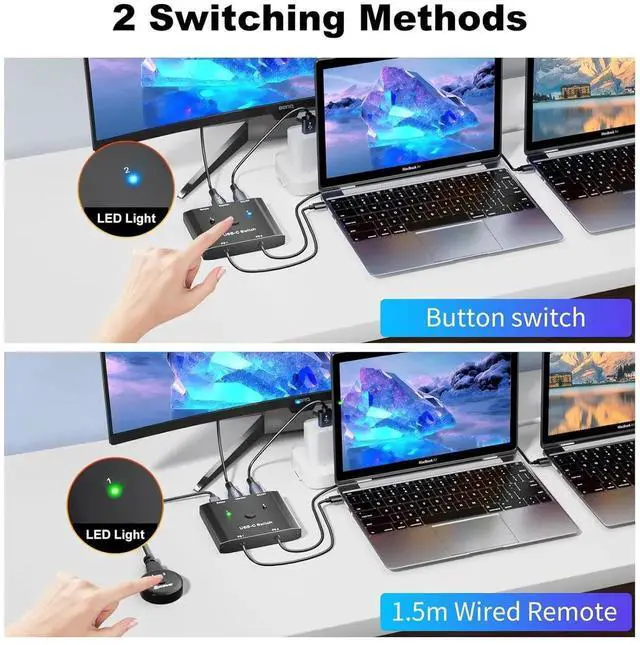
- 2 Switch Methods: Plug and play, the indicator light shows the working status. The input source can be switched through the buttons on the USB C KVM panel and the 1.5m wired remote
- Supports PD 100W Charging: Type C KVM switch allows your laptop and other devices to be charged while working, supporting PD 100W charging efficiency.
- Wide Compatibility: Compatible with Windows / XP / Vista / Chrome / Mac OS / Linux system.
+
+
Overview
Specs
Reviews

Any questions? Our AI mode will help you find out quickly.
Try me now
- USB C Switch 2 in 1 out: USB C Switch supports 2 USB C signal source inputs and 1 monitor output. USB C switch 2 computers is compatible with laptops, tablets, game consoles and other devices that comply with the USB-C Alt DP protocol.
- Works with a premium USB-C Docking Station: USB C Switch can be used with most premium USB C docking stations. Pls note that if you use a poorly compatible USB C docking station, the monitor will not display images. You can test it in the following way (directly use this USB C switch to connect a USB C monitor).
- 8K@60Hz: Supports output 8K@60Hz and 4K@120Hz video to a USB C or HDMI display. Support C to HDMI or DP adapter. Backwards compatible with lower resolution 1080P@165Hz, etc.
- 20Gbps Data Transfer Rate: The USB-C switch supports 20Gbps Data Transfer Rate and complies with the USB 3.1 Gen 2 protocol. Please use USB-C USB 3.1 Gen-2 specification cables. When KVM Switch USB C is connected to a USB-C/Thunderbolt docking station/hub, some docking stations with poor compatibility may cause the screen to flicker or go black.
- 2 Switch Methods: Plug and play, the indicator light shows the working status. The input source can be switched through the buttons on the USB C KVM panel and the 1.5m wired remote
- Supports PD 100W Charging: Type C KVM switch allows your laptop and other devices to be charged while working, supporting PD 100W charging efficiency.
- Wide Compatibility: Compatible with Windows / XP / Vista / Chrome / Mac OS / Linux system.
Warranty & Returns
Warranty, Returns, And Additional Information
Warranty
- Please contact the Seller directly for warranty information. Warranty information may also be found on the Manufacturer's website.
- CONTACT
Return Policies
- Return for refund within: 30 days
- Return for replacement within: non-replaceable
- This item is covered by TechMax Depot Return Policy
Manufacturer Contact Info
- For a directory of all our manufacturers, please click below.
- Manufacturers Directory
LOADING...