- Free 30-day Returns
Meet Your Seller
JAENFONG 8K@60Hz HDMI Dual Monitor KVM Switch, 2 Port HDMI KVM Switch for 2 Monitors 2 Computers with 3 USB 3.0 Ports, Extended Display Switcher with Audio Microphone, PC Monitor Keyboard Mouse Switch
Limited time offer, ends 07/28 By Smart core
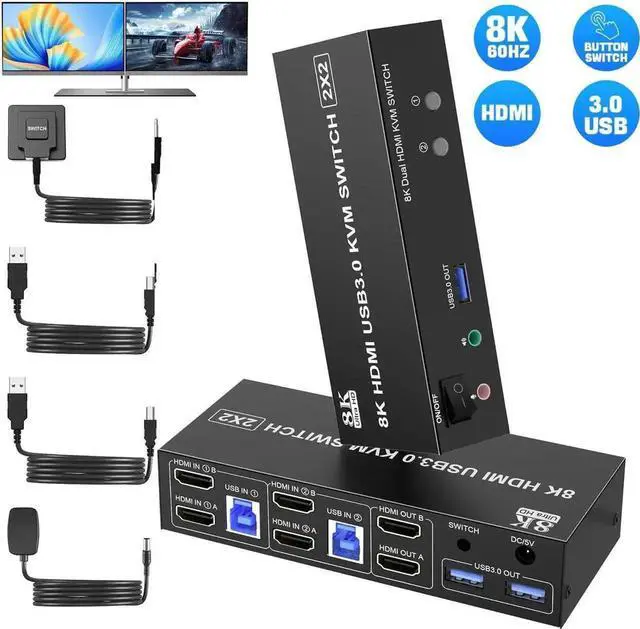
- KVM Switch 2 Monitors 2 Computers: The KVM Switch allows 2 computers share 2 monitors and 3 USB devices like mouse keyboard Printer.
- Crystal Clear 8K@60Hz Resolution: Support up to 8K@60Hz KVM Switch. And if you need different resolutions, fear not, it also supports 8K@30Hz, 4K@120Hz, 3D and 1080P as well.
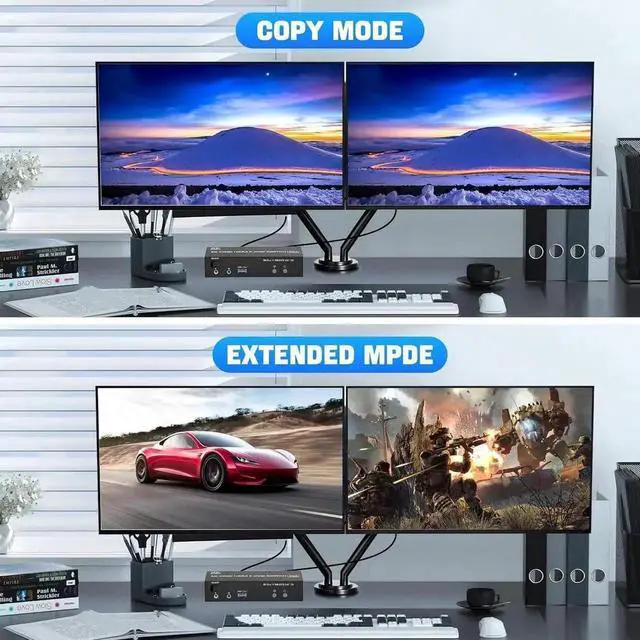
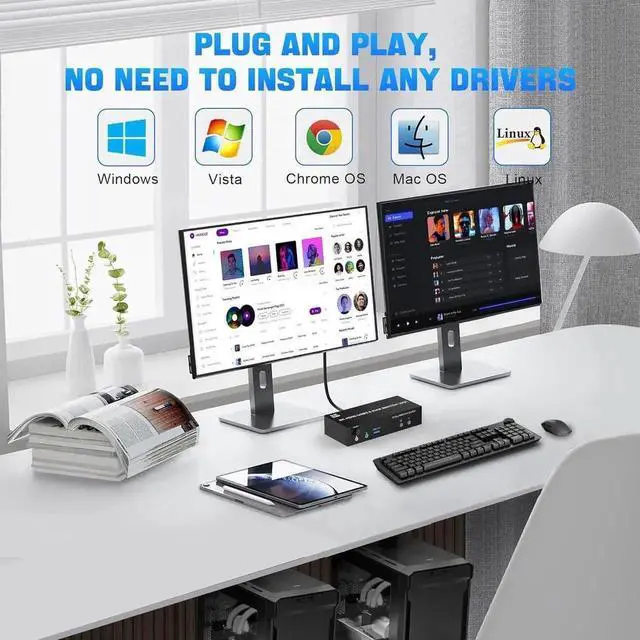
- Seamlessly Compatible & Extended and Copy Mode: Driver-free for Windows, Mac OS, Linux, and Chrome OS. Plug and play. Support extended and copy display modes. Copy mode: The main screen can be copied to the second output screen to display 2 identical screens. Extended mode: windows on the main screen can be dragged to the second output screen to display 2 different screens.
- USB 3.0 Switch & Audio Microphone Output: KVM switch has 3 USB 3.0 ports with a data transfer rate up to 5Gbp/s, which is 10x faster than USB 2.0 ports. It can be used to share USB devices such as printers, webcams, wired or wireless keyboards and mice etc. Also supports separate audio and microphone output.
Any questions? Our AI beta will help you find out quickly.
8K Dual Monitor HDMI kvm switch 2 monitors 2 computers
KVM Switch 2 monitors 2 computers allows two computers share dual monitor and 3 USB devices and separate audio and microphone output
The hdmi kvm switch support extended and mirror display
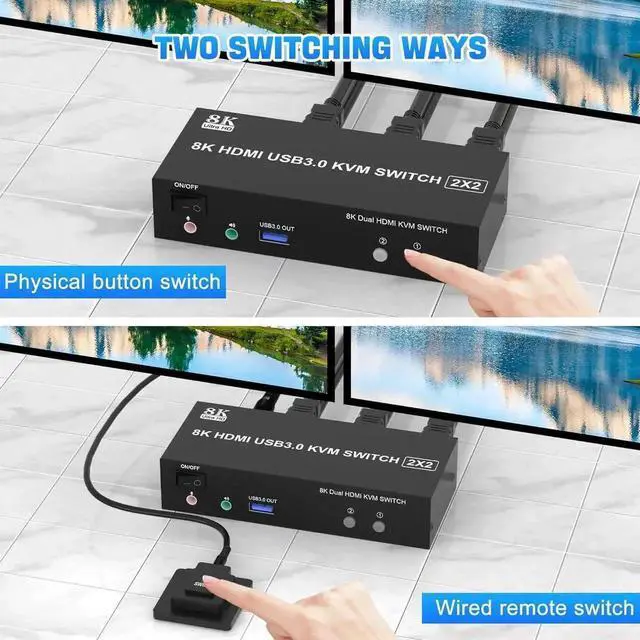
2 Switching modes: Button switch and wired remote.
Wide Compatibility, support most major OS including Windows, Linux, Mac
Supports resolutions up to 8K@60Hz
installation steps:
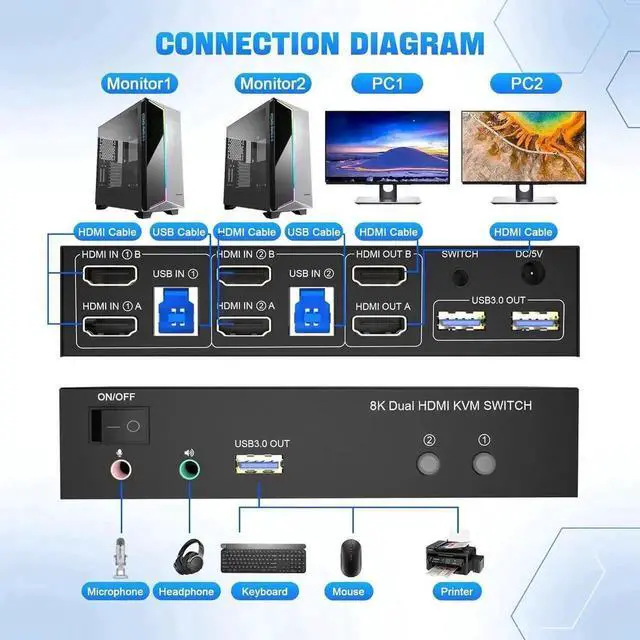
1. Insert the adapter into the KVM;
2. Plug the HDMI cable into the KVM and monitor; (Output)
3. Plug the HDMI cable and USB 3.0 cable into the KVM and your computer/laptop (HDMI cables are not included) (Input)
HD IN1 A + HD IN1 B + USB IN1=PC1
HD IN2 A + HD IN2 B + USB IN2=PC2
4. Insert the mouse and keyboard into the KVM switch
5. If needed, you can connect a microphone and audio port
Warranty & Returns
Warranty, Returns, And Additional Information
Warranty
- Please contact the Seller directly for warranty information. Warranty information may also be found on the Manufacturer's website.
- CONTACT
Return Policies
- Return for refund within: 30 days
- Return for replacement within: 30 days
- This item is covered by Smart core Return Policy
Manufacturer Contact Info
- For a directory of all our manufacturers, please click below.
- Manufacturers Directory