

Your Browsing History

Meet Your Seller


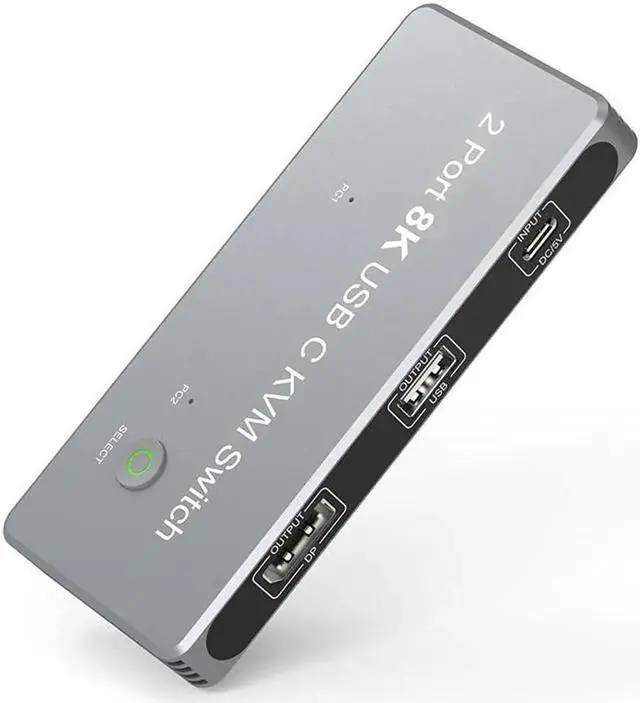


JAENFONG USB-C 8K KVM Switch DP 1.4 2xUSB-C PC to One DisplayPort Dual Monitor 8K@60Hz 4K@144Hz 3X USB2.0 Shared Mouse Keyboard Printer 2-in/4-out Converter Compatible with Thunderbolt 3/4
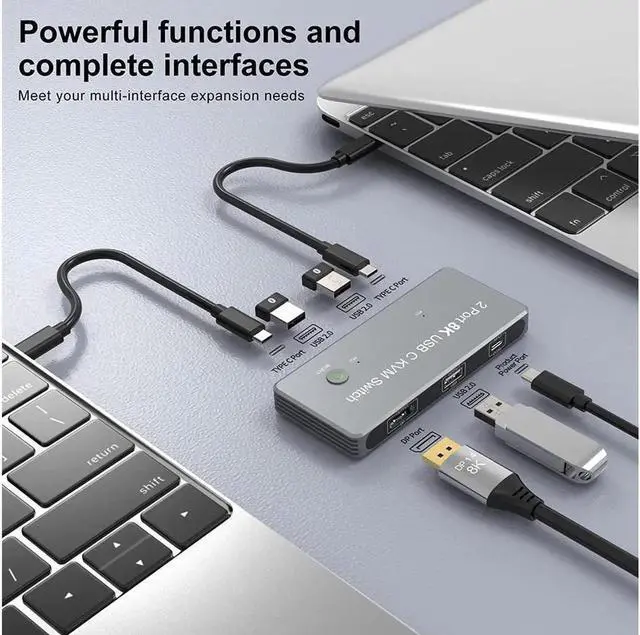
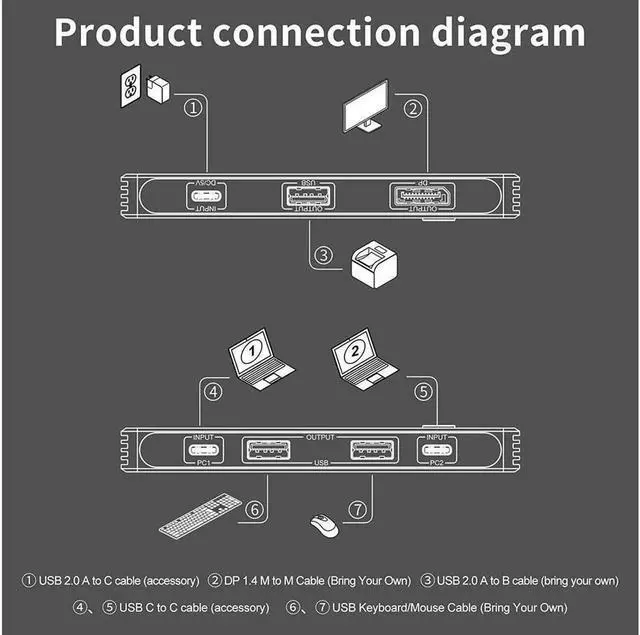
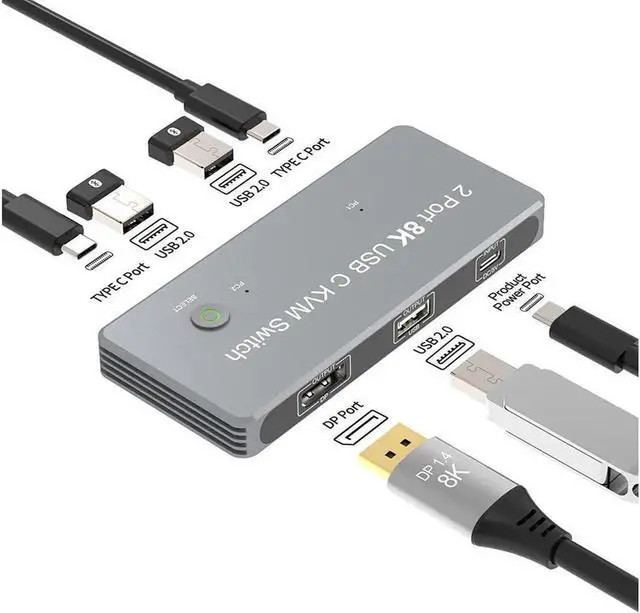
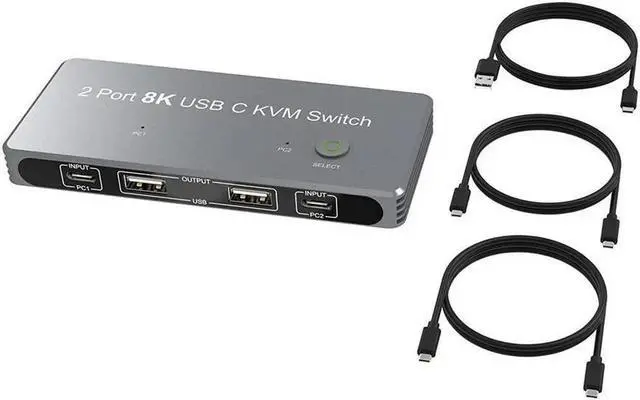
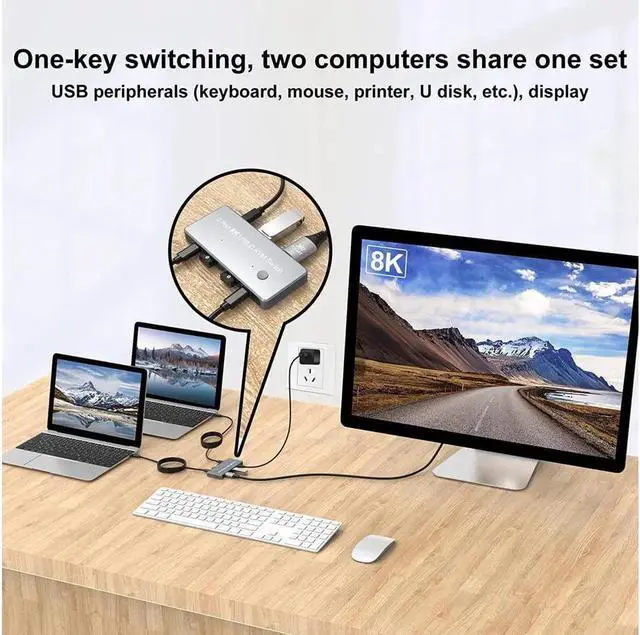
- With this 2-port 8K KVM switch, connect from the switch's two PC input ports to a USB-C PC/laptop via two standard USB-C Gen-2 cables, and then connect from the switch's standard DP 1.4 port to a DisplayPort monitor via its own Displayport 8K standard cable. Switch between the two PCs by pressing the "Select" button. Note: When the switcher is working, plug in our USB C to USB A cable to power it.
- You can connect the three USB 2.0 output ports to your mouse, keyboard, printer, disk, or other USB device. When you switch from one computer to another, your USB devices will sync to your external display without having to repeatedly plug in and unplug the associated USB devices.
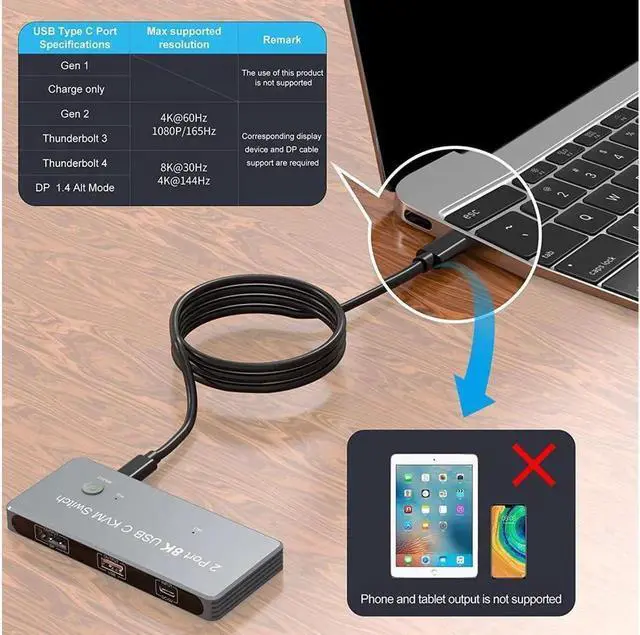
- The maximum resolution output of the external DisplayPort monitor is 8K@60Hz 4K@144Hz, which requires that both your USB-C computer and DisplayPort cable/display should support the maximum resolution output, i.e. your computer's USB-C port should be Thunderbolt 4 and your monitor's DP port should be DP1.
+
+
Overview
Specs
Reviews

Any questions? Our AI mode will help you find out quickly.
Try me now
Package Contents:
1 x USB C KVM Switch
1 x USB 2.0 Cable (Type A to Type C)
2 x USB Gen 2 Cable (Type C to Type C)
1 x Quick Start Guide
With this 2-port 8K KVM switch, connect from the switch's two PC input ports to a USB-C PC/laptop via two standard USB-C Gen-2 cables, and then connect from the switch's standard DP 1.4 port to a DisplayPort monitor via its own Displayport 8K standard cable. Switch between the two PCs by pressing the "Select" button.
Note: When the switcher is working, plug in our USB C to USB A cable to power it.
You can connect the three USB 2.0 output ports to your mouse, keyboard, printer, disk, or other USB device. When you switch from one computer to another, your USB devices will sync to your external display without having to repeatedly plug in and unplug the associated USB devices.
The maximum resolution output of the external DisplayPort monitor is 8K@60Hz 4K@144Hz, which requires that both your USB-C computer and DisplayPort cable/display should support the maximum resolution output, i. e. your computer's USB-C port should be Thunderbolt 4 and your monitor's DP port should be DP1.
Warranty & Returns
Warranty, Returns, And Additional Information
Warranty
- Please contact the Seller directly for warranty information. Warranty information may also be found on the Manufacturer's website.
- CONTACT
Return Policies
- Return for refund within: 45 days
- Return for replacement within: 30 days
- This item is covered by LumiNova Tech Return Policy
Manufacturer Contact Info
- For a directory of all our manufacturers, please click below.
- Manufacturers Directory
LOADING...