
Your Browsing History





Any questions? Our AI beta will help you find out quickly.
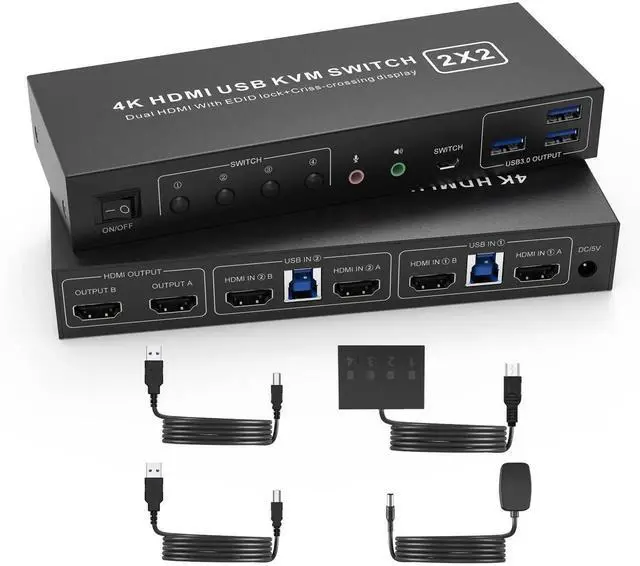
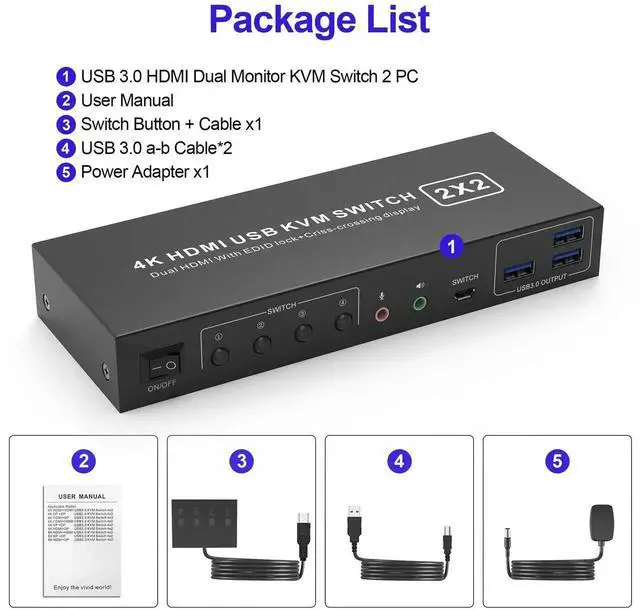
USB 3.0 Dual Monitor HDMI KVM Switch for 2 Computers
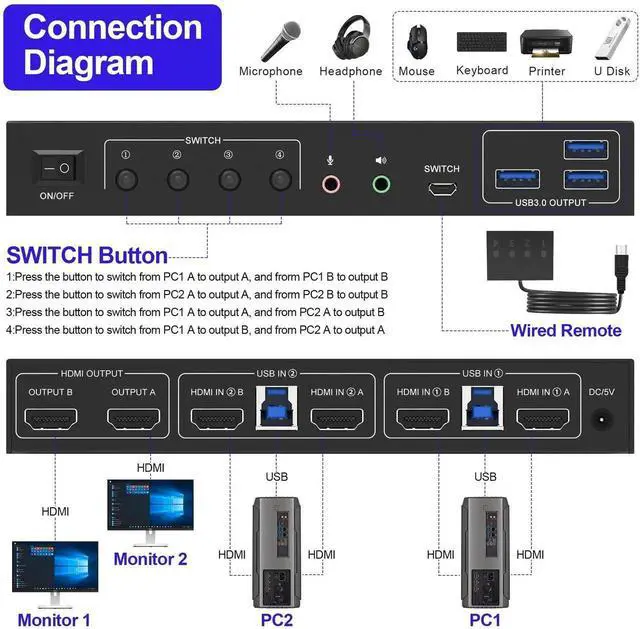
You can easily have a dual monitor setup per system or a single monitor showing both systems (one on each monitor)
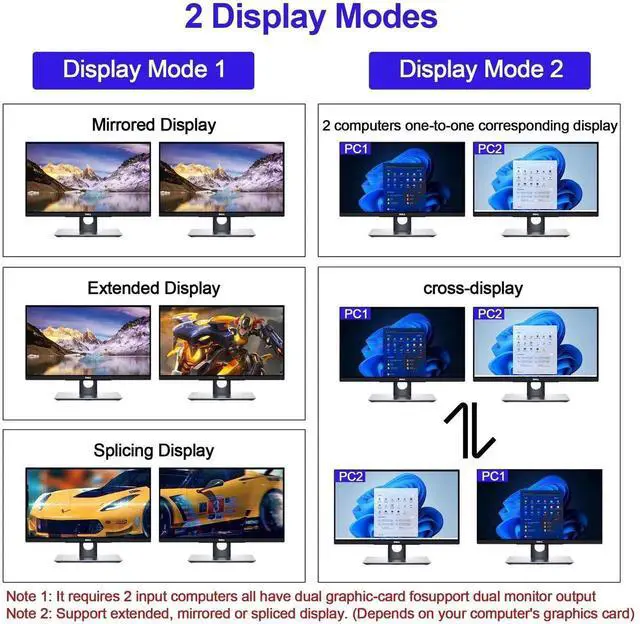
Dual monitors output support up to 4K@60Hz for extended,mirrored or spliced displayDepends on your computer's graphics card
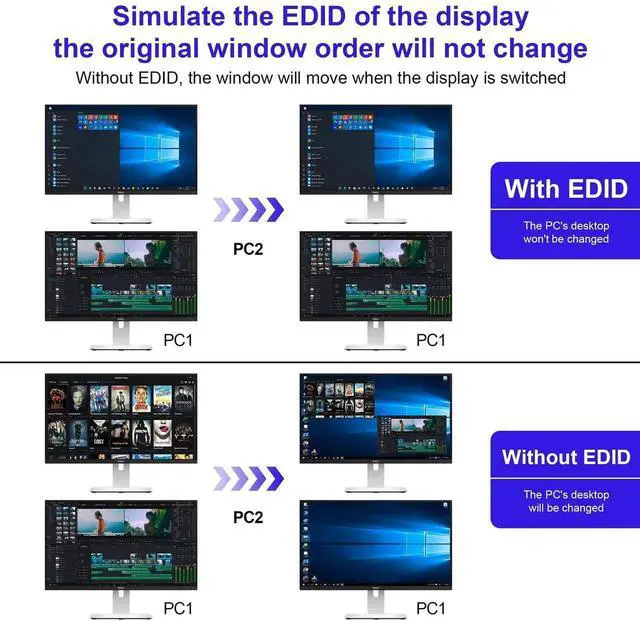
With EDID emulators in the extended display mode, keep PCs always have correct information, prevent displays setting change while switching inputs
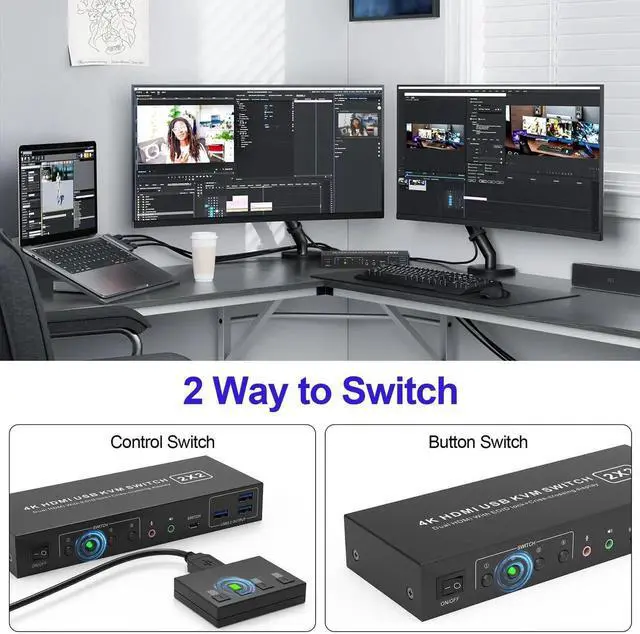
2 Switching modes: Button switch and wired remote.
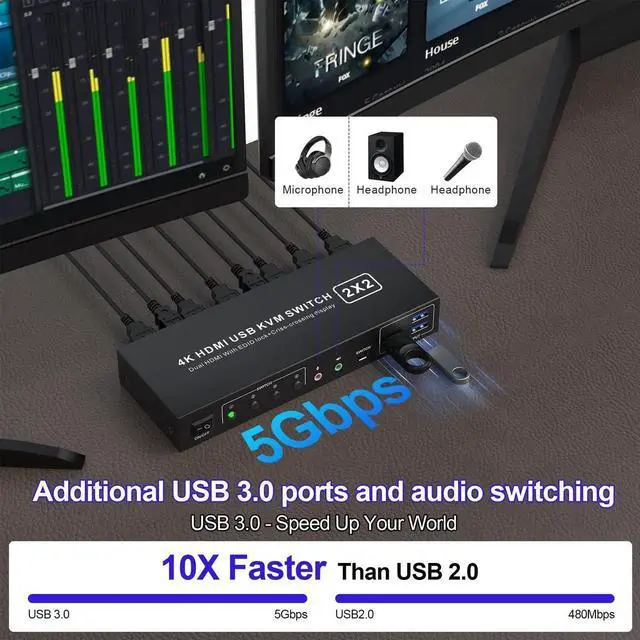
With extra 3* USB3.0 and Audio Microphone output
Advantages of our dual-channel KVM:
Display Mode 1: Mirror/Copy Display; Extended Display; Surround/Splicing Display
How to switch:
1:Press the button to switch from PC1 A to output A, and frorm PC1 B to output B
2:Press the button to switch from PC2 A to output A, and frorm PC2 B to output B
Display Mode 2: 2 computers one-to-one corresponding display, Criss-crossing Display
How to switch:
3:Press the button to switch from PC1 A to output A, and from PC2 A to output B
4:Press the button to switch from PC1 A to output B, and from PC2 A to output A
Support EDID Lock Screen
Dual monitor KVM switch can simulate the EDID of the display, when the monitor is switched between two computers, the original window order will not change.